

Buy anything from 5,000+ international stores. One checkout price. No surprise fees. Join 2M+ shoppers on Desertcart.
Desertcart purchases this item on your behalf and handles shipping, customs, and support to Kyrgyzstan.
🎯 Color your world with precision!
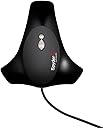
The Datacolor Spyder4Elite S4EL100 Colorimeter is a cutting-edge tool designed for professionals seeking to achieve perfect color accuracy across all display types. With its advanced full-spectrum color sensor and improved calibration features, it ensures that your visuals are always on point, making it an essential device for photographers, designers, and video editors.
| Best Sellers Rank | #226,025 in Industrial & Scientific ( See Top 100 in Industrial & Scientific ) #19 in Lab Colorimeters |
| Customer Reviews | 3.8 out of 5 stars 359 Reviews |
A**D
Easy to use and great results
I calibrate my monitor quite often to ensure great quality and consistent colors between pictures. In the past I used a competing brand simply because at that time that brand was less expensive and I thought.. well why not! This was several years ago. When the Spider 4 Elite came out, I decided to replace my other brand for a couple of reasons. 1) Way easier to use and 2) it came with a stand to stand next to my monitor at a very easy reach. Now, to elaborate on some of these that were to me important: 1) Easier to use: it is really easy to use. As the other brand, the Spider 4 Elite also comes with an ambient light measure. The difference however is that the other brand measures it and tells you whereas the Spider 4 Elite measures, tells you, AND adjusts the monitor accordingly. I have tested this such that I had my shades pulled open and closed and anywhere in between where I thought the light was to my liking. The Spider 4 Elite told me that forget about opening the shades because the light is out of control! I loved that! Now I know precisely where to keep my shades to be comfortable for me to see my keyboard without interfering with my monitor! LOVE that! 2) The stand... you'd think "no big deal" but yes, it is! The other brand had to sit either on top of the monitor--which made it fall on several occasions--or just lay on the top of my computer desk, in which case it often had things end up on it or knocking it off the desk all together. The Spider 4 Elite comes with its own stand, which places the measuring unit vertically suspended and out of the way but next to the monitor, making it very easy to attach to the monitor and re-calibrate in one second. It also has a blue flashing light letting you know that it is "alive" and is monitoring your ambient light, making adjustments to your monitor such that even if your ambient light changes (within limit), the calibration "follows" to set your monitor brighter or dimmer in response to what light you have in your office. This is great for ongoing minor adjustments so I can keep on working and have consistent results even with some changes in my room light. And although I did not list a 3rd point earlier, I must add a 3rd: the price has come down to the point where I find the Spider 4 Elite a better deal given the other 2 points I just listed. It can also calibrate my printer, which I have not yet done since I normally send my work to a professional printing lab rather than printing at home.
A**S
Spyder4Elite didn't work . . . Spyder3Elite back in service
Note: In case the title is unclear, at no time has the workstation had BOTH versions of SpyderElite installed. 2012-02-23 UPDATE: END OF THE LINE - BACK TO THE Spyder"3"Elite ============================================================== Since some others apparently have gotten the Spyder4Elite to work (although other reviews are general in nature and not clear that they have actually placed them in use) I think it likely that the particular Spyder4 Colorimeter I received was defective. I will up their rating by 1 Star on that possibility. If others have success I may try the "4" again at a later date. Hopefully any other owners who might get a defective unit, or a refurbished one, will meet with more attentiveness from DataColor. One Comment mentioned the previous Spyder might not have done a good job of cleaning up after itself when it was uninstalled. That is not the case here as DataColor when we were trying to debug the issue provided two special technical applications to completely clean all entries left behind by their products. I am now back to the "3" version which runs without problems. IMPROVED EXPERIENCE with DataColor Customer Support: ==================================================== After Datacolor suggested I request an RMA to return the sensor for them to look at I responded that I expected some sort of expedited exchange to see if this could be made to work. After 2 business days with no response, I returned the non-functioning unit. A day later I did hear from Datacolor. They offered to expedite the exchange and actually had a unique way to do it. . .but it was too late. Too bad, but not exactly stellar performance since the ticket I opened with Customer Service was flagged as High Priority. In summary, I'm not sure what is wrong with the Spyder4Elite (details below) as compared with the "3" version, but make sure you purchase it from someone who will stand behind it and offer a refund if you have the same problems we confirmed with the unit. My thanks to Amazon.com for being there when Datacolor wasn't. 2012-01-29 UPDATE: NO PROGRESS =============================== I have deinstalled and reverted to the Spyder3Elite with some saddness that the "4" just does not work on my very stable high-performance (not overclocked though or tweaked in any other way to impact stability) workstation. It is running Windows 7 Pro 64-bit with the latest drivers for my very stable Intel HD 3000 graphics chip set. I was going to caution, if you should decide to go ahead and buy this unit immediately, to ONLY buy from "Sold by Amazon" so you have clear and cost-effective recourse if yours is defective or doesn't work. I purchased BOTH my Spyder3Elite and the Spyder4Elite from "Sold by Amazon." I just searched and, strange as it seems, as of Noon this date this is only sold by individual merchants. IT IS NO LONGER SOLD BY AMAZON. Caveat Emptor! 2012-01-27 UPDATE: STILL BROKEN =============================== Datacolor (Switzerland) got back to me within 10 hours with a multi-step process of downloading custom utilities to remove all Spyder3Elite and Spyder4Elite traces after removing "4" yet again. They then had me reinstall from a download link they sent me. It was the exact same link I had used to download the program in the first place. Same identical bad profile and issues. Still can load an old Spyder3Elite created profile and display is then excellent. I sent them both a good and a bad profile (.ICM) file so they can look inside them perhaps, but this appears to be a software issue. 2012-01-26 Original review: =============================== This was just received. I got it from "Sold by Amazon" and am thankful for that as a security blanket in this purchase. We also have a Spyder3Elite in use. Datacolor DC S3EL100 Spyder 3 Elite The "4" was installed on a main workstation that was running the Spyder3Elite. We deinstalled the previous model and the software and programs before beginning the Spyder4Elite install. After two FULL uninstall and reinstalls the software still exhibits a problem in the calibration cycle at the White point setting. I know this process like the back of my hand and when it gets there the screen blinks and with "4" instead of being a neutral white it has a VERY heavy and dark cyan cast. The software reports that the monitor (an LCD IPS panel that is beautiful with Spyder3) cannot reach the brightness level. After adjusting that it continues, but later in the process it reports having to make a change because the brightness is too high. The final profile created for the monitor appears to be null. Toggling it on and off makes no difference. Interestingly we can use the Color Profile applet provided by Datacolor to select one of the older .icm profiles from Ver "3" and the monitor snaps to an excellent profile. This is with Spyder4Elite still installed and running! So the profile being created by Spyder4Elite is corrupted or just wrong. (I'm looking to see if we have any tools to peek inside the profile to see what is going on.) I have a couple tickets open with Datacolor on this but that system has a message saying something about a heavy burden coming in and that it may take some time to respond. The new features do look interesting and perhaps useful but AGAIN with this version there is NO User Manual or software documentation. Datacolor tells buyers to use the Help System while in the program. The very high level Users Guide isn't even available in PDF form on the website. (You do get a small paper version of the User Guide with the hardware and software CD.) The new colorimeter looks exactly like the Ver 3 one, only painted a flat black. (The other one has a dark metallic gray main body that looks a bit like an alien and is actually cool :-) We invested in this in hopes the marketing information about the base colorimeter performance was true (although the "3" has been doing a very good job) but there are some serious issues with the software. It makes no sense that a very new high performance dedicated imaging and video workstation with up to date video drivers that had been running Spyder3Elite perfectly would have a complete failure with Spyder4Elite. We did a complete deinstall of all the Version 3 software before the install and went through the process twice. We will have to remove the Spyder4 from the system and revert to Spyder3 until Datacolor comes back to us. I'm hoping it is some very simple thing that creeped in and is an easy fix. However, for those new to Spyder that lack of ANY adequate documentation on this otherwise powerful will make your learning curve extremely steep. That has been made clear to Datacolor in numerous reviews and in my own messages to them. I am updating this review (above) as Datacolor works on the issue.
E**N
Worked Great with NVIDIA Surround (5760x1080, 3 monitors)
I purchased the Spyder4Elite with the main purpose of calibrating a triple monitor setup (1x BenQ XL2420TX and 2x BenQ XL2420T) via NVIDIA Surround on Windows 7 Ultimate x64. The calibration process went fairly smoothly - with just a couple hiccups with buggy software (this software, although it works, is pretty much a piece of crap - you can tell color calibration is their game, not software - it crashes fairly frequently) and a calibration unit that you pretty much have to hold up the entire time. The difference is night and day. And I feel it is worth the cost, especially because I can calibrate my other computers (2013 11" Apple MacBook Air for one - not as dramatic of a difference after calibration, but still improved). The software only asked me to adjust the brightness on my monitor - once that was done, I adjusted the two flanking monitors to the same number and the software did the rest (using Windows color profiles to set the color). None of the hiccups were big enough to warrant the knocking off of a star. It is a bit expensive, but I feel the capability to use this on multiple setups makes it OK. In fact, I'm traveling with it this weekend to calibrate a friends monitor. I suppose if you were an enterprising individual, you could charge some bucks for the service and pay back the cost of the unit. Heh.
P**Y
Good but slow
I have both a Datacolor Spyder4Elite and an X-Rite i1Display Pro. Both give good results on my Dell U3011 30" Wide-Gamut monitor. The X-Rite unit is much faster, allowing it to create a more complete color correction table in a shorter time. I've found the color correction with the X-Rite to be somewhat better that the Datacolor, but not by so much that it is significant in most cases. I actually use 3 monitors (mostly because I had them). One is the Dell, one is an old Samsung CCFL LCD panel and one is a 2008 (or 2009?) Samsung LED LCD panel. Interestingly, the older CCFL panel has better color than the LED panel, but the LED panel is brighter. The Dell is the monitor I use for all critical work. No color calibration will make these three monitors match, because they are simply to different in technology and their weak colors are different. The best you can do is get the narrow gamut colors the same. Comparing the color correction with both units, they give very similar optimized results when the software is setup similarly. I like the Spyder software better that the X-Rite software, but both work well. The Spyder software is more intuitive and steps you through the calibration process better. It allows easy options for calibrating multiple monitors, although even with the best possible calibration, you'll see differences between different monitor types. The Spyder software provides for an iterative (but slow) grey balance at different luminosities. The X-Rite software does not do this, but allows you to set up your own color patches for correction points, and gives some more options on the type of color profiling to be done. You can make a very complete table of color corrections, which with the speed of the X-Rite unit is practical whereas it would be painfully slow to do fine gradations of correction points with the Spyder unit. With the X-Rite unit, you can also choose several custom color patches to set up calibration points based on Pantone colors or based on colors from your own photographs. Both software packages install a timer that monitors when you last calibrated your display and reminds you to redo the calibration at an interval you set. The both write a color profile that works in the windows color system, and automatically loads that profile as your default. The Spyder version allows you to turn that profile on and off easily, but I'm not sure why you would want to. I feel the X-Rite unit and software has the advantage in measuring and writing the profile, but the Spyder software is better at analyzing the performance of the monitor. I use the X-Rite pretty much exclusively now because of speed.
N**N
Can't tell if this works or not because the company has not provided me any way to access the software
Receive the item and tried to install it on my Macbook Air with Cinema display. The CD is of little use to me without a drive however the instructions referred me to download the software from the company website. Upon accessing the download section of the company website I was greeted with a page saying that they have disabled the customer support and download section over the holidays while they make improvements. They left only an email address to contact them. I wrote to them yesterday and still have not had a response. I think it is very poor customer service to take the software download links down. I know it is good to improve the website but there is no excuse for leaving someone high and dry without access to the needed software while you screw around with your website. THe note on the site says they will have the section back up on January 3rd. If I have to wait that long I will have no choice but to send this back and buy the competitors unit. Edit: About 5 days after writing them they sent me a link to the software download. The software worked well and now my monitor appears to be calibrated. The only thing that I felt could be improved was that when I selected the monitor I own off the list, Apple Thunderbolt Cinema, it did not have any of the other specifications stored in the database. I had to go online and look for the Color Gamut of the monitor and the backlighting, etc. I think if the monitor is in their database, why not include this. THis is a minor annoyance however. My biggest gripe was the screw up with deleting the download links over the holidays and for that poor customer service decision, they lose a star.
W**Y
Made the picture worse and colors even more innacurate - A review from a someone who knows
In the past I have heard plenty of people complain about calibrations including ISF calibrations, because what is accurate doesn't always look the best to the end user which is why your TV isn't perfectly accurate. I have the privilege of staring at multiple thousand dollar SONY monitors that are specifically made for broadcast stations and they are installed at a broadcast station. I was not at all expecting accuracy like those monitors but I wanted some improvement. I bought this thing because I wanted my 2560x1600P IPS monitor to be as accurate as it could be. I can say this clearly and firmly... either this thing is hit and miss (sometimes working sometimes not) and all I could achieve was misses or it is a complete miss at all times. It didn't not accurately set the reference brightness level that it said it was trying to achieve and I had the room completely blacked out. It did not utilize all or even many of the monitors own built in adjustment points which is probably one of the biggest shortcomings of this unit. --------------------------- In the end I was left with completely inaccurate everything... but not improved at all. I would have been ok with a picture that had improvements even if it didn't look better (because accuracy rarely looks better) but this left a picture that looked worse and was less accurate. I had no misconceptions of using an affordable consumer monitor as an accurate printing or proofing monitor I just wanted my daily use monitor to be a little bit better. This product failed me in every way possible and now I have a $200 paper weight and it is EXACTLY THAT. It is a paper weight because they have you burn a software license code which makes it worthless or I should say worth less than half since if you sell it you the person buying it will probably have to buy the software which costs $99! Save your money and save your time... Buy a kit that uses high quality color filters to have you manually make adjustments.
P**0
Best in class!
So many products that you see on the internet have claims to be the "best". Here is one that truly is the best - the Elite Spyder4. I have purchased several Datacolor products over the years and have been very satisfied with them for any number of reasons. But with this new Elite, they have included some features that really put this in "best of class" status. The new features are "Spyder Tune" which is an advanced tuning feature to fine tune multiple monitors. It has a user-friendly interface that makes it easy to fine tune side-by-side displays that I use, as do most pros, in the studio. The feature uses sliders to adjust the settings for white point, brightness and gamma. You simply slide them to increase or decrease the settings and see them displayed in real-time. This is a must-have for anyone running multiple monitors. The Advanced Quality Analyzer feature has luminance and color uniformity graphing. This allows you to see how your monitor(s) perform over the entire display. Again, this is a feature that pros will really appreciate for precise calibration in the most demanding applications. So with these improvements compared to the previous version of the Elite, along with Datacolor's reputation for reliability, this new Spyder 4 does not disappoint. Buy it if you want the best in color calibration.
B**R
Bad instrument?
I calibrated 2 screens using Spyder 4 colorimeter and datacolor provided software, then I did something I won't do normally: I returned everything! First I calibrated my high gamut ASUS PA279Q 27" set in standard mode, result was rather good which means that calibration removed a slight green cast and whites were neutral maybe slightly on the warm side (expected). Profiling result was quite good too when in Photoshop, correcting the wide gamut over saturation. To be honest though, the ASUS provided factory profile was OK too besides the minimal green cast (which I could have corrected by hand). So encouraged by this first result, not spectacular but at least showing some progress, I then calibrated my Surface Pro first generation (Samsung?) display. To put this in context one can download a couple profiles for the Surface Pro from the Internet made with the X-Rite instrument which are just fine. So what was my surprise when my screen looked like being transported on the Planet Mars when using the Spyder 4. I tried all the spectral profiles provided by Datacolor for LED screen technologies... with the same horrible result: a strong and totally unacceptable red cast. I then installed Argyll software with DispCalGUI to see if there was any improvement. To my surprise (again) the results were very similar (reddish). This proves in my opinion the Spyder 4 is very consistent but not capable of dealing accurately with some screens color spectrum. It was also apparent in DispCal GUI that the red channel - when doing the white point - was measured as very dark explaining the subsequent red boost in the calibration LUT curves. OK so maybe I got a defective instrument or maybe I made a mistake. Or maybe the technology of Spyder 4 needs some refreshing. One of the reasons I bought Spyder 4 was the 7 filters that are advertised. After looking further, I read their patent and realized that they use edge filters with multiple sensors, so it not a direct measure. Maybe the reconstruction of the CIE filter curves is not so good with production units, maybe the provided profiles are outdated. I don't know really what is going on but no one should have to guess or go though such complications!
S**N
To put it simply, this is a remarkable tool which is easy to use and provides excellent results for complex calibration
To put it simply, this is a remarkable tool which is easy to use and provides excellent results for complex calibration. I work as a video editor and have spent the past year with an uncalibrated dual-screen setup (one for workspace, one for preview). My so-called 'Preview' monitor was displaying what I would consider washed out images with barely any dynamic range. This made the screen useless for colour correction or grading and I ended up having to use my workspace screen to do such tasks. Since buying this new product I have noticed an incredible difference in the representation of colour information on both screens - I calibrated my main display with the simple step-by-step process and then did the same with my secondary monitor. Now when working on both screens I am presented with the same picture on both. A must buy for any creative professional!
C**U
Idéal pour calibrer un écran
Facile à installer et à utiliser la Spyder 4 permet de générer un profil icc pour son écran de PC. La calibration est indispensable dès qu'on fait du développement de photo RAW avec Lightroom ou de la retouche avec Photoshop, pour ne pas faire n'importe quoi. Le logiciel speaks French. Il est possible de calibrer un vidéoprojecteur connecté comme moniteur sur un PC. En revanche pour un home cinéma Datacolor propose le kit TVHD qui est une arnaque pour les vidéoprojecteurs HC car on ne peut régler que la luminosité et le contraste. Il vaut mieux utiliser le logiciel HCFR qui reconnait la Spyder 4 comme sonde. Il est beaucoup plus complexe à utiliser mais donne des résultats spectaculaires. Donc avec le même Spyder 4 on peut à la fois utiliser le logiciel Datacolor pour les écran de PC et le logiciel HCFR pour les vidéoprojecteur en utilisation home cinema. Juste après mon achat Datacolor a sorti la Spyder 5. Merci Amazon de n'avoir pas anticipé l'annonce !
C**N
Works exactly as it should! REALLY WELL!
We are using this in our small design practice to profile 2 Macbook Pro Retina laptops and one desktop Mac as well as some Thunderbolt displays. The setup of our studio isn't perfect as far as ambient light goes but this little bugger does its level best to get the displays all giving the same result! I highly recommend this device as the basis for the calibration workflow. Our next job is to start profiling our digital printers.
A**T
Ben funzionante
Ottimo prodotto. L'esecuzione della calibrazione è guidata passo passo e semplice da eseguire. Il calibratore può essere usato su quanti computer si desidera basta scaricare/installare il software su di esso. Utilizzabile sia su sistemi windows che mac. Ho eseguito la calibrazione su iMac e su Macbook Pro e devo constatare che la storia dei monitor apple già calibrati è vera. La differenza dopo la calibrazione è veramente sottile. Dopo la calibrazione la gamma dei neri è visibilmente più ampia.
A**A
Gran calibrador.. excelente relación calidad/precio
Es un gran calibrador, realiza perfectamente su trabajo. El programa que le acompaña ademas de ser muy intuitivo y fácil de usar, permite calibrar mas de una pantalla. Se puede utilizar tanto en Mac, PC, iPhone y iPad. No es el mas barato del mercado, eso esta claro, pero la relación calidad/precio vista su versatilidad es muy buena. Ya lo he recomendado cuando me han preguntado por un calibrador, asíque si quieres calibrar con calidad y fiabilidad tu pantalla, definitivamente estas frente a un MUST HAVE!!
Trustpilot
2 days ago
2 months ago