Buy anything from 5,000+ international stores. One checkout price. No surprise fees. Join 2M+ shoppers on Desertcart.
Desertcart purchases this item on your behalf and handles shipping, customs, and support to Kyrgyzstan.
🚗 Unlock Your Ford’s Full Potential with Pro-Level Diagnostics!
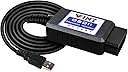
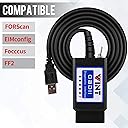
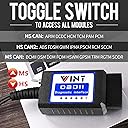
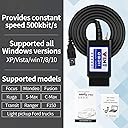
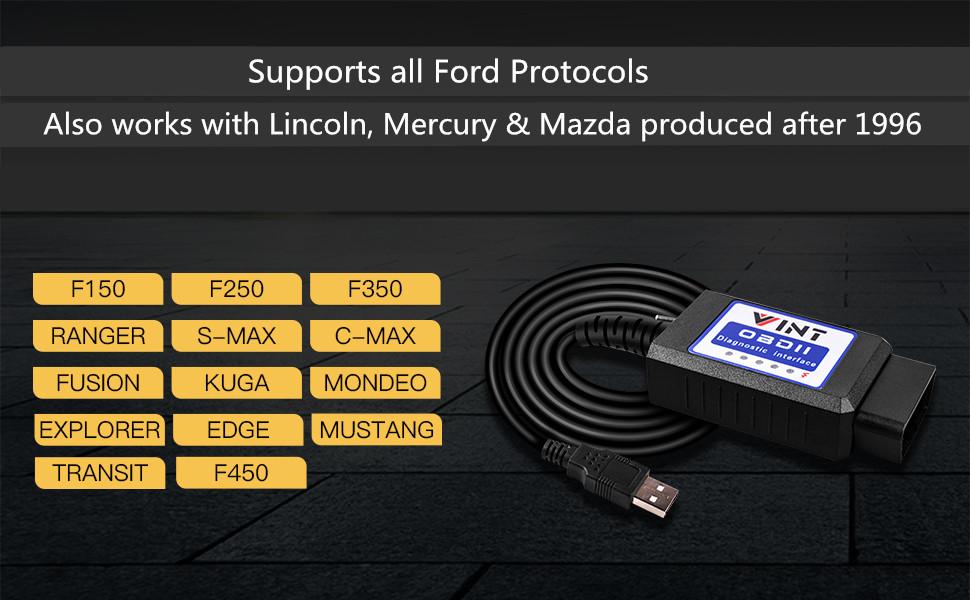
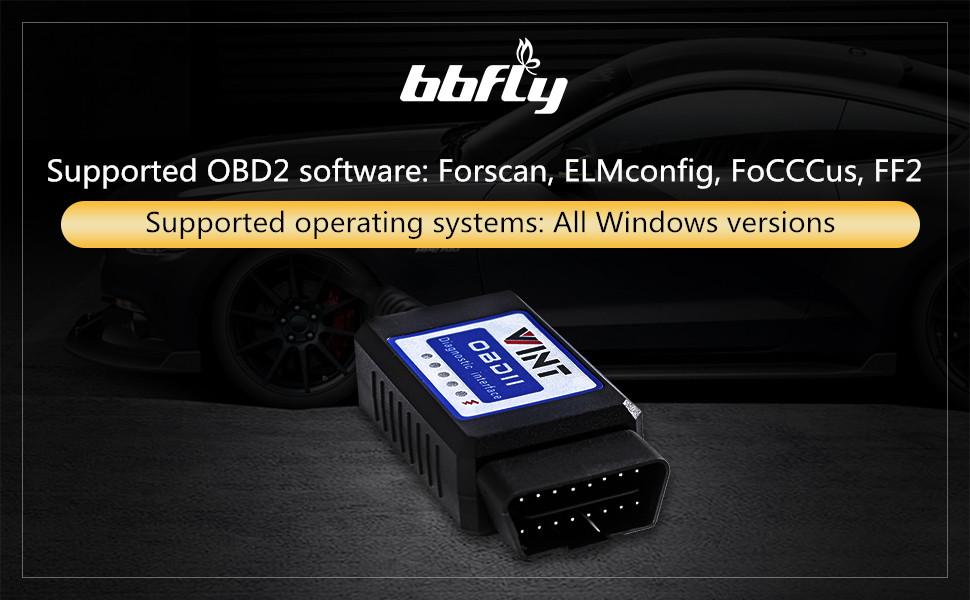
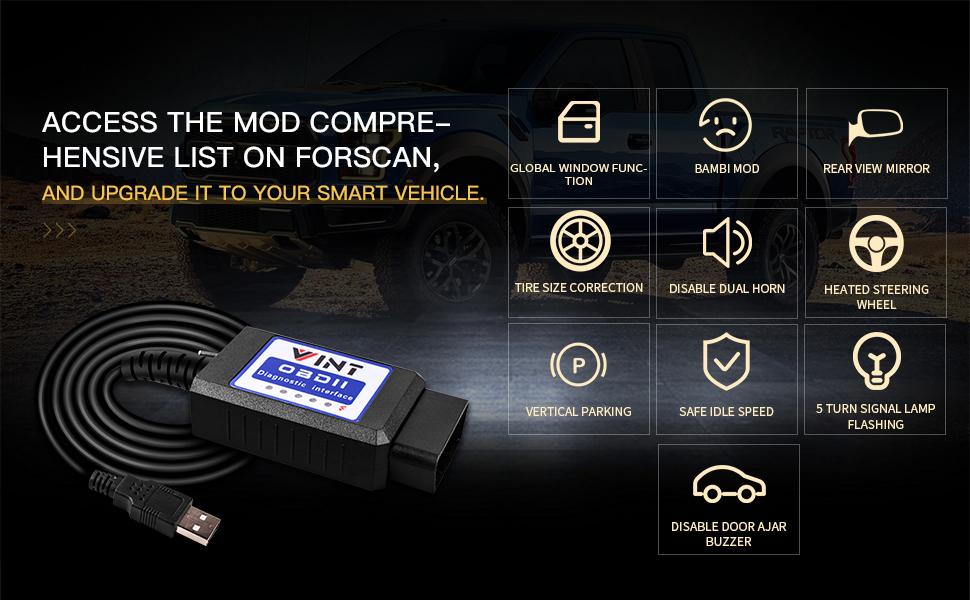
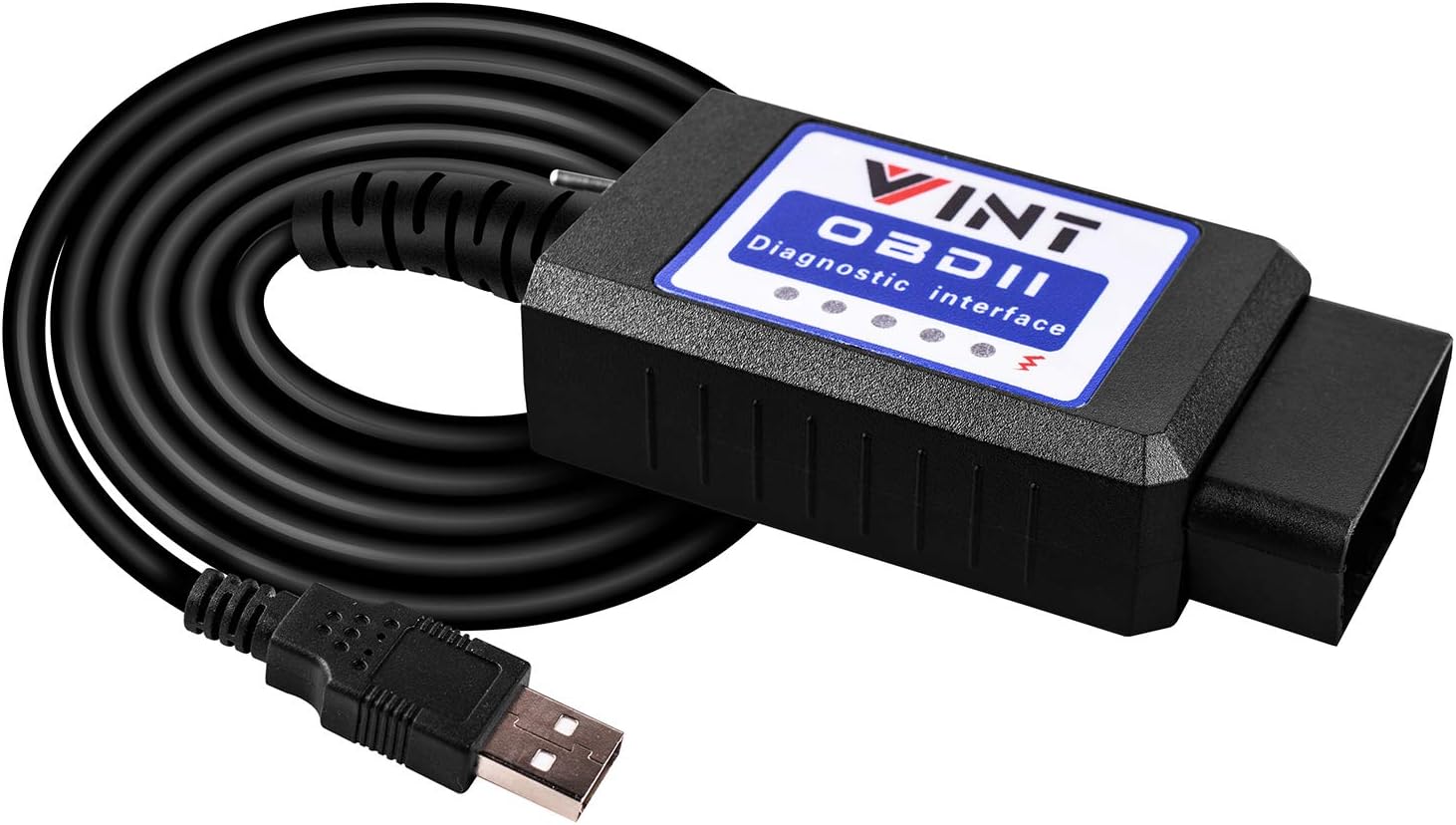
The OBD2 Adapter FORSCans VINT-TT55502 is a high-speed, Windows-compatible diagnostic tool designed specifically for Ford vehicles from 1996 onward. Featuring a dual MS-CAN/HS-CAN toggle switch, it enables seamless scanning, programming, and module customization through FORScan and other ELM327-based software. This adapter empowers Ford owners to access advanced vehicle mods and troubleshoot with precision, all via a simple USB connection.


| ASIN | B01N18TOFB |
| Best Sellers Rank | #50,849 in Automotive ( See Top 100 in Automotive ) #292 in Code Readers & Scan Tools |
| Brand | VINTscan |
| Brand Name | VINTscan |
| Customer Reviews | 4.5 out of 5 stars 3,474 Reviews |
| Item Weight | 150 Grams |
| Manufacturer | bbfly |
| Manufacturer Part Number | 3402580258055 |
| Model Number | 8542040051 |
| Native Resolution | 500 khz |
| Number of Items | 1 |
| Operating System | Windows 10 |
| Power Source | OBD2 |
| Screen Size | 2.4 Inches |
| UPC | 714874054945 |
D**.
Worked Perfect on 2015 Ford F150
Worked perfectly with my 2015 Ford F150. Installation of the drivers for the cable onto my computer was easy and it was ready to go. I downloaded FORscan and waited about 30 minutes for the trial period code to be accessible and the computer was ready to use. I took it to the truck and followed the instructions and it connected to my truck with no issues. I was able to access the full truck system and make a change to the power point shut-off timer that I wanted to make. This cable worked perfect with no issues, so I can definitely recommend it.
T**M
Worked perfectly with ForScan for Ford Sync2 - and don't bother about that ridiculous switch issue!
I used it to activate numerous features in Ford's Sync 2 using ForScan, and identify a broken fuel sensor. It worked flawlessly and saved me thousands thus far. Imo, it is totally unjustified to even give a one-star subtraction for the lack of proper labeling of that HS/MS switch - let alone a one star review!! It is practically hassle-free to figure this out, and any regular (i.e. non-anal) user will eventually have the switch in the wrong position by accident when operating Forscan - just switch, and problem solved! Here the 3 typical scenarios: 1) Connecting to a vehicle: When establishing connection to the vehicle, Forscan tells the user that the switch has to be on HS. If the connection fails, simply change the switch position and redo the process. This takes about 30 seconds. Then label this as the HS position on the scanner. This is the most 'time-consuming' and intellectually challenging task. 2) Initial diagnosis scan: Forscan starts to scan error codes in the HS modules, then asks the user to switch to MS modules. If the switch is set to the wrong position at any time, a notification pops up, asks to switch and hit 'ok', and that's it. No computer restart, no reconnection, no hassle at all. That takes less than 5-10 seconds. Note: switching back and forth is actually part of the regular operation of all of those scanners. 3) Retrieving details about various error codes in different modules, de-/activating features in modules: The initial scan provides a list of DTS codes (or hopefully not). Clicking on a DTS code or a module could result in the notification that the switch is not in the proper position. A regular user will just switch blindly to the alternative position, then hit 'ok' and go on with life. Only people of questionable mental state would instead check in Forscan whether that particular module is HS or MS, then get out of their seat and on their knees with a flashlight to change the switch, etc, etc. So, even if it was labeled higly visibly on the device, nobody would actually bother to look at it during operation...
S**N
Really good scan tool
Works great, use for forscan and has worked really well I bought a year ago and no problems
D**N
Excellent unit - horrible instructions!
I chose this unit over the Bluetooth/WI-FI versions because of the big cost savings - the cable on this unit was plenty long enough to connect to my laptop while sitting in the drivers seat. This item worked perfectly. I am rating only 4 stars because of the terrible instructions. The included instructions were printed on both sides, one side for one model, and the other side for a different model. I never did find a matching model number from either on the actual product so I could download the correct drivers. I finally just downloaded all from the website link provided, and it worked. I used this on a 2015 Ford F150, along with their free FORScan software. There is a switch on this unit - again, no indication in the instructions which position it needed to be in. To help anyone planning to use this in the same manner, I am offer the following tips that I learned through trial and error - hopefully it will save you a lot of time! This unit plugged-in to the port on my F150, located under the driver’s side dashboard, with the label on the unit facing up, and the switch on the right side. When first trying to connect with FORScan software, the switch must be in the right position, otherwise you will get an error message. The software will then begin to load the profile of the vehicle, and it will ask if you want to load a known profile. If you click on "yes," only some of the modules will be shown. Click on "no" and FORSan will scan your vehicle for the installed modules. During this process it will stop and a message will appear: This vehicle may contain MSCAN modules. Does you ELM adapter have HS/MS CAN switch? Well, this ELM adaptor has a switch, but there is no reference to the switch in the instructions, so I clicked on “I don’t know,” and only the basic modules were shown. Later I tried again, and clicked on "yes." The software then instructs you to set the HS/MS CAN switch to the MS CAN bus position and click OK. Well, it turns-out that is the switch on the unit, although there is nothing in the instructions that provides that information. Flip the switch to the left position, click on "OK," and the rest of the modules will be found and available for modifications. You will then get a message asking if you want to save the profile. When you do, be sure to give it a unique name, otherwise the name appears the same as the original one - I couldn't tell which was which. Hopefully this will save you an hour or so of experimenting. Although most of my comments are based on using FORScan software with the unit, I suspect it will be similar with other software, as well. Mostly identifying what the switch is and the position it must be in is key. Seems like it would have been a simple matter to include that in the instructions!
K**M
Works with my 2017 F150
Used link to calibrate my speedometer. I bought new tires/wheels which were 33" in diameter and the speedometer was reading 60 MPH when actually traveling 66 MPH according to my GPS. I used my ancient PC with windows 7 and downloaded the Forscan app as well as the drivers for the adapter. I'm normally a IOS user but Forscan only works with windows. Watched a couple of Youtube videos and follow some of the recommendations in other reviews. After downloading and communicating with the vehicle, I was able to change my tire circumference in mm and program ithrough the OBD in about 5 minutes. I'm pleased with this interface.
S**U
2005 F-150 with rebuilt transmission. It works with some work on your end...
No software included is about the only negative. Here is the story however... I have a 2005 F-150 with a Ford factory rebuilt transmission. (The old one had no second gear and was shot after 200,00 miles from the previous owner hauling around a popup camper on it) So $3,500 later and not long after the new transmission was installed, the truck started slipping in second gear again!!! Makes zero sense at this point. Anyway, I have two OBD readers for my E39 BMW and I figured I'd try an OBD reader for my Ford truck. The software has to be downloaded from a couple of strange websites and my antivirus software did not like them at all, so I had to disable it in order to get them and install them. The sites are safe, but the antivirus didn't, so no big deal, just disable it temporarily for the installation. Anyway, once you install it and follow the tri-fold user guide included with the scanner, you just plug it in and run Forscan lite software. Works perfectly and yes, the switch on the unit is a little bit of a pain to deal with, but it doesn't hurt the car at all. Very safe to use. I knew from the BMW that when some major components are installed, you need to tell the car to clear your adaptions so that the car can re-learn your driving style and environmental conditions. This worked for the BMW with the transmission torque converter slip I was getting, so I tried it on the Ford and sure enough it worked! It has not slipped since and is still adapting and learning to my driving style. Problem solved and for only $18 at that!!! A little while back I asked the local Ford dealer how much to diagnose and repair or replace my factory warrantied transmission and they said around $1,800 even with the full warranty I have on it!!! Well, worth every penny for this OBD scanner! Just be careful and do not erase the engine adaptations because you will have to complete drive cycles in order to pass emissions. That's the biggest take from this. Just be careful and if in doubt, go to the online enthusiast forums for your particular vehicle. Happy motoring!!!
J**.
Forscan is the best.
It worked perfectly on my 2016 Ford Fusion Titanium. Initially, I bought it to disable the front bulb out indicator which cause the hyper flash in the car after installing led turn signal bulbs, which i was able to disable. And upon more research and YouTube videos on hidden features on the car that could be added through forscan. I was able to enable the digital speedometer, tpms digital display and enable fog lights on with the high beam. Also, I was able to determine why my airbag light was on and I was able to get the light to turn off and clear the code. Very important as well do not forget to get the extended license, they have a 2 month trial available on the forscan website because it wont allow you to make these changes to your vehicle without it. Definitely a must buy and very easy to navigate.
K**P
Did not connect
Was not compatible with 2012 ford fusion had to return.
U**N
Forscananvändning
Den skulle kunna användas till Forscan. Forscan accepterade inte den som OBD2-läsare och jag kunde bara läsa 5 moduler av ett hundratal.
S**9
Good and works well with Forscan
Bought as I had read that the big blue oval mirror company had put features in cars but not enabled them if they weren't paid for but we're available on the car supplied to the customer. Wasn't particularly hard to set up on my laptop after downloading the Forscan software (you'll need to pay or get a trial) but it's definitely not for a novice. My interface wasn't recognised by the software until I manually set to recognize the com port the interface was using and it was 38k baud. When set up the interface performed well, changing the switch when the software required it. I've now added fuel economy, tyre pressure readings and added 30bhp to my engine! All good!
K**T
Malfunctioning MS-CAN
Only HS is working! I took much pain and effort to isolate, with different settings and even ACM modules, that my inability to access MS-CAN is due to this OBD2 adaptor. Have to get a replacement adaptor and chuck this aside.
J**.
2014 Ford F150
I love how easy it was to use. The switch on the device for ms or hs is backwards but it tells you on the forscan app if it's on the wrong setting so no need to worry. Instructions in box were very detailed for telling you how to Hook the device up and install all the drivers you need on your laptop. Once you install the drivers and install forscan on laptop it was so easy to use, it literally tells you in the editing folders what you can do to your vehicle as example it shows everything for lights and what you want to use for daytime running lights and if you want fast or normal blinker, change tire sizes, read any engine codes, seat belt and door sound if open or no seat belt on you can turn off, let's say you have a base model vehicle and you added heated seats and navigation etc.. you can enable that stuff so it works. I highly recommend this device
N**O
Alta velocidad transmisión
Recibido antes del plazo y su funcionamiento es muy rápido. Todo ok.
Trustpilot
3 days ago
2 months ago