We remain fully operational. Our teams are working around the clock to ensure your deliveries continue safely.

DOWNLOAD THE APP


Copyright © 2025 Desertcart Holdings Limited
DOWNLOAD THE APP
Buy anything from 5,000+ international stores. One checkout price. No surprise fees. Join 2M+ shoppers on Desertcart.
Desertcart purchases this item on your behalf and handles shipping, customs, and support to Kyrgyzstan.
🚀 Compact power, triple screens, zero compromises.
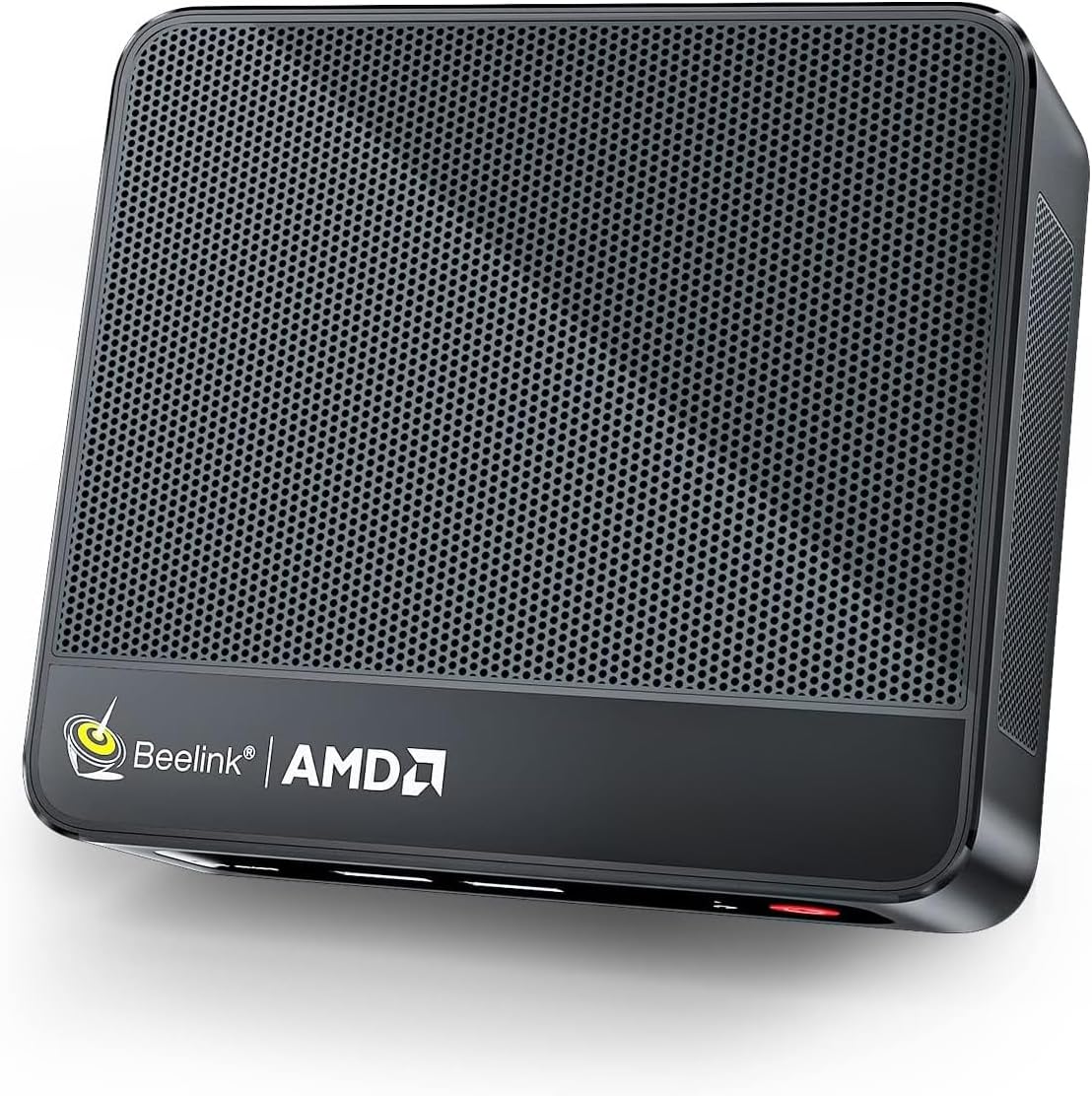
The Beelink 5900HX GR9 GTR5 Mini PC packs an AMD Ryzen 9 5900HX processor clocked up to 4.6GHz, 32GB DDR4 RAM, and a 500GB NVMe SSD into a sleek mini form factor. It supports triple 4K@60Hz displays via HDMI, DisplayPort, and Type-C, making it perfect for professionals craving high performance and expansive multitasking. With WiFi 6, Bluetooth 5.2, and dual 2.5Gbps LAN, it offers cutting-edge connectivity. Designed for gaming, business, and creative workflows, this mini powerhouse delivers desktop-level power in a space-saving design.







| ASIN | B09SYR619R |
| Additional Features | office,business,home entertainment,Online courses,supermarket,industrial CNC,Billboard,Plex server |
| Aspect Ratio | 16:9 |
| Best Sellers Rank | #151,560 in Computers ( See Top 100 in Computers ) #671 in Mini Desktop Computers |
| Brand | Beelink |
| Built-In Media | 1 x Mini PC, 1 x Power Adapter, 1 x User Manual, 1 x VESA Mount with Screws, 2 x HDMI Cables |
| CPU Model Number | AMD Ryzen 9 5900HX |
| CPU Model Speed Maximum | 4.6 GHz |
| Color | black / black |
| Compatible Devices | External Disk, Keyboard, Monitor, Mouse, Printer, Speaker |
| Connectivity Technology | Bluetooth, DisplayPort, Ethernet, HDMI, Type-C, USB, Wi-Fi |
| Cooling Method | Air |
| Customer Reviews | 4.2 4.2 out of 5 stars (327) |
| Display Resolution Maximum | 3840x2160 |
| Display Type | 4K UHD |
| Graphics Card Interface | Integrated |
| Graphics Card Ram | 2 GB |
| Graphics Coprocessor | Placa gráfica integrada |
| Graphics Description | Integrated |
| Graphics Ram Type | DDR4 SDRAM |
| Hard Disk Description | SSD |
| Hard Disk Interface | Gigabit Ethernet |
| Hardware Interface | 2.5mm Audio, 802.11 ac/b/g/n, SATA 3.0 Gb/s, USB 3.0, Unknown |
| Human-Interface Input | Buttons, Keyboard, Mouse |
| Keyboard Description | Wired keyboard |
| Keyboard Layout | QWERTY |
| Manufacturer | Beelink |
| Memory Clock Speed | 3200 MHz |
| Memory Slots Available | 1 |
| Memory Storage Capacity | 500 GB |
| Model Name | Beelink |
| Model Number | Beelink |
| Model Year | 2026 |
| Native Resolution | 3840 x 2160 |
| Number of Component Outputs | 3 |
| Operating System | Windows 11 Home |
| Personal Computer Design Type | Mini PC |
| Power Consumption | 54 Watts |
| Power Plug Type | Type A - 2 pin (North American) |
| Processor Brand | AMD |
| Processor Count | 8 |
| Processor Series | AMD Ryzen 7 |
| Processor Socket | FP6 |
| Processor Speed | 4.6 GHz |
| RAM Memory Installed | 32 GB |
| RAM Memory Technology | DDR4 |
| RAM Type | DDR5 RAM |
| Ram Memory Maximum Size | 32 GB |
| Resolution | 3840 x 2160 |
| Specific Uses For Product | Gaming |
| Style Name | office,business,home entertainment,Online courses,supermarket,industrial CNC,Billboard,Plex server |
| Total Number of HDMI Ports | 1 |
| Total Usb Ports | 4 |
| Unit Count | 1 Count |
| Video Output | HDMI, Type-C |
| Video Output Interface | HDMI, DisplayPort, Type-C |
| Video Processor | AMD |
| Wireless Compability | 2.4 GHz Radio Frequency, 5 GHz Radio Frequency, Bluetooth |
| Wireless Network Technology | Wi-Fi |
| Wireless Technology | Bluetooth, Wi-Fi |
T**1
so I purchased a SER 5 Max (6800U) for the sole purpose of a LaunchBox/BigBox emulation station. everything appeared to be going well until I noticed the PC rebooting. at first, I thought it was because of the automatic Windows updates - it is a brand new PC after all. however, even after all the Windows updates, the PC will randomly reboot with no apparent trigger. under load, or completely idle. at times, the PC will reboot several times in a row, immediately upon entering Windows. along with the reboots, the PC will also randomly shutdown completely and needs to be manually powered back on. this is rather unfortunate, because aside from these issues, the PC actually fulfills my use case perfectly. this is my first mini-pc and i became a fan of the small form factor, but i simply can't recommend a product which exhibits these issues with less than 24 hours of use. Beelink support was unable to determine the cause of the issue and just kept giving me generic solutions including even going as far as re-installing Windows 11, and opening the unit to testing the RAM. again, this should absolutely not have to be a thing for a brand new product. returning for a refund 100% UPDATE - I have probably never done this, and seeing a review go from 1 star to 5 stars is rare, but Beelink support pulled through, sent me another power adapter, and my new PC is rock solid stable. Ran a couple of stress tests on it, and it passed with flying colors. 40 degrees on idle, and stays between 70-80 on load. runs quiet and cool and like I previously mentioned, is perfect for my use case of a Launchbox/BigBog emulation station. Now it's only day 3 of not seeing a single random reboot/shutdown, but considering I was seeing these multiple times a day, I would consider this a success. the replacement power adapter was noticeably bigger than the stock one - if I had a note for Beelink, it's that the 6800U SER5 Max should be shipped with the new adapter for sure.
M**I
جهاز محمول خفيف وقوي وجودته ممتازة. عملي بالنسبة لي . الغيت عملية الارجاع وجالس استخدمه . يستاهل كل ريال.
E**A
Excelente tamaño y funcionalidad
T**T
I have purchased 5 Beelink "Tiny PC's" for myself and family. All of them have performed flawlessly so far, and my first purchase, the GR5 with the Ryzen 5 3550 4C-8T CPU has performed flawlessly for two years. About a month ago, I purchased the sixth Beelink, the incredible GR9, which has the Ryzen 9 5900 HX processor, 32 gigs of 3200 RAM and a 500 NVMe SSD. I am NOT a gamer, but I use 2 or 3 big monitors all the time. Most of the work I do with the GR9 is simulation and using Office, email, and web surfing. My simulations have taken 15 minutes on the GR5, so I bought the GR9 thinking things would speed up. Running on Windows 11 Pro, you have the opportunity to increase an Application's Speed (from Normal to Fast to Realtime) and Processor affinity, which means how many cores an App can use. The affinity table shows that the GR9 has 16 processors. One way to speed up my simulations is to run multiple copies of them simultaneously. I have done this extensively on the GR9 and now for a month or two on the GR9. The performance increase in the GR9 is astounding. With the GR5 running 4 simultaneous Simulations, each App task was getting 17-19 percent of CPU, and the overall system was running at 69 to 80% CPU. The GR5 fans were clearly audible, but thanks to Beelink for building enough fans to keep the CPU cool. I destroyed a beautiful Microsoft Surface Book with 4 cores running 4 copies of a lengthy simulation. The Book just stopped and could not be fixed; but I was able to retrieve the SSD drive. The GR9 runs completely differently. With one core running, the GR5 took 142 seconds to finish a simulation. With 7 cores running, the GR9 completed all seven simulations in 103 seconds, generating 7 times as much data in 72.5% of the time! In addition, the CPU utilization was only 54% and I seldom heard any fans running. For my needs, I am sure that the GR9 is a superlative machine for doing serious number crunching. I highly recommend the GR9 for number crunching. I have not done any gaming, so I cannot comment on the gaming performance of this machine. But since the GR5 was marketed as a gaming machine, I am sure the GR9 will give the biggest gaming performance you could expect from a Tiny PC. Running Win11 Pro,
G**E
I am so impressed with this mini computer. It's so small but POWERFUL! It's the fastest computer I have been owned. Windows 11 worked flawless. I am playing halo with it, using an USB controller and it's handling things no problem. It's quiet as well. I can hardly hear it. You will not regret this computer.
Trustpilot
3 weeks ago
5 days ago