Buy anything from 5,000+ international stores. One checkout price. No surprise fees. Join 2M+ shoppers on Desertcart.
Desertcart purchases this item on your behalf and handles shipping, customs, and support to Kyrgyzstan.
๐ง Stay dry, stay aheadโleak alerts that keep your peace of mind flowing!
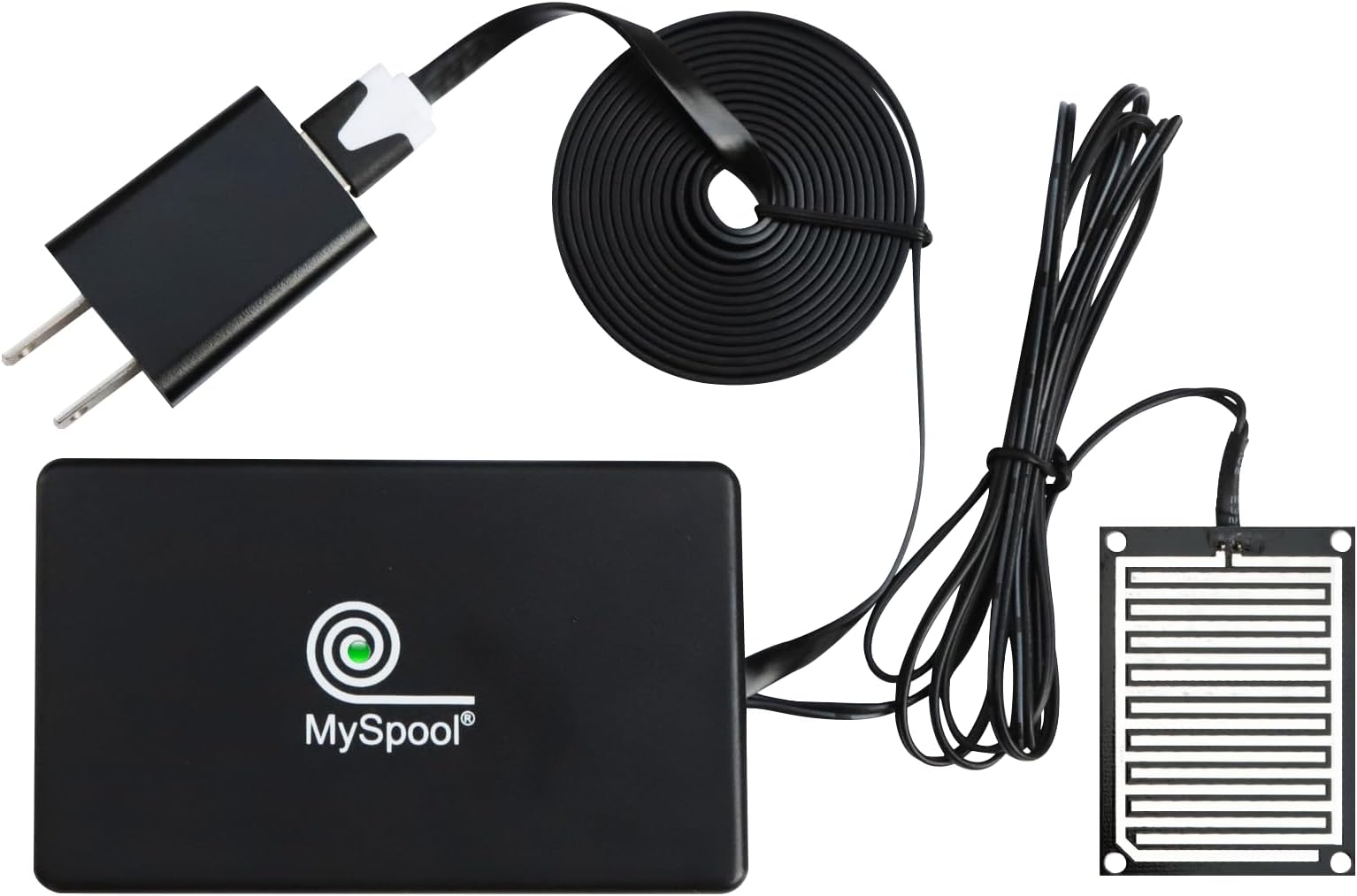
The MySpool Water Detector is a smart, WiFi-enabled sensor designed for indoor use that instantly alerts you via text and email when water is detected. It requires no app or hub, supports multiple alert recipients, and features a durable nickel-plated moisture sensor with extended wiring for versatile placement. Included is a central monitoring service that notifies you if the device loses connection, ensuring continuous protection against leaks and water damage.


| ASIN | B07BS9Z255 |
| Best Sellers Rank | 432,205 in DIY & Tools ( See Top 100 in DIY & Tools ) 157 in Water Detectors |
| Brand | MySpool |
| Colour | Black |
| Compatible Devices | Smartphone |
| Compatible devices | Smartphone |
| Control Method | Touch |
| Control method | Touch |
| Customer Reviews | 4.3 out of 5 stars 483 Reviews |
| Included Components | Case |
| Item Dimensions L x W x H | 5.1L x 5.1W x 10.2H centimetres |
| Manufacturer | MySpool |
| Model Number | WATER_001 |
| Part Number | WATER_001 |
| Power source | Corded Electric |
| Product dimensions | 5.1L x 5.1W x 10.2H centimetres |
| Sensor Technology | Moisture Sensor |
| UPC | 720260522356 |
| Unit Count | 1.0 count |
M**N
Reliable Messages for Rare Water-On-Floor Events
For me an AC-powered water sensor is better than battery powered ones. I use these on floors near water heaters, and alerts are not expected for long periods. I can set them up and forget them, even for years after a battery would typically die without my awareness. Setup was not difficult following the brief instruction guide, but there are a few things to note: There is no installable cell phone app. Such an app could simplify initial setup by automatically detecting the Wi-Fi network and password and simplify connecting to an account. But the guide completely shows the steps in doing this through your phone's Wi-Fi settings. After powering-up the device, you temporarily select the Wi-Fi network SASensor-0000000 on your phone, then manually identify your household network and password. You should do this quickly after powering up the device, so that no neighbor or passersby can hijack it. Should this happens, the product website, MySpool.com provides instructions on how to reset the device and start again. An app could eliminate this problem. Like almost every security device, you have to set up an account on the product's website. Here you can see recorded events from the sensor and set up additional options. After logging in using my phone, I was able to connect the new sensor to my account with the sensor's "0000000" number. When I set up a second sensor through the same phone, it was automatically connected to the account. Since there is no installed app, I bookmarked the website for easy future access. On the website, each sensor has separate notification settings. When you enter and save your email address for any sensor, you should immediately look in your inbox for an email titled "AWS Notification - Subscription Confirmation." Then click the "Confirm subscription" link in that message. You will not receive emails for sensor events until you confirm. I am very leery about AWS messages since they have no details about their purpose and are widely sent. The only thing that indicates you can safely respond is that you will receive the email within seconds of saving the email address in your MySpool account. You wiil have to do this for every sensor. The FAQs on the website cover this problem. If you missed the AWS confirmation email, you can just clear-save-reenter-save the email address again to trigger a new AWS email. The sensor settings also allow you to specify a phone number for messages, but there was no confirmation required. The sensor operates as I expected. Anytime the sensor goes from dry to wet, an email and text message are triggered immediately, with both notifications identifying the detection time and name of the sensor, which can be changed on the website. The email sender is "Alert-0000000". If the wet condition continues, "Optional Device Settings" in the app determine how frequently emails will be retriggered. By default re-emails are sent every 1 minute, but this period can be adjusted up to a max of 24 hours. I changed my settings to 1 hour. I did not see a way to turn off email messages without deleting the email message entirely. Text messages are sent to the phone every 5 minutes, and that period cannot be adjusted. Under "Optional Settings" text messages can be turned off. All email and text settings can be changed during a wet event, taking effect immediately. So if you are already aware of a condition but can't correct it right away, it's good to know you can turn these off. Remember to turn them back on after correcting the problem. Note that your web account shows the last 10 wet conditions for the sensor, repeated every 1 minute. I did not find a way to adjust this frequency. UPDATE: I unplugged one of the sensors, and I for two 24 hour cycles alerting me that the sensor is off-line. Good for MySpool. Only two emails, but that was good enough for me. All said, I think this sensor is a very good solution. I think a dedicated installable app would improve the product significantly. Although the operation is good as is, it would be helpful to be able to: - Auto-detect phone Wi-Fi settings on initial setup - Set a period for re-messaging. - Allow emails to be turned off. - Send a message or email when a wet-event ends. - Send a message or email when power fail occurs and ends. - Update: I also agree with other posts that it would be great to send messages to multiple phone numbers
C**K
Instructions confusing - here is how to configure it simply
Device works great, notifications are sent to my email and SMS. Here is how to configure it out of the box. 1. Go to MySpool.com and register for an account. An email will be sent to you, confirm it by clicking link 2. Dip the water sensor end into water for a couple second (that kicks off the device setup) 3. On computer or mobile, open WIFI and connect to the SASensor-####### (# denotes your device ID) 4. Open webbrowser such as Chrome, Edge on your computer or mobile and in the address bar, type 10.10.4.1 5. Configure you 2.4ghz WIFI, click SAVE. NOTE: it will test that wifi and if it doesn't accept it, you will continue to see a SASensor-###### in your WIFI SSID list. If it accepts your WIFI, that will disappear. 6. Log into your MySpool.com portal, click My Devices and you should see your device there now. 7. Click on Configure Device, enter your email addresses, phone number and also click Advanced Setting to change notification intervals Keep in mind, this unit requires your WIFI connection. The sensor device sends regular heartbeats back to the vendors servers with updates on water sensing alerts. If WIFI isn't working or if the device fails to call back at regular intervals, server marks missed heartbeats and will indicate it accordingly. For best practice, you may wish to have a UPS hooked up to this sensor and to your WIFI modem and router should your environment consider water monitoring a critical requirement (such as server rooms or basements where sump pumps are hooked up) Hope this helps.
K**G
Excellent support, one of the best
I had a little problem setting it up, due to the recent up grade to my phone and tablet, after tec support e mailed and set a time to call me , worked like a dream, I even set up my second one myself, and no battery to change, can unplug and plug back in and holds everything in memory , no fussing around, so you can move it from place to place on the same network. You could plug into a battery pack if there is no plug access. Excellent product
R**.
Cost-effective and simple
Simple to install, works well and will notify you with a text not requiring you to install a separate app, which I consider a big benefit
S**R
Simple, easy to use water detector - perfect for sump pits!
When we bought our house 6 years ago, even the inspector couldn't find the sump pit. Turns out, it was in the finished bedroom's closet under the carpet, oddly in the middle of the basement. It's filled up a few times over the years, thankfully when we're at home, so my shop vac and I were able to clear it before there was a problem. A plumber quoted $12k to install a pump because of the odd location, tear down of finished areas, and rebuilding. That wasn't happening. However, with us traveling more, I wanted peace of mind when there was an issue so I could have a neighbor take action. Thankfully we haven't had a real alert in the pit, but the testing worked beautifully. It can send texts up to 1 number, you can customize the message to a degree, it'll also send emails, and you can adjust the frequency of the alerts (1 min, 5 min, 10 min). It's basic, but it does exactly what it needs to do. It was also very simple to set up - you need an account, but there is no subscription fees like other devices, which is a huge win.
Trustpilot
3 weeks ago
2 months ago