We remain fully operational. Our teams are working around the clock to ensure your deliveries continue safely.

DOWNLOAD THE APP


Customer Services
Copyright © 2025 Desertcart Holdings Limited
DOWNLOAD THE APP


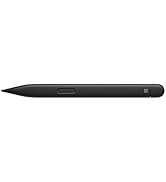
✍️ Elevate your digital creativity with the pen that feels like paper, but works like magic!
The Microsoft Surface Slim Pen 2 in Matte Black combines cutting-edge Bluetooth 5.0 connectivity with an ultra-precise 4,096-point pressure sensitivity and a haptic motor that mimics the natural feel of writing on paper. Designed for professionals and creatives, its slim ergonomic build ensures comfort during extended use. Compatible with various Surface devices and chargers (sold separately), it transforms note-taking, sketching, and navigation into a seamless, real-time experience.





| ASIN | B09DK2YSH2 |
| Are Batteries Included | Yes |
| Are Batteries Required | Yes |
| Battery Description | Lithium_Polymer, Lithium_Ion |
| Best Sellers Rank | #9,599 in Computers ( See Top 100 in Computers ) #16 in Graphic Tablet Pens |
| Brand | Microsoft |
| Built-In Media | Surface Slim Pen 2, Quick Start Guide, Safety and Warranty Documents |
| Color | Matte Black |
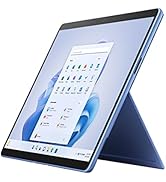
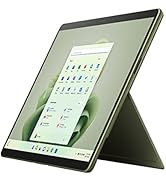
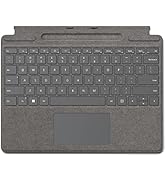
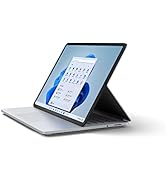
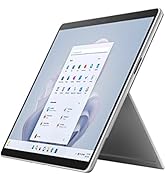
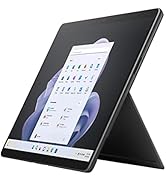
| Compatible Devices | Surface Duo 2, Surface Pro 8, Surface Pro 9, Surface Pro Laptop Studio, Surface Pro X |
| Customer Reviews | 4.5 4.5 out of 5 stars (1,508) |
| Enclosure Material | paper |
| Item Diameter | 0.4 Inches |
| Item Dimensions | 20.2 x 5.2 x 1.9 centimeters |
| Item Weight | 14 g |
| Manufacturer | Microsoft |
| Model Number | 8WV-00001 |
| Number of Batteries | 1 Lithium Polymer batteries required. (included) |
| UPC | 889842778717 |
| Unit Count | 1 Count |
N**I
Microsoft
Pencil is working fine
A**N
NEEDS SEPARATE CHARGER
It needs a separate charger. No USB port on it. Only Microsoft charger which you have to buy additionally for nearly half the price of pen and this is not informed. Giving it back immediately.
H**A
The item was not working
I bought a Microsoft Surface Slim Pen 2 (Matte Black), but it doesn’t connect to my Surface Pro 9. I tested it on my friend’s Surface Pro 9 and it worked, while my friend’s pen works fine on my laptop — so the problem is with the pen I bought. I’ve packed it for a refund, but the courier couldn’t pick it up because there was no scheduled return from my area. Could you please help me with this?
V**.
Good product fast delivery
M**Y
Amazing product, the best surface pen. I thank the seller and Amazon for providing the pen in a well preserved original packaging, with additional protective package.
F**A
Fácil conectar! Escrita fina!
A**E
Je recommande, il fonctionne très bien, sans souci. Je pourrais affirmer qu'il fonctionne mieux que d'autre compagnie.
F**.
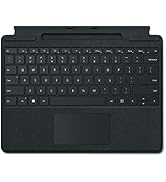
Probably the best pen I've gotten for my Surface Pro 8. It's got a convenient side key button, so you don't have to press and hold to right click. The short key button on top is really nice, and can be programmed to do three different things. The haptic feedback is a really nice feature, it vibrates when I write, to make it feel like writing on paper (this setting can be adjusted). It instantly connects to my computer when I take it out of the charging dock, there's no extra buttons to be pressed to turn on and connect it. It writes really smoothly and the cursor can be moved just by hovering the pen over the screen, for up to about an inch or so away. Feeling wise, the pen has its disadvantages. The slim design is really nice for the portability, and I like the ability to hide it on the signature keyboard, but that also comes with a disadvantage. The flat design makes it a little awkward to hold at times, and the side key button can sometimes be easy to press on accident (I typically fix that issue by holding it the other way around). The matte finish to it though does make it nice to feel, not course or slippery on the fingers, which is a nice touch. The only other disadvantage I could see is charging and the battery. It comes with a non-replaceable rechargeable battery. This can be charged one of three ways, by placing it in the pen dock on the signature type keyboard covers (pictured), if you have a Surface Studio, they also come with a built-in charging dock, and the third way being to buy the separate wireless charger. Unfortunately, there isn't another way to charge it, so do make sure you have (or get) one of those things before buying this pen. The battery life is pretty good, I haven't had it die on me yet, even after a while of use. If it does get low on battery, placing it in the dock for a few minutes gives it a good charge and I can use it again without having to wait too long. From what I've read, it's about an hour and a half charge time from a dead battery, which is pretty basic for electronics. When I'm not using my laptop, I always store the pen in the dock so it has a full battery when I come back. I've seen a lot of negative reviews solely for the reason that the pen doesn't come with a charger. Ignore those, that's just from people who didn't bother to read the description for the device before buying it. Overall, 10/10 product so far, works really well, and I'll definitely have much use for it.
Trustpilot
3 weeks ago
3 weeks ago