Buy anything from 5,000+ international stores. One checkout price. No surprise fees. Join 2M+ shoppers on Desertcart.
Desertcart purchases this item on your behalf and handles shipping, customs, and support to Kyrgyzstan.
🚗 Cut the cord, not the connection — drive wireless with Motorola MA1!
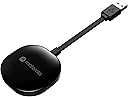
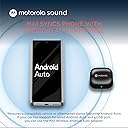
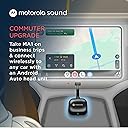
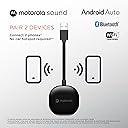
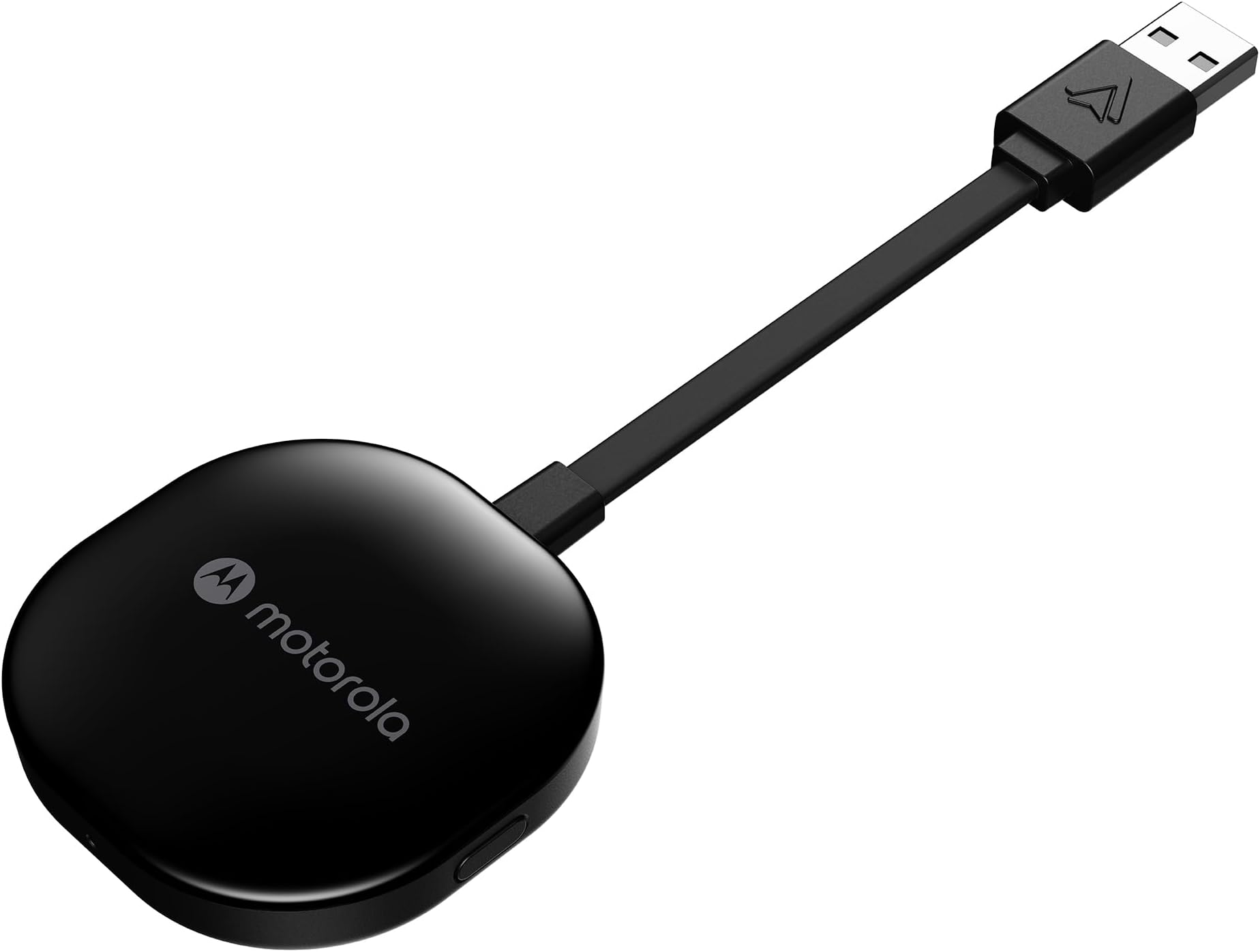
The Motorola Sound MA1 is the world’s first and only Google-authorized wireless Android Auto adapter, enabling a seamless wireless connection between your Android smartphone and your car’s factory-wired Android Auto system via USB Type-A. Featuring fast 5 GHz WiFi transmission, a compact design with a secure gel pad, and plug-and-play simplicity, it transforms your driving experience by eliminating cables while maintaining full Android Auto functionality. Compatible with Android 11+ devices supporting 5 GHz WiFi, the MA1 is the ultimate upgrade for tech-savvy drivers seeking convenience and cutting-edge connectivity.


| ASIN | B09PQ95GY4 |
| Best Sellers Rank | #47 in Car Audio & Video Input Adapters |
| Brand | Motorola Sound |
| Built-In Media | Motorola MA1 Wireless Android Auto Car Adapter - Instant Connection Using Google-Licensed Bridge Technology from Smartphone to Screen - USB Type-A Plug-in - Secure Gel Pad |
| Color | Black |
| Compatible Devices | Android Auto |
| Connector Type | USB Type A |
| Current Rating | 1 Amps |
| Customer Reviews | 3.6 out of 5 stars 16,680 Reviews |
| External Testing Certification | ANATEL: 09363-2 2-08069 |
| Item Dimensions | 6.3 x 2.17 x 0.39 inches |
| Item Type Name | Motorola MA1 Wireless Android Auto Car Adapter - Instant Connection Using Google-Licensed Bridge Technology from Smartphone to Screen - USB Type-A Plug-in - Secure Gel Pad |
| Item Weight | 70 Grams |
| Item dimensions L x W x H | 6.3 x 2.17 x 0.39 inches |
| Manufacturer | Motorola Sound |
| Mfr Part Number | MA1 |
| Model Number | MA1 |
| Number of Items | 1 |
| Number of Ports | 1 |
| Package Quantity | 1 |
| Power Plug Type | No Plug |
| Smart Home Compatibility | Not Smart Home Compatible |
| UPC | 810036773140 |
| Unit Count | 1.0 Count |
| Warranty Description | Warranty |
| Warranty Type | Limited |
D**Z
Consistently Connects and Simple
I previously purchased the first adapter to come to market to allow a wireless connection for Android Auto. This was the AAWireless product and it served me well. I have owned it for a few years now. It generally receives the most favorable reviews of all the available adaptors, and this is due in part to its overall quality and the ability to do detailed configuration via the companion app. This is important in that some cars are more finicky with Android Auto than others and for those vehicles the app allows for adjustments to be made. However, for me, my phone often would not connect and I would have to toggle Wi-Fi and Bluetooth on a off to get it to connect. This can be common when you leave your residence and the phone has to switch from you home Wi-Fi to the car Wi-Fi. However, for me, this happened a lot when I was away from home and not switching from one Wi-Fi signal to another. After a few years, I got tired of trying to make configuration adjustments in the app and got tired of toggling Wi-Fi and Bluetooth on a off to get it to connect. On a whim, I decided to try the Motorola adapter. I noted that it is sold as the only USB adapter accessory using "Google-licensed bridge technology" to enable a wireless Android Auto connection. I thought maybe it would be more stable and connect consistently. I also noted that it does not have a companion app and as such, if it did not work, I would be back to my AAWireless product. Turns buying the Motorola was a good decision. It connects every time without fail. No more toggling Wi-Fi and Bluetooth on a off. I connects quickly. If there is a lag, it is when my phone needs to drop the connection to the home Wi-Fi and then connect to this adapter. That happens within about 30 seconds or less and most of the time, it is less. When I am away from home, it connects shortly after starting my vehicle within about 15 seconds. I think which manufacturer makes the best adapter is debatable. The AAWireless product worked well and I am not making this review to suggest it is not an excellent product. However, for me, this one is just simpler (no configuration needed for my vehicle) and it consistently connects and does so quickly. Simple, no drama, and it just works! That makes it the right choice for me and my 2018 Ford F150.
T**T
Worth the Wait? NO.
Review Written on June 22, 2022 >>>SUMMARY>>> The Motorola MA1 was released in January 2022. Due to Amazon's inability to control scalpers artificially inflating prices and my refusal to pay double, I was unable to purchase this product directly from the manufacturer for the MSRP until late June 2022. FIVE MONTHS. That is pathetic. To both Amazon and Meizhou Guo Wei Electronics Co., LTD (the manufacturer of the Motorola MA1), shame on you. If you're buying this for any more than $89.95, it is simply not worth it, due to the pre-attached cord, the power on issue, the inconsistent connection. >>>EQUIPMENT>>> I am utilizing a Pixel 5a and a Pixel 6 phone running the latest version of Android 12. The vehicles that were tested on were a 2020 Hyundai Santa Fe, and a 2022 Kia Seltos, both equipped with Android Auto (wired only) and Apple CarPlay (wired only). >>>PRODUCT REVIEW>>> Starting with Dimensions, the square part of the MA1 measures a roughly 2.125" (2&1/8", 54mm) square, 0.50" (1/2", 12.7mm) thick. The pre-attached cord measures 4.00" (4", 101.6mm) from the square to the tip of the male USB-A port. The cord is not removeable or replaceable and is not very easy to maneuver, making it difficult to mount the MA1 utilizing the (included) adhesive Jel Pad. This also means that when (not if, but when) the cord fails, you will have to buy a new MA1. If you have more than one vehicle that you want to use this for, I would recommend using Velcro (not included) instead of the included Jel Pad. There is one button on the right hand side of the square. This button is used for pairing purposes only. There is a light on the front of the square, which serves as an indicator. The USB-A port is not bi-directional. The entire body is plastic; the top with the logo having a piano black finish, and the bottom having a more rough finish. There's nothing stating what the plastic is, but the manual does state "do not expose to direct sunlight" so possibly some type of ABS. >>>SETUP>>> Before you do anything, plug in your phone directly to your car and make sure Android Auto is set up, otherwise you will have issues! Once you plug in the adapter, the indicator light on the front will start flashing blue. (Pro tip: if you bought it new and the light is flashing green when you first plug it in, you got a used one.) With the blue light flashing, go to the Bluetooth settings on your phone, find the "AndroidAuto-XXX", and connect. This seems like the initial handshake the MA1 does to connect your phone to the MA1's Wi-Fi. You need to have both Bluetooth and Wi-Fi turned on for your phone to use the MA1. I did not time the first pairing, Meizhou Guo Wei Electronics claims the initial pairing takes longer. Every other pairing for me took 30 seconds flat, on both vehicles, with each phone. For comparison, Bluetooth connectivity to each car's radio took 25 seconds. >>>USE>>> Everything works as expected. Phone call quality, good, with some normal amounts of lag. Music sound quality rivals that of Bluetooth, maybe slightly better (I'm not audiophile). It quite literally works like wired Android Auto, just without the wires. EXECPT... For Hyundai and Kia at least, the USB port does not power off immediately when you turn the car off and open the driver door, etc. This means that you will still be connected to the MA1 after you leave your car until the USB port powers off. The MA1 does recognize this (sort of), as your music will pause, but your phone will remain connected regardless until that 10 minute timeout hits and the car powers off the USB port. For the Santa Fe and Kia Seltos, this was roughly 10 minutes, but depending on your vehicle, your experience may vary. Additionally, connection to the MA1 unit does not occur consistently. Some times I wait 5 minutes after powering up my vehicle and no connection happens, other times it works in 30 seconds. >>>ADDITIONAL NOTES>>> Additionally, the indicator light will remain illuminated solid green when connected. The light is fairly bright, and can be distracting depending on how the MA1 is positioned. The packaging was nice, minimal plastic waste. The manual also states "Do not expose your product to fire, explosives or other hazardous conditions"... so don't do that... >>>CONCLUSION>>> After all the hype and the waiting and scalpers, I thought this had better be a perfect device. It is not. Its fatal flaws are the pre-attached cord, the power on issue, the inconsistent connection, and the lack of explosion-proofing (as stated in the manual). Everything else is solid, if you want to support a company that profits off of artificial price gouging.
B**B
Flawless in Mercedes Benz Metris Cargo van (2021)
Fantastic gadget. Used in Mercedes Benz Metrics cargo van (2021) that only supports wired Android Auto. Connects as described in instructions, no issue. Adding a second user is easy though if both are in the car, the car can't make up its mind on who to connect. I haven't attempted to find a fix for this since I'm the one using the car 99% of the time, and my husband doesn't really care. Warning: wireless Android Auto drains battery and heats up the phone REGARDLESS of this gadget. I experienced it in vehicles that come with wireless Android Auto by default. It's just how it is, you have to accept that. Wired connection is still preferred if going on a long trip or needing to save battery. Connection is immediate (or as soon as the entertainment display boots up). Zero delays with controls (skip song, volume up/down, call/hang up, voice Assistant). This is easily one of the best upgrades for my vehicle. Strongly recommend this vs other aftermarket versions originating from China. ***UPDATE after 2.5mo using: Absolutely no regrets for buying this gadget. When I first bought it, I had a Google Pixel 7, upgraded to Pixel 8 early October. Reset the device to factory settings and paired my new phone, no issues at all. My only advice to new users: Practice. Patience. I know people want things to happen immediately, but this requires establishing both Bluetooth and Bluetooth WiFi connection. If your phone is still connected to your home WiFi (and your settings are set to preferred WiFi), you WILL experience a delay while you're pulling out of the driveway. You may also experience a delay if you're switching from one Bluetooth device to other (for example, if I'm connected to my Pixel Buds Pros, it may take 15 extra seconds for my phone to decide which device to connect to). Factors that play into that will be your phone, the car's entertainment system, and the WiFi connection you're on. Trying to force a connection to Motorola may not always result in success - just let it do it's thing, it will connect. Still haven't figured out 2 phones alternating when both are in the vehicle, but can't be bothered to spend more time on it, it genuinely doesn't matter to me. Hopefully someone finds a way, but I blame my car more than anything because it's really aggressive with its Bluetooth pairing (will connect even just opening the driver's door without key presence or the car running). 10/10 recommend. Can't go back to cable connection, ever.
R**N
Perfect for the Ford Maverick—Reliable, but maybe keep a spare.
I’ve been using the Motorola MA1 in my Ford Maverick for about a year and a half now, and for the most part, it has been a game-changer for my daily drive. The Setup Because the Maverick still utilizes a USB-A port, this adapter is a perfect fit. I didn’t want it dangling and cluttering up the cubby area, so I used a small piece of Velcro to mount it to the underside of the console. It stays completely out of sight, and the connection is rock solid. Performance Speed: Android Auto starts up very quickly—usually by the time I’ve backed out of my driveway, the maps and music are already on the screen. Reliability: In 1.5 years, I’ve only had a handful of "hiccups" where it wouldn't connect on the first try. A quick cycle of the ignition usually fixes it immediately. Price: It’s very reasonably priced compared to other wireless dongles, especially considering it's the only Google-authorized one. The Downside (Why 4 Stars) The reason I’m knocking off one star is longevity. My first unit failed after exactly 1.5 years. The Bluetooth simply cut out and refused to reconnect. Luckily, I had purchased a second one originally intended for my wife’s car (she ended up getting a new vehicle with built-in wireless AA), so I had a backup ready to go. I swapped it out, and I was back up and running in seconds. Final Verdict If you own a Maverick or any vehicle with a USB-A port and want to ditch the cables, this is the way to go. Just be aware that it might have a shelf life of around 18 months. Even with the failure, the convenience and price make it worth it—I’m just glad I had a backup on hand!
M**T
Bought two and here is my review
This is a review after a little over a year. I bought two of these one for my car which is my daily driver (2019 Subaru Impreza with stock head unit) and my truck (1997 Chevy Silverado aftermarket BOSS head unit). The one in my truck works great no issues no slowness or laggy. Takes about 10-15 seconds for it to load up and my phone to connect. I do not drive my truck every day only when I need to haul or tow something so not a lot of use with it. Now to the one in my car. This one has given me so many issues. First thing is when driving for long trips it would like to randomly crash and disconnect which is not great for when you are using navigation. I would touch the device itself when that happens and it is hot to the touch so it might be overheating. The next thing is there would be certain locations that would make the device crash. Every time I would get in the same spot on the highway there must be some type of wireless or something that jams this thing and cuts the connection. Also not good for when you are using navigation. It has also at times weather it's getting hot or it's a compatibility with my car would get slow or laggy. You'd hit the next button on your steering wheel or radio and it would take 8-10 seconds to change the song as well as using navigation would be choppy. The one on my car ended up finally giving up and will no longer allow my phone to connect. I've tried resetting the device forgetting and reconnecting to it and it acts as if it just keeps turning on and off. You look at the Bluetooth connection and it does what other people have said is happening to them in other reviews. It connects and disconnects over and over. Happened in the middle of using it. Luckily it wasn't in the middle of navigation. I would love to say this device is a good buy because the one in my truck works but it doesn't get as much use. So sadly I wouldn't recommend to get this device.
B**W
Fastest AndroidAuto Dongle Used So Far
I never really write reviews, but this product is actually amazing (so far). I was using AAWireless TWO for the past few months on my 2019 Porsche Macan, thinking that was one of the better ones. Yes, it was okay, it loaded most of the time with decent speed, but a few days ago, it just stopped connecting. No matter what i did, reset, reconnect, nothing seemed to work. I took a shot on this one after reading that it works well with Android and man was i impressed. This device connected for the setup with a breeze and has been running in my car for the past few days flawlessly. I'm almost happy the AAWireless TWO stopped working so i could purchase this. It loads SUPER quick when i get into the car and no issues so far whatsoever. Not really sure why all the bad reviews on here, but i can only give you my personal experience.
D**T
Worked ok then suddenly stopped connecting
Purchased in October 2024 to use in a 2021 Mazda 6 that has built in wired Android Auto but no wireless and the wired connector is hidden in the center armrest console (why!!). Set-up and connection went fine -- contrary to some of the older instructions, you do need to connect to phone to your car Bluetooth BEFORE trying to connect the adapter. Used it with no issues until mid June 2025 when it just stopped working. Went through the reset procedure multiple times to no avail. It would no longer connect to the car and a couple of times flashed incompatible USB device on the car screen. Thought maybe it was due to the recent Android 16 update, so contacted Google, they said since AA still worked wired, it wasn't an Android issue. Contacted Motorola support and they replaced the adapter for free with no hassle (I do need to return the old one but a shipping label was provided). New one connected immediately with no issues. Bought the more expensive name brand thinking the quality would be better than a no-name adapter, but apparently not. Would I purchase again, not sure. It worked fine when it worked, but dying after just 7 months... hopefully this one will last longer!
S**.
Uses bluetooth and wifi
Price at the time of purchase (May 2024) was $54.99 It was a little tricky to connect but I got it working. Follow these steps: -First connect phone via bluetooth to your vehicles radio, if you can't at first then use a USB cable. You may need to setup the bluetooth connection on your cars radio to your phone if you havent done it before. Disconnect phone from USB and verify phone is connected to radio via bluetooth, this is important for it to work. -then plug in the new device and once on if light is not blue then hold button down on it until it becomes blue then release. On phone scan via bluetooth for "AndroidAuto". It might take a few scans before you see it. It will be blue for a short time before turning green again so you might have to hold the button again to turn blue. Click it when you see it on your phone and pair with it. It will never show connected! But once paired will be added to your list of bluetooth devices. -you should now see your WIFI connection is connected to "AndroidAuto". That's WIFI not bluetooth! If it doesnt show that, then connect to your cars radio via bluetooth, then you will see the WIFI connection establish as "AndroidAuto". It was cumbersome but once setup it works great. Just remember it will be connected via wifi not bluetooth. Clicking the bluetooth "androidauto" on your phone will do nothing, same as clicking the wifi "AndroidAuto" will do nothing but ask for a password which is not used for setup. Follow the steps above and it will automatically connect as long as you have your options to automatically connect on your phone. If you see it connected to your wifi then you are all set. If you need to factory reset you hold the button down until it the light turns white, which is right after yellow. *if you have a red light and the unit wont connect it might be defective. This happened to mine while using it a few months later. I contacted Motorola and they exchanged it for me. Excellent customer service! Update.... the replacement worked for a few months then disconnected while I was using it and it wont connect again. Not a very good lifespan on these.
C**O
Smooth setup and stable connection
Well received and it arrived 1 week before expected date! Took out the MA1 to my car and was kinda expecting to spend some time setting up in my Civic (FC1) but to my surprise it only took me less than 5 mins and I am good to go ;) Very stable connection so far, driving for 40 mins without disconnection (fyi wired connection is known sometimes disconnects for this civic) and no lag to Spotify and Google map concurrent usage
D**Y
Works well, only disconnects on occasion
Bought this to replace a cable connection to my phone. Easy to set up, phone connects in 30 seconds from car starting. Rarely disconnects but there is one location near a winery where it always cuts out. Not sure what is blasting from around that spot. I found the self-adhesive pad to be weak for what I was sticking to in the car so bought 3M Double Sided Adhesive Tape Pads and this resolved the issue.
P**M
Parfait, automatique, sans-fil et fluide
Produit parfait ! - installation simple : il suffit de faire l'appairage bluetooth et d'activer le mode debug/wireless dans l'application Android Auto - Utilisation totalement automatique et fluide : au démarrage de la voiture, sur le portable automatiquement le bluetooth est détecté, automatiquement l'application AndroidAuto se lance et se connecte au Wifi, automatiquement sur la voiture AndroidAuto se lance. - interface est parfaitement fluide sur Maps/Spotify... aucune coupure, aucune latence Testé sur Google Pixel 4a + Citroën C3 Aircross
M**N
Bozuldu
Bir sene sonra ürün bozuldu.
D**G
Honest review, genuine purchase
Update: still working perfectly, nearly a year after purchase. Have used it on two Euro trips one of which was 15 hrs on the road. For my car it sits in the centre console to plug into the usb port, it is well ventilated. I purchased to use in a 2018 Ford Focus ST, running Sync 3.5. For some reason hardly anyone leaving a review for Motor products actually provide the car model and age. I found that with music streaming and using maps navigation with the phone plugged in to my cars USB port, the minimal charge provided by the cars port. My phone would barley increase its charge level, even a four and a half hour drive with a start charge of 54%, the phone only reached 100% ten minutes. So I decided to find a way to use Android Auto wirelessly. After researching, I found a number of devices available on Amazon varying in price. I was drawn to the Motorola MA1, because of the self learning element built in to the device. Apparently it can over time optimise everything depending upon your usage and used preferences. I am only a week in to using it. The set up was really easy (if stuck just type in Motorola MA1 set up in to YOUTUBE), I just plugged it in, opened connected devices on my phone and asked it to look for new devices. It appeared within a second, after clicking to connect and allow permissions and connect automatically, it was done. Around 10 seconds later my car showed the Android auto option and it was fully up and running. It connects automatically a few seconds after my car screen has initialised, about 8 seconds from opening the drivers door (it has become a lot faster than the first few time I used it, so I take it the self learning thing works). I have had no drop outs. Admittedly I have not bee on any long journeys since purchase and I have not tried to stream video on the car screen via the YOUTUBE app. I have had music streaming from most of my music apps whilst using a navigation app. My only grip and it is not really with the Motorola MA1, it is actually with Google and Amazon. If you use the car screen to open the Amazon music app and play your library playlists for some reason not all of my downloaded to my phone playlists show on the library list displayed by the car and then when you select a play list it does not show all the downloaded to my phone tracks and plays them in shuffle mode. I have tried every setting, I have contacted Google and Amazon, both of whom blames the other for this widely know common issue. Which occurs whether you connect via a cable or wirelessly.
Trustpilot
1 week ago
1 month ago