We remain fully operational. Our teams are working around the clock to ensure your deliveries continue safely.

DOWNLOAD THE APP


Customer Services
Copyright © 2025 Desertcart Holdings Limited
DOWNLOAD THE APP

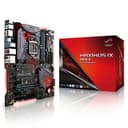

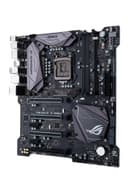
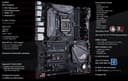
⚡ Dominate your build with ASUS ROG Maximus IX Apex — where power meets style!
The ASUS ROG Maximus IX Apex is an Extended ATX motherboard engineered for 7th Gen Intel Core processors, featuring ultra-fast DDR4 4266MHz memory support, dual BIOS chips with LN2 mode for extreme overclocking, and innovative DIMM.2 dual M.2 expansion for superior storage cooling. It offers Aura Sync RGB lighting with 3D-printing mounts for personalized aesthetics, reinforced Safe Slots for heavy GPUs, and versatile USB 3.1 Type-A/C connectivity, making it the ultimate choice for gamers and enthusiasts seeking top-tier performance and customization.
| ASIN | B01N247D6O |
| Best Sellers Rank | #2,279 in Computer Motherboards |
| Brand | ASUS |
| Built-In Media | 10-in-1 ROG cable label, 3-in-1 customizable nameplates, 3-in-1 thermistor cable, CPU Installation Tool, Extension cable for RGB Strips (80cm), M. |
| CPU Model | Core i5 |
| CPU Socket | LGA 1151 |
| Chipset Type | Intel Z270 |
| Compatible Devices | Personal Computer |
| Compatible Processors | Intel Core i7-7700K, Intel Core i5-7600K |
| Customer Reviews | 4.5 out of 5 stars 532 Reviews |
| Global Trade Identification Number | 00889349650684 |
| Graphics Card Interface | PCI Express |
| Item Type Name | ASUS ROG Maximus IX APEX LGA1151 DDR4 DP HDMI M.2 Z270 EATX Motherboard with onboard AC Wife and USB 3.1 |
| Item Weight | 2 Pounds |
| Main Power Connector Type | 24-Pin |
| Manufacturer | ASUS Computer International Direct |
| Memory Clock Speed | 4266 MHz |
| Memory Slots Available | 4 |
| Memory Storage Capacity | 64 GB |
| Model Name | ROG Maximus IX Apex |
| Model Number | ROG Maximus IX Apex |
| Number of Ports | 4 |
| Platform | Windows, Windows 10, Windows 7 |
| Processor Socket | LGA 1151 |
| RAM Memory Technology | DDR4 |
| Ram Memory Maximum Size | 32 GB |
| System Bus Standard Supported | SATA 3 |
| Total Number of HDMI Ports | 1 |
| Total PCIe Ports | 7 |
| Total SATA Ports | 4 |
| Total Usb Ports | 4 |
| UPC | 889349650684 |
| USB 2.0 | 2 |
| Warranty Description | 3 Year Warranty |
K**.
Great Motherboard.
I will start by saying that I am not a huge overclocker. I have done some but I don't go to crazy extremes with it. This is a ROG motherboard that is seriously dedicated to gamers/overclockers/enthusiast. In the BIOS it comes with tools that will auto clock your CPU for you under reliable test. I am currently at 14% overclock based on a stock program and am thrilled with that. This is a EATX motherboard so be sure you are aware of that which that means this board is HUGE. I was able to fit it into a P90 open air case from thermaltake with ease but not every case will be as lucky as to make this work for them. It was super easy to install and hook up with most of your plugs going where you are used to. One thing that was different and i absolutely love is the USB 3.0 hook up is on the same side as your 24 pin connection. The reason I love this is it just makes more sense with my case and I was able to run the wires much nicer but not everyone is going to feel that way clearly. If you are an RGB person which I just so happen to be this case got so many lights on it that are super bright and really make my case POP even more. I have not figured out how to control the lights and in truth im not even 100% sure I can it says Aura Syn which I have downloaded but I could be missing something. Currently they are on color cycle which is actually fine by me because that's how i typically run my lights anyway. This MOBO is super sturdy I loved how rigid it was when I was unboxing it it feels of some serious quality. There are so many things this MOBO can do that none of my other ones could ever do. The only drawback is there is only 2 ram slots so 16gb is what you can max out at. For me this is not an issue as I feel my 16gb of 2400 are more than enough for my needs and if I ever want to I can always upgrade to faster ram. All in All I feel like this MOBO is absolutely perfect. Bios was easy to get up and running, lights look beautiful, strong build material, tons of overclock options, tons of headers on the board as well. I haven't fully put the board through its paces nor have I tested out some of the other onboard features but i'm sure I will. Setup: ASUS ROG Maximus IX Apex Motherboard I7 7700K RTX 2080TI FTW3 16GB G SKILL TridentZ RGB 2400 ram Thermaltake Floe AIO triple riing RGB 360 TT liquid cooler Thermaltake 750w PSU Thermaltake P90 open air case Corsair 480GB SSD Samsung 1TB HDD
M**1
Simply Awsome Board
If I were able to use other adjectives to describe this board, I'd be banned from Amazon. Bottom Line, I am thoroughly ecstatic with my Maximus IX Formula board. I decided to go "big" budget with my build and the old adage 'You get what you pay for' certainly figures into this scenario. One of the biggest fears of any computer builder is flipping the switch after the completion of the build only to hear beeps and see no video. Then the trouble shooting starts. Well, didn't have to worry about that with this baby. Below, one will find my other purchases for my build. I can honestly say "I have a - Smokin - Gaming Computer!" I was really impressed with how easy it is to Overclock. I used the software that came with board and I was pushing stability at 4.7 GHz without a sweat. Now, am I big on pretty lights and water cooling apparatus? No, but this board gives eye candy to any enthusiast and makes cooling a joy if you're into that stuff. The only downside I found was the board only had one USB2 header. Problem solved there. I bought an NZXT internal hub. All in all, I'm really - really happy with my purchase. I can play my games without any issues and the ease of configuration was superb. Would I recommend the Asus Maximus IX Formula to others? You bet your sweet "Exploding Head Shot" I would! The Games: Doom4; Battlefield 1 & 4; Titanfall 2; World of Warships Here's My Build and I couldn't be happier with my choices! 1.) SanDisk Ultra II 960GB SATA III 2.5-Inch 7mm Height Solid State Drive (SSD) with Read Up To 550MB/s- SDSSDHII-960G-G25 2.) NZXT H630 Ultra Tower Computer Case, Matte Black(CA-H630F-M1) 3.) Corsair Hydro Series H100i v2 Extreme Performance Liquid CPU Cooler, Black 4.) Corsair DOMINATOR Platinum 64GB (4x16GB) DDR4 3466 (PC4-27700) C16 with Airflow for Intel 100 Series 5.) MSI GAMING Radeon RX 480 GDDR5 4GB CrossFire VR Ready FinFET DirectX 12 Graphics Card (RX 480 GAMING X 4G) 6.) Intel 7th Gen Intel Core Desktop Processor i7-7700K (BX80677I77700K) 7.) Thermaltake ToughPower RGB 1250W 80+ TITANIUM Fully Modular Power Supply 10 YR Warranty with 256-colors and Secure Smart Power Management 8.) Internal USB Hub (newest model ) 9.) NZXT Sentry Mix 2 Fan Controller, Matte Black (AC SEN-MIX2-M1)
B**T
Amazing Motherboard
The ASUS Maximus IX is great! I've had three out of four similarly high-end EVGA boards fail on me at different points, and I've struggled with a Gigabyte board's UEFI last time I had one (admittedly, about five years ago). So far I've never had a single issue with an ASUS board. That's anecdotal and not exactly a large sample size, so you should certainly do your own research and consider other buyers' experiences as well. I enjoy building high performance PCs as a bit of a hobby in and of itself. I've built four-way SLI fully watercooled systems, small form-factor systems, and recently an open air watercooled build using the Openbench "case". Generally, I like this board because it works for most any build I'd consider right now. 1. I can integrate it to my custom water loop, or let it stand independently. 2. It's easy to mount and has no fitment issues that some E-ATX boards have had. 3. It's color neutral and the RGB lighting can be configured to a variety of colors and patterns or turned off entirely to suit your build and tastes. 4. It's ability to monitor water flow and control pumps natively is fantastic. 5. Its intelligent fan and RGB management make things like Corsair's Link or Command device (or whatever they call it now) unnecessary. Controlling and configuring hardware (like fans) and monitoring system temperatures really makes more sense for the mobo anyhow. 6. The UEFI menus for overclocking etc are the most friendly I've found so far. A big con here is the price for additional features of little practical benefit. For one thing, I've found there's little to no benefit in watercooling the motherboard. It's just fun to do if you enjoy building a complicated water cooling loop. RGB lighting controls are something I could live without as long as I can turn lights off and remove the colorful stickers on most boards. The built in wifi wasn't great. It kept using the 2.4ghz band rather than the 5ghz band for the same SSID when both had strong signal. It also didn't allow for especially specific configuration. I just installed a great pcie wifi card and don't use this feature of the motherboard at all. Otherwise, the other benefits of the board are mostly just fuller support of the chipset's capabilities, most of which most systems don't use. Meanwhile, a newer chipset has already been released, and motherboards seem to be obsolete w/in a single CPU generation every year or two. It's getting harder to justify buying a new motherboard with all the bells and whistles if the chipset is going to be obsolete every year rather than ever 2-5 years...
P**N
A solid motherboard with Linux Issues.
The build quality and features are excellent, which I expect from ASUS motherboards. The manual is well written, easy to follow. The layout is similar to the last several generations of ASUS MBs. The BIOS is excellent too, with lots of overclocking features. They all work, and work well. The board takes a little longer to boot that I had expected, but hey, nothing to worry about. I was surprised to find that the onboard LAN controller has a bug in the firmware. The checksum is incorrect. This is not an issue under Windows, because the Intel LAN driver ignores the checksum error under Windows. Under Linux, the checksum error causes the kernel to ignore the device, figuring that it is tainted firmware. To fix it, you have to use ethtool to rewrite a value into the firmware, recalculate the checksum, and make a valid, bootable firmware image. It's not hard, but it is not for the feint of heart. Use the google to find out how. Or search for my gist on Github that outlines the process. Great motherboard for the money.
J**S
I'm very pleased with my purchase
So, I bought this to replace my Asus Z170 Rog Hero Alpha, and I'm very pleased with my purchase. Pros: - Sleek design and the ''armor'' that comes with it makes it look badass, and a little bit safer to hold when you're building your system, I know it is just a minor detail, but is always nice to take it into account. - The M.2 shield that covers the port is awesome, I know it may heat it up a little bit, but nothing important, and well, it actually makes it look nice - The BIOS setup is really easy to use, and user - friendly, I know it is the same for a lot of Asus Motherboards, and is always nice. - This motherboard is build stone hard, it looks like it could take a beating and still work as good as day 1. - If you like RGB colours and customization, it has a lot of RGB Headers and lights into it, and is a nice touch. - The build power/ reset buttons makes it easy for first time builders, it is super easy and they look nice. Cons: - The BIOS that comes installed doesn't allow to stick 4 slots of ram on it, I had to put 2, boot the system, do a clean CMOS on it, and then update it to the newest version, after that (around 20 minutes) it accepted the 4 sticks and started like it's supposed to, I know that the newest BIOS versions are made to deal with this kind of issues, but it annoying, considering an 380 usd motherboard. - Even though it comes with nice features, the plastic for example, could be replaced with metal in some parts, just to ensure that the armor is really an armor and not just a piece of plastic on top. Overall,a really nice board, specially if you want to custom water cool your build, it's really nice and build to last. I'm really happy with this.
T**R
Amazing Motherboard
This is truly an amazing product. I have had no issues whatsoever with the board. This board is part of my first PC build and I absolutely love it. I am not a computer genius by any means but I am someone with a little more than basic computer knowledge and I had no trouble at all setting it up. BIOS is easy to understand and navigate. BIOS also easily updated from a usb stick.(BIOS update through the internet did not work for me for some reason) Overclocking is made very simple via the AI Suite Software. I achieved a 5.2Ghz stable with one click. Lighting on the board is amazing. It syncs to other components in your system for a really cool look. Fully customize able to whatever color/pattern you can imagine. M.2 drive 1 is hidden underneath a panel under the second PCIx16 slot so it keeps its awesome look. However the 2nd M.2 slot is a vertical one so it sticks straight out of the bottom of the board. May not be an issue for some, however in my situation I am unable to use the 2nd slot due to my case layout(In Win 303) With bottom fans installed it makes wiring quite tricky and the use of a 2nd M.2 drive impossible. Another drawback(for me) is the fact that this board has only 1 USB2.0 header located on the board. Some PC components such as the Riing LED fans require a USB2.0 header to function so you are forced to sacrifice 2 of your USB2.0 ports unless you purchase a internal USB hub of some sort. Also the built in EK waterblock for the VRM is very cool and is going to look amazing when I eventually do a custom water loop.
Z**5
Join the Republic - ASUS is My Top Candidate
This is hands down my new favorite mobo. Easy installation, first perfectly in my NZXT Phantom 630 and the I/O is well constructed and practical. The BIOS is outstanding and straightforward, the Aura software for the RGB lighting configs is also easy to use and straightforward. I had absolutely no issues booting and installing Windows on my initial boot. I created an installation media device using a USB Flash Drive and it recognized the partition, the flash drive and my SSD immediately. I recycled my Samsung 840 EVO Pro SSD and it was frozen due to not being completely formatted properly on my old rig. The BIOS for this mobo offers "Secure Erase" which will restore your SSD back to its factory settings in almost no time at all and allow you to install your OS as easy as can be. Warning: Make sure your SSD is compatible with the "Secure Erase" feature before you do this, otherwise you will turn your SSD into a paper weight. I am a happy customer and I will forever be loyal to ASUS. UPDATE: One thing I forgot to mention is there is only 1 x USB 2.0 header on this mobo so if you have multiple USB 2.0 ports on your case somewhere that you want to utilize I would do some research and figure out how you can accommodate those extra ports. The I/O on the motherboard already has 3 dedicated USB 2.0 slots and 4 x USB 3.0 so if you're a streamer using a mic, capture card and other software needing USB ports, I'd recommend just getting a USB hub for your connections that way you're only utilizing one USB port on the I/O.
H**R
Caveat Emptor!
Bought this board based on Asus reputation for quality, innovation and customer service. Let me start by saying that the board looks gorgeous with shiny/blinking LEDs, etc. Then one starts building and that is when one runs into trouble! The first thing I noticed was how poorly the manual was written with no blow-up diagram of the board (all my other MBs have had a large, blow-up picture of the board with various connections clearly marked), leaving you with the very small drawings in the so called manual that is very short on information with very small diagram of connections that are similar but not identical to actual board layout! Once, I managed to get everything connected, it will not post due to memory error (code 55), mind you that I bought the memory recommended by Asus (Corsair Vengeance 2X8GB), so moved the sticks around and found out that computer will boot past error code 55 with only 1 stick in slot A2 but once I put in the second stick in slot B2 as recommended by Asus, it will not post and show the dreaded error code 55! So, used one stick of memory, computer started booting then stopped with a message saying "CPU fan not connected" or something similar! Funny but not true as CPU fan was connected to the correct board connection and it was working! Back to playing detective, online search and the only available solution found was to disable motherboard's ability to "monitor" CPU fan. Finally, I saw a windows logo and I was in business, thinking the problems I described above can be solved by BIOS update or talking to Asus support. Now, to install drivers, utilities, etc, I stick the install CD in the slot, it starts up and then immediately stopps and would not install! Ok, new build, it could be my CD player, copied all files to USB and tried installing it but had the same problem. Just to make sure tried the install CD on my laptop and the same problem occurred! I had to go online and download software and utilities one by one and let me tell you it is a very tedious process especially when the majority of these programs require reboot! Now I am frustrated, called Asus support, was speaking to someone within minutes, followed his suggestions, updated the BIOS, moved memory sticks around, plugged and unplugged CPU fan and after more than a hour, tech person admitted that the board is defective and needs to be repaired!! At first thought I've heard him wrong, so I asked him "repair or replace"? He said repair, it will take 7-10 days after Asus receives the board and if they cannot repair it I will get a refurbished replacement motherboard. When I questioned him about the length of so called "repair" period and the fact that they giving me a refurbished board, he suggested to return the motherboard to Amazon and buy another one. So after 2 days of pure frustration, the only smart idea from Asus was to return the board to Amazon. Well, I will follow this brilliant suggestion and return the motherboard. In conclusion, shiny LEDs, beautiful box, self-proclaimed greatness and reputation do not amount to anything unless one consistently delivers which Asus clearly did not in this case!
Trustpilot
1 month ago
3 weeks ago