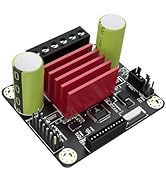
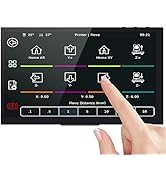
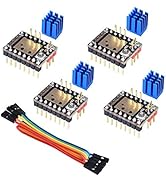
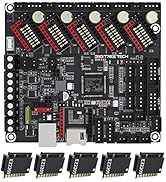
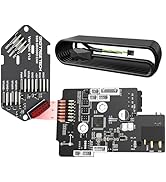
Avoid this waste of money. The screen is so insanely pathetically underpowered and slow to the point you can't even hardly baby step the z while printing. THAT IS HOW HORRIBLE IT IS. Get any other board and screen other than this lump of coal. This was a waste of $90 and who knows how many hours of my time now. I was impressed at first but the Screen code is horribly flawed. This thing destroys your bed. How? Well when you use the probe offset feature, if it rams the nozzle into the bed what do you do? There is no stopping it. The code sucks SOOOOOO BAADD that it doesn't bother to use your BL touch, NO WHY DO THAT JUST RAM THE PERSONS BED WITH THE DAMN NOZZLE. So you turn it off to stop it. Ok when you turn it on what do you think it does???? It runs your BL touch, then doesn't raze the nozzle. So you go into the Movement setting and try to raise the Z offset to not carve your bed, right. What does it do? It tells you that you can't move the damn hotend until you home the printer. OH JOY SO. So what do you think it does when you try to home it? It decides now is the perfect time to drag the damn nozzle over the bed and carve it up more. Isn't that just awesome. Why for the love of god not use the damn BL touch or allow the user to raise the Z without homing or atleast raise the bed before moving. So to sum it up. If your settings are off and you go to set the p offset feature, it first rams your nozzle so hard into the bed it actually knocks the whole assemble off. Then if you turn it off and on again, you are stuck with your nozzle rammed as hard as possible into the bed and no way at all to get the damn thing to stop. The only way I found to move the nozzle up when it is eating the bed is to turn off the printer, turn it back on and then choose the marlin screen, then choose Z offset wizard, which has the only smart code you will find in the screen and actually raises the damn bed first. Again the screen CODE IS SO HORRIBLE that instead of doing the smart thing and raising the hotend, it just prefers to eat your bed and ruin your nozzle instead. Isn't that nice? Isn't that what you want???????? So now my bed is SEVERELY RUINED and I need a new one.. The code for the Screen is 99 levels of amateur horrible code. AVOID THE SCREEN. Another super annoying issue with this kit is it just chooses a random printing speed every time, no matter what. Sometimes it is normal, other times it is 10%, and yet other times it is 160% SO AWESOME, SO COOL, JUST WHAT I WANT. I mean why use the Gcode settings I put in Cura when you can just do WTF ever you want. Yeah, woohoo . My runout sensor also doesn't work. I'm sure there is a setting in the configuration that needs to be changed. And that was another thing with this board, so many of the motor settings have to be inverted to make it work. The screen looks nice and works, but the underlying code is BARFTASTIC and Chock full o bugs. Want to load and unload filament using the built in feature??? TOO BAD SO SAD ERRORS FOR YOU!! I mean it goes on and on. Full of bugs. The screen makes working with the board easier than the stock Creality screens except for a the bugs/issues. The code for the screen in it's latest version has some irritating bugs. For example it keeps telling you that you need to home the bed before moving, even if you have already done that. What happens is if you do not interact with the printer for more than a minute it somehow forgets that it has been homed already and demands you rehome the printer. This gets SUPER ANNOYING when you are working on the printer. For example I moved the z axis up to change the nozzle, when i went to lower the damn thing it barfs at me that I must home the printer before moving. I think the issue is the fact that the screen is running it's own version of marlin and it connects to the printers mainboard, which is running it's own marlin. In this configuration, the screen is acting sort of like Klipper, it sends the instructions to the printer and displays what is going on. I think there is some setting that turns communication off after a minute. So it is like reconnecting to the mainboard all over again. Another issue is swapping the filament out with the option in the menu doesn't work. It just gives some stupid error that I haven't looked up yet. You have to manually control the extruder and reverse the filament out. I haven't had enough time to dig into the problem further. You can use this in many other printers other than the Ender 3. I am using it in an Ender 3 max which has a larger print bed. In order to do this I had to compile my own Marlin for the board, which is not hard at all, there are videos on youtube on compiling marlin. I'd actually suggest configuring and compiling your own marlin for the mainboard. I haven't messed with the screen code much, I downloaded and installed an updated version without compiling my own. I may in the future try compiling my own marlin for the screen to try to fix the bugs I found, but that will require actually editing code which I don't have time for right now. This mainboard will work with Klipper. So I plan on avoiding the overpriced screen of fail and replacing Marlin with Klipper on a Pi clone. But the screen is junk, it has too many bugs. I wish I knew this before I bought the combo. The mainboard is good, the screen sucks. I could have saved $45 and bought a pi clone if I knew how bad the screen was. Someone honestly needs to fix the screen code. I have yet to get this working properly. The z offset is always off for some reason and I have to baby step each print to even get close to a nice first layer. It has been a waste of $90 so far. Marlin for one sucks big time. I am thinking that is part of the z offset problem I'm having. I've had more failed prints than successful. I would switch back to the creality board but I have a Geetech board I want to try next. But I will buy a SBC to run klipper before I waste more time with Marlin.