We remain fully operational. Our teams are working around the clock to ensure your deliveries continue safely.

DOWNLOAD THE APP


Customer Services
Copyright © 2025 Desertcart Holdings Limited
DOWNLOAD THE APP
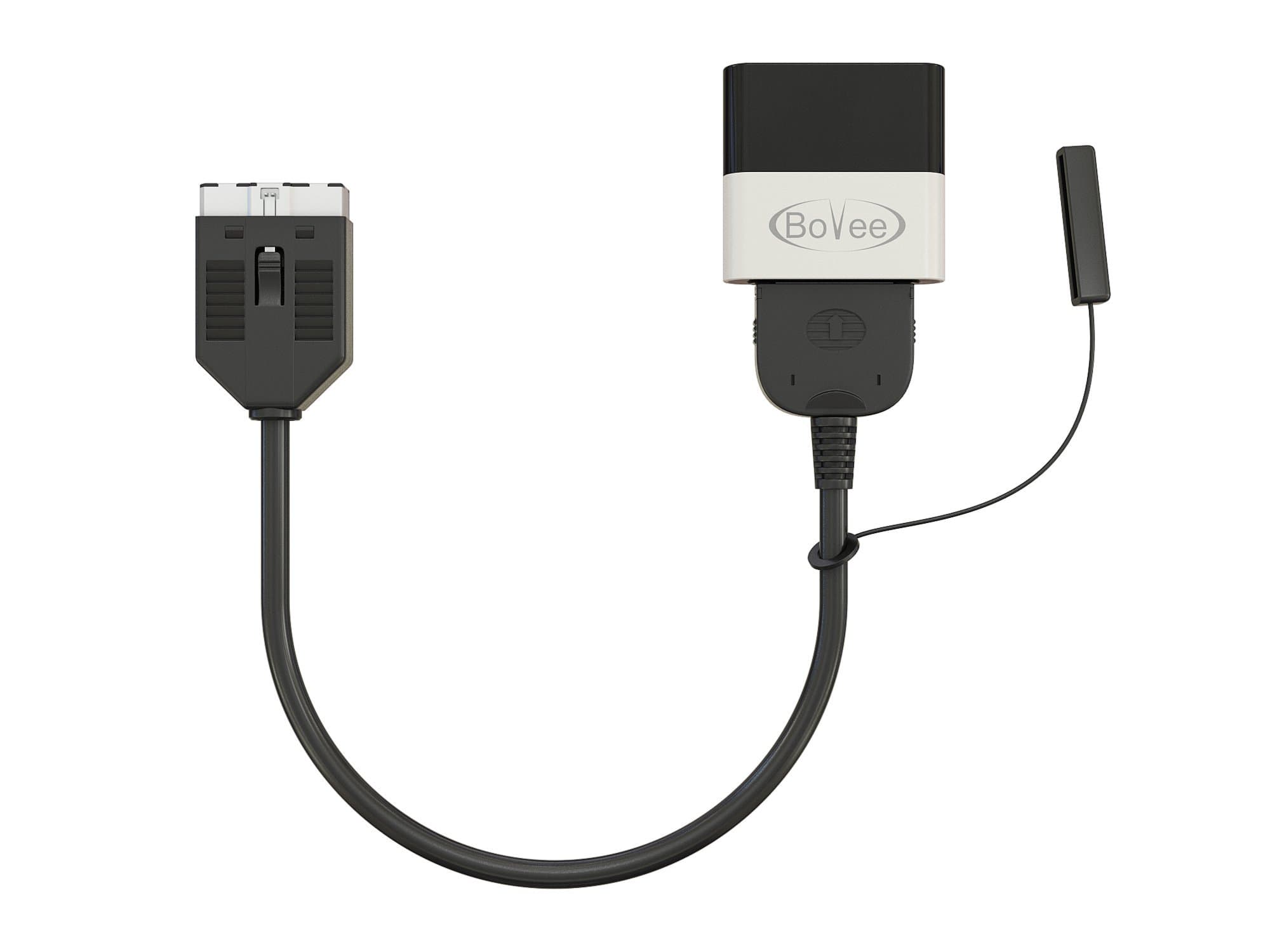
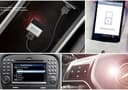


🎧 Elevate your drive with wireless iPod magic—because your car deserves a soundtrack upgrade!
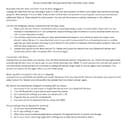
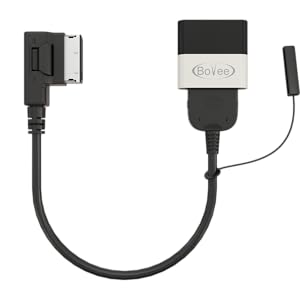
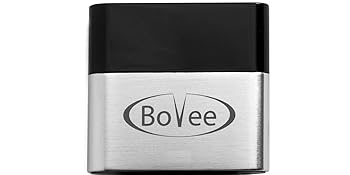
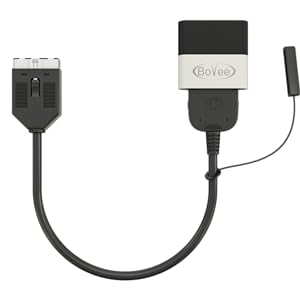
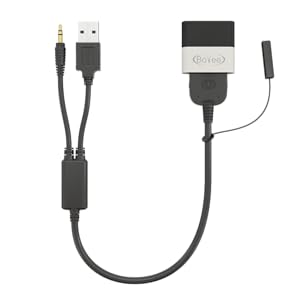
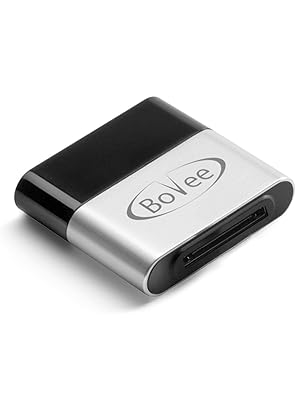
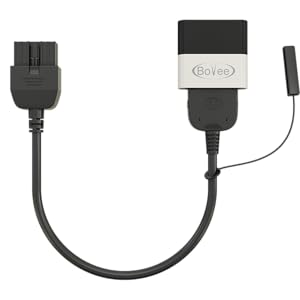
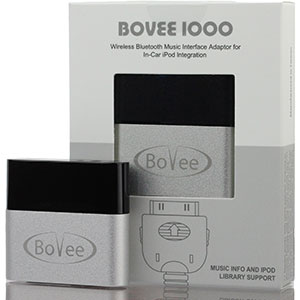
The Bovee 1000 Bundle with RR iPod Integration Cable Kit transforms your Jaguar or Land Rover (2009-2012) into a wireless audio powerhouse. It connects your iPhone or iPod to your car’s original iPod interface, enabling automatic Bluetooth reconnection, full music library display on your factory screen, and seamless control via steering wheel and head unit buttons. Enjoy handsfree calls and wireless music simultaneously with a simple plug & play setup—no installation required.



| ASIN | B01N9EQ5PW |
| Best Sellers Rank | #55 in Bluetooth Car Kits |
| Brand | Bovee |
| Color | Silver |
| Compatible Devices | ipod |
| Connector Type | 30 pin |
| Customer Reviews | 4.0 4.0 out of 5 stars (1,313) |
| Manufacturer | Bovee |
| Model Number | Bovee 1000 Jaguar/Land Rover Kit |
| Number of Items | 1 |
| Number of Ports | 4 |
| Package Quantity | 1 |
| UPC | 789185671785 |
| Unit Count | 1.0 Count |
| Warranty Type | Limited |
K**R
Works with my 2012 128i!
Initial reaction: Easy to install and it’s compatible with my steering wheel controls. Now, I don’t need to touch my phone to switch between tracks! My stereo display also shows the track name while playing, which the stock aux & other Bluetooth opt. did not do. Music sounds great and my phone bluetooth still works as it should. The auto connect is also nice. My only small critic is that it’s hard to hide, but I’ll figure something out. Hopefully it holds up over time, because I like my stock radio & don’t want to change to a screen!
J**Y
2010 Jaguar XK (Samsung Galaxy s20/S9) works like a charm
Recent bought a 2010 Jaguar XK and was surprised that it's bluetooth was only for Phone connection, no audio. I searched, found the Bovee and gave it a try. It worked great. With the car started select IPOD as the SOURCE on your car radio. Now just plug the BOVEE into the Iphone/Ipod port in your center console (the 30 pin connection port), while your car is still running, you'll see a flashing blue light on the BOVEE. Turn on your phones Bluetooth scan function and select BOVEE to pair with. In a few seconds you'll see that your phone has PAIRED with the BOVEE. Your done, it's that easy. I used this with both a Samsung galaxy S20 and galaxy s9 without issues. Notes: You have to have IPOD selected as the SOURCE on your car stereo. You control the play/pause with the steering wheel controls or the radios play/pause buttons also radio volume(if you try to play or pause on the phone it will only do so for a second or two then start playing or go back to pause, just use the cars radio controls) You can select whatever APP you want on your phone and the audio from that APP will play thru your car radio (Amazon Music, Youtube, Audible, etc...) It will reconnect and start playing when you return to your vehicle. The Bovee only works with audio not phone calls but you can connect your phone to JAGUAR for phone calls so you still have hands free phone calls and the music will mute when you get a phone call. This last feature maybe a new Android thing but I'm not sure, it maybe Bovee. My wife had her Galaxy s20 connected to the Bovee audio and to the JAGUAR for phone. I wanted to play an Audible book thru the car stereo, so I scanned my bluetooth for devices in my area. It saw the Bovee but it also showed an option to CONNECT TO BOVEE thru my wifes Galaxy s20. I picked that option and started my audible app and it worked, plus my wife's phone stayed connected to the Bovee too. It let me "share" her audio connection to the Bovee. Very Handy feature when you have two (or more?) people with phones in the car and your don't want to disconnect the main phone. The BOVEE is a little expensive but it lets you add a bluetooth audio connection to your vehicle in a way that lets you use feature of your vehicle seamlessly (play/pause volume track skip on both radio and steering wheel). Pricey both worth it.
L**S
Does not work -- cuts in and out then drops out -- 2012 Mini Cooper
Very disappointing. Connecting to the phone was OK. However, streaming audio from my phone does not work. It cuts in an out randomly, and then just drops out completely where it has to be re-selected by the car's system. Tried everything. Phone's bluetooth works just fine, so it is the Bovee unit. Is this unit just defective or is it just badly designed/made? I would return it, but I took too long to actually try it. What a total waste. I can't even use it as an expensive paper weight.
T**3
Awesome product!
This Bluetooth device works great in my old tech 2011 335i BMW. I have an iPhone 10 and my wife has an iPhone 15. Once you pair it your phone automatically pairs when entering the car. This pretty much works like an old iPod. The playlist pull up and all controlled by the steering wheel and center media knob. The only thing to note is that it comes up as headset when initially pairing. Once paired it says bovee 1000. I added a usb adapter for the 12v port adjacent to the media Aux / USB section strictly for charging. I have a fully restored flawless 2011 335i BMW. The one thing missing was Bluetooth audio. Not anymore! 😎
B**N
Excellent Option
The Bovee stays on in my bmw after I open the door for a few minutes because the USB port stays powered on for a few minutes. My solution was to use an inline USB power switch. It works excellent.
J**N
Useful, with a Few Quirks
We bought this device for a 2013 Land Rover Discovery. It installs easily with the passcode 0000 and worked immediately. The sound quality on telephone calls isn’t perfect, but functions well enough. My husband wasn’t able to make it work on his phone, but as the primary driver of the vehicle, it worked on my phone so I didn’t worry about it. Several months (and an iPhone update) later, it mysteriously quit working. When trying to connect to this device, my car display read “device error”. It drove me crazy, I tried all the troubleshooting tips to no avail. Just in case anyone else is having the same problem, I thought I’d share what I figured out. When your phone connects to this device, it automatically launches iTunes (the Apple Music App?) and begins playing a downloaded song. If you do not have iTunes downloaded along with at least one downloaded song, it will read “device error” every single time it tries to connect. I hadn’t used iTunes in awhile and was low on space on my phone, so my phone automatically removed it. Since iTunes couldn’t launch to play the same annoying downloaded song, my car display read “device error”. Once I reinstalled iTunes, it began working properly again. This fix worked on my husband’s phone as well. Kind of annoying, but it does in fact work.
A**R
Awesome product! Like factory Bluetooth music.
2010 Range Rover Sport Supercharged paired w/ iPhone X - this product appears to be worth every dime! It installed and paired up right away. It displays my music library right in the dash (see photo) and can be controlled on the steering wheel as well. It connects quickly and automatically when turning the car on. It also doesn’t affect the factory phone bluetooth and works as expected. The music will pause when picking up or making calls. It’s like Bluetooth music came with the vehicle and it much better than my old tangled aux cord that I got rid of (pictured). Very excited about it and the sound is great. Ignore any naysayers for this car and phone pairing.
S**E
Ottimo prodotto e fà bene il suo lavoro la musica si sente perfettamente e senza interferenze. Lo consiglio senza dubbio.
P**R
Una maravilla para poner por bluetooth la música. TB te canta Google maps y los radares de TomTom radar.
A**.
Good product. This is really the only viable solution for a real Bluetooth audio play back in the Range Rover. I have a 2011 and it works well. Almost plug and play. Connect the phone and play from iTunes, YouTube, Spotify etc. You can skip tracks using the steering wheel control. The audio information shows up on the screen but sometimes is very slow to react. I do like the fact it auto connects to my iPhone XS when I enter the car after a few seconds, so there is no messing about with settings and apps. Overall I’m happy with this and the way it works (there is no alternative to it anyway!) but I still think the price is high for what it is.
A**O
Excelente calidad, hace su función perfectamente y se escucha muy bien el sonido en mi Audi ya que viene incluido el cable, eso lo hace una mejor opción
C**K
Mein Aston Martin DB9 2009 hat eine iPod-Schnittstelle, die mit der Range Rover/Jaguar/Volvo-Schnittstelle kompatibel ist. Der Bluetooth-Empfänger löst nun einfach das Problem des drahtlosen Audiostreamings. Mitgeliefertes Kabel passt auch, allerdings habe ich den Bovee 1000 an das vorhandene angeschlossen. Da der Dock-connector aber vermutlich mit 12V und nicht mit 5V betrieben wird, hab ich zudem noch einen Dock-auf Dock Adapter mit Micro-USB Schnittstelle zur Stromversorgung ( https://www.amazon.de/gp/product/B00ECV1QUQ/ref=oh_aui_detailpage_o02_s00?ie=UTF8&psc=1 ) dazwischengesteckt.
Trustpilot
2 weeks ago
3 days ago