![for iPad 9 (9th Generation) A2602 A2603 A2604 A2605 Screen Replacement Digitizer Touch Glass Kits, for iPad 2021 9th Gen 10.2 Inch, Full Repair Sets+Home Button[NO Fingerprint Reader] [NO LCD]](https://m.media-amazon.com/images/I/51a20jBypUL._AC_SL3840_.jpg)


Desertcart purchases this item on your behalf and handles shipping, customs, and support to Kyrgyzstan.
🔧 Fix it like a pro, save like a boss!
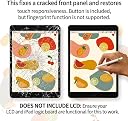
This premium screen replacement kit is tailored exclusively for the 2021 iPad 9th Generation 10.2-inch (models A2602/A2603/A2604/A2605). It includes a high-quality digitizer touch glass, a pre-installed home button (without fingerprint support), and a full set of professional-grade tools to empower even beginners to confidently perform repairs. Backed by manufacturer support for installation mishaps, this kit offers a cost-effective, eco-friendly alternative to costly repairs or replacements, restoring your iPad’s touch functionality and aesthetic to near-new condition.
| Best Sellers Rank | #1,959 in Electronics ( See Top 100 in Electronics ) #1 in Tablet Replacement Screens |
| Customer Reviews | 4.3 out of 5 stars 2,541 Reviews |
K**F
Beginner friendly! Great repair set, save money by doing it yourself!
This was my first time replacing the screen of my sister's iPad so I was quite nervous, but installation was quite straightforward and do-able, even for a beginner like me! It came as a complete kit with instructions and everything, and I didn't even expect for it to include a screen protector. The screen works perfectly and looks good as new. For the price and everything included in the kit, this is an excellent value and saved us money compared to bringing it into a repair shop. Highly recommend!
C**R
Works Flawlessly
Really good deal. If you are on the fence, the price alone is worth the attempt before you buy a new iPad. Comes with instructions and a QR code to help with installation. The instructions are not very in depth. They give you basic direction, but they are adequate enough. As long as you possess a smidgen of mechanical aptitude you will be able to perform this task. Take your time. Understand what you are doing and you will be fine. Highly recommend this product. Shipping was fast and item was packed well. Comes with everything you need except something to apply heat to melt the glue (I used my heat gun (a hair dryer is just as good). The screws inside the iPad are very small. Might be useful to have a container or zip lock bag to keep the screws in until you need them again so you don’t lose them. It took me a few hours, but I was being careful and taking my time. The new screen looks great. All buttons work (power, volume, home button, etc) and the touch feature works flawlessly. Just like new. I’m very satisfied with this purchase and I would buy this product again. Highly recommend. Great customer service too if you have any questions throughout the process. They responded to all my emails the same day. Answered all of my questions. I’m happy with the transaction and overall experience. Glad I bought this product.
C**G
Everything you need to replace your screen yourself.
I purched two other replacement screens from two separate other vendors before I bought this one. This screen was a bit more expensive, but for an extra 7 or 8 dollars, it was definitely worth it. This screen was carefully packaged, and had everything I need to replace the screen myself. I followed the instructions but supplied in the package as well as the video from using their QR code printed in the instructions. I was happy to find an included screen protector, a roll of double sided tape, (which I did not need thanks to the pre-installed adhesive on the replacement screen) tools, and an pre-installed home button on the screen. I had carefully removed the original home button from the broken screen, so I replaced the new one with the old button (the old button has the fingerprint reader, the new one does not.). Excellent instructions, follow along and you won't be disappointed. Some tips I learned along the way: keep the LCD screen clean. The broken shards from the original digitizer may have caused some scratches to the very soft LCD. I used a Q-tip with alcohol to gently remove some of the very tiny glass shards, and that helped keep it from getting too much Korean scratched. Also, if you have cloth or latex gloves, using them will help keep oily fingerprint from getting on the LCD. I found out my fingerprints were EXTREMELY frustrating to eliminate from the LCD. I think I spent more time cleaning the LCD, than the actual repair. Finally, go slow, keep the microscopic screews on a magnet, or in a jar, or something to keep them from being lost. They are VERY small and I would expect them to be difficult to replace if lost. This is not a beginners task to replace this screen. I have replaced only a few other screens for devices, both for cellphones and tablets, and this one took a LONG time for me. I consider myself very amature at replacing screens, and this was a SLOW and frustrating process. Do not be deterred by my difficulties however. I am older, have terrible eyesight, and my hands shake. I just went VERY slow and didn't force anything. If you have decent eyesight and a steady hand, this should be easier than my experience. Good luck! I highly recommend this product.
B**R
Great item for the money!
Great product! Works as should! Love that it comes with all the tools needed & extra! Also cake will me with a new button if needed & screen protector! Great item! Thank you!
T**E
2 HOURS LATER...
Do you want to spend two hours of your life, all your spoons for the day, your eyes and lungs and hand dexterity for a short 2 hours of an unbroken screen? If not, keep reading! A shattered screen is difficult and dangerous to remove. I highly recommend wearing cut proof gloves, a face mask, and eye protection, because the pieces of glass shatter further and pop up and can get in your eyes or you could breath them in while you're replacing a broken screen. These don't come with this item but luckily I had some on hand. The adhesive that holds the old screen on is very VERY difficult to remove with tools, and alcohol isn't strong enough, it just melts it to where you cannot peel it off slowly, it's goo now and you really can't get it off. I don't know what the solution is for that. The instructions included removing the battery, which was unnecessary for this particular kit which only replaces the screen and not the battery. I hope you read this review before you start because it's not clear at all that you don't need to remove the battery! The instructions AND the video (included on a QR code on the instructions) both say take it out, so they must double up for a kit that does include a new battery. The instructions are difficult, skip some things I would have really liked to watch someone do, and the video isn't any better. I ended up watching another youtuber do it. So I go through the process, it takes over an hour, all of my sanity, and a year off my life, but I've replaced the screen on a 9 year old's ipad for $25. Yay. Worth the money and stress? Maybe. 2 HOURS LATER... The home button on the brand new screen shoves into the hole and is now stuck. My child was not being rough or crazy with it, he was sitting right next to me playing Roblox and pushed that button completely normally. Do I want to spend another $25 for a new screen to try again? No, not worth it, I'm going to curl up in the corner and cry.
C**N
Perfect replacement for a 9th gen Ipad
This kit worked perfect. If you take your time with the repair and be sure to remove all the old adhesive, you will be pleased. Since this kit comes with the home button preinstalled, the touch ID is no longer compatible (this is noted in the product description) which wasn't a deal breaker for me. The ribbon cables were easy to install and each cable comes with the adhesive ready to go. A screen protector is also included and the screen was packaged well. I would purchase from this seller again.
K**N
Nice replacement kit. Everything you need is included.
It actually worked. Had a cracked screen and was able to change it with only little trouble. The instructions are AI translated from Chinese so pretty much useless. Some skill and good eyesight is needed to remove extremely tiny screws.
A**R
Good product
Good product, the outer glass (digitizer) of my iPad was badly broken and this product makes it work well again at a low cost. The repair procedure is not hard if you go slowly, at least once you softened the adhesive and got the old glass out.
A**E
Mit etwas Geschick absolut nutzbar.
Auch wenn einige der anderen Kommentare anderes vermuten lassen, ist das Aufbringen des Displays absolut machbar. Auch ohne Vorerfahrung. Bezüglich gewünschter in den Bewertungen Anleitungsvideos: Es gibt einige im Internet. Mit denen kann man das ganz ohne Probleme ersetzen, auch wenn man ein iPad noch nie von innen gesehen hat. Auch die Kritik, dass es brüchig/leicht zu brechen wäre kann ich nicht nachvollziehen. Es sollte recht klar sein, dass ein dünner Touchscreen nicht extreme Kräfte abkann. Allerdings bricht er bei halbwegs vorsichtiger Handhabung NICHT. Als kleiner Kritikpunkt könnte man nennen, dass der Homebutton bereits eingeklebt ist und man ihn erst entfernen muss, wenn man den alten Homebutton mit Touch-ID verwenden will (übrigens auch nicht so tragisch wie manchmal behauptet). Der Homebutton lässt sich allerdings entfernen und mittels originaler Klammer der alte Humebutton verwenden.
R**S
Don’t buy
Home button doesn’t work at all and touch screen activating all over the place
G**E
Reasonably priced and fairly easy to replace
Watch the online videos first. Feel confident, have the tools to do it, then buy it. I wish I had an extra helping hand to hold the screens once dismantled. I could had saved the thumb button to retain the fingerprint option. Some videos will show you how to CAREFULLY disconnect the connector so you can use it again. However, to my horror, once I realized I accidentally ripped the button connector, I was glad they included one with the kit. All is working fine, the trickiest part was the final connections. Thank God for their online video. The paper instructions are not helping. Good product, glad to know they are willing to help and send another screen if you don't fold the connector ribbon correctly prior to reassembly.
A**A
Aipad
Muy buena compra y fácil de instalar
I**R
The same
The same
Trustpilot
2 weeks ago
1 month ago