Desertcart purchases this item on your behalf and handles shipping, customs, and support to Kyrgyzstan.
๐จ๏ธ Elevate your home office game with crisp prints and seamless multitasking!
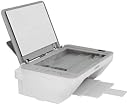
The Canon Pixma MG2522 is a versatile all-in-one inkjet printer designed for home use, offering print, scan, and copy functions. It supports a 60-sheet paper capacity, delivers sharp 600 x 1200 dpi resolution, and prints black-and-white pages at up to 8 ppm. With USB 2.0 connectivity and optional XL ink cartridges, it balances affordability with reliable performance for everyday document needs.
| ASIN | B01NCEZFGO |
| Additional Printer Functions | All In One |
| B&W Pages per Minute | 8 |
| Best Sellers Rank | #91,448 in Office Products ( See Top 100 in Office Products ) #83 in Ink Tank Printers |
| Brand | Canon |
| Built-In Media | 013803284676 |
| Color | White |
| Color Depth | 9600 bits_per_pixel |
| Color Pages per Minute | 1 |
| Compatible Devices | Laptops, PC |
| Connectivity Technology | USB |
| Control Method | App |
| Controller Type | Android |
| Customer Reviews | 4.0 out of 5 stars 3,813 Reviews |
| Duplex | Yes |
| Global Trade Identification Number | 00013803284676 |
| Hardware Interface | USB 2.0 |
| Ink Color | Black |
| Item Dimensions D x W x H | 5.8"D x 16.8"W x 12.1"H |
| Item Type Name | Color Laser Printer |
| Item Weight | 9.8 pounds |
| Manufacturer | Canon Computer Systems |
| Maximum Copy Resolution Black and White | 600 dpi |
| Maximum Copy Resolution Color | 600 x 1200 dpi |
| Maximum Copy Speed Black and White | 8 pages_per_minute |
| Maximum Media Size | 4 x 6 inch |
| Maximum Print Resolution Black and White | 600 x 1200 dpi |
| Maximum Sheet Capacity | 60 |
| Maximum print Resolution Color | 600 x 1200 dpi |
| Model Name | Pixma |
| Model Number | 0727C042AA |
| Model Series | PIXMA |
| Number of Trays | 1 |
| Other Special Features of the Product | 4-Color Cartridge System, Hybrid Ink System |
| Output sheet capacity | 60 |
| Paper Size | 013803284676 |
| Print media | Paper (plain) |
| Printer Connectivity Type | USB |
| Printer Output Type | Color |
| Printer Type | Inkjet |
| Printing Technology | Inkjet |
| Resolution | 600 x 1200 DPI |
| Scanner Type | Sheetfed |
| Series Number | 25 |
| Special Feature | 4-Color Cartridge System, Hybrid Ink System |
| Specific Uses For Product | Office, Home |
| Total USB 2.0 Ports | 1 |
| Total Usb Ports | 1 |
| UPC | 013803284676 649910787542 |
| Unit Count | 1 Count |
| Warranty Description | 013803284676 |
| Warranty Type | Limited Warranty |
R**H
No hassle set up and easy to operate
I bought this specific printer sp I purchased this specific printer to replace my old one. It was the same model, but an earlier version, lasting a long time. I had always been pleased with the quick, plug & go set up. It is a basic printer and copier, operating in a simple and purposeful manner. There iso confusing process to make sure its compatible with your c If you don't need wifi or faxing, this is the machine for you! It is hard wired (a plug) directly into your computer, making it an easy and quick set up. I've purchased expensive multi function printers, only to get frustrated with them for not doing the simplest task needed... Copy & print. Needless to say, they went in the garbage, and I reverted back to this. Additionally, the printer is light weight and small. Great for moving around if you are on the go, or if you have limited work space.
V**K
It connects bu the USB.
Canon Pixma MG2522 All-in-One Inkjet Printer, Scanner & Copier I was looking for a printer that was not a WIFI connected. My old copier for some reason kept disconnecting from by computer my granddaughter had to keep reinstalling it. She could not figure it out either. Since this was a problem I looked for one that hooked up using the USB this is working great and is faster than the other printer it was so slow. It can also be connected with the WIFI I just chose not to because of the problems. I would recommend this it does every thing I wanted just not as fancy as it is for home use.
D**N
It's like someone at the factory decided to totally destroy this thing and then ship it to me!
I took it out of the box. 1. The paper guide was broken beyond repair. I still had the old one that had stopped working, so I replaced it myself. 2. The unit was broken apart right under where it says Canon. It was a real bugger, but I got it back together again. 3. 3 more small pieces were broken or missing. Again, I replaced them from the old same model printer I still had. 4. I looked in where the ink had to be placed, and there was a shaft jammed under the print cartridge holder, one end was connected, the other went nowhere. I looked at my old printer and found it's required place was much further in. Since it would have required replacing the whole print cartridge assembly and shaft, I gave up at that point. 5. Also, there were no ink cartridges in the box. REVISED 07-25-22: Amazon was great about this. I returned it and they refunded immediately. I'm changing this from 1 star to 4 stars, for that reason.
A**N
No printer cable, does not print page numbers & very low ink supply
My heading says it all. I bought this product because I needed to print 4 documents in color copy -- about 150 pages total, which is not too much to ask at the $30 price tag. I am very much aware that cheap printers are loss leaders for companies and the hope is that you will continue to buy the ink cartridges and they'll make their money back, but I have never been as disappointed when opening something out of the box as I was with this product. That's saying something given the number of things that I buy. 1. There was no printer cable included inside the box -- Seriously??? I mean, do you really expect that people that are just purchasing a printer anew just HAVE a printer cable lying around? The thing is NOT expensive, so the extra cost isn't an issue -- it's the inconvenience. This is especially problematic if you open this thing and set it up because you have a fairly urgent need to print something (because why else would you buy it). I haven't checked the listing to see if this was disclosed, but even assuming that it was, disclosure does not make something appropriate when including something as basic as the cable that the machine needs to operate (after all it isn't WiFi) is standard practice and expected by all consumers. So beware -- you should add that cheap printer cable to you cart to go along with it. 2. So after buying that printer cable early the next morning, I set this thing up and proceeded to print my 40 page document. It wasn't until halfway through printing that I notice the page numbers are missing. They are clearly in the footer of my document and even though they appear in the preview image, they do not print on the document. I spent over 1.5 hours messing around with the settings, margins, etc. -- even went as far as setting a 1.5 inch header, footer and margins all around and it would not print the numbers. Even when the document was converted to PDF, with the PDF clearly showing the numbers, this POS still wouldn't print them (nothing in the footer would print). After I was already late to turn the document in, I eventually gave up and just printed it on my laser printer without the color. I am using a Macbook so maybe the issue is strictly limited to the Mac version of Word, but I don't see why the PDF version also would not print the numbers that were on the PDF. 3. So after having proven useless for the one task I purchased it for, the real kicker is when about 60 wasted pages of trial and error later I tried to print a couple of diagrams and the printer told me it was very low on black ink. This is despite the fact that nothing I was printing was color intensive -- just regular text with headings in a couple of different colors. So in the end I got a useless piece of plastic that started giving me a low ink warning after only 60 pages of printing at the cost of turning something in late. So my advice is that if you need to have page numbers on any of your documents in the near future and own a Mac, then do not buy this product. If you own a Windows computer, I would check with the other reviewers here that also are printing on Windows to see if page numbers appear.
T**S
Exactly what I needed
I ordered this printer because I already have this model and love it. My old printer was on its way out, so I needed a new one. After searching stores and could not find what I wanted, I settled for a different model. However that printer would not install into my computer. So I ordered this model from Amazon and it quickly installed without a fuss, and the internet was not needed just for the installation process like the printer I had settled for. It is very quiet and easy to use. What I didn't like was paying double the price than what Walmart was selling it for. But, I am happy just to have a printer that works, that installed into my computer and doesn't require internet just to use the basic functions!
T**K
Works Fine. You get what you pay for.
Image - included in my delivered order was the printer, power cord, CD installation, manual and quick setup document. No ink. No connecting USB cable. No Wi-fi connection. *Largest paper size is 8.5x11 inch - Paper not included Buyer Beware: - depending on which seller you choose be sure and check the full details. Some sellers will include the first 2 cartridges of ink. Mine did not. I was replacing my unit so I already had ink, but I was still disappointed. - if this is your first unit you will need to buy a connection cable to print from your computer, it doesn't come with it and it is not wi-fi compatible My Review: Even after reading all the comments I came back and bought another Canon Pixma MG2522 All-in-One Inkjet Printer, Scanner & Copier. My original lasted just under a year with light to moderate use in my home office. It finally failed to feed paper but the inkjet and scanner continued to work - which is annoying. I went through roughly 1200 sheets of paper. I found I could do about 60 sheets for my moderate use and I've gone through 3 units of ink - which is 3x Color and 3x Black - so it does use a lot of ink. It's slow and loud but works. I just needed an easy printer/scanner in my house that I could turn on and print when I need at 3 am. For this it works exactly as I need it too. The scanner is decent and get's the job done. I scan both color and black and white artwork to digitize so the resolution is fine. For $40 a year to replace a unit it's a cheap quick fix for my home office printing needs until I want to invest.
M**5
GREAT LITTLE PRINTER
Easiest device I ever installed to a computer. A no brainer and it is not as big as a truck! Fits on my desk top with room to spare. Plug it in and download the driver and get to work. Not a fax but I don't need one Update: I have been using this printer for several months now and it has performed flawlessly. In fact I just bought another one for my downstairs office. Best $119.00 I've spent in a long time.
R**H
Simple Install, good quality and speed
Simple Install, good quality and speed At work we have a big, shared printer. I have to print lots of receipts and similar documents throughout the day, and am constantly waiting for someone else to finish, or trying to find things other people have taken by mistake. Having this little printer on my desk has probably already saved as much in time as the cost of the machine. It does not have wifi so is easier to set up and will be easier to troubleshoot if there ever are any issues. It prints quickly and everything I have printed has been sharp and clear. I set it up easily without any glitches. If your purpose is to have a local printer without a lot of bells and whistles, this fills the bill very well. -Rat
J**E
Muy funcional y muy elegante
Bonita cumple con mis expectativas y funciona perfecto y se puede conectar al celular tableta vรญa wifi y con la aplicaciรณn. Estรก perfecta
V**X
Not easy to set up
After following the installation instructions printer still does not work. Had to pay someone to come in and set it up. Works fine, just a printer/scanner
J**Y
set up was easy
compared to an HP printer I bought and returned this printer was easy to set up -- I followed the instructions and if it wasn't for a simple thing I was able to get it to print -- the simple thing was to change from the HP printer to this printer in the print box that appears when you hit print -- The only bad thing was in the information on Amazon that said it was USB capable and did not say it was also wireless because I wanted a printer that only used USB connection but in the end I was able to make it work
C**Z
Me encanto
Me super encanto, llego en tiempo..justo lo que necesitaba
F**A
Buen producto
Es buena impresora por el precio
Trustpilot
3 days ago
2 weeks ago