Buy anything from 5,000+ international stores. One checkout price. No surprise fees. Join 2M+ shoppers on Desertcart.
Desertcart purchases this item on your behalf and handles shipping, customs, and support to Kyrgyzstan.
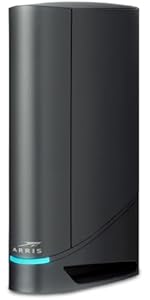
🚀 Own the fastest lane in home internet with ARRIS G34!
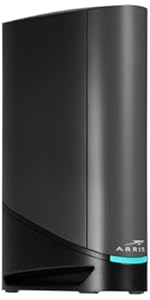
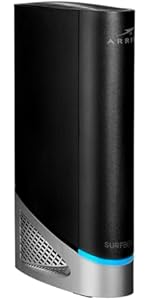
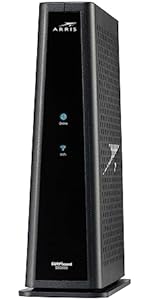
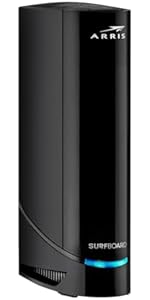
The ARRIS G34 is a DOCSIS 3.1 cable modem and Wi-Fi 6 router combo designed for professionals demanding ultra-fast, reliable internet. Supporting up to 2.5 Gbps cable plans and dual-band AX3000 Wi-Fi 6, it covers up to 2,500 sq ft with strong wireless and wired connectivity. Certified for major US cable providers, it eliminates rental fees with easy setup and modern design, making it ideal for streaming, gaming, and remote work.


| ASIN | B096W716BY |
| Antenna Location | Business, Gaming, Home |
| Antenna Type | Internal |
| Best Sellers Rank | #372 in Computers & Accessories ( See Top 100 in Computers & Accessories ) #2 in Modem Router Combos |
| Brand | ARRIS |
| Built-In Media | Power Supply, Quick Start Guide, Router, Warranty Card |
| Color | Black |
| Compatible Devices | Gaming Console, Home Automation, Mobile Phone, Personal Computer |
| Connectivity Protocol | Wi-Fi, Ethernet |
| Connectivity Range | 2500 Square Feet |
| Connectivity Technology | Coaxial Cable, Ethernet, Wi-Fi |
| Control Method | App |
| Controller Type | App Control |
| Coverage | Up to 2,500 sq ft |
| Customer Reviews | 3.7 out of 5 stars 3,076 Reviews |
| Data Transfer Rate | 3000 Megabits Per Second |
| Frequency | 5 GHz |
| Frequency Band Class | Dual-Band |
| Has Internet Connectivity | Yes |
| Has Security Updates | Yes |
| Is Modem Compatible | Yes |
| Item Dimensions L x W x H | 10"L x 3"W x 8"H |
| Item Type Name | Docsis 3.1 Cable Modem WiFi 6 Router |
| Item Weight | 2 Pounds |
| LAN Port Bandwidth | 1000 Mbps |
| Manufacturer | Vantiva |
| Maximum Upstream Data Transfer Rate | 450 Megabits Per Second |
| Mfr Part Number | G34 |
| Model Name | G34 SURFboard DOCSIS |
| Model Number | G34 |
| Number of Antennas | 2 |
| Number of Ports | 4 |
| Operating System | Linux |
| Other Special Features of the Product | Internet Security, Guest Mode, Parental Control, Access Point Mode, Alexa Compatible, Beamforming, QoS, LED Indicator, WPS |
| Router Firewall Security Level | Basic |
| Router Network Type | Cable |
| Security Protocol | WPA/WPA 2/WPA 3 |
| Special Feature | Internet Security, Guest Mode, Parental Control, Access Point Mode, Alexa Compatible, Beamforming, QoS, LED Indicator, WPS Special Feature Internet Security, Guest Mode, Parental Control, Access Point Mode, Alexa Compatible, Beamforming, QoS, LED Indicator, WPS See more |
| UPC | 850030172006 |
| Unit Count | 1.0 Count |
| Voltage | 120 Volts |
| Warranty Description | 2 Year Limited Warranty |
| Wi-Fi Generation | Wi-Fi 6 |
| Wireless Communication Standard | 802.11ax |
| Wireless Compability | 802.11ax |
T**M
New Arris G34 just works great.
This was the new unit and it works (so far…12 hours on) great. Set up was a breeze using the Xfinity app. Has not dropped connection at all. I had made the mistake of trying to save by going with a ‘like new’ refurbished unit that supposedly was brought up to ‘new’. Anything but. I think ‘refurbished’ in Amazon-speak is redeployed as is to the next unsuspecting victim. That one had the modem working but not the router. No amount of attempts to reset to factory worked. The router would not route. Long story short, happy with my purchase so far. I know…too early to be categorically happy but hoping that the experience continues. Don’t go the refurbished route. Get a new one.
W**3
G34 Bad at Band Steering: drops vpn, zoom, teams when poorly "managing" traffic
Update to further reduce stars after a terrible 10 days with this. Looking for replacement, as even with band steering off, tedious manual traffic management, this full-on chokes and loses all internet connection multiple times a day, for long enough that connection to work vpn and important teams and zoom meetings are lost. We get fast and decent coverage when it is connected, but it will inevitably glitch out at the worst times. We need a connection that won't drop out long enough to disconnect work vpn or lose zoom or teams meetings, and this seems unable to provide that. Our 400mps xfinity service is not the problem, as we hardly ever had noticeable disconnects with the old TG1682G - and those were traceable to a reported xfinity outage, not the gateway issues that are clearly down to the G34. That old TG1682G was replaced only to save on rental fees, and the G34 specs made it seem like a solid choice, but it is not. You can see in the xfinity app that the G34 is offline, and in wifi details on any and all devices. However, Arris seems to be working hard to make you think it isn't their problem. The light on the gateway will stay blue like nothing is wrong, and the dumb surfboard app makes it appear connected, shows all the "connected" devices, and shows good results in speed test, but that is only gateway-to-device. Just in the short time since this was purchased, Arris popped up a note saying their speed test is no longer available to test gateway-to-service-provider, so you see decent wifi speeds, but have no actual internet during these frequent hiccups. Set up with Surfboard app, plus Xfinity app, was no problem, and wifi distance is generally good. However, unlike the older Arris I rented from xfinity for years, this thing is much more prone to causing video meetings, work vpn, etc. to drop out briefly, but long enough that they fully disconnect. This glitching is mostly due to the band steering, I believe, and they do tell you in arris documentation that disconnections can be a problem if you select to have your 2.4 and 5ghz bands integrated and use the automatic band steering traffic management option. (EDIT, turns out this is not the only thing causing disconnects, every day.) It seems really stupid in this day and age to not have decent band and channel management from a gateway like this. It is so frustrating that I can't have the benefits of automatic smart traffic management, and I've not easily found a way to override the glitchy steering for just one or two important devices. Instead, I've had to separate the bands and try to get the household to manage our traffic ourselves, to be sure I won't drop out of an important zoom or teams presentation. That's just crazy after my old gateway handled this fine for as far back as I can remember, managing not to visibly drop the connection while switching bands for laptops and portable devices that sometimes should be on 2.4 (better able to handle long distance from router, or not needing much bandwidth at the moment) and sometimes should be on 5.0 (more robust when close enough). I will also note, besides the band-steering drop outs, this gateway has totally lost connection with xfinity a couple of times in one week, with no outage noted by xfinity. That nearly never happened with the old gateway, and only when there was a noted outage on xfinity's part. (EDIT, still happening, all the dang time. So MANY resets.) After having more embarrassing dropped meetings and work projects in one week than in the last three years, I'm sad that the much older Arris gateway was much smarter than this G34.
W**E
Easy To Use and Setup with Cox
This review is for the Arris Surfboard G34. I purchased this combo modem/router to replace my old one. When using Cox, note that you can't just plugin the new device and start using it -- you always need to call their technical support team to have them unregister your old device and register your new one. The setup process was easy and straight forward. The most difficult party was getting through to Cox technical support. My previous modem/router used DOCSIS 3.0 technology, so this upgrade gave me a 45% increase in download speed and a 366% increase in upload speed; all without changing my service plan. I saw lots of negative reviews for this device regarding the intermittent internet connections or the failure to connect to the internet. I have not personally experienced either of these issues. For buys who have this concern, if possible, I recommend retaining your old hardware for at least 30 days just in case you need to revert back. The product offers an optional mobile app to manage the network. The mobile app has very bad reviews. My recommendation is to configure your wireless network using your web browser first, then configure your mobile app after. Most of the negative reviews appeared to be from users attempting to perform the initial configuration using the mobile app. PROS: - Easy to install. - Fast wireless speeds. - Optional mobile app. - Modem and wireless router combined into a single hardware device. CONS: - The single LED status light makes it difficult to determine the state of the modem (see below). - When you rename a device using the web interface, those names do not carry through on the mobile app. FEATURES NOT ADVERTISED: - Free mobile app called 'SURFboard Central.' The mobile app allows you to see what devices are connected to your network, assess your network health, test your Wi-Fi speed, and even rename connected devices. The app was easy for me to use, despite the negative reviews. - You can setup a primary home network, a secondary home network, and a guest network. Each network includes a 2.4GHz and 5.0GHz SSID. COLOR CODES: - Solid Green LED: Indicates the Online status is in DOCSIS 3.0 mode. - Solid Blue LED: Indicates the Online status is in DOCSIS 3.1 mode. *This is the color you want to see. - Blinking Green LED: Indicates downstream and upstream channel search. - Solid Amber LED: Indicates the unit is powered on. - Blinking Amber LED: Indicates the firmware download is in progress. - Blinking Blue and Green LED: Indicates error mode in sequence. - Solid Light Blue LED: Indicates the WAN is selected over the Ethernet mode.
R**O
Arris G34 DOCSIS 3.1 Gigbit Cable Modem & Wi-Fi 6 Router updated review.
Below is my original review. Arris made good on replacing the Surfboard G34 DOCSIS 3.1 Gigabit Cable Modem & Wi-Fi 6 Router (AX3000). I had spent time with Sparklight support confirming that the original one had stopped working. I reached out to Arris Tech Support and after 3 calls they were convinced it was a faulty device. I re-installed an older modem I had and sent back the original one (after getting the RMA and shipping label from Arris). The process went well and within a couple of weeks I received the replacement. Went through the setup and got everything setup. I'll see how long this one lasts. I thought it fair that I update my review since they did replace it. ----------- Original Review below ------------------------ Easy to install. Worked with my carrier Sparklight. Upgraded after finding that I had paid for upgraded service for several months but since I owned the previous modem, they didn't bother to tell me the older modem wasn't compatible with the service I was paying for. I purchased this modem/router for the upgraded service and the install was pretty straight forward. It worked pretty well for about 5 and a half months. I then had problems with the router. Did a factory reset but I couldn't rename my router to what I had setup all my "smart home" accessories to access, so I purchased a new router. Everything worked really well for about 2 weeks and then the modem started not connecting all the time. It finally got to the point that it wouldn't connect at all. Called Sparklight and they confirmed the internet service was working and the modem was not connecting. Supposedly this was the third Arris G34 modem with an issue for the day. Said it might be a firmware update. Unfortunately I rely on my internet connection for work so I'll be going to my nearest Sparklight location to pickup a rental modem. Funny how the cable companies end up getting you in the end. I feel like I wasted $200 on this Arris G34.
A**R
Good Product Initially worked, But have issues after Xfinity Upgraded their network in my Area.
Xfinity is Horrible.. I pay for 400 Mb upload and 400 Mb download bandwidth, I get only 80 Mb download and 11 Mb upload. I have my own brand new(6 months old) Arris Surfboard G34 DOCSIS 3.1 Gigabit Cable Modem at home right from beginning of this service. When I signed up for this plan, I got 400 MB speed for a month and everything was excellent. Later on Xfinity did some upgrade in my area, which made my internet speed drop to 80 MB. I have a Xfinity technician friend, he confirmed it, he said if I call Xfinity they will send technician home and complain it's the issue with Modem and not their network. Charge me Technician visit charges. He had a device, showed me why they would say my Modem is bad and he explain which upgrade made my service bad too. He said, if I want to stay with Xfinity and get 400 MB speed, spend another 300$'s get another modem and keep doing this for every 2-3 years. He said, Xfinity knows this pretty well, they will pretend as they don't know the issue and they will send technician home, get ready to pay technician visit charges. I still tried to talk to Xfinity Operator about internet speed issue, I get to speak to offshore representative, she try to play innocent, give me repetitive explanations. They offered sending technician home. By now, I know where I am going with this. Right now, I don't have any other internet service provider option in my area to switch. I have to bite it, I have to pay for 400 MB and get 80 MB i.e., with wired connection. Wireless is even horrible its just 11MB download and upload of 3.4 MB. If I bring down my service package to 100 MB, I get 20MB or even less. Every thing will be alright if I take the Modem from Xfinity and pay 15$'s extra a month. I would say stay away from Xfinity, I feel like I am getting cheated and I cannot do anything about it
S**A
It was easy to activate and it just works.
Briefly: this Arris G34 works! As my main concern was about activating it- this review is about activation process only. Activation with xfinity app was eeeeasyyy!!!! ( just online with their xfinity app for cellphone) no tel calls, no technicians were needed. And for technologically clueless senior it took about half an our maximum. I found all info I needed through my personal “best friend” - google :) After the modem connected and appeared in the list of local WiFi’s ( with names which are on the label of modem - 2 actually, one for each band- 2,4 and 5), so I first connected the cellphone from which I was activating( entered p/w) , for each bandwidth, then other family cell phones, then computers, then tv. Connections were soo easy. And everything seems to work just fine( better and easier than with our original old modem) I decided not to bother and just to have 2 different networks ( names) for each bandwidth , rather then unite them under one name, as it automatically chooses best frequency bandwidth) and I can see then which one is working ) Though I should really mention in this review that during 2 last days I had been prepared and trained well already for the activation of this Arris modem. Because my first attempt was an incredibly stressful experience with Motorola 8702 modem combo refurbished in mint condition( also bought on Amazon here).( which I happily returned today(the return window is very reasonable) It took unbelievable amount of time and energy, for hours chatting with xfinity assistant, tel calls to and from xfinity, finally appointment with technician, and all that circus was just to find out that this refurbished Motorola modem was just plain defective. We certainly could not sit without internet ( at this point our old Motorola modem and refurbished newer Motorola both did not connect) So, I just rushed to look on Amazon for a really new modem combo compatible with xfinity, ( and with fastest delivery !) ( and I was checking release dates for all modems - to have a fresh one) Found out that ArrisG34 was released not that far ago. That is how I chose new Arris G34 here. If I ordered this Arris modem combo as a first choice, I would not even know what other people can go through , and why some reviews are so negative. Though in my case - I consider it as a valuable experience, and I certainly acquired some useful skills through the difficult first attempt of activating refurbished Motorola modem. But how glad I am that it is done, and I certainly can relate to good reviews , when people bought good new product from their first attempt and therefore activation process was as it is supposed to be - easy and not long at all, though it took some patience and anticipation, when the light on Arris was blinking different colors , but finally stabilized in stable blue. Xfinity app is leading through all steps of activating , and half an hour max - actually for me it was a breeze. Oh, and I read that if you want to change the name of your WiFi network for something more fancy, better to do it by reaching xfinity , so that they do it, as their app does not give this option ( which did not bother me) Also I am glad that I did not install arris surfboard smth. app( did reading that it is useless and not needed, only could confuse) In my case it was really not needed. I used plainly only Xfinity app for activation, nothing else. So, that was review about activation process and initial impressions. I hope that our new modem combo Arris G34 will work reliably ! ( if not, I will most probably update this review)
J**E
Worst Setup Experience I Have Ever Had - Horrible Performance - Horrible App - Total Junk
This is, by far, the worst Arris experience I have ever had. The modem part (Arris's real expertise) is fine but the router part is junk. The app & customer support are beyond bizarre. I regret this purchase. 1) The smart phone app is a disaster. It hangs up in the middle of installation, it somehow can't find connection to the service. Once installed, it continues to regularly drop connection to the network when everything else on your network remains connected. It makes configuring and setting up your router a nightmare. 2) Phone support for installation support is beyond bizarre. I was connected to what sounded like an artifical intelligence robot with a very thick Latin American accent. While the AI robot-sounding humanoid did finally get me basically connected, the end of the call was just him sending me back into that nightmare app to finish setup. That went well. (/s) 3) The router is a joke. It supposedly can satisfy a 4500 sft home but the signal cannot even acceptably travel 9 feet through traditional plaster walls. No setup or configuration instructions come with the equipment and what the company provides online is minimal and incomprehensible. The band sharing management features between 2.5 and 5 ghz don't work. And I have received the slowest wifi speeds I have EVER seen. While the signal is blazing fast in the room where the modem is (4 feet away), I was literally seeing 2.1 mbps upload and .5 download 9 feet away. Once you configure a feature (such as band sharing) in the app it is next to impossible to turn it back off due to the constant "lost network connections." Configuration, again, is a nightmare. This is just about the worst installation experience of any kind I've had in the past 20 years purchasing from a reputable company. Arris doesn't know squat about bringing routers or smart phone apps to consumers and it shows with this poor product. Whoever within the company brought this to market deserves to be stripped of all dignity and walk in shame a la Game of Thrones. At least that's how I felt yesterday. So now I have a (very expensive) modem and will have to buy a mesh router system to pair with it. Do not go into this purchase expecting the router to be adequate or easy in the least. Buy something else.
B**I
Junk
Total junk. I connected it to Cox. All the lights were on but it would not connect to the internet. Twice it connected for about 5 seconds then dropped out. Cox said everything looked good but it still would not connect. Don't by this cheap junk. I reconnected my older model ARRIS and it works fine. I need to replace that one because someone is pirating my wifi.
O**L
Fehlkauf. Nicht zu empfehlen
Katastrophe, was dem Kunden hier verkauft wird. Das Surfboard ist für dem US Markt bestimmt, wird aber über Amazon DE verkauft. Das Gerät hat somit kein EU Stecker und lässt sich auch nicht bei den deutschen Providern registrieren.
Trustpilot
2 months ago
2 weeks ago