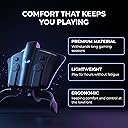
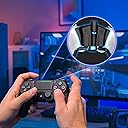
🎮 Dominate your PS4 game with pro mods and paddles—no premium price tag!
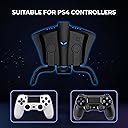
The Collective Minds Strike Pack F.P.S. Dominator is a PS4-exclusive controller adapter that adds dual paddles and hundreds of built-in mods like rapid fire and quickscope. It easily attaches to your existing controller, offering plug-and-play simplicity and extensive customization via downloadable software. Designed to give gamers a competitive edge without the high cost of custom controllers, it supports 3.5mm headset audio on newer PS4 models and is not compatible with PC.


| ASIN | B01L8QHXJA |
| Best Sellers Rank | #2,736 in Video Games ( See Top 100 in Video Games ) #47 in PlayStation 4 Controllers |
| Customer Reviews | 4.2 4.2 out of 5 stars (22,871) |
| Date First Available | August 16, 2016 |
| Is Discontinued By Manufacturer | No |
| Item Weight | 5.6 ounces |
| Item model number | CM00085 |
| Language | English |
| Manufacturer | Collective Minds |
| Product Dimensions | 3.94 x 4.72 x 1.18 inches; 5.61 ounces |
| Release date | October 26, 2016 |
| Type of item | Video Game |
R**N
I Didn’t Want To Write This Review
Ever think people buy positive reviews for their product? I think someone is doing the opposite for this one and putting negative reviews on here. I first looked at a Scuf controller 5 years ago. I filled out what controller I wanted and almost laughed when I saw the price was $180. How did it cost $130 for them to just put a couple tiny plastic paddles on the back of a controller? I never bought one and refused to because that price was ridiculous. So I see this Strike Pack a couple months back. I read reviews for a couple weeks and watched videos and finally decided to order it. It came in the mail and I set it up and plugged it in. It didn’t work. Long story short I fiddled around for an hour and realized the USB wasn’t even fully plugged in to the controller. I read some people say that you really had to PUSH HARD on the USB until it clicked a second time, but I underestimated how hard you had to push. So I really gave it some elbow grease, it snapped in, and ouilla it worked. It took 30 seconds to sign in and map the buttons and I was off. The game I’m playing is the one everybody is sick of hearing about, Fortnite. But the very first game I was able to jump around and build and shotty at the same time without moving my thumbs. It was amazing. Now here we are a couple months later and I’m twice as good as I was then. I’ve won a bunch of Solos and have no problem outplaying most people because I don’t have to move my thumbs around. This thing has worked amazing and it’s incredibly cheaper than anything else like it out there. I didn’t want to write the review because I have an advantage over everyone on console by using this thing. But at the same time I hate that Scuf has a monopoly on modded controllers and charges 400% of what this thing costs. And it’s also odd to me that the negative reviews on here will end up saying they should “Just buy a Scuf” instead. So if you’d rather spend $40 instead of $150+ I’d say give this thing a try. You won’t regret it
R**.
Guess what? I'm already good!!!
I'm 52 years old and I have loved video games since the old game room arcade days. I had the Atari 2600 as a kid and my brother got the original NES when it debuted many decades ago. I didn't really get too immersed in video games until the first Playstation. From then on, I've been a Playstation fan. It took me a while to get into multiplayer only games, I prefer solo action adventure games like Splinter Cell, MGS or Hitman. So when I finally decided to try it out, I went with Battlefront. I kept seeing clips on YT of this amazing gameplay that I had to see what the fuss was about. I was hooked and when Battlefront 2 was released I played regularly and still do today. I got pretty good and I usually finish most games in the top 5 leaderboard (Blast and Coop are the only two modes I ever really play) I started seeing players do amazing moves and kills and thought to myself, "How are they doing that?" Did some homework and I was exposed to all of these devices players use to cheat. From the Cronos Zen to $300 SCUF controllers. These guys are using paddles and flippers to remap their buttons, plus some of these devices have mods that allow you to auto-aim, and reduce simulated recoil. That's how they were doing it. So I bought first the Cronus Zen, then the PS back button and then finally the Strike Pack. So here are my Pro's and Con's Pros -Of the three options I tried, the Strike Pack was the best. I found the Cronus Zen pretty useless, the mods were all sketchy and defective and for the price it really didn't have much to offer. The PS4 back button was better but the form factor added bulk and heft to the controller that made it difficult to incorporate into gameplay, since it forced me to hold my controller in a way that just wasn't very comfortable to me. The Strike Pack attached to the controller and has a very nice form factor that does not add a heft and bulk to the controller. It's very sturdy and conforms to the shape of the controller very well. Buttons are responspive and have nice feedback. -Setup and loading the mods were easy and simple. Compared to the Cronus Zen which really overcomplicates and personally overcompensates by making the Zen a sort of open source modable device. -Mods were simple and did what they were supposed to do. Cons -Moving and cycling throught the mods is a bit cumbersome and are complicated and relies on a "Press the X button twice, when the light flashes, press the square and hold for 3 seconds..." that's not quite the sequence but it's the gist of how it works. If you wanted to switch between mods or change anything on the fly this makes it almost impossible...it did for me. I'm not 15 anymore, I found this annoying. -The Strike Pack is a wired controller and while I see the benefit of this in terms of response times and lag, it takes away a core feature and benefit of the PS4 which is wireless controllers. This cheapens the experience. I would have preferred the Strike Pack have an attachment that connects to the controller which connects to a wireless dongle. The Cronus Zen offers this option but it is incredibly laggy and not at all useful for multiplayer gameplay. Takeaways While this unit was fun to use and experiement with, I really felt like all of these devices I tried made we a worse player. Reason being, I've developed a certain style of play that is a combination of strategy, skill and technique. For example, I prefer not to use melee unless it's a situation of being in a tight space where it's my only option. I tend to prefer a "run and gun" style meaning I typically do not run from powered players or when I am outnumbered, I much prefer to fight it out. This means in some instances I may actually get killed a lot more often but it also means I'm able to stay engaged in the game for longer. With the Strike Pack, I got those extra little abilities like jump shots and hair triggers but having that ability forced me into confrontations with players that took up more time. The time I spent jumping to evade shots that may have resulted in a single kill came at the expense of losing the volume of kills I already had by way of my normal gameplay. Hair triggers or autorun didn't really add significant value. Things like auto-aim were useless and impeded my gameplay and the ability to react or respond to fire or shots coming from different directions. So in a way, I got what I wanted which was confirmation that I was already a good player and don't need any 'advantages' I've developed a solid skillset that I found was not as enjoyable using devices. So I agree with those who say instead of using devices like this "get better" . If that's not an option say if you have a disability, it's my understanding that devices like this may help. So I'm not saying these devices are bad but if you're hoping to have an advantage by using these...I don't see it. Get better or play something else. There are too many video games out there to be hung up on not being good at a few.
T**G
genius design
I think there are some people who gave up too easy when trying this product. I have purchased 2 scuf controllers ( current gen and previous gen) both had glitches within 24 hours of opening. Had to send first one back for repair after using for 2 days. 90 day Warranty expired before trouble resurfaced. 2nd scuf started glitching after 3 months also. I can't speak yet about the reliability of strike pack, hopefully it is better than scuf. For the price, I think the performance & value are exceptional. Admittedly the click-on attachment has a little play to it, so the paddles don't feel as solid & high quality as the scuf. However, the ergonomics of the strike pack design are superior in my hands. Comfort is very personal, but i think if you haven't already played on a controller with paddles you should give it a couple weeks to get used to it. Also, i found that i had to change my grip a little to use the scuf & it was uncomfortable after playing for seen hour. The strike pack paddles are in the perfect spot for my middle fingers, no adjustment of grip necessary for me. If you play with middle fingers always on L2 & R2 it might be tough to reach paddles with ring fingers. I did run into a little trouble with initial connection. A few tips... Usb plug can be difficult to get all the way in, don't force it but make sure it's all the way in. I have the best luck initially pairing a controller by first turning on the ps4 with the button on the front of the ps4, then turn on the controller, choose your login name with x button, then plug in controller, then push ps button. You should see your name choice screen again. Now choose your name again. You should be paired. After that, assigning buttons is cake. I don't mess with mods. I usually don't bother with writing reviews, but i feel this product is genius terms of it's design & function, & i hope this product can bring scuff some serious competition. 4/1/17 Update... I've broken 2 of these units since November. Still love the concept and pricing of this product, and think it's great for introducing people to shortcuts on the back of the controller. However, if you play fps games everyday, the paddles probably won't last long. I just bought the Nacon revolution pro controller... So far it is superior to the strike pack.
K**E
Great Product, Unclear Information
I'll start with what I don't like about the product. First off the details on Amazon and their website have not been completely updated. The photos on Amazon and their website show the device with an audio jack between the paddles where you are able to plug a headset into the device itself. Apparently, on the most recent models, they removed the headset jack altogether. After discussing with customer service, the older versions had the jack but only was compatible with a handful of headset models. The new model allows any headset to be plugged directly into the controller and work, therefore no need for a built-in headset jack. That brings me to my second point. This pack is only compatible with the new PS4 controller model. This is the model that has a little light bar going across the touchpad. My controllers, unfortunately, were the older models. Thus I plugged my headset in the controller itself and the headset did not work. The PlayStation was unable to register that I had a microphone attached. Since I used the pack for multiplayer games, playing with friends and using the pack was not possible. I had to purchase a brand new PlayStation controller V2 to use the strike pack and a headset at the same time. There was a mention that this pack was not compatible with the older PS controller models but I could not find in detail the exact reasoning of what would not be compatible. Lastly, the paddles are slightly uncomfortable, but that is a preference thing. I feel like the paddles come too far down into my hands that both my middle and ring fingers are on the paddle itself and it just doesn't feel natural. I am most likely going to purchase the alternate paddles that are shorter, that they have listed on their website. Otherwise, this product works phenomenally. It was extremely easy to set up and work with the controllers (both V1 and V2). The button mapping was very easy to use as well, by simply clicking 2 buttons you can remap the paddles to whatever button you'd like. This method makes it very easy to change on the fly as well. The buttons are also magnetically attached and thus are easily removable if you only want to use 1 paddle and not both. Yet they aren't too easily removable that they just fall off. I don't really use this for mods so if that's what you're here for I can't really attest to how effective and/or discrete they are in gameplay. Overall, if I was in the same shoes as I was when I first got this item I would probably not buy it again. That is simply because originally I thought having the benefits of paddles for competitive gaming was worth spending just under $40. However, due to the lack of information or miscommunication, I had to pay another $65 for a new PS V2 controller and will pay another $15 or so for alternate paddles. Though if you have a new controller already, don't care too much about the feel in your hands, or don't care about the price tag and want a cheaper alternative to other competitive gaming controllers (i.e. scuff), then I would definitely recommend this product.
A**R
Bought for the Paddles and very satisfied - and it gets better and better with every Firmware Update
UPDATED to 5 STARS due to great support and new features (mapping paddles now also to Triggers, Touchpad and PS Button; on-the-fly button swapping; Remapper Tool for PC enabling stuff like remapping and deadzone controler) via Firmware Updates - check changelogs at http://collectiveminds.ca/shop/playstation/ps4/strikepack-fps-dominator/ - then Downloads and scroll down a bit. (June 8th 2017 - see details at the bottom) Short summary: + Paddles work great + Easy Set-Up + Solid Quality UPDATE: + Great Support and great new features via Firmware Updates and a Configurator UI - only works with provided, custom USB-Cable - cable stands out when plugged in, carrying controller's weight when on an even surface Note: Prepare to need some time to adjust to the paddles. I wanted paddles on my controller for a while, but I kept hearing bad stuff about Scuff and Sharq and others, especially when it comes to longevity and their lack of long-term warranty. And yes, price was also an issue, since I really didn`t see why I should pay 30 bucks more just so I can re-map what my paddles do. Then I stumbled across an ad for the Dominator and spent a week bothering their support team with all kinds of questions. In the end, I bought it, imported it to Europe, since it's not out there, yet. And I am quite happy, I did. I don't use mods - no cheating ;), so I cannot say anything about those, but the paddles so far work fine and that is enough for me. Their position on the controller is pretty much perfect, even if I had to get used to them being there - and used to my ring fingers doing some work while playing - I play with my middle fingers on the triggers at all times, so the ring fingers are the paddle fingers. The setup was easy and straight forward, but I did have to press quite hard to get both the Dominator plugged into the controller and the cable plugged into the Dominator, but they do fit solidly with no wiggle room. Using it with my USB PS4 Gold Headset also works fine - you just have to turn it on after you've activated and registered the Dominator. As I am very lazy - and am very wary of the weakness of plugs and ports and cables, I keep mine plugged in at all times. Which you can do (even if the manual says otherwise), if you follow a certain procedure to start up the console and the controller (it also helps if you have your profile set to automatically log-in): Power up the console by using the button on the console, NOT the PS button on the controller. Once you're in your Profile, then press the PS button on the controller (after one of the FW updates, you don't even need to do that anymore). (If you have a USB headset, now you can turn it on, then you have to select your profile and you're good). Note: This also works when powering up from rest mode, but you have to set rest mode to NEVER provide power to the USB ports and restart the console with the console power button, not the controller. When I first started playing with it, I noticed that I had an issue pulling the triggers, since the Dominator attaches to the controller's underside in the space where my middle fingers would usually curl into. For the first few hours having something there was driving me crazy, but now, after a few days of playing I don't notice it at all. I must've shifted my grip a bit - evidenced by a few little muscles pains, like the ones you get when using muscles you're not used to using, after two days that then quickly vanished. The paddle mapping was easy and I have so far never needed to do it again - the mapping still worked after every restart so far. The paddle operation itself feels good, their position is pretty much perfect and the haptic feedback accurate and nice. I have noticed that they are not quite as snug in their sockets as I'd like them to be, there is a little wiggle room, but I am not sure why and so far it hasn't affected my gameplay. There are two big issues I have with the Dominator though, and that is the USB cable and the angle it protrudes from the controller when plugged in. First, the USB cable is a custom cable with a very specific plug that allows it to fit snugly and securely in the Dominator's port. Which is great until the cable breaks, because most of the regular cables I've tried (including my favorite hardcore super-strong cables from Volutz) do not fit. Collective Minds told me that they'll send a replacement if the cable breaks, but being able to use any cable would've been a plus. Second, when the cable is plugged into the Dominator, due to the special plug and the Dominator's port it protrudes at a downward angle and as a result, if you put the plugged-in controller onto an even surface, the weight does not rest on the triggers as normal, it's fully on the cable - and thus on the Dominator's port and thus on the controller's port. Might not sound like much, but it's a continuous strain on the weakest points in the connection chain simply by laying down your controller. For now I put something underneath it that takes the weight so the cable is hanging freely, but it is kinda annoying. All in all though, I am very happy :) UPDATE: After over half a year of daily use I am still very, very happy. It works great and shows no signs of wear (but I am careful with that kind of stuff). And since Collective Minds keep updating the Firmware and adding and providing new features, I have now given this 5 stars. With the current update (1.40), you now can swap all buttons (and even triggers, like X=RT) on the fly while playing - they even integrated a lock to the remapping, so you don't accidentally do it (all documented in the new updated manual at: http://collectiveminds.ca/wp-content/uploads/ps4_fps_1.4.0_manual_english.pdf ). And the Strike Pack Configurator tool for PC allows for even more options, including setting stick deadzones, that allowed me to keep using my three year old launch controller, that in many games drifts to one side on one stick. It's great to see a company give such dedicated and thoughtful support to their product :)
T**2
Dont waste your money
I'm going to post the same review for both the Xbox and the Ps4 version as both provided the same terrible experience. Pros: they are great, if and when they work. In my case, I never truly had one that worked I liked someone else and both mines arrived, defective... For the Xbox version, I had to contact support had to completely reflash the unit. it worked. Then it stopped working. I had to reflash it again. It would get to where the Xbox version would not connect when wired in with the product connected. The Ps4 version was no better it was the same, reflashed a dozen times, and never worked. It will work but won't recognize a controller is connected. Oh and let's get to the worst part of this product it only works if it's a wired connection. I know you can use a Bluetooth adapter into the USB but you have to use a powered slitter leaving you wired and it would still require the things to work. I don't care what any of these fanboys commenting trolling about how great the product is. I've been in CES for 20 years and these things are hot trash. You can see my full review on youtube. Where we go over exactly why these are hot trash. Besides the fact who considers it good to take a Bluetooth controller and make it wired. I'm going to avoid saying there are better options from competitors by not naming the competition. I will say 100% of these things suck. They also only work on the consoles. you cant use it for anything else according to the support. Which probably pans out because they won't recognize the remotes from a wired connection with them plugged in. yes, I did the who "double click" etc etc. Then they want you to pay for a "mod pass" pass for what? programming it sharing programs.... they want you all to pay to share your work for them to profit. This company sucks in the worst way. Every product they have is completely vapid. All fluff and hype. The worst part... These products could be great. Quite easily in fact. Anyone who understands the components inside these devices can tell you. It's a shame they couldn't spend the extra money and effort to try to actually deliver a real product that hits the market they were trying to achieve. But they just don't want to hit that mark. These are cash-grab items to take away from other legitimate product's market share. I say that purely based on neither product for 2 different consoles randomly selected from all of their stock worked. I have the support ticket, the chat logs. I mean if it takes that much work to make sure your product works. Then it doesn't need to be on the market.
M**.
Functions fine, but sub-par software and instructions
In terms of the actual hardware, the pack seems fine and the paddles function correctly. Tournament mode works correctly and the paddles are easily mapped. Mod mode is where it falls apart. The "menu system" consists of holding down one button while pressing others and trying to memorize which color LEDs and which number of LED flashes mean what. The manual is provided, but doesn't cover basic workflow. You end up watching their YouTube videos or reading 3rd party tips to get anywhere. Even then, navigating the menu via button presses is obnoxious and despite claims to the contrary, not "easily done on the fly" while gaming. After all the annoyance of the button menus sinks in, you'd turn to their software in hopes of easier options. You'd be disappointed there too. What they don't tell you is that to access game slots or settings for specific games, you're going to need to sign up for their online "mod pass" service ($15/yr - reoccurring paypal only). This was never mentioned up front when buying this, or on their web site. If all you do is play CoD, this is definitely the controller pack for you. You can use the default. Lucky you! If you're planning on playing ANYTHING other than Call of Duty, you're going to need to pay up. Even after trying to set it up correctly, buying a year of "mod pass", and setting up my non-CoD game settings, the difference was only marginal. Things like "recoil reduction" in games like the Division 2 hardly make a difference, even when turned up all the way in the settings. Rapid fire works sporadically and depends on setting up specific weapon profiles in other games like APEX or RDR2. Some games have sub-sub-sub-menus where you have to switch settings on the fly. It's honestly a mess. The software, at best, is a gateway to "mod pass" purchases that honestly should be included in the base product. If you're not willing to update your product with FPS titles and their settings on a regular basis, then it's simple no use after 6-months to a year. Unless, as I mentioned, you're just playing the CoD title of the year, in which case the defaults will be fine. CoD-centric, disappointing software, and no upfront info about needing to purchase a pass to escape the limitations of using only the default profile. 2.5 stars, and those are only because the two paddle buttons themselves actually function and can be somewhat easily mapped to useful things out of the box.
R**T
Great Alternative to Custom Controllers
As a person who adopted Scuf controllers back when they were first released back in the 360 days, I have gotten to the point where playing on a controller that does not have backside inputs feels foreign to me. Whether it is competitive gaming or casual, I have grown accustomed to the customizability that having rear inputs affords. It is a feature that I believe all gamers can benefit from, yet one that console makers have thus far refused to bring into the mainstream. Despite this, paying the exorbitant prices that custom controller manufacturers seek is sometimes a hard pill to swallow. When I came across the F.P.S. Strike Pack for Playstation 4 and saw that it offered essentially the same exact functionality as a Scuf controller, in addition to being detachable and replaceable—and, most importantly, that it only cost forty bucks—I was intrigued. So, I ordered one. In terms of design, the Strike Pack is fairly minimalistic. Aside from the little alien head on the back, there is no company branding. When the device is attached to the DualShock4, it flows well the original design contours and feels like an extension of the original design. It feels great in the hand, the paddles are positioned well ergonomically, and it doesn’t add much weight when you’re playing. The paddles are plastic, magnetically attached, and easily removable. Squeezing them provides a tactile click, and the effort required is just right. A small piece of protective foam rests on the inside of the paddles so that should you get a little too aggressive and force the paddles into contact with the body of the controller (under normal pressure there is about a millimeter of clearance between the two), you won’t cause any damage to the controller. Hooking the F.P.S. Strike Pack to the DualShock 4 is simple and straightforward. Plug the device into the DualShock 4’s USB input and fasten it with the plastic lever that runs up and under the controller. The lever snaps into the DualShock 4’s speaker grills and once everything is in place it feels surprisingly sturdy. If you want to attach a headset, there is a microphone jack on the bottom of the device that provides the same functionality as the native controller input. When you have everything set up to your liking, run the provided 6ft USB cable from the Strike Pack to the console and you should be good to go. Remapping the input to each paddle is equally simple. There are two square buttons on the upper portion of the device that correspond to the left and right paddles. Hold the button on either side down, press the corresponding button that you want to be mapped to the paddle, release the button, and you’re good to go. For the most part, once you map an input to one of the paddles, it will stay that way all through your play session and well into the next. But, on occasion, you will find that the device resets itself and your desired input goes back to default. It’s hard to pinpoint what exactly causes it, but it doesn’t happen often, and in my play time it isn’t obtrusive enough to be a major problem. There are a few caveats that are worth mentioning. First, the speaker on the DualShock 4 will no longer function with the Strike Pack attached. Secondly, you’ll have to use the controller in a wired state or the device will not function. Third, despite my best efforts, it seems that you cannot use the Strike Pack’s functionality in any PC games. I doubt any of these will be a deal breaker, but there you have it. Also, one caveat about this review: there are a number of built in mods that you can implement should you want to cheat a bit, but I haven’t experimented with those so I can’t comment. Overall, I am quite satisfied with my purchase. Considering the price point, I don’t think there’s any real way to beat it. If you want the functionality of a professional grade controller but are not professional enough to justify the purchase, I strongly you suggest you give the Strike Pack a look.
Trustpilot
5 days ago
3 weeks ago