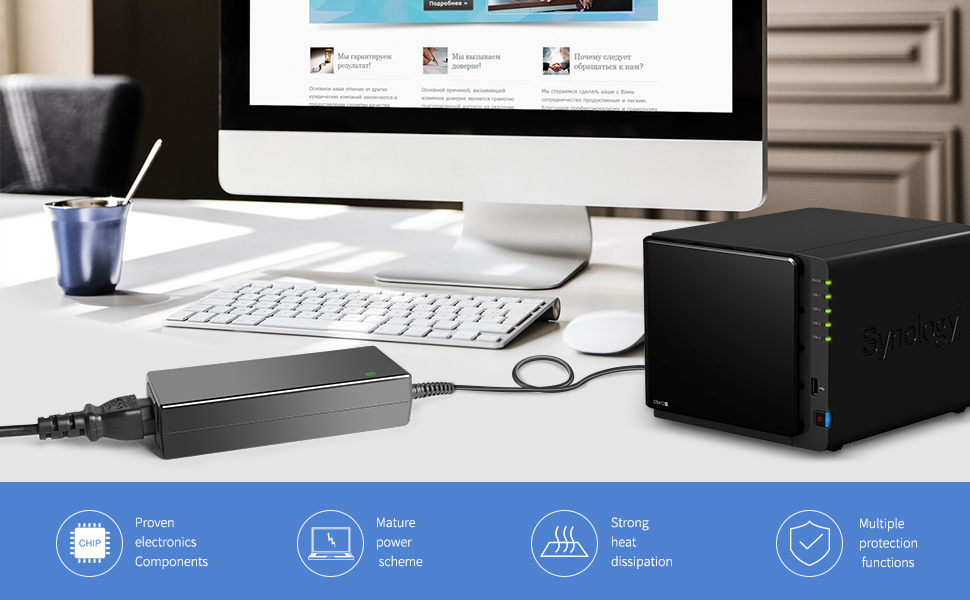
🔋 Power your NAS like a pro — never miss a beat!
The KFD 4 PIN AC Adapter Charger is a high-efficiency 100W power supply designed specifically for Synology DiskStation 4-Bay NAS servers. Featuring worldwide voltage compatibility (100-240VAC), a stable 12V 8.33A output, and comprehensive safety protections (OVP, OCP, SCP), it ensures reliable and secure operation. Compatible with multiple Synology models, this wall-mounted adapter includes a US cable for immediate use, making it the essential power solution for professionals demanding uninterrupted NAS performance.


| ASIN | B07MCH4J72 |
| Amperage | 8.33 Amps |
| Best Sellers Rank | #60,055 in Electronics ( See Top 100 in Electronics ) #385 in AC Adapters |
| Brand | KFD |
| Built-In Media | AC Charger, US Cable |
| Color | black |
| Compatible Devices | Servers |
| Compatible Phone Models | Synology DS920+ DS920 DS923+ DS923 DS916+ DS916 DS918+ DS918 DS420+ DS423+ DS720+ DS718+ DS715 DS716 DS620slim DS420j DiskStation NAS Server, Synology Diskstation DS416 DS416j Ds416play DS416SLIM DS418 DS418j, Synology DiskStation DS710 DS712 DS710+ DS712+ DS713+ DS 710 DS 712 Disk Station Network Attached Storage Server, Synology DiskStation DS720+ DS718+ DS718 DS715 DS716 DS716+ DS716+II NAS Ser… |
| Compatible Power Plug Type | Type A - 2 pin (North American) |
| Compatible devices | Servers |
| Compatible phone models | Synology DS920+ DS920 DS923+ DS923 DS916+ DS916 DS918+ DS918 DS420+ DS423+ DS720+ DS718+ DS715 DS716 DS620slim DS420j DiskStation NAS Server, Synology Diskstation DS416 DS416j Ds416play DS416SLIM DS418 DS418j, Synology DiskStation DS710 DS712 DS710+ DS712+ DS713+ DS 710 DS 712 Disk Station Network Attached Storage Server, Synology DiskStation DS720+ DS718+ DS718 DS715 DS716 DS716+ DS716+II NAS Server, Synology Disk Station DS408, DS409, DS409+, DS409+R1, DS410, DS410j, DS411, DS411+, DS411+II, DS411j, DS412+, DS413, DS413j, DS414, DS414j, DS415, DS415+ Server DiskStation Network Storage NAS Server Compatible phone models Synology DS920+ DS920 DS923+ DS923 DS916+ DS916 DS918+ DS918 DS420+ DS423+ DS720+ DS718+ DS715 DS716 DS620slim DS420j DiskStation NAS Server, Synology Diskstation DS416 DS416j Ds416play DS416SLIM DS418 DS418j, Synology DiskStation DS710 DS712 DS710+ DS712+ DS713+ DS 710 DS 712 Disk Station Network Attached Storage Server, Synology DiskStation DS720+ DS718+ DS718 DS715 DS716 DS716+ DS716+II NAS Server, Synology Disk Station DS408, DS409, DS409+, DS409+R1, DS410, DS410j, DS411, DS411+, DS411+II, DS411j, DS412+, DS413, DS413j, DS414, DS414j, DS415, DS415+ Server DiskStation Network Storage NAS Server See more |
| Connectivity Technology | Proprietary Connector |
| Connector Type | 4-Pin |
| Connector type | 4-Pin |
| Current | AC |
| Current Rating | 8.33 Amps |
| Customer Reviews | 4.2 out of 5 stars 172 Reviews |
| Form Factor | Standard wall adapter |
| Included components | AC Charger, US Cable |
| Input Voltage | 240 Volts |
| Item Weight | 0.45 Kilograms |
| Main Power Connector Type | 4 pin |
| Manufacturer | KFD |
| Mfr Part Number | EA11001E-120 |
| Model Number | EA11001E-120 |
| Mounting Type | Wall Mount |
| Number of Items | 1 |
| Number of Power Levels | 1 |
| Output Current | 8.33 Amps |
| Output Voltage | 12 Volts |
| Plug Type | A- US style |
| Portable | No |
| Power Source | Corded Electric |
| Special Features | Short Circuit Protection |
| Special features | Short Circuit Protection |
| Specification Met | CE, FCC, RoHS |
| Unit Count | 1 Count |
| Wattage | 100 watts |
| Wired Charging Connector Type | USB Type A |
A**S
Power supply for Synology, buy at least 2!
Nothing is worst than having your NAS die due to a faulty power adapter. I have a 4-bay Synology for several years now, and it is solid hardware. The first time the factory power adapter failed, it just shut down and didn't start, thus it was easy to diagnose. I got the power adapter replaced and it worked fine again. But recently the DSM tells me there's degradation on one of the disks (I only use NAS-rated hard drives). Then a second disk started reporting problems. I didn't realize it was the adapter that was starting to fail. I replaced the hard drives (at a huge expense, let me add), but the problem persisted. So I ordered two of these adapters, because I cannot afford down time. They last long and they aren't expensive considering their importance. After replacing the faulty adapter everything has been working well. Any future glitches, and I will just swap the power adapter with the spare I have sitting there waiting to save the day. It's been working great so far.
A**O
Worked for DS920+
powers up and worked like original
D**M
Replacement for Synology power adapter
Worked like a charm.
C**N
Afortunadamente...
Compré esta fuente de poder para una Synology DS415play que no estaba en la lista para los productos Synology con los que era compatible. Afortunadamente, funcionó muy bien. Tal vez serìa bueno actualizar la lista de productos compatibles.
S**D
Temporary fix for QNAP TS-653d
I found my QNAP TS-653d NAS not powered on. Short story I suspected a bad power supply (more details below). The original PS specifications stated the output as 12 volts and 10 amps. This PS is listed as 12 volts, 8.3 amps. This PS was available prime and with a quick delivery. I found another PS (https://www.amazon.com/dp/B00DUEBLDI) with the correct output spec but it was more expensive and going to take a week for delivery. I purchased this power supply to try to determine it was a power supply or something worse with the intention of purchasing the correct spec unit if it worked. I plugged it in, pushed the power button, and it started up. It seems the PS was the problem and this unit worked in a pinch to get it back running. I have ordered the unit with the correct specs so that I do not overpower this PS and cause it to fail too soon as well. In the mean time my NAS is back in service. More information about what my NAS was doing to help diagnose a possible PS issue. As stated above, I found the unit powered off. At first I thought it had just not been turned back on after we had some power outages over the past week. I have the system powered through a nice APC UPS so I did not initially suspect a power surge -- I just assumed the power was out long enough that the NAS shut down and did not restart. First I thought simple, just push the power. Nothing. No lights and no fan. Then I looked closer and observed when I would plug it in and when I initially pushed the power button the fans would start to spin, perhaps two rotations, then stop. Never any lights. I first tested the PS output with my multimeter. The v+ terminals each registered 12v so that seemed like it may be working. I resumed testing other components. During further testing I removed everything plugged into the NAS as well as removed the HDs. Same response. I removed and reseated the RAM. Same response. Tried combinations of the RAM modules in each slot, swapped slots, etc. Same response. Everything I did with the original PS resulted in no lights and the fans acting like they wanted to start but not start. At this point I figured I either had a bad PS or a bad motherboard (or some component on it). Bad motherboard would be a big fix and probably be just purchasing a replacement NAS. The PS would be a quick fix if it worked. Back to where I stated at the beginning, it was purchase this PS and get a quick delivery and quick answer or get the proper one but take a week for an answer. I did not want to wait a week to determine if it was a bad PS so I opted to get this one to try. Now that the PS fixed the problem, I have ordered the correct PS and I will keep this PS as a backup if when the other goes out.
Trustpilot
3 weeks ago
4 days ago