
Desertcart purchases this item on your behalf and handles shipping, customs, and support to Kyrgyzstan.
🚀 Elevate Your WiFi Game — Stay Connected, Stay Ahead!
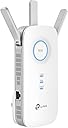
The TP-Link AC1900 WiFi Extender (RE550) supercharges your existing router by expanding coverage up to 2800 sq.ft and supporting 35 devices simultaneously. With dual band speeds up to 1900Mbps, three adjustable antennas, and a Gigabit Ethernet port, it ensures ultra-fast, reliable connections throughout your space. Intelligent signal indicators and the TP-Link Tether app make setup and management effortless, eliminating dead zones and keeping your network running at peak performance.


| ASIN | B08TLT65WM |
| Best Sellers Rank | #24,190 in Computers ( See Top 100 in Computers ) #113 in Network Repeaters |
| Brand | TP-Link |
| Built-In Media | Power adapter, Ethernet cable |
| Color | White |
| Colour | White |
| Compatible Devices | Extend the range of any Wi-Fi router or wireless access point |
| Connector Type | Wireless |
| Customer Reviews | 4.3 out of 5 stars 18,490 Reviews |
| Data Transfer Rate | 1900 Megabits Per Second |
| Data transfer rate | 1900 Megabits Per Second |
| Frequency | 5 GHz |
| Frequency Band Class | Dual-Band |
| Frequency Bands Supported | 2.4 GHz |
| Frequency band class | Dual-Band |
| Item Dimensions D x W x H | 12.4D x 20.1W x 8.6H centimeters |
| Item Type Name | WiFi Extender |
| Item Weight | 0.51 Pounds |
| Manufacturer | TP-Link |
| Mfr Part Number | RE550 |
| Model Number | RE550 |
| Number of Items | 1 |
| Number of Packs | 1 |
| Range | 259 meters |
| Special Features | Extended coverage and multi-device compatibility |
| Special features | Extended coverage and multi-device compatibility |
| UPC | 840030701504 |
| Unit Count | 1 Count |
| Wireless Compability | 802.11a, 802.11ac, 802.11b, 802.11g, 802.11n |
| Wireless communication standard | 802.11a, 802.11ac, 802.11b, 802.11g, 802.11n |
A**H
التقييم بعد الوصول
لم أستطع تقييمه بسبب تلف المنتج قبل وصوله
F**H
Sinal de qualidade
Aumentou bem a cobertura e a qualidade do sinal.
R**R
Some things need to be set straight
For those of you dissing this extender because it doesn't increase your speed, that's not what this is for. Like for example, you can't be paying your ISP for 50 Mbps of speed and expect to get 100 Mbps. This extender is only for extending the same signal YOU ARE PAYING FOR farther out from your router/modem. OK, I tried two other models by TP-Link, they were both cheaper and smaller. The RE330 and the RE220. I was trying to get the most bang for my buck. Even though these two smaller extenders were for 1400-1500 square foot homes, and that's what mine is, they didn't extend the signal enough for my Blink cameras on the detached garage, and I also wanted coverage to the boat dock away from the house. So I returned those and got this one instead, which is rated for up to 2800 square feet. "Up to" are the key words here that I didn't pay attention to before I ordered the others. I really didn't want to spend this much but now I'm glad I did. I live in a rural area and have fiber optic through the local REMC. I'm forced to rent their router/modem and they tried to also rent me an extender, they said I had to use THEIR brand that matched my router. They lied to me, the TP-Link works just fine. Easy to set up via the Tether app. I highly recommend it. These are the easiest extenders I've ever set up and I've probably had 10 over the years. Done in under 5 minutes. I have my Blink cameras and sync module on the _EXT 2.4 band. I changed the name of that to _EXT2Blink so I solely put my cameras on that. I'm getting the max coverage to all the Blinks now. If you don't already have a TP-Link router, this won't be like a mesh router system. You will have _EXT for both bands 2.4 and 5. So any device you want on the _EXT will have to be added onto the network. Very happy with this one. It has a huge blue circle showing that you're properly connected (you can turn it off in the Tether app if it's too bright). No dropped signals and this one has vents so it doesn't get too hot.
M**N
Super Strong Signal and Coverage- worth every penny
I have been using another Extender for a couple of years now, it works, but I the connection is not always stable or available for devices I need to connect outside, but it works 85% of the time. And I always have doubts or cannot always trust the extender always feed coverage / signal connections. I have tried 2 other products of extenders but they worked pretty much the same. That is why I thought...well, it's probably my problem how everything is constructed and lay out in regards to the areas I need to use this extender. So I have given up in trying to find something better because I think it's going to be pretty much the same results. So last week I finally decided to give another chance to look for a better Extender, I found this, but at first I didn't have much high hope, I would just try it and then refund it if the performance is not what I expected. But to my surprise, the signal is so much stronger providing VERY stable and solid connections ! Now I feel 100% with this extender providing solid connection, I can see my devices loading faster, and not drops at all, everything just work so much better now. Very happy. Now in my case, I'm not so much concerned about "dead zones" is more like I need a solid connection to where I need to use it and this extender performed just that, a solid connection. My internet connect is pretty solid so if the extender can extend it, then everything will be fine, again, this extender did a solid job in extending connection. I'm sure this extender can always broadcast a very long range of connection to help reduce dead zones/spots. Oh, in terms of installation/setup, I do recommend to use the "Tether" app to setup. It's easier for most users. But if you have experience with extenders, you can always connect to the extender network and use a browser (i.e. your phone, iPad, or even a computer) to configure and setup the extender. For me, I used the Tether app to setup the Extender, and I used the Tether app to check status of the extender but the browser offers you more options in settings (i.e. changing wifi passwords - you cannot do that with the Tether app). The instructions are all there in the piece of paper and it's not long so don't need to be scared, it's pretty easy. Just follow what it says. And basically you can just setup/configure using the Tether app but the app is 80 Mb so I might delete it and just connect to the extender and configure / monitor from a browser going forward (just need to save the URL on my browser) If you want to use the Tether to setup/configure this extender you will need (do it before you setup the extender): 1. Create a d-link account (very easy, just need an email and create a password) 2. Have a Password Handy for your Extender - make 1 up (You need to create a login password to your Extender - You don't want everyone to be able to connect to your Extender and mess things up right?) - you will still need this even if you don't use a Tether app to setup your extender. 3. Have your WIFI password ready (the password of the WIFI connection that you want the extender to use). If you are connecting your extender to your router/modem directly with a cable, you do not need this but I think most people are trying to extender their WIFI connections wirelessly. Worth every penny imo, I got this on sale for $60 CDN + tax. . 5 Stars product. Good Luck and hope this extender will be the last one you need for years to come.
D**O
Perfecto
Justo lo que necesitas si quieres tener mejor alcance de internet, realmente cumple con su función y me da mejor internet que mi propio modem
K**N
It works great and you can plug Ethernet into
For some reason my router doesn’t seem to extend the 10 ft to my office. Enter the TP Link AC1900 WiFi range extender. It was super easy to set up. I plugged it in and then my laptop into it and now no more lag on my GoogleMeet Meetings for work. I’m really happy with it now that I’ve had it a few months as I was previously resetting my router and restarting my laptop constantly. Would highly recommend.
Trustpilot
2 weeks ago
1 day ago