

rbk853
Product ID: 294550919
Details
- BrandNetgear
- Model NameRBK853
- Special FeatureAccess Point
- Frequency Band ClassTri-Band
- Wireless Communication Standard802.11a
⚡Up to 6Gbps WiFi 6 speed
📱Supports 60+ devices
📶7,500 sq.ft coverage
🚀 Elevate your home WiFi game—fast, flawless, and future-ready!
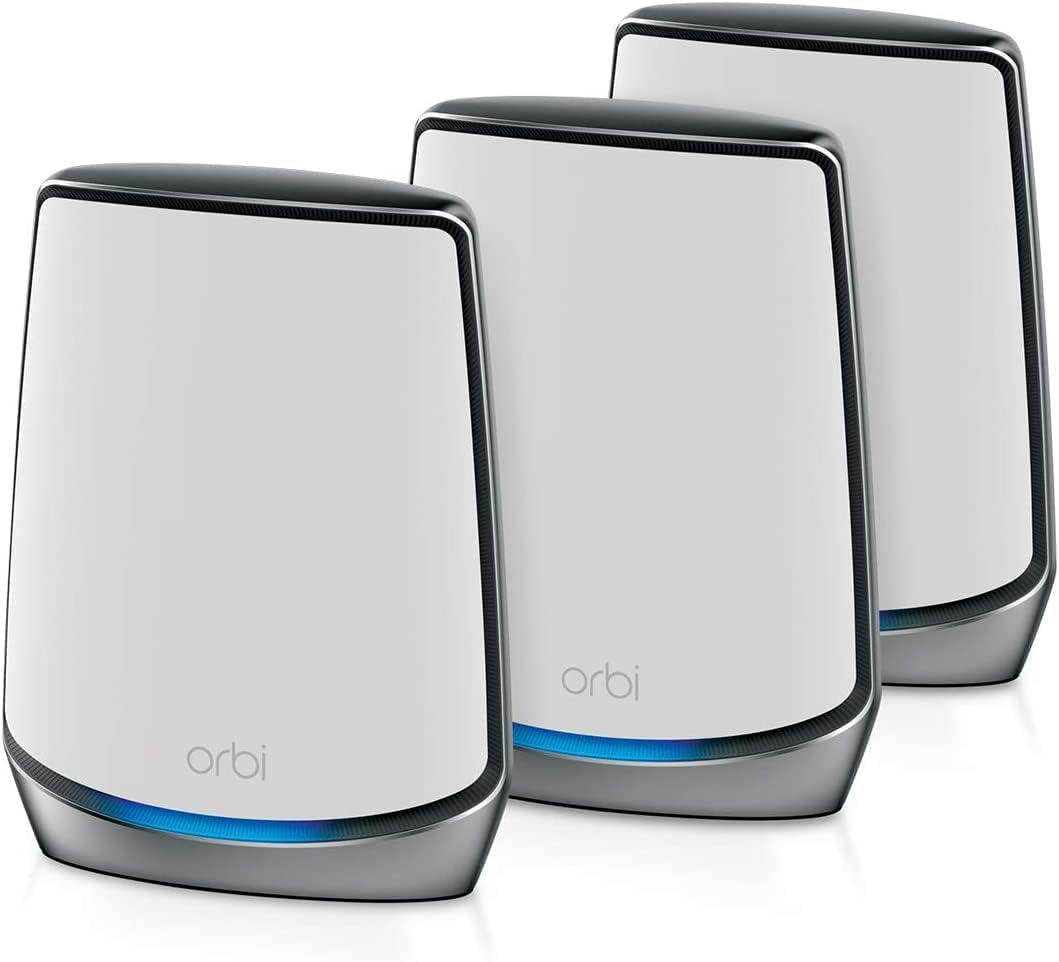
The Netgear Orbi RBK853 is a premium tri-band mesh WiFi 6 system designed to blanket your home with ultra-fast, reliable internet. Covering up to 7,500 sq.ft and supporting over 60 devices simultaneously, it delivers speeds up to 6Gbps. Its dedicated tri-band backhaul ensures maximum performance, while easy app-based setup and management make it perfect for busy professionals demanding seamless connectivity.


| ASIN | B081SF349N |
| Antenna Location | Gaming, Home |
| Best Sellers Rank | #271,529 in Electronics ( See Top 100 in Electronics ) #225 in Routers (Computers & Accessories) |
| Box Contents | • One (1) Orbi Router (RBR850) • Two (2) Orbi Satellites (RBS850) • One (1) 2m Ethernet cable • Three (3) 12V/3.5A power adapters • Quick start guide |
| Brand | Netgear |
| Brand Name | Netgear |
| Colour | White |
| Compatible Devices | Galaxy Note 10, Galaxy S10, iPhone 11 |
| Connectivity Technology | Ethernet, Wi-Fi |
| Control Method | App |
| Coverage | 7,500 square feet |
| Customer Reviews | 4.3 out of 5 stars 14,161 Reviews |
| Data Transfer Rate | 6000 Megabits Per Second |
| Frequency | 2200 MHz |
| Frequency Band Class | Tri-Band |
| Global Trade Identification Number | 00606449146059 |
| Importer Contact Information | Kaira Distribution Pvt Ltd. Unit No.305, 3rd floor, Luciya City Centre, No 6/2, OTC Road, Bangalore – 560002 |
| Is Modem Compatible | Yes |
| Item Dimensions L x W x H | 23.1L x 18.3W x 7.1H Centimeters |
| Item Type Name | Routers |
| Item Weight Unit of Measure | 3.9 Kilograms |
| Manufacturer | Netgear, Netgear Technologies India PVT LTD. 21 Paharpur Business Centre, Nehru Place, New Delhi - 110019 |
| Manufacturer Contact Information | Netgear Technologies India PVT LTD. 21 Paharpur Business Centre, Nehru Place, New Delhi - 110019 |
| Manufacturer Part Number | 606449146059 |
| Maximum Upstream Data Transfer Rate | 6000 Megabits Per Second |
| Model Name | RBK853 |
| Model Number | AX6000 |
| Number of Ports | 48 |
| Operating System | Windows |
| Other Special Features of the Product | Access Point Mode |
| Packer Contact Information | Netgear Technologies India PVT LTD. 21 Paharpur Business Centre, Nehru Place, New Delhi - 110019 |
| Security Protocol | WPA2, Guest WiFi Secure Access |
| Special Feature | Access Point Mode |
| UPC | 606449146059 |
| Unit Count | 1 Count |
| Voltage | 220 Volts |
| Warranty Description | 3 Year Warranty |
| Wireless Communication Standard | 802.11a, 802.11ac, 802.11ax, 802.11b, 802.11g |
| Wireless Compability | 802.11a, 802.11ac, 802.11ax, 802.11b, 802.11g |
K**I
The Best Mesh Router System Money can Buy
Best MESH Router System There are almost many reviews and majority claimed difficulty installing this mesh router. For me it was a breeze installing it in just half hour and getting it going. (Of course that is because I have pretty good knowledge on networking & also did my research well watching youtube videos). Unboxing the box was a great adventure. I had sparkle in my eyes and grin that lasted pretty long till i touched and turned both the router and the satellite in my hands. Since I have a fibre connection installation was just a breeze. I decided to use the android app on my mobile, after connecting the internet cable coming from the modem to the wan port of my Orbi Router. Thereafter I only followed instructions on my mobile app. But I decided to configure more through my mac browser and used orbilogin.com and opened the web page. It took a minute for the Orbi page to open after I entered my user & password And Voila I was in the Netgear Orbi router administration page. I could see in green connected to internet. While the router downloaded the firmware update I went down to the other floor of my house to install and plug the Satellite. After I saw the blue light glow I knew I had great connection strength and I was connected to my Orbi router. After updating I checked each wifi device at my house (almost 30 devices) and setup the given SSId and password after searching for the Orbi wifi. I was really impressed at the way all devices were connected and it was a dream getting this Router satellite pair installed. After all was done I used Speedtest to check my wifi at every corner and could not hide my stupid grin and moment of thrill as how perfect the wifi and signal strength was working. I have a 100mbps speed from my provider and got almost close to it or above from each dead spots as well as the rest of my House. I am indeed impressed by this gear. I have been using the Linksys Wrt-1900ac router with an Amplifi mesh point but got close to nil mbps at few spots in my home inspite of having a 1900ac router which was perfect for the house but I could not get the range for the 5khz bandwidth which I wanted. Now this ORBI makes all bandwidth into one network and auto gives the speed depending upon where you are located. Having a triband radio really helps. One radio is only been activated for the Satellite and Router to communicate to each other. This avoids bandwidth loss. My network is working perfectly and I am glad I made a choice to buy the ORBI. I was deciding to go for Google wifi, Ubiquiti Amplifi & ORBI but finally zeroed down to this powerful mesh system the ORBI from Netgear. ORBI has won many awards and is NO 1 spot amongst Mesh Router Systems. Even the Mobile app (Android) is not that bad to use. It is pretty user friendly. Netgear keeps updating the same. Nothing is perfect but this app is manageable and works very well. You can control all your devices from the palm of your hand using the app and also pause/resume any device you want. Gives you all information you need about your network in your hand using your mobile. For those wanting to switch to a mesh Router look nowhere and buy the Netgear ORBI System. Strongly Recommended. Don’t get hung up on the fact that the Netgear Orbi operates on a hub-and-spoke topology versus mesh, the bottom line is that this is an outstanding Wi-Fi router. By including a three-port switch on the router and a four-port switch on the satellite, it strikes a better balance between unobtrusive industrial design and conventional router features P.S Got it during the Prime Only Sale Day. Apparently the price has been dropped further by almost Rs1200/- So those wanting a good wifi router system open your wallets and go for it till its available. I have lost Rs1200/- already but have no complaints.
S**M
Awesome and a good purchase
Went for Orbi 752 after lot of research and exploration of other brands like TPlink, tends and so on. Some of the reviews were not so good for Orbi, but I took the plunge and ordered it as my existing netgear router was unable to cover the entire area properly. I also choose this instead of the lower tier options because this was a tri band system and it also has support for wifi 6 which will become mainstream in the near future. Hence it made sense to spend a little more and make it future proof for atleast the next 2-3 years. I having received and installed the router and satellite, I am very satisfied. Installation Installation is a little tricky. I tried to jump into advanced installation right from the beginning. Unfortunately that did not work as everytime I tried to access the admin pagethrough browser, I was getting a page not found error even though I was connected to the router. Ultimately I had to reset the router and start from scratch. But the app based setup wizard worked properly. So what I did was, I completed the initial setup using the mobile app and then completed the advanced setup from the admin interface through browser. I use ACT and configuration of username and password did not work as part of the wizard, you have to configure those separately from the admin interface through browser. Performance and coverage The mesh network works as promised and there is a lot of improvement in terms of coverage and speed. We use the same internet connection across 2 floors, each around 1000 ft. The router is on the ground floor and the satellite is above it with just 1 concrete floor in between. The connection between the router and satellite is stable and there is no loss of connectivity. The coverage on each floor is also great with signal available in rooms farthest away from the router/satellite with 2-3 walls in between. With a 350 Mbps connection, devices are getting around 150 Mbps at a distance of 20-30 ft from the router/satellite. Moreover we are also able to connect around 20 devices comfortably with no impact in coverage or speed. Also some of the phones support wifi 6 and we are able to leverage that as well. Only problem is there are no stands available which will fit this, although it is available for the older wifi models. We have to make do with probably a wall mounted wooden stand. Ultimately the mesh system is a good investment for us as we are having multiple devices and our earlier wifi router was unable to support our work. Now I am happy to say that there are no issues.
S**.
Awesome whole home wifi
I purchased the Netgear Orbi RBK50 for my home for the purpose of providing whole home wifi. I am very happy and satisfied with my decision and my review is as follows The Problem :1. I have more than 30 devices, on both 2.4 GHz and 5 GHz which were overloading my earlier router.2. Earlier router wasn't able to reach to each corner of my house, at least the 5GHz band wasn't able to. So although I had a 100Mbps UP/DOWN internet line, I was unable to get the full speed at most of my house locations.3. My smart home devices would lose connections and my in-home streaming setups like plex or steam link or chromecast would lag and buffer making the experience a dull one.4. Although my home is pretty new, it does not have ethernet cabling, its not possible for me to run a ethernet cable down my house too. The Solutions I tried1. I tried using wifi extenders, but they end up eating away half of my bandwidth. This was fine for smart home products, and light web activity, but in-home streaming was suffering. 2. I tried dedicated WDS routers and router in Wifi client mode. That worked, but it had its own challenges of manually switching to the best signal every time I changed rooms, also the nuisance of handling multiple SSIDs.3. I tried powerline adapters, although I liked this setup, but I felt them to be slow, and again I had to put a router at the end of the powerline adapters to extend the wifi coverage, which again kind of repeated the problems mentioned in point 2 and 3.So I was left with 2 choices, either try a high end routers with dedicated amplifiers or go for a good mesh wifi system. After a lot of research I decided to go with the RBK50. Here are my points regarding the pro and cons.Pros:1. Dead simple setup. The Orbi app and the web interface both are neat and well guided. 2. Good configuration control. Not as highly configurable as the Nighthawk series, but this was not meant to provide that can service, so expecting those features from Orbi would be unfair. It does what it was designed for, that is to provide a seemless mesh Wifi setup.3. Range is awesome, I get great 5GHz coverage. 4. Throughput is great. I can use in-home streaming over plex, while I am playing games on steam link over wifi, while my wife is watching netflix in 4k, without a bit of lag or stutter. 5. All my devices, including my smart home devices readily connect to it, and so far it hasn't needed any power cycle.Cons:1. I am not sure there is any. Maybe the mobile app needs a bit more polishing.Double edge sword :Although having single wifi ssid for both 2.4GHz and 5GHz workss like a charm, and normally gets the job of allocating the device to proper band, done smoothly, I have seen it to fail sometimes too, like my iPhone still attached to 2.4GHz even when I was sitting right next to the router. I simple re-connection solved the issue though.One more issue that I had was a very particular one, with a particular brand of smart home devices. Somehow the vendor app wanted me to connect to 2.4GHz wifi to be able to configure my devices, which kinda make no sense, but in this case I was unable to switch to the 2.4GHz on my iPhone, and ended up having to use an older phone that had only 2.4GHz wifi chip to configure my devices. But once configured, the devices worked flawlessly with the Orbi.I must say this one is a awesome product and netgear never ceases to deliver the very best. I am thoroughly impressed and planning to buy one for my parental home too. Thanks Netgear for such an awesome product.
K**N
Great Mesh Wi-Fi System
I live in a bungalow which is around 4500 sq ft carpet with 6000 sq ft buildup with access to parking and terrace. I was looking for professional level Wi-Fi solution which will cover below points. 1. Strong Wi-Fi coverage covering atleast 4000 sq ft plus area. 2. One home one Wi-Fi (SSID). 3. Wi-Fi performance (read speed) which should be more than good throughout my house. 4. Non messy Wi-Fi solution. 5. Scalable solution for future expansion as and when needed. Guess what OBRI RBK50 Mesh Solution clicks all the above points. Prior to using Netgear ORBI, I had purchased Asus GT2900 high end wireless router which claimed very lager coverage but unfortunately that was not the case and the claimed Wi-Fi coverage was only when the router was placed in open area. The penetrative power of Wi-Fi signals was pretty low inspite of 4 external antennas. I had to return the router after 3 days of testing as it was not giving the required performance. Next I started searching for Wi-Fi solution which will cover the above mentioned points and after comparing multiple Wi-Fi solutions from Linksys to TP Link and Asus's own Mesh Wi-Fi solution I finally opted for Netgear ORBI Mesh solution. I have purchased 1+1 (one router and one satellite) to ensure the required Wi-Fi coverage. Its been a week I am using the Wi-Fi system and I am very much pleased with performance. My house has thick walls and the three bedrooms are located in 3 corners of the house. Due to constrains the main router can be place only in one of the corner room and the satellite part of the system placed in another bedroom. Inspite of this the backend connection between the router and satellite is very strong (shows as GOOD in Orbi App) thanks to additional dedicated band for back haul link. I have 100Mbps fiber connection and from any room I get 85 to 95Mbps consistent speed although I have 19 devices (6 laptops /mac, 4 Smart TV, 8 Smart Phones, multiple IoT devices, couple of outdoor security camera etc) connected to the Wi-Fi network at any given point of time. Apart from this there is decent Wi-Fi coverage on my terrace above but the signal struggles in parking area. So overall I'm very satisfied with my purchase and would recommend this product to anyone who need robust Mesh Wi-Fi solution for their home or office. Some Drawbacks 1. ORBI app yo manage the devices is very basic and need improvements in multiple areas. 2. There are different models of Mesh Wi-Fi systems available from Netgear and none of these would work seamlessly with each other (for eg. RBK10 won't work seamlessly with RBK 50) and there are limitations like no single SSID, no direct Wi-Fi connectivity to main router etc. So anyone buying this solution should avoid having 2 different Mesh systems (although I did figure some work around to this using wired connection). 3. ORBI system comes with Bitdefender Anti Virus Ani Malware software built-in the device and can protect devices connected to the network. But the drawback is the system is free for one month after which wr have to pay around 5K per year for Bitdefender services. But by paying 4K we can have all our mobile and laptops covered with bitdefender solution without paying additional charges for each of them. 4. The parental control system via "Circle" app is also free for one month post which we have to shell 850 rupees a month for parental controls which is ridiculous. Still the free version of Circle app does provide basic parental protection but its very basic and not useful. Overall satisfied with the purchase. I also have ORBI RBK10 dual band Wi-Fi system which is smaller version of the mesh system and good for small to medium house and comes in 1+1 or 1+2 configuration (router and satellite) and costs much less (9k for 1+1 and 14k for 1+2 configuration) and both works great.
S**N
Poor Router and Satellite in the market for this price. Way better options available in the market
Purchased this router Netgear RBK50 after lot of research and positive reviews but it turned out to be a big disappointment. I had to give an 1 star rating due to poor app performance (Orbi App) and unstable software/firmware in the Router & Satellite. Let me break down the issues first before the good things. 1. Setup is a real pain and had to waste more than an hour to setup the router and Satellite as the Orbi App is very poor and doesn't get things done quickly and keeps hanging. Had to hard reset both router and Satellite before it started working. 2. Satellite could connect to main router either through the extra wireless band (tri band) or through Ethernet backhaul. As most of us know wired ethernet backhaul will be much faster and reliable compared to wireless and pairing is expected to be quick. However in this router, even wired Ethernet backhaul is very slow and does multiple connect/disconnects before a stable connection. In my earlier Deco M5 router supplied by the ISP this would take few seconds. This being a performance router was expected to at least match it but that's not the case. 3. Orbi App performance is nothing to write about and takes a lot of time to connect to router and satellite and refresh the connected devices. Netgear Armor security provided is only a trial subscription for 3 months. When Other brands provide Parental controls and security to prevent attacks for the lifetime Netgear doesn't provide one for free for this price. 4. Boot up time of both router and Satellite feels ages compared to other routers in the market. This router has slow processor and RAM which is outdated. Doesn't have wifi 6 and also suited to internet speeds upto 500 Mbps only. Good things: ========= 1. Wifi coverage is decent and most of the times main router is enough for our home of 1200 sqft 2. Provides 4 nos 1 Gbps ethernet port in both main router & Satellite Verdict: ===== Netgear RBK50 is an outdated router with older processor and offers below average performance in the stability and features front. There are way better options in the market which offer Wifi 6, better app & performance which would easily surpass this router. Please do a thorough research before you purchase as we don't upgrade routers frequently.
J**Y
Awesome Router and a Super Happy customer :)
I got Orbi RBK50 installed in my 3700 sqft duplex house with a concrete floor separating the two floors. Its a typical Indian house with brick walls. Orbi Router (RBR50) and Satellite (RBS50) are placed in separate floors with the concrete wall separating them. I am getting a steady 1Ghz backhaul connection between the router and satellite. I also get near perfect (more than 90% of 100mbps connection I have) speeds all around my home. There is one bedroom (50ft away from router and satellite) where I get slower speed (< 30%). I am still able to do basic browsing, but Netflix stream through chromecast is choppy in that bedroom. I think if I add the wall socket RBW30 satellite add-on in that bedroom, the issue will be resolved. Otherwise, I am getting a phenomenal performance with Orbi. I am a SUPER HAPPY customer of Orbi system. Setup was a breeze, though some online reviews said it was hard to setup Orbi. It would be great if Netgear India can offer add-on satellites with competitive prices in India. I am not able to find RBW30 in India to complete my setup. Tech stats for Geeks: Here is the backhaul connection details between the Orbi Router (RBR50) and Orbi Satellite (RBS50). Router is placed in the first floor and satellite is placed in the ground floor and typical concrete floor separating them. I am constantly getting a steady, rock solid 5Ghz, 975Mbps Tx and Rx, with a healthy RSSI of -64 dBm. Satellite and Router is roughly 30ft apart. Here is the output of 'satelliteinfo wifi' command run on the router via telnet. { "mac address" : "XXXXXXXX", "hop" : "1", "bridge mac" : "XXXXXXXXX", "backhaul conntype" : "5GHz", "backhaul rssi" : "-64", "backhaul macaddress" : "XXXXXXXXXX", "backhaul phytxrate" : "975", "backhaul phyrxrate" : "975", "backhaul parentmac" : "XXXXXXXXXXX" }
N**O
Excellent product!
I have been using RBK753 for the last one week. My experience has been delightful till now. This product is just flawless, working like perfection. I have set up the router and 2 satellites by myself, without any help from Netgear or ISP. It was possible because this system has very smart software, it requires only PPPoElogin and password, all other information it could extract by itself, without me providing any other data. Setting up the satellites took me 2 iterations, but it worked pretty smart and tried to resync by itself and set up the connection successfully. Coverage is very good. I have a 3 floor house, earlier with my dual band gigabit router + extender, I had quite a few dead spots and unstable connection. Now I do not see that issue at all, in all floors my phone picks up nearby satellites which have strong signals. Network speed in wifi speed is as good as LAN connection, earlier I was getting one third of the LAN speed in wifi with my dual band single router. Orbi app is very smart and useful, it has all the data I require. It can tell devices that are connected to each satellite and router, where I can see my phone connection is changing satellite as I change floors. App also shows wifi analytics, which shows signal strength at the spot where I am standing. It shows channel clarity and how many networks are connected, which is useful to select the best free channels in wifi settings. App also provides a one month free Netgear Armor subscription, I find this tool very useful. I already have a strong anti-virus and firewall installed in my laptops and phones, however my other gadgets, like Google TV, Fire TV, PS5 are exposed to online threats, and I have no way to install AntiVirus or threat blockers in them. Here Netgear-bitdefender comes very useful, as it works at the nozzle of the funnel, i.e. at the router, without needing the terminal devices to install dedicated protections. Overall I am very satisfied, it is working like a charm right now. Hopefully it will continue to do so in future. Till now I have not found any cons in this device. I have yet to try inbuilt VPN service and Alexa, GA service.
P**H
Bye Bye Dead Spots
I have done a lot of research on WiFi Systems in India. Most of the ISPs in India bundle there Modem with Router. I have an Airtel V Fiber connection with a Nokia Modem+Router combo. I called Airtel and then Netgear customer care to check out if the system will be compatible. I was a little circumspect while buying this product. Finally I ordered the product and received it promptly. Configuring the system was easy. I will however suggest to use the Web interface rater than the App for configuration and install the App later. It was configured in the Router mode rather than the AP Mode and this is a big plus. I am able to use all the functionalities of the system. I also installed the Disney's Circle App for Parental Control that comes bundled with it. The system automatically combines all the Bands in a single one and allocates appropriate channel to each devise based on the distance from the system. This may be a blessing to a non-tech guy like me. The quality of the product is just excellent and the speed on each of the devices is maximum as provided by my ISP. There are no more dead zones and I am able to browse from anywhere. A little costly but truly a great product. The only downside that despite it being beautiful, it is still big (However, it does not look out op place and blends well with the surroundings). Note-Please disable the WLAN on the ISP provided Modem+Router to optimally utilise the power of Orbi and get consistent speed.
A**S
CALIDAD DEL PRODUCTO
Sistema Wifi Mesh - Netgear adquirido desde AMAZON para una vivienda, compra rápida, según lo esperado, equipo nuevo, he colocado el satelite en una punta del vivienda y el router junto a la entrada de la fibra , configuración rápida según instrucciones del proveedor y funcionamiento rápido sin cortes, transparente, en una red de fibra de 1GB ofrece velocidades por WIFI en mi móvil (iphone 14pro max) de 500 Mbps de subida y bajada, habiendo más dispositivos conectados a la red, escuchando música y viendo una serie online, sin cortes, muy contento, recomiendo la compra.
J**A
El mejor sistema de red de casa
Estuve viendo las posibilidades para poner una red en mi casa que llegará a todos los rincones - el problema que siempre había tenido es que en 2 habitaciones siempre se perdía un poco la señal - Traté con repetidores, extensiones de red, pero la verdad ninguno me daba la velocidad deseada. Entonces empecé a investigar sobre Netgear Orbi - también consideren que siempre me ha gustado la marca Netgear - y después de instalarlo y poner un satélite en la parte de arriba un poco alejado y otro aquí - puedo decir que este sistema funciona de maravilla, todos los rincones de mi casa tienen red inalambrica y la señal siempre es la mejor. No solamente es fácil de instalar para los no expertos, pero también tiene funcionalidades avanzadas para los más expertos en redes en el que puedes incluso configurar un NAS dentro de esta red. Así como también tiene la posibilidad de conectar un VPN directamente desde el router en toda tu casa y con una interfaz sencilla. Lo recomiendo ampliamente.
L**K
Gran producto
A pesar de que el precio del producto puede parecer un poco caro, el producto es muy bueno y funciona muy bien. La instalación a priori es bastante sencilla aunque yo tuve algún problema por culpa mía de no seguir las instrucciones paso a paso. La cobertura entre la base y los satélites es muy buena, incluso con dos pisos de distancia los satélites tienen cobertura suficiente para hacer streaming o jugar a videojuegos (a pesar de que el sistema dice que la cobertura no es optima).La interfaz gráfica es bastante intuitiva tanto en la app como en la web. En resumen, recomendable aunque pueda parecer caro.
J**H
Great WiFi coverage and speeds, simple setup, and a minor Xbox One issue
The Orbi and satellite replaced my Asus RT-AC68U router in my 4 story 4000 sqft home and the coverage results are excellent. Our cable modem is in the lowest level of the house (a 110 year old brownstone in downtown Chicago) and while the Asus did a good job of projecting its wifi signals "up" to the higher floors it had trouble reaching every corner and on the top floor the 5GHz signal was almost useless and the 2.4GHz worked OK but not in some certain rooms. The Orbi took the place of the Asus downstairs and the satellite is in our media room on the 3rd level, where I was surprised to see it get a solid "blue" connection signal to the main router (I thought I might have to put it on the second floor). Transfer speeds on my phone and Surface Pro 3 are exactly the same on the first level near the main router as they are in the media room on the 3rd floor. Since the satellite has four RJ-45 ports I was able to eliminate the wireless N bridge and connect the AV receiver, Roku, and Sony BD carousel directly to the satellite for a nearly "wired' connection. Wifi on the top floor is now excellent. Setup was extremely easy with everything clearly labeled (including the default network SSID), and the smartphone application actually works pretty well. So far I only have two minor issues: 1. No guest network, as others have pointed out, however Netgear has said this is coming in an upcoming release so no worries there (just surprising it wasn't there out of the box). 2. More troublesome: my Xbox One loses connection to the network when it goes asleep. This didn't happen with the Asus. It's an issue because it "breaks" the Xbox One's "instant on" feature, where it will download in the background any updates to games, OS upgrades, or new games you buy on the web even when it's "off", so they're waiting for you when you power the box back up. It also means I can't remotely turn on the Xbox One to stream it to my Surface Pro when I'm in the media room (the Xbox One lives on the same first level as the Orbi router, but not in the same room where it can be direct-connected via cabling). It reminds me of a "power saving" mode the way it's acting, but I can't find any setting on the Orbi to force it to stay connected to the Xbox One. Maybe it has something to do with all this "beam forming" stuff where it detects that a device isn't "using" the network for a while and routes wifi to other connected devices. Whatever the reason it needs to get fixed, because the primary reason I bought the Orbi was to improve my connection between Floor 1 (where the Xbox One is) and Floor 3 so I can remote play my Xbox there. I haven't noticed this disconnection issue with any of my other devices. Outside of that, I'd highly recommend the Orbi to anyone who wants to setup a fast wifi network with a single SSID without the hassles of range extenders and the inherit problems associated with them. Its simple to setup and simple to use, and while it has a few kinks so have most new routers I've purchased in the past and they're almost always fixed via software updates. Being this is one of Netgear's flagship products I expect fairly regular updates.
K**G
Magnífica cobertura wifi
Es un producto fantástico. No es barato, pero la cobertura de la señal wifi que ofrece el equipo de router más dos satélites en un espacio de dos plantas con unos 700 metros cuadrados por cada planta es increíble. La configuración no es tan simple como se anuncia, pero el producto merece la pena, desde luego. La señal wifi es robusta, fiable y potente tanto en 2.4 GHz y 5 GHz.
Trustpilot
3 weeks ago
2 weeks ago