🔵 Elevate your workflow and game with one programmable key—because shortcuts are the new power moves.
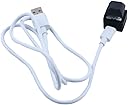
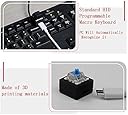
This compact, single-key programmable mechanical keyboard switch features a blue LED and blue mechanical switch for precise tactile feedback. It supports any key input, complex key combinations, multimedia controls, and mouse click functions, making it ideal for gaming, productivity, and secure password entry. Setup requires Windows software, but once configured, it works seamlessly across Windows, macOS, and Linux. Lightweight and USB-powered, it’s a versatile tool for professionals and gamers seeking customizable efficiency.
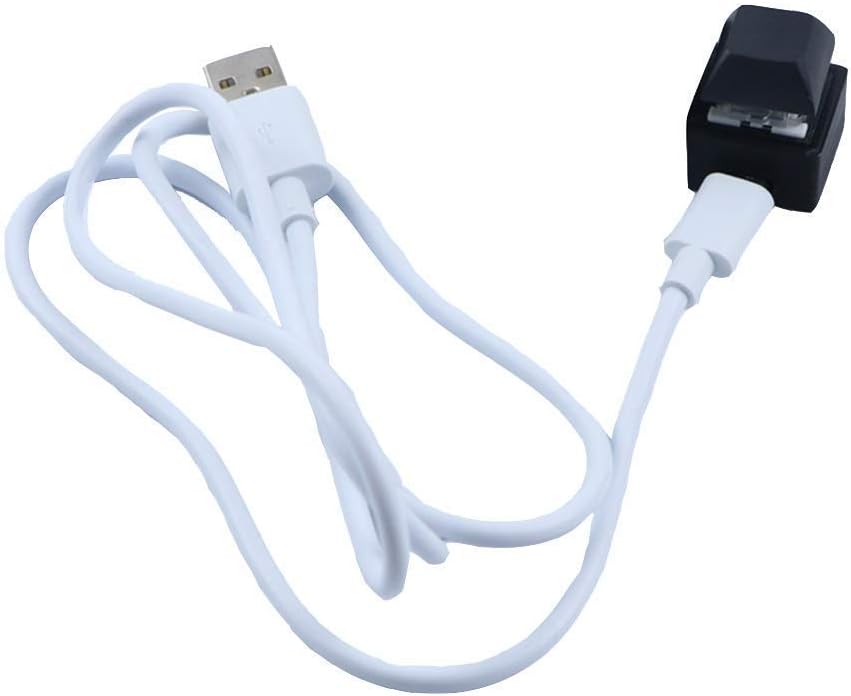
| ASIN | B08SQGWZN4 |
| Antenna Location | Gaming |
| Are Batteries Required | No |
| Best Sellers Rank | #3,177 in Computer Keyboards |
| Brand | Ne fashion |
| Built-In Media | USB Cable |
| Color | Black Single Keyboard |
| Compatible Devices | Keyboard, Personal Computer, Speaker |
| Compatible Operating System Family | Windows |
| Connectivity Technology | Usb |
| Customer Reviews | 3.5 out of 5 stars 80 Reviews |
| Hand Orientation | Ambidextrous |
| Item Weight | 0.03 Kilograms |
| Keyboard Backlighting Color Support | Single Color |
| Keyboard Description | Mechanical |
| Keyboard Layout | QWERTY |
| Manufacturer | Ne fashion |
| Mechanical Keyboard Switch Model | Blue switch |
| Mfr Part Number | Single Keyboard |
| Model Number | Push Button |
| Operating System | Windows, Macos, Linux |
| Other Special Features of the Product | Multimedia Keyboard |
| Special Feature | Multimedia Keyboard |
| UPC | 049500565367 |
| Unit Count | 1 Count |
A**R
Simple print screen button
Super simple way to program a button to print screen. Works every time.
M**R
UTTER CRAP - worked only once.
worked only once.
M**E
Works great - NEEDS windows for setup
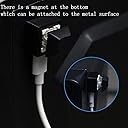
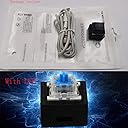
Despite coming with very sketchy setup instructions that are printed in probably 4px font size (TINY), this standalone key works great. I programmed it to spit out a message on press. About the sketchiness, the instructions promised that they were "non-toxic" and sent me to a random looking website to install software, and requested that I turn off any antivirus programs that I had running. I had a secure enough machine so I proceeded, and everything worked out fine. The key is mounted on a slightly magnetic block, but I affixed it to a flat weighted metal rectangle with velcro to anchor it better when it sits on a desk. IMPORTANT NOTE!! It needs to be set up using Windows. I'm a mac user and thankfully have a Windows vm installed on my machine. Once it was up and running, I had no trouble using the key with my mac. There are a few misleading responses to questions about operating systems given by the seller that say that the key is compatible with mac - as stated, it will work on mac but apparently ONLY AFTER it is set up using Windows.
A**W
Software doesn't recognize keypad
The macro software intended for this is very janky, and doesn't even recognize the hardware. I'd avoid this one. Other brands that are trustworthy also have single key macropads.
M**R
Can be programmed and then taken to another device, but...
In Windows Press the 2 key. In the software. I was hoping to use this to program for multiple keys. It should be programmable by a regular keyboard or copy and paste a string of keys. I don't like having to use my mouse to type what I want in the software. Please make your program better! It is pretty cool though to have a macro key.
D**E
Does what it's supposed to do
Does as advertised. The software is a little janky but works if you follow the included instructions correctly. Key switch feels sturdy enough - housing is clearly 3D printed but perfectly fine. Micro USB is a drag - maybe update to type C?
M**E
doesn't work on macs
doesn't work on macs. Like the other reviews, say you can only set it up on a PC, which I did. Other reviews also say doesn't work on newer Macs. in fact, it appears to not work on any Mac, as I tested on a 2013, 2020, and 2024 Mac.
C**R
Do not buy for a Mac—works fine with PC
Not everyone has a Mac and PC sitting side-by-side. I do. It works fine with the Win10 machine—if it does work with the Mac (OS12), then it's more set-up than I am willing to get involved in (I spent an hour trying to figure it out . . . one hour too many).
Trustpilot
1 day ago
1 week ago