Buy anything from 5,000+ international stores. One checkout price. No surprise fees. Join 2M+ shoppers on Desertcart.
Desertcart purchases this item on your behalf and handles shipping, customs, and support to Kyrgyzstan.
๐ Power your workspace with seamless USB networking โ because your devices deserve to be everywhere.
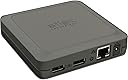
The Silex DS-510 is a high-performance device server featuring an 800 MHz CPU, dual USB 2.0 Hi-Speed ports, and Gigabit Ethernet connectivity. It enables multiple users to share USB devices like printers, scanners, and storage drives over a network with fast data transfer rates up to 480 Mbps. Energy-saving features and broad OS compatibility make it an efficient and versatile solution for modern professional environments.
| ASIN | B00U9UDSH8 |
| Additional Features | Fast Data Transfer |
| Brand | SILEX TECHNOLOGY |
| Built-In Media | Device server |
| Color | Grey |
| Compatible Devices | PC, Mac |
| Customer Reviews | 4.1 4.1 out of 5 stars (83) |
| Data Transfer Rate | 480 Megabits Per Second |
| Enclosure Material | Unspecified |
| Global Trade Identification Number | 00815608001560 |
| Hardware Interface | USB 2.0 |
| Item Type Name | Silex DS-510 - Device Server - 2 Ports - 10MB LAN, 100MB LAN, Gige, USB 2.0 (DS-510(US)) |
| Item Weight | 10.6 Ounces |
| Manufacturer | Silex |
| Mfr Part Number | DS-510(US) |
| Model Number | DS-510(US) |
| Number of Ports | 2 |
| Operating System | Windows, macOS |
| Total Usb Ports | 2 |
| UPC | 815608001560 |
A**E
Works as advertised with my windows boxes. However, still waiting for El Capitan (MAC) support; Silex email that they are working on this issue with Apple, so a solution if forthcoming. Kudos to Silex with their communication update to users.
F**L
I've not had much success with other print servers, I tried a couple and they worked for a while and then stopped. This one seems very stable. I used it for a DYMO 4XL. Once your print driver is installed. You hook up power, hook up the wire from your router, and the USB from your printer and you're on your way. You need one last thing. Its SX Virtual Link Software. This allows it make your computer believe the printer is directly connected to your printer by USB, even though it is on a network. It will say available. When you click on the printer, it will say connected. You can also disconnect and make it available again if you want. Of course, no two computers can use the same USB port. To solve this problem, if you are on another computer (where you must also have the SX software setup), you click on the Request Use button. I have the release time for each computer set to release in 10 seconds. So, if someone forgot to disconnect the printer from their computer, you can disconnect them from your computer by clicking on request use. It works flawlessly. The one thing I couldn't get it to do was automatically disconnect from the DYMO after it was done printing, but the request use accomplishes it almost as well. Of course, the other approach is to disconnect each time you're done. But, here, one of us uses the DYMO all the time and the other rarely use it. So, it makes sense to stay connected for one and for the other to request use for them to be disconnected. If this continues to work as well as it has been, it will be the best print server I've bought. The request use button solves any concern that someone might not disconnect and leave and then you'd not be able to use the printer. If it automatically disconnected, it would be even better, but that could be the DYMO and not the unit itself. That might vary from printer to printer. To do all the setup for these features, right click your printer when it shows in the SX software and make changes to the settings under connect and disconnect. They will be fairly obvious. In short, close to perfect. I say close because it would be absolutely perfect if it automatically disconnected from the DYMO, but its inability is not enough for me to lower it to a 4 because of the many bad servers I have had from mainstream vendors on Amazon, including those rated as top rated.. Also, it's not all that inconvenient to disconnect and connect on each computer. Thought it would be. It isn't. The Request Use just makes that easier and saves you from someone who has forgotten to disconnect. It will count the 10 second down and you will see it is working. The default is 120 seconds. That's too long for DYMO which prints immediately though you may want more than 10 seconds if your printer might print for a while after someone starts printing. This is more expensive and maybe that's why it works better, a bargain given how much trouble I had with other print serves going on and off randomly.
P**E
Works consistantly across the network. Even with 3 devices. Within a VMware environment it needs to be launched from a VM console to connect to devices.
J**.
As the title says, the DS-510 works seamlessly with those two models of the ScanSnap scanner line. I did have a false alarm after initially connecting the DS-510's ethernet cable to the "PC" port in my VOIP phone (used to connect a PC to the phone's extra ethernet port) and scanning was excruciatingly slow (30 or more seconds to scan a single B&W page). That problem disappeared after plugging the DS-510 directly to an ethernet wall jack. SUGGESTION FOR SILEX: Could you include a setting in your software to allow the computer to automatically release the USB device after a certain period of inactivity? This would prevent most requests for connected devices. Thank you.
P**Z
Works well for connecting my external USB drive to my network. You can only have one device connect to it at a time but that works for my situation. I thought having to use software to connect to it would be a pain but it's not. The software is basically one click to connect to the drive and then you're connected the entire time you're on your wireless network.
Trustpilot
4 days ago
3 days ago