We remain fully operational. Our teams are working around the clock to ensure your deliveries continue safely.

DOWNLOAD THE APP


Customer Services
Copyright © 2025 Desertcart Holdings Limited
DOWNLOAD THE APP
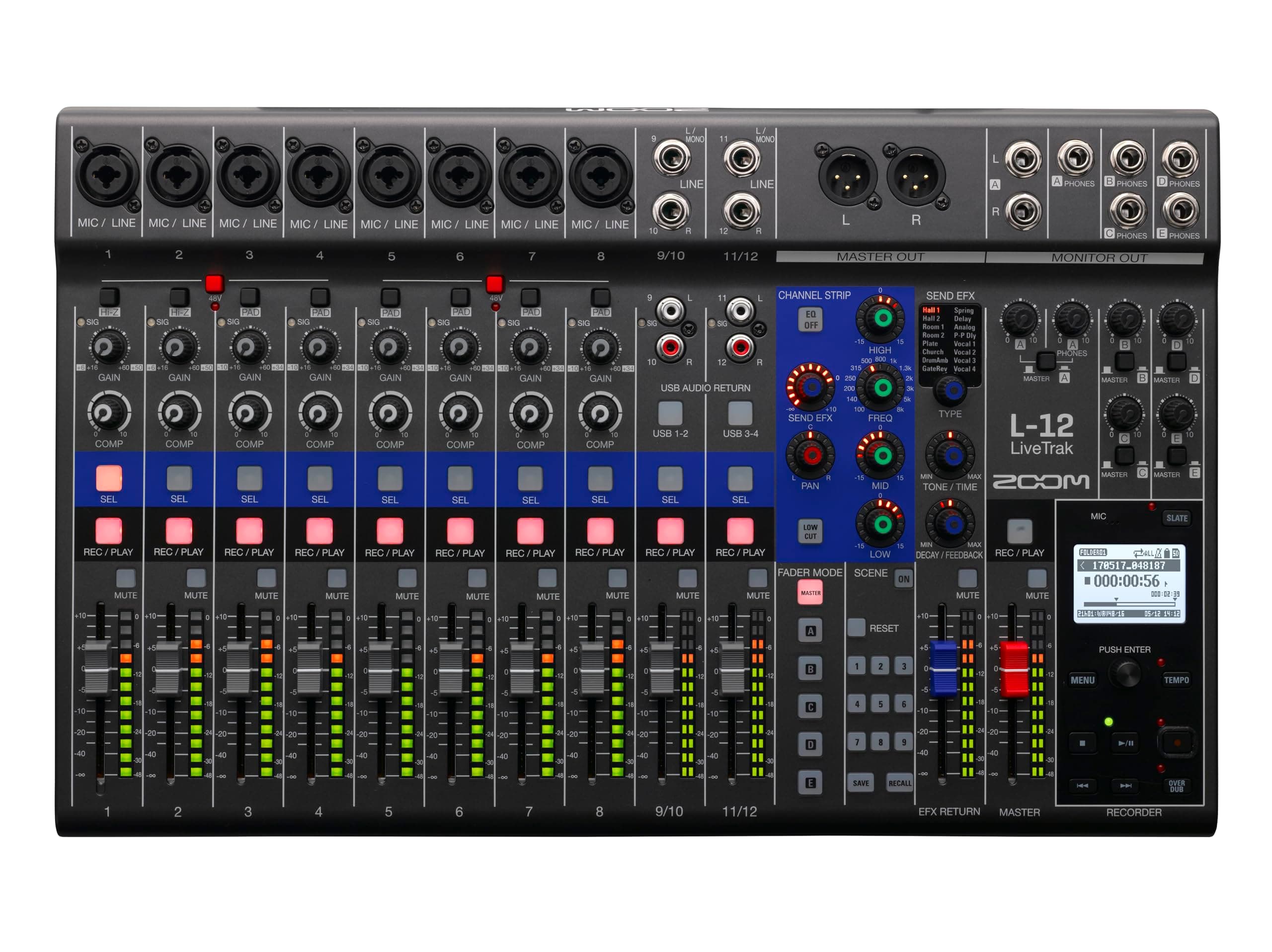

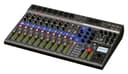
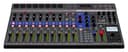


🎛️ Elevate your sound game — mix, record, and dominate every session!
The Zoom LiveTrak L-12 is a powerful 12-channel digital mixer and multitrack recorder designed for musicians and podcasters who demand professional-grade sound and flexible routing. Featuring 14-track simultaneous recording, 5 customizable headphone mixes, and a 14-in/4-out USB interface, it streamlines complex workflows with scene saving and high-resolution audio capture up to 96 kHz. Ideal for fixed or semi-fixed setups, it combines mixing and recording in one compact, versatile unit.


| ASIN | B074G25D6Y |
| Audio Input | 12-Port |
| Brand Name | Zoom |
| Connectivity Technology | USB |
| Customer Reviews | 4.5 4.5 out of 5 stars (370) |
| Frequency | 20 Hz |
| Global Trade Identification Number | 00884354018054, 04515260018062 |
| Item Type Name | Zoom LiveTrak L-12 |
| Item Weight | 5.65 Pounds |
| Manufacturer | Zoom |
| Number of Channels | 12 |
| Output Connector Type | USB |
| Power Source | Corded Electric |
| UPC | 884354018054 |
| Unit Count | 1 Count |
| Voltage | 120 Volts |
| Warranty Description | MANUFACTURE |
A**S
A solid and powerful mixer/recorder
I’m using the Zoom LiveTrak L-12 for recording live looping performances and often record upto 8 track simulataneously. Overall it’s a very solid and capable mixer/recorder. Pros: 1. Excellent mixer overall with good-sounding preamps. 2. Very flexible routing options. I was able to set up a proper send/return effects loop using Line Out A and return it to a channel, which worked really well. 3. Very few products in this category offer both mixing and multitrack recording in one unit. 4. The bus system is excellent — you can create different mixes for each headphone output, and it can also be repurposed creatively for sends/returns. Cons: 1. The single digital channel strip knob is a bit fiddly. It’s less tactile than mixers like the Tascam Model 12, which has dedicated knobs for more functions. 2. Build quality feels a bit plasticky. 3. No dedicated send/return or aux knobs. 4. Only one onboard effect can be used at a time, and that single effect is shared across all channels. Overall, a very capable and flexible unit if you value routing options, good sound quality (which is the point of such a unit) and built-in recording.
M**S
Lo recomendable es que por lo menos sepas usar una mezcladora analógica sencilla, porque esta incluye funciones que probablemente a alguien que inicia de cero, les cueste un poco entender. Una vez que comprendes el hecho de seleccionar el canal para hacer los ajustes, el uso se vuelve bastante siemple y parecido a cualquier mezcladora básica. Su tamaño no es precisamente compacto, así que se complica su transporte o uso en exteriores, pero es una opción ideal para instalaciones fijas o semi fijas.
X**Z
Firstly this is an upgrade for me as I currently have and love the Zoom R16 but wanted more initial recording tracks and features. There is a steep learning curve on the l12. I found more help on YouTube and Internet reviews than from the Zoom documentation which is very weak. I am still learning how to use and plan to use at my next jam. Our band consists of 3 guitars, drums, keyboards and 3 vocals. This gives us 2 more tracks and will experiment with stereo drums on 9/10. Have not used the scenes or the 5 headphone outputs. Will try at a later date The effects also are interesting and will require trial and error. A downside I haven't figured out yet, is how to have different effects on different tracks in the same recording. Seems all tracks can only use 1 effect and tracks can adjust turn on or off or adjust by volume? I cannot connect to my FL Studio DAW on my laptop, so that is disappointing. Requires a very fast SD card (300mbs) and had trouble initially trying to use my old slower one from my R16. Nice feature with the pan and other knobs. Also sound quality improvement noticible over the R16. In general very happy Hope this helps
R**N
I was looking for a product to record audio on board for kids' practice sessions and also an audio interface to record into computer and my research pointed to L12. It is highly portable, light and right sized(only slightly bigger than a laptop base ) . It is very easy to set up and start jamming and record but has lot of features which I am still exploring. The only thing I wish it had was an ability to loop guitar or piano .It has an overdub facility but that's not same as looping. But I am not sure that is too much to ask. Also I did not see any DAW bundled.
W**C
The main reason I purchased this system is to use it as a backup mixer for live sound events (I run all my channels into a splitter; one set goes to my primary mixer, the other set goes to the Zoom). The device also gives me the ability to multi-track record the events, so this item works perfect for my situation. Here's a host of pros/cons that I've experienced thus far, but overall I'm very happy with the purchase. Amazon shipped the item in an unsealed factory box! It arrived in great condition, but I expected a little more care with the packing/shipping of the item, so that was unusual. The item is lightweight with plastic housing, but it feels like it will hold up (with the proper care). The buttons/faders/knobs do not provide exceptional resistance, but they don't feel super-cheap either. The size of the knobs are also adequate (see photo - notice I put custom labels on my device). The power adapter has a 7' cable - it does seem cheap, but it kinda' "locks" into the L12, which is a cool feature. Relatively speaking, the mixer/recorder is very easy to operate. I purchased a "SanDisk Class 10 - U1 - 128GB SDXC 80MB/s" SD card, which seems to function well, but I haven't tested it to its limits. The pre-amps and built-in effects sound great. It must be noted that with the new firmware update (v.2.0) Zoom has given users access to effects on all the outputs, but there are limits. The effect you choose is "global" so you can only use one effect at a time for the entire system. For example if you want reverb on channel 1 and delay on channel 2, that is NOT an option. If you want to route reverb to the master output, then you can adjust the send efx level for the reverb on each individual channel, but that setting is carried over to all the outputs (ex. A, B, C, D, E). You can control the OVERALL efx return level for each output, but not for each individual track. If you intend to use the recorder for a project where you want to do overdubs and re-takes, then there are some limitations. The device doesn’t have “virtual” tracks (you can’t save tracks in the background) and you can’t “bounce” tracks from one channel to another. My workaround is to keep a computer connected to the L12, and if I want to bounce a track, I restart the device in “Card Reader” mode. Then I access the card with my computer and rename the file to the track I want to “bounce” it to (they are named something logical like “TRACK1, TRACK2” etc.). I can backup tracks by copying them to my computer using the same method, so that’s my workaround for keeping “virtual tracks”. Even with the limitations listed above, this mixer/recorder is great! Setting up my system and recording tracks is a quick process that is very intuitive. I’m very happy with my purchase and I would recommend it for anyone who wants to fulfill similar needs as me.
A**R
Surpassed my expectations in every way! It's so light and compact and easily transportable to gigs. The pre-amps sound amazing, quiet and clean. Works perfectly in Logic Pro X after installing the driver for it. The on-board effects and compression sound great, as well as the versatile EQ. 5 custom headphone mixes is another fantastic feature. The only thing I can possibly criticize is the fact (I think) that you can only use one chosen global effect for all channels rather than selecting a channel and applying a different type of reverb for each. (But in reality it would maintain a cohesive mix if all the EFX sends sound like the same verb type, It would just be nice to choose to add delay on one track and still have reverb on the others.)
Trustpilot
2 weeks ago
2 months ago