We remain fully operational. Our teams are working around the clock to ensure your deliveries continue safely.

DOWNLOAD THE APP


Customer Services
Copyright © 2025 Desertcart Holdings Limited
DOWNLOAD THE APP


Buy anything from 5,000+ international stores. One checkout price. No surprise fees. Join 2M+ shoppers on Desertcart.
Desertcart purchases this item on your behalf and handles shipping, customs, and support to Kyrgyzstan.
🚀 Elevate your network game with rock-solid multi-WAN VPN power!
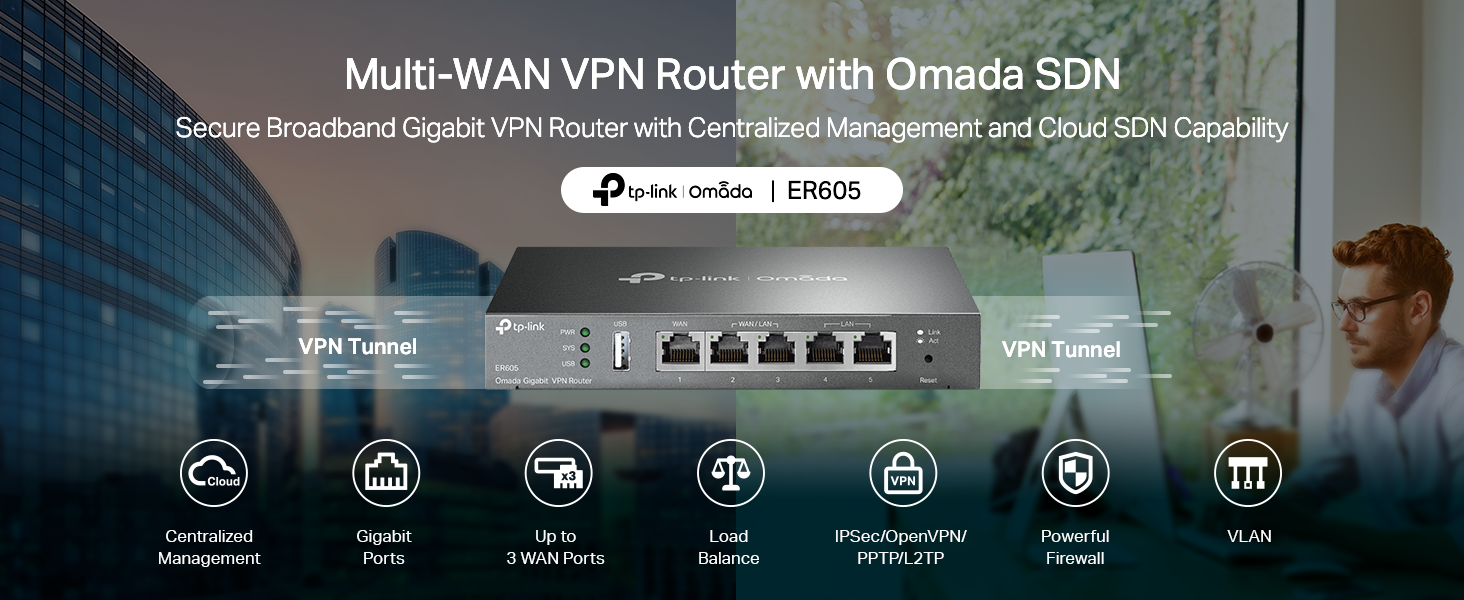
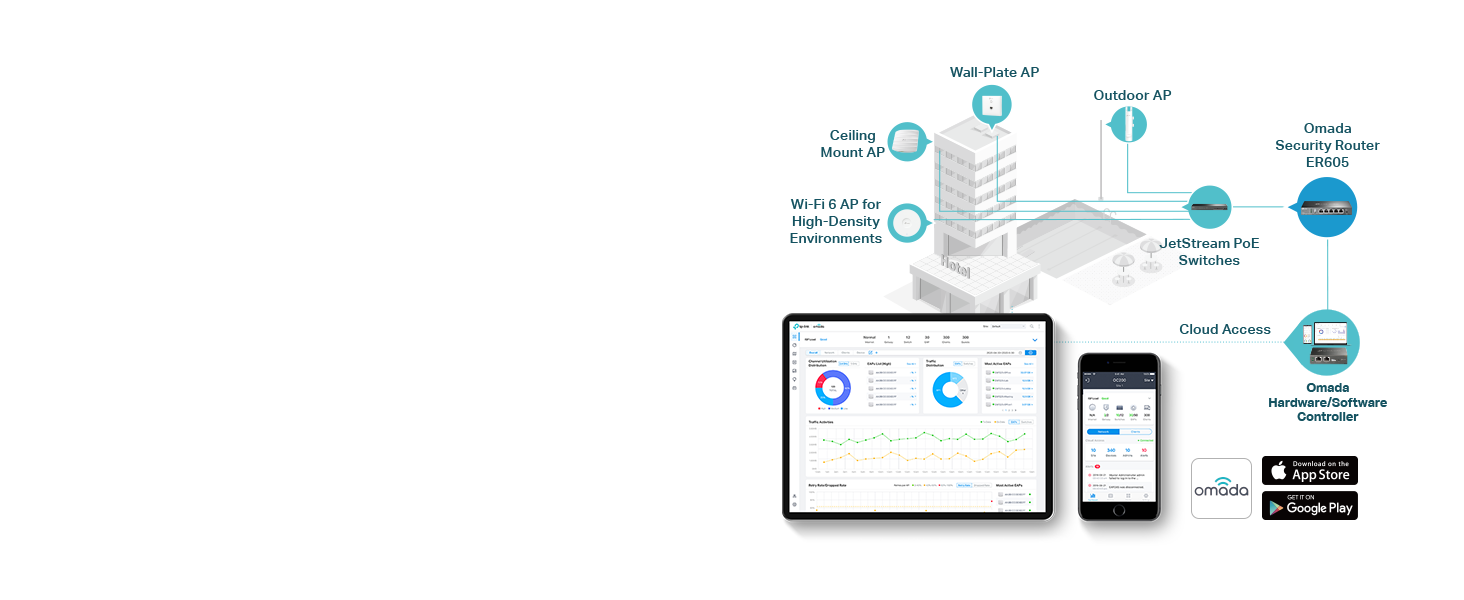
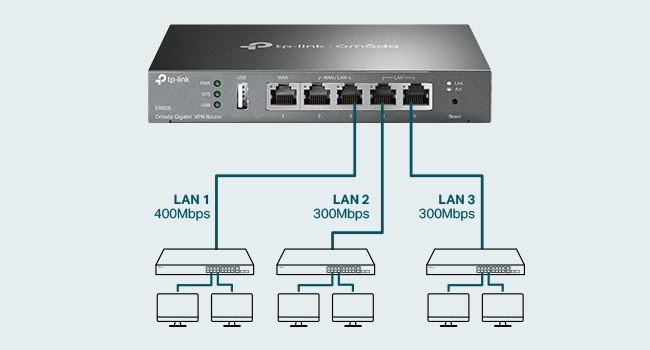
The TP-Link ER605 V2 is a wired gigabit VPN router designed for SMBs and advanced home networks, featuring up to 3 WAN Ethernet ports plus a USB WAN for 4G/3G backup. It integrates seamlessly with Omada SDN for centralized management, supports advanced security protocols including SPI firewall and multiple VPN connections, and offers smart load balancing and lightning protection. With a compact design and 5-year warranty, it’s built for reliable, scalable, and secure network performance.


| ASIN | B08QTXNWZ1 |
| Antenna Location | Home |
| Best Sellers Rank | #195 in Computers & Accessories ( See Top 100 in Computers & Accessories ) #17 in Computer Routers |
| Brand | TP-Link |
| Built-In Media | Gigabti VPN Router ER605, Power Adapter, Quick Installation Guide, RJ45 Ethernet Cable |
| Color | silver |
| Compatible Devices | Personal Computer |
| Connectivity Protocol | Ethernet |
| Connectivity Technology | Ethernet |
| Control Method | Remote |
| Controller Type | Switch |
| Coverage | Multi-WAN and VPN supported connectivity |
| Customer Reviews | 4.4 4.4 out of 5 stars (4,745) |
| Data Transfer Rate | 1 Gigabits Per Second |
| Frequency | 5 GHz |
| Frequency Band Class | Tri-Band |
| Global Trade Identification Number | 00845973089597 |
| Has Internet Connectivity | Yes |
| Is Modem Compatible | Yes |
| Item Dimensions L x W x H | 6.22"L x 3.98"W x 0.98"H |
| Item Weight | 12.64 ounces |
| LAN Port Bandwidth | 10/100/1000 Mbps |
| Manufacturer | TP-Link |
| Maximum Upstream Data Transfer Rate | 4000 Megabits Per Second |
| Mfr Part Number | TL-R605 |
| Model Name | ER605 |
| Model Number | ER605 |
| Number of Ports | 1 |
| Operating System | Windows |
| Other Special Features of the Product | WPS |
| Router Firewall Security Level | Advanced |
| Router Network Type | wired |
| Smart Home Compatibility | Not Smart Home Compatible |
| UPC | 840460604635 845973089597 |
| Unit Count | 1.0 Count |
| Voltage | 240 Volts |
| Warranty Description | 5 Year Manufacturer |
| Wi-Fi Generation | Wi-Fi 6 |
| Wireless Compability | 802.11ax |
C**S
Rock solid Omada router with seamless failover
TP-Link ER605 V2 Wired Gigabit VPN Router – Multi-WAN (Up to 3 WAN Ethernet Ports + 1 USB WAN) This router has been running in my network for over a year now and has been completely trouble-free. I use it as the gateway for my TP-Link Omada network, which supports a fairly large smart home setup. Between smart lighting, switches, cameras, and other connected devices, the network handles a lot of traffic, and the ER605 has managed it without any issues. One of the features I rely on most is the automatic failover. My primary connection is fiber, with a cellular connection set up as backup. The router automatically switches over if the primary connection drops, and it has worked exactly as intended. The ER605 also offers far more customization and configuration options than most home users will probably ever need. It integrates seamlessly with the Omada controller and allows centralized management alongside the rest of the network equipment. Overall, it’s been stable, reliable, and a great foundation for a larger smart home network. If you’re running an Omada system or planning a network with multiple access points and lots of connected devices, this router is a solid choice.
M**.
Supports redundant WAN (ISP Uplink) and basic VLAN
This product is marketed to small business needs, I am using it for a home router, and it works well for that but requires some technical aptitude. Our old WiFi 5 (802.11ac) system was dying. Big house, need at least two access points. Our access point died (would lose connectivity once a week, then once a day) and our combo router/access point was starting to have issues, so it was time to replace it. I went with TP-Link Omada specifically because I wanted affordable ceiling-mount access points that uplink (backhaul) over Ethernet and can be individually replaced/upgraded as needed, separate from the router. I wanted Omada because of the ease of administration of everything through a single interface. The ER605v2 is the least expensive TPLink Omada based router I could find and I like the fact that it offers the ability to connect to two separate WAN uplinks for redundancy. It does have a stand-alone configuration interface but I'm using an Omada hardware controller to configure it. It's boot time is longer than I would like but since the initial setup I have not had to reboot it. I do recommend a UPS so that it doesn't need to be booted after a power failure. The Omada controller interface can be somewhat confusing to understand but once you have it doing what you want it to do, it just works. I get the full gigabit download/upload my ISP offers. For a router without built-in WiFi, this is an excellent option *especially* if you plan to use Access Points controlled by an Omada controller. I was able to do some basic VLAN configuration (e.g. separating IoT devices from main LAN) with it despite not having any L3 switches on my network, but for some VLAN capabilities apparently you need one model up (ER7206). It works well. I have not (yet) tried the VPN features.
J**O
The TP-Link ER605 V2 is not your average home router
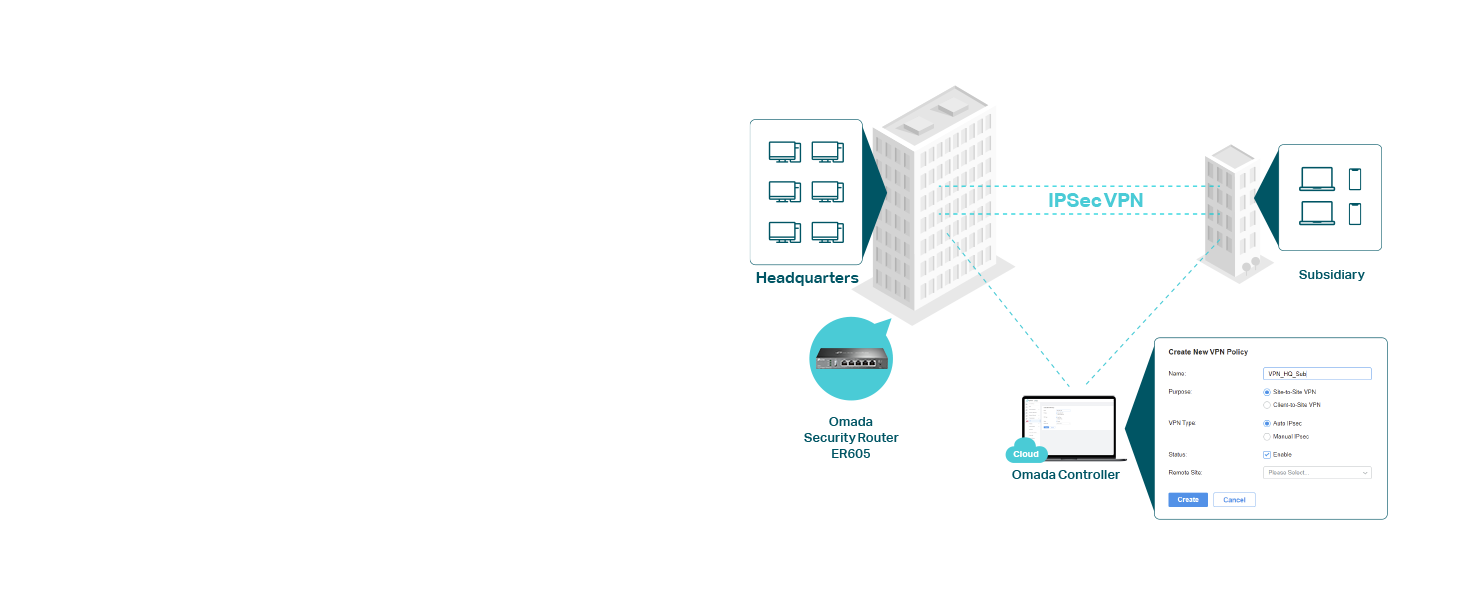
TP-Link ER605 V2 Review: An Unbeatable Prosumer and Small Business Workhorse** The TP-Link ER605 V2 is not your average home router; it's a dedicated wired VPN router that occupies a unique and valuable niche. For its remarkably low price, it delivers a feature set and reliability that far surpasses any consumer-grade all-in-one unit, making it an absolute essential for tech-savvy users, prosumers, and small businesses. **Designed for Performance and Reliability** Right out of the box, the ER605 V2 feels like a serious piece of hardware. Its all-metal casing aids in heat dissipation, ensuring stable performance during continuous operation. With five Gigabit Ethernet ports, its core functionality is incredibly flexible: you can configure up to three WAN (Internet) ports for load balancing or failover, and use the remaining LAN ports for your internal network. The inclusion of a USB port that can function as an additional WAN for a 4G/5G modem is a brilliant touch, providing a crucial backup internet connection for critical operations. **The VPN Powerhouse** This is where the ER605 truly shines. It supports a wide array of VPN protocols, including OpenVPN, L2TP/IPsec, PPTP, and notably, WireGuard®—a modern protocol renowned for its high speed and security. Setting up a secure remote access VPN for your home network is straightforward through the Omada controller software. You can securely access your network files, security cameras, or NAS from anywhere in the world as if you were locally connected. For a small business, it can easily handle dozens of simultaneous VPN tunnels for remote employees. The hardware-accelerated VPN performance ensures that you don't suffer a massive speed penalty, a common issue with cheaper routers trying to handle encryption. **The Omada Ecosystem: A Key Consideration** It's crucial to understand that the ER605 is designed to be managed. While it has a basic standalone web interface, its full potential is unlocked when adopted by a TP-Link Omada Software Controller (a free application you install on a PC or server) or a dedicated Omada Hardware Controller. This centralized management is a game-changer, allowing for seamless control of multiple Omada access points, switches, and routers from a single pane of glass. This makes network-wide settings like VLANs, firewall rules, and guest policies incredibly easy to manage. **Who Is This For?** * **The Advanced Home User:** Someone with a home lab, a NAS, IP cameras, or a desire for robust network segmentation and a reliable site-to-site or remote access VPN. * **The Small Business/Startup:** Needs a cost-effective, rock-solid gateway with multi-WAN failover to ensure uptime and VPN capabilities for a remote workforce. * **The Tech Enthusiast:** Anyone looking to step up from consumer "gamer" or "mesh" routers to a more professional, stable, and feature-rich networking setup. **Final Verdict** The TP-Link ER605 V2 is a no-frills, high-value champion. It forgoes the flashing lights and simplified apps of consumer gear to deliver what truly matters: unwavering stability, powerful VPN functionality, and flexible internet redundancy. The requirement for a separate controller might be a small hurdle for some, but it's a small price to pay for the enterprise-grade features and control you gain. If you need a reliable, secure, and scalable network foundation, the ER605 V2 is, without a doubt, one of the smartest and most rewarding networking purchases you can make.
A**R
I have been using this for more than a week, overall good product. Must but if you want to use with multiple internet connections in one network Pros: extremely easy user interface 5x gigabit ports WAN fail and load balancing Small form factor No need for omada contoller Setup and forget configurations Cons: don't use with omada contoller. Horrible placement of options. WAN connection polling time cannot be set in standalone mode Some settings require hard reboot to apply, auto soft reboot not reflecting the settings The order of WAN port number is reversed for working order, last WAN is default not the first one
J**S
Ótimo router, boa quantidade de portas, ótima performance e fácil configuraçao
S**T
Great product
A**H
I bought this unit because I only have vdsl. I bought a second line to gain more bandwidth. I I run alot of services in my homelab. Even when I'm downloading or uploadeding large files it only sits at 60 percent. Great for people who need a backup line or load balance between 4 connections. I it has good fetures like port forwarding and all standerd networking. I works with cloudflare tunnels
A**R
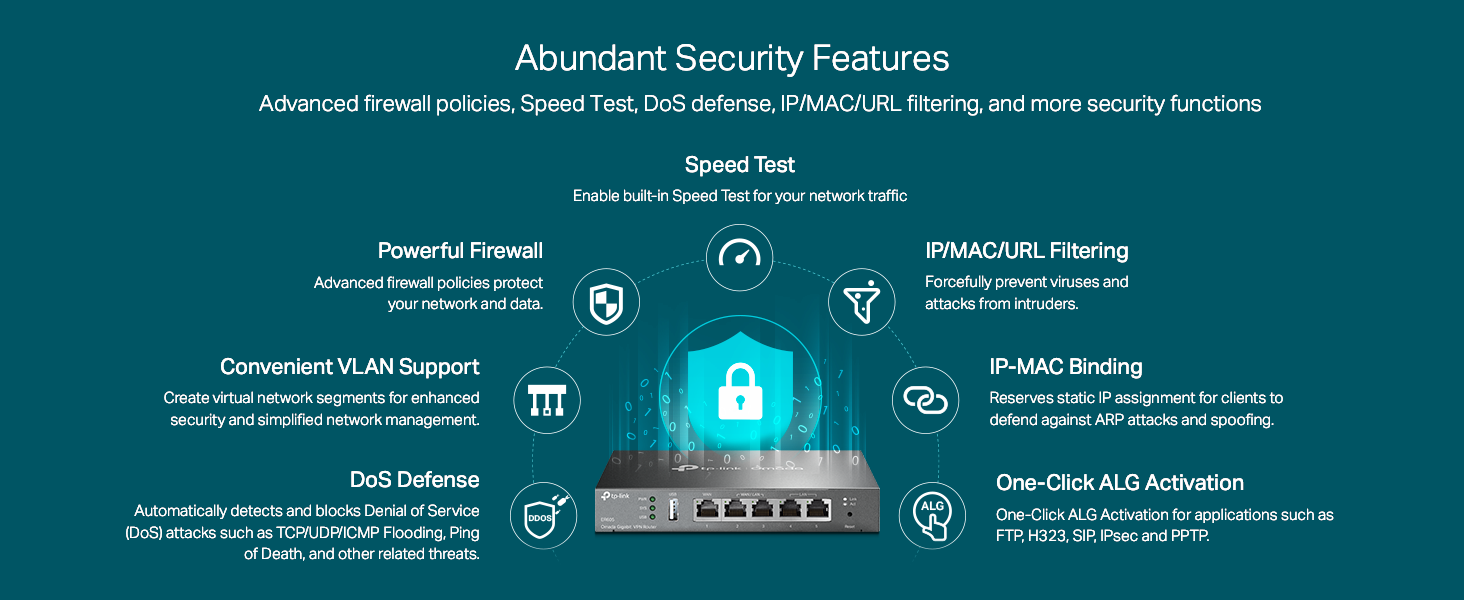
Great vpn router, i was able to set up both openvpn and wireguard connections as well as change my DNS server for adblocking capabilities (using a raspberry pi running pi-hole) the router is indeed gigabit ethernet. Also has a really good built in firewall that clocks DOS attacks, ping of death, winNuke attacks and more. Only thing i couldnt get working was using a paid vpn service like nordvpn to work through my whole network which i was really hoping to get working. Other then that great router! Would recommend but definitely not for the tech illiterate, you must have a basic understanding of how networking works but it is also plug and play so if you just wanted to plug this in and have it work, it can do that
Trustpilot
1 week ago
3 weeks ago