We remain fully operational. Our teams are working around the clock to ensure your deliveries continue safely.

DOWNLOAD THE APP


Customer Services
Copyright © 2025 Desertcart Holdings Limited
DOWNLOAD THE APP


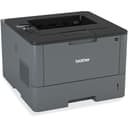
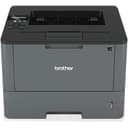
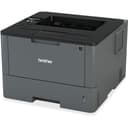

⚡ Power through your print jobs with speed and style!
The Brother HL-L5100DN is a monochrome laser printer designed for busy professionals seeking fast, reliable, and high-quality printing. Delivering up to 42 pages per minute at 1200 x 1200 dpi resolution, it features a 300-sheet paper capacity with dual trays and automatic duplex printing. Network-ready with Ethernet and USB connectivity, it integrates seamlessly into office environments, offering advanced security and cost-efficient operation backed by Brother’s trusted brand reputation.


| ASIN | B01BBL2TRS |
| Additional Printer Functions | Scan |
| B&W Pages per Minute | 42 ppm |
| Best Sellers Rank | #233,095 in Office Products ( See Top 100 in Office Products ) #334 in Laser Computer Printers |
| Brand | Brother |
| Built-In Media | Laser Multifunction Office Machine |
| Color | Black |
| Compatible Cartridge | TN223BK, TN223C, TN223M, TN223Y, TN227BK, TN227C, TN227M, TN227Y |
| Compatible Devices | Laptops, PC, Smartphones |
| Control Method | App |
| Controller Type | Android |
| Customer Reviews | 4.4 4.4 out of 5 stars (416) |
| Display Type | LCD |
| Dual-sided printing | Yes |
| Duplex | |
| Global Trade Identification Number | 00012502642190 |
| Hardware Interface | Ethernet, USB |
| Ink Color | Black |
| Item Dimensions D x W x H | 14.7"D x 15.3"W x 10"H |
| Item Type Name | Laser Printer |
| Item Weight | 23.5 Pounds |
| Manufacturer | Brother |
| Maximum Copies Per Run | 42 |
| Maximum Copy Resolution Black and White | 1200 dpi |
| Maximum Copy Speed Black and White | 42 ppm |
| Maximum Media Size | 8.5 x 14 inch |
| Maximum Print Resolution Black and White | 1200 x 1200 dpi |
| Maximum Sheet Capacity | 300 |
| Maximum print Resolution Color | 1200 dots_per_inch |
| Model Name | HLL5100DN |
| Model Number | HL-L5100DN |
| Model Series | Business Laser Printer with Networking and Duplex |
| Number of Trays | 2 |
| Other Special Features of the Product | Network-Ready |
| Output sheet capacity | 150 |
| Paper Size | 8.50 x 11, 8.50 x 14, 7.25 x 10.50, 8.25 x 11.70, 5.83 x 8.25, 4.13 x 5.83, 8.50 x 13 Inches |
| Print media | Paper (plain) |
| Printer Connectivity Type | Ethernet, USB |
| Printer Output Type | Monochrome |
| Printer Type | Laser |
| Processor Count | 1 |
| Resolution | 1200 x 1200 |
| Scanner Type | Sheetfed |
| Specific Uses For Product | Office |
| Total USB 2.0 Ports | 1 |
| Total Usb Ports | 1 |
| UPC | 012502642190 |
| Warranty Description | 1-year limited warranty |
| Warranty Type | limited warranty |
| Wattage | 640 watts |
A**R
Brother Monochrome Laser Printer Review
I just started using the Brother monochrome laser printer, and it’s been awesome! The software quality is solid, making it easy to navigate. Setup was a breeze, and I had it connected to Wi-Fi in no time. The print quality is sharp, and while it’s monochrome, the color accuracy for graphics is impressive. It offers great value for money with fast printing and reliable wireless connectivity. I’d definitely rate it 4.5 out of 5 stars!
A**R
Good Quality, Fast Printing, Decent Quality Print, Low Toner Cost
I'm using this as a desktop printer in a Mac/PC/Linux corporate environment with other all-in-one printers/copiers and color laser printers on my network. Print speed is fast, but as with just about all laser printers with higher page-per-minute printing capability, you trade a bit of print quality for speed. The print quality is fine and comparable to most faster monochrome laser printers, but doesn't match the near typeset quality of a Canon Imageclass D1650 down the hall. However, the cost per page of this printer is about half of the Canon, so for most business documents, this Brother printer is a good balance of toner cost, print quality, and speed. I have had several other Brother laser printers and they all were good quality and lasted for quite a few years. But if you're looking for the best print quality, check out Canon printers. I have a Lexmark monochrome all-in-one, two HP color laser printers, an HP monochrome all-in-one, and a couple of small Brother desktop printers, and all work well, but the Brother printers are tried and true workhorses for 95% of our printing. Lexmark's interface is overly complicated, the HP all-in-one print queue gets stuck sometimes, and the printing cost of the HP color lasers is high enough to avoid printing all but color documents with them. The up front cost of the Brother HL-L5100DN is low and the long-term cost is also on the lower end for monochrome laser printers.
W**N
Best Printer of Its Kind
I looked at probably a hundred printers before landing on the Brother HLL5100DN. I needed something that could handle a high-volume output without burning a hole in my wallet. Most laser printers seem like a great value...and then you look at the cost of toner. With most printers I researched, I also looked up the cost of toner. Only a few printers stand out from the pack with toner yield and cost– the Brother HLL5100DN is one of them. There is an off-brand toner available for this printer that yields 8,000 pages that costs only $20. I could not find a better cost-to-yield ratio on any printer in this price range, so I purchased this one. A few notes about this printer are in order: 1. It is not a WiFi printer. You must hook this up via a printer cord (to USB) or an ethernet cable. You MUST have one of these hooked up for the printer to work. 2. It is monochrome (it prints black ink only). If you need color printing, it's not for you. 3. It is not a scanner. It's only a printer. 4. It works with Google CloudPrint if it is hooked up to a computer in the aforementioned way. 5. It takes about 15 minutes to set up (including unboxing and driver download). 6. Works on PC and Mac. I set it up on both. Overall, this product is the best monochrome printer for the price. It will give you a ton of prints for a low cost. It's pretty basic, but is awesome in certain contexts. I highly recommend this to anyone in the market for this type of printer!
P**H
Brother Improves a Bit
Like their other printers (and all-in-ones), Brother has been relatively Linux friendly for some time. Brother provides driver support for rpm and deb based distributions. They even provide a script to help you install things. Naturally, the script failed in my case. I went ahead and installed the deb files, anyway, and my printer was installed. I used the ubiquitous system-config-printer program to set up the printer. It located the printer and offered various options for connecting. I purchased this printer to replace another failed Brother printer I had purchased a couple of years ago (a 5450DN). This one, the 5100DN, let me set the IP address to a fixed address from the printer console itself. I did not have to find the printer, and then log in via the printer's Web server to set the IP address. Further, when downloading the driver, I received a pop-up telling me that there was an important firmware update for the printer. Once the printer was set up, I logged into the new printer's Web server and found another new feature, the firmware update button. I clicked it. A couple of minutes later I could log in again and I had the updated firmware. So, this printer is user friendlier than the last one. The old printer didn't have the best paper handling. To be blunt, it would jam more often than I would like. This one hasn't jammed, yet. Another aspect I like: The 5100 prints better. The 5450 printed too dark at 600 and 1200 dpi. This one is somewhat dark at 1200, but 600 is fine. No insane amounts of Gamma correction applied to each image if you want to print. If you run Linux, and live within easy wire distance to your router, this is a very good printer. 12 December 2016 update: The thing still hasn't jammed. I'm raising this to five stars.
S**R
Excellent printer.
The HLL5100DN is a nice printer at a very good price point. It has an LCD display and small control panel that makes it easier to configure and do certain things compared to cheaper ones that don't have that feature. The print quality is quite good very sharp and crisp and it prints pretty fast. This is a small office class printer even though for me it is mainly home and some business use. It has usb and Ethernet connectivity but not built in wireless. That's fine for my purposes because I prefer to connect it directly to my wireless router. If you need the built in wireless capability then get the 5200, 6180 or the 6200 which will cost you about $100 - $200 dollars more.
T**M
Très mauvais produit, après 1 mois d'utilisation déjà en panne Toujours dans l'attente d'un dépannage ou un remplacement voir un remboursement
S**Y
The printer was defective out of the box. Delayed installation precluded finding this out until now. Amazon does not provide a means to handle these situations. Amazon needs to support the quality of the products they sell. Called Brother for support and they said that this printer is not supported by them in Canada. So why is Amazon even selling this model to Canadian customers? Why will they not honour the return of a bad product?
F**N
Der Drucker steht im Büro und wird ordentlich beansprucht. Sowohl vom Tonerverbrauch als auch von Verarbeitungsqualität und Lautstärke gibt es nichts auszusetzen, die Einrichtung gelingt mit der mitgelieferten Software einigermaßen reibungslos, kann sich, grade wenn es um Detaileinstellungen geht, aber doch sehr hinziehen.
N**I
La calidad de impresión no es la mejor, pero para el uso rudo es perfecta en relación precio-calidad. Imprime por los dos lados, se conecta a la RED y es fantástica de este modo, es configurable desde un navegador accediendo a la IP de la impresora o desde la misma impresora en su menu. Espero que su mantenimiento sea economico que fue por lo que la compre, pero eso será en el futuro que lo pueda decir. Quisiera decirles más pero aun llevo poco de usarla. Lo del empaquetado, me pareció un poco exagerado, venia en una caja más grande y sin acojinamiento así que si lo hacen por la pandemia creo que con que lo saniticen bien es más que suficiente. Cosas a tomar en cuenta: (*) NO es wifi. (*) NO incluye cables de red o USB (*) Para un usuario no experimentado en impresoras en RED puede ser tardado instalarla de esta manera. Pero si te animas, hay muchos tutoriales en internet o leyendo el manual en linea no tendras problemas mientras seas paciente. (+) Imprime de los dos lados (+) Para uso casero con muchos usuarios o una ofcina pequeña, creo que vale mucho la pena. (+) Compatible con Windows, Linux y MacOS sin problemas. Con android mediante la aplicación de brother.
I**A
Es una impresora que promete lo que indica gracias
Trustpilot
1 month ago
1 month ago