Buy anything from 5,000+ international stores. One checkout price. No surprise fees. Join 2M+ shoppers on Desertcart.
Desertcart purchases this item on your behalf and handles shipping, customs, and support to Kyrgyzstan.
🚀 Unlock Pro-Level Speed & Portability — Your Data’s New Best Friend
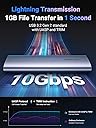
The UGREEN M.2 NVMe SSD Enclosure is a sleek, aluminum tool-free external case designed for M.2 NVMe SSDs up to 8TB. Featuring USB 3.2 Gen 2 with 10Gbps transfer speeds, UASP & TRIM support, and advanced heat dissipation, it delivers fast, reliable, and secure data access across Windows, Mac, Linux, and gaming consoles. Perfect for professionals who demand high performance and effortless portability.


| ASIN | B08DNR22Q7 |
| Best Sellers Rank | 2,826 in Computers & Accessories ( See Top 100 in Computers & Accessories ) 12 in Enclosures |
| Box Contents | 1 x M.2 PCIE NVMe SSD Enclosure, 1 x user manual (English language not guaranteed) |
| Brand | UGREEN |
| Brand Name | UGREEN |
| Colour | Silver |
| Compatible Devices | M.2 NVMe Solid State Drive |
| Country of Origin | China |
| Customer Reviews | 4.4 out of 5 stars 3,752 Reviews |
| Data Transfer Rate | 10 Gigabits Per Second |
| Enclosure Material | Aluminium |
| Global Trade Identification Number | 06957303819027 |
| Hardware Interface | USB 3.1 Type C |
| Hardware Platform | Universal |
| Hardware interface | USB 3.1 Type C |
| Hardware platform | Universal |
| Item Dimensions L x W x H | 11.9L x 3.7W x 1.2H centimetres |
| Item Weight | 45 Grams |
| Manufacturer | Ugreen Group Limited |
| Manufacturer Part Number | ACBUGN10902 |
| Material | Aluminium |
| Memory Storage Capacity | 4 TB |
| Model Number | ACBUGN10902 |
| Network Connectivity Technology | USB |
| Product Warranty | / |
| Product dimensions | 11.9L x 3.7W x 1.2H centimetres |
| Supported Devices Quantity | 1 |
| The Standard Size of the Hard Drive or the Bay the Hard Drive Is Compatible With (in inches) | 2280 Inches |
| Unit Count | 1.0 count |
H**H
Premium-feeling NVMe enclosure
This enclosure’s design is properly thought through: it’s push-to-open, but it doesn’t feel flimsy or like it’ll pop open in your bag the second you look at it funny. It stays securely shut, yet opens easily when you actually want it to. Build quality is the other win here. The aluminium housing feels solid and premium, not cheap plastic pretending to be “portable storage.” Overall, it’s a sturdy, no-nonsense NVMe caddy that does exactly what it should.
B**A
A compact and convenient external drive case for M2 style SSDs
Used to test a spare SSD drive without having to remove an installed one from my PC Worked well with a crucial T500 SSD (2280 size) inserted when plugged into a standard 5 or 10GBPS motherboard USB-C port Very easy to install and use. A handy rubber peg holds the SSD in place while you close the lid on it so no tiny screw or screwdriver needed Connected to the PC, No power, driver etc warning messages were seen, and no driver installation was needed on an Intel based Windows 11PC. The new/blank drive I was testing appeared in disk manager and formatted without a problem. All very good Very Reasonable read /write speeds were achieved and the device/drive was recognised quickly when plugged into the PC The only thing I couldn’t do (and this limitation seems typical of USB connected drives I’ve owned) was a drive firmware update as the updater software couldn’t find the (external) drive. Overall a very useful device if you use M2 SSD drives
C**S
Pretty good product, details below.
Got the item today, and it is my first USB to M.2 adaptor so nothing to compare it to. I unpacked the product and examined what was provided, the device itself, which is a plastic shell inside another outer shell that absorber material on it to soften any impact from a fall or some other type of force. Two documents with tiny text and images, one of them instructions. Short USB type C to type C cable. Thermal pad. The instructions are reasonably clear except that there is no mention of the thermal pad. I examined the case, and the thermal probably should go on top of the M.2, not underneath, however when examining inside the outer shell, the pad would clearly be making contact with nothing at all. I felt it a bit pointless so didnt install it, and is perhaps why its not mentioned in the documentation as I expect it wasnt originally incorporated into the design, at best the pad will be a weak heat spreader considering it wont make contact with the outer shell. If like me you might be swapping drives in and out the case, using a pad adds needless complexity as well. It is tool less which is nice, working on tiny M.2 screws is horrible, although the little plastic holder is fiddly in itself, took me a few mins to get it in. If that gets lost, the problem is then that it is propriety to the product, so take great care with it. I slid the inner part back in to the outer shell but had to check the manual for correct orientation, it doesnt just go in any way. But once pushed in correctly its easy, and clicks in place. Attached the USB cable and everything is working when using it with my laptop. Performance is very respectable. 1000MB sequential (laptop itself only has 2 PCIE lanes, so its not that far off the 1600 on internal M.2). Random 4k performance is very similar to if installed internally. The power LED is at the end and could be covered by the outer protective rubber, I would have preferred it in a more visible location. It does flash on activity. I have a room temp of 27C whilst testing this, bit of a heatwave in my part of the country, internal M.2 is 31C, and this one is 35C, so its not particularly hot and cooler than M.2 in my desktop which are approaching 50C. Just be aware the cable that comes with this unit is to fit USB type C devices, you could probably still buy a USB C to A cable, but if thats what you going to do, there is an alternative adaptor that comes with C to A instead. This isnt clearly labelled on the product page, but eyeballing the product picture indicates the difference between the two products. An earlier review says both cables are provided with this product, but my unit was just C to C cable, although the bag the cable came in looked designed for two cables. If you not sure which to buy, buy the product that comes with type A cable, as type A is still a far more common port on hardware, as an example I have a modern desktop PC and that only has a single type C port, but more than 8 type A ports, my laptop has two of each, but the type A ports are more accessible, and one of the type C is used by the charger.
P**Y
Brilliant plug-and-play enclosure—sleek, speedy and superb value
This UGREEN M.2 NVMe SSD enclosure has been an absolute game-changer. Installation was a complete doddle—just slide in your M.2 drive, secure the single screw and snap on the aluminium cover. No faffing with drivers or cables, it works instantly with my laptop and desktop alike. Performance is impressive: I consistently see transfer speeds approaching the advertised USB 3.2 Gen 2 10 Gbps, which makes offloading large RAW files a cinch. The solid metal build doubles as an effective heatsink, so the drive stays cool even under sustained transfers. It’s compact enough to slip into a pocket yet feels reassuringly robust in use. For the price, it represents outstanding value for money. It’s affordable, looks smart alongside my kit, and has saved me countless trips back to the office for forgotten files. I’d buy it again in a heartbeat, and I’d wholeheartedly recommend it to anyone needing a reliable, easy-to-use, high-performance external SSD solution.
L**M
Just what you need, don't look any further!
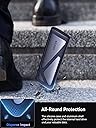
I was in urgent need of an affordable enclosure to back up data from my M.2 drive to an HDD after suspecting a drive failure (Windows wouldn’t even boot). This device turned out to be exactly what I needed and made the recovery process smooth and hassle free. As it turns out, the M.2 drive was completely fine, the actual problem was with my laptop. Regardless though, having the means to safely access and back up my data was crucial and gave me real peace of mind. The build quality is excellent. It features a solid metal shell with a soft shock absorbing rubber sleeve that offers great protection against drops and knocks. Even the internal plastic holder that secures the M.2 drive feels durable and well designed. Now that the backup’s complete, I’m planning to repurpose it with another M.2 drive for quick and portable file transfers on the go. Highly recommended!
P**A
Speedy, Truly Tool-free
I have a Samsung NVME drive mounted inside this enclosure. It is connected to my laptop via a Toshiba Thunderbolt 3 dock. The drive appears as a USB drive, and has very good write speeds of over 400MB/s, even via the Thunderbolt 3 dock, that also pushing a 4K resolution display. The installation of NVME drives is truly tool-free. There is no need for even a screwdriver. Performance of the drives via this enclosure is excellent. Here's some information from my Linux system: 1. Testing using hdparm for buffered disk reads: ~ » hdparm -tT /dev/sda /dev/sda: Timing cached reads: 33128 MB in 1.98 seconds = 16726.08 MB/sec Timing buffered disk reads: 1020 MB in 3.08 seconds = 331.19 MB/sec 2. Information on the Samsung disk: ~ » smartctl -i /dev/sda smartctl 7.4 2023-08-01 r5530 [x86_64-linux-6.6.62-gentoo] (local build) Copyright (C) 2002-23, Bruce Allen, Christian Franke, www.smartmontools.org === START OF INFORMATION SECTION === Model Number: SAMSUNG MZVLB512HAJQ-000L7 Serial Number: S3TNNX0M524056 Firmware Version: 5L2QEXA7 PCI Vendor/Subsystem ID: 0x144d IEEE OUI Identifier: 0x002538 Total NVM Capacity: 512,110,190,592 [512 GB] Unallocated NVM Capacity: 0 Controller ID: 4 NVMe Version: 1.2 Number of Namespaces: 1 Namespace 1 Size/Capacity: 512,110,190,592 [512 GB] Namespace 1 Utilization: 88,668,917,760 [88.6 GB] Namespace 1 Formatted LBA Size: 512 Namespace 1 IEEE EUI-64: 002538 8591b0e393 Local Time is: Thu Dec 26 12:45:46 2024 GMT 3. Further testing - write 4GB of zeros to a file: ~ » date; time dd if=/dev/zero of=/mnt/SS512GB/zero_file bs=4M count=1000; sync; ls -lh /mnt/SS512GB/zero_file; date Thu 26 Dec 12:53:56 GMT 2024 1000+0 records in 1000+0 records out 4194304000 bytes (4.2 GB, 3.9 GiB) copied, 9.31965 s, 450 MB/s dd if=/dev/zero of=/mnt/SS512GB/zero_file bs=4M count=1000 0.01s user 4.06s system 43% cpu 9.411 total -rw-r--r-- 1 root root 4.0G Dec 26 12:54 /mnt/SS512GB/zero_file Thu 26 Dec 12:54:09 GMT 2024
M**5
Would recommend the enclosure for using M2 externally or for formatting an M2
A great enclosure for M2 ssd to use externally instead of internal. Seems to be low noise level, cable length isn't majorly long but enough. Weight is light. Storage capacity depends on the type of M2 you use as you can use any of the ones specified for use but I'm pretty sure you can use different sized M2 sticks. Compatibility has been good for me. I've connected at least 3 m2's and they all worked flawless. Only qualm I have is the plastic tab that attractes to the m2 to lock in place. It should be metal and the plastic tabs for closing and opening the enclosure is gonna break eventually. But all great for the price.
S**.
Faulty cable and slow support
Value for money is 5 out of 10. Build quality is 6 out of 10. Build quality feels fair, confident that it would protect from the average drop. Very easy to use. The reason for the rating being so low is that my issues were; 1) The cable, while the length of it was good, it was highly faulty and wouldn't deliver maximum speeds. It was the cause of many crashes that would occur when I tried to upload >50 MB to it at once. The drive would completely crash, and windows would show an error that could only be stopped by unplugging the drive. and 2) Support, unfortunately it is in China. Even the email meant for UK customer support is. So, it's very slow. After a few days of back and forth, they said that I would have to send in the whole enclosure for them to Just send me a replacement cable. This would have taken far too long so I refunded through Amazon instead. Wouldn't recommend. I would recommend the SABRENT enclosure, a bit more expensive but feels far far sturdier and the delivers speeds as promised with no faults.
Trustpilot
3 weeks ago
3 days ago