Buy anything from 5,000+ international stores. One checkout price. No surprise fees. Join 2M+ shoppers on Desertcart.
Desertcart purchases this item on your behalf and handles shipping, customs, and support to Kyrgyzstan.
⚡ Power your productivity, future-ready and clutter-free!
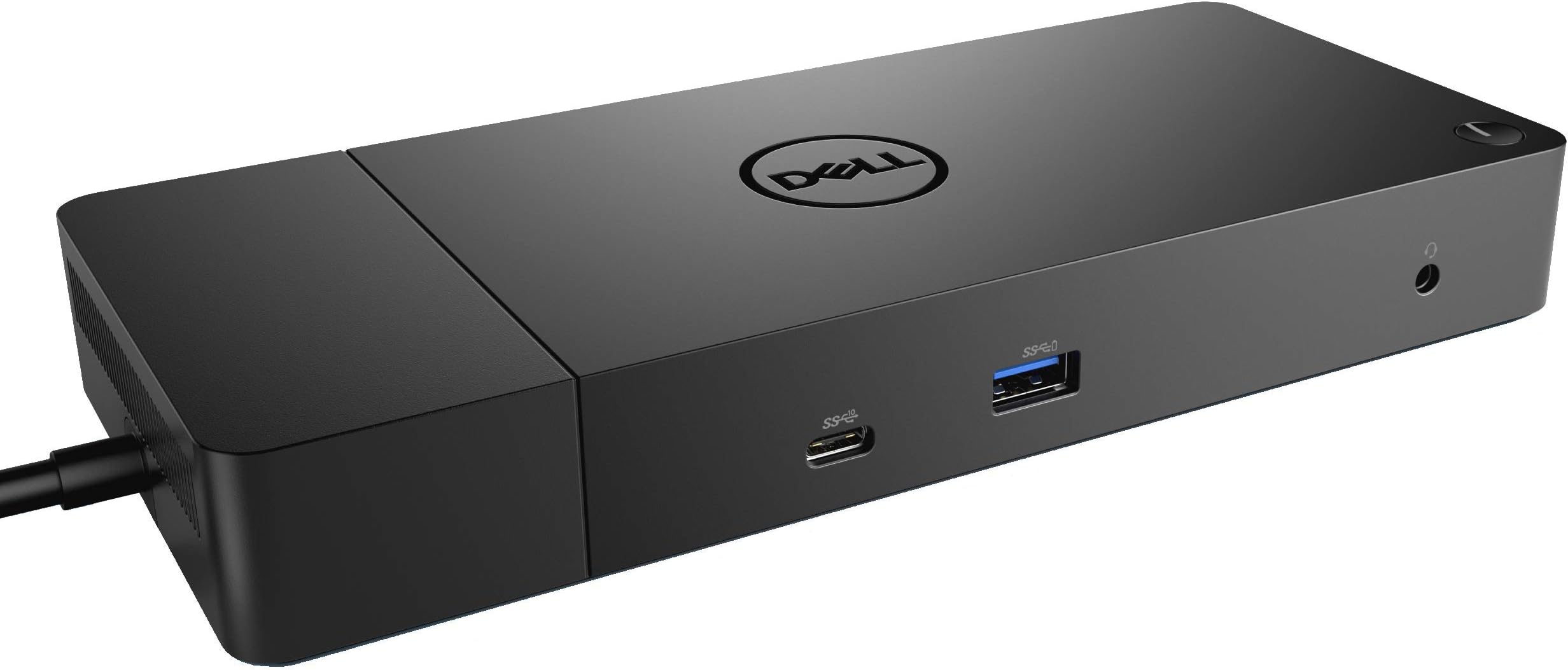
The Dell WD19 130W Docking Station delivers robust 90W power delivery to laptops while supporting triple displays via HDMI and dual DisplayPort 1.4 ports. Its modular, future-proof design allows easy upgrades and replacements, complemented by secure manageability features like remote firmware updates and PXE Boot. With a sleek form factor and VESA mount compatibility, it transforms any workspace into a clean, efficient hub for professionals on the go.
| ASIN | B07SFYV111 |
| Best Sellers Rank | #66,227 in Computers ( See Top 100 in Computers ) #395 in Laptop Docking Stations |
| Brand | Dell |
| Built-In Media | DOCKING STATION |
| Color | black |
| Compatible Devices | Latitude 3301, Latitude 3390, Latitude 3400, Latitude 3490, Latitude 3500, Latitude 3590, Latitude 5280, Latitude 5285, Latitude 5290, Latitude 5300, Latitude 5400, Latitude 5401, Latitude 5480, Latitude 5490, Latitude 5500, Latitude 5501, Latitude 5580, Latitude 5590, Latitude 7200, Latitude 7280, Latitude 7285, Latitude 7300, Latitude 7380, Latitude 7389, Latitude 7390, Latitude 7400, Latitude 7… |
| Customer Reviews | 4.0 4.0 out of 5 stars (1,396) |
| Global Trade Identification Number | 00884116345916 |
| Hardware Interface | HDMI, USB |
| Input Voltage | 120 Volts (AC) |
| Item Dimensions L x W x H | 20.6L x 8.9W x 2.8H centimeters |
| Item Weight | 2.25 Pounds |
| Manufacturer | Dell Computers |
| Number of Ports | 2 |
| Total Number of HDMI Ports | 1 |
| Total Usb Ports | 4 |
| UPC | 884116345916 |
| Warranty Description | 3 YEARS MANUFACTURER WARRANTY |
| Wattage | 130 watts |
N**E
Perfect
Perfect solution
F**R
Defekt und Händler meldet sich nicht mehr
M**D
I used so many adaptors for my Dell laptop to connect mic, wireless keyboard & mouse, screens, etc. But none worked properly and I always had compatible issues (low power). This adaptor was PERFECT and made my life much easier. A bit pricy but highly recommended.
J**P
First day review of WD 19 dock with XPS 13 9380. I have had nothing but dock issues following the latest 9380 BIOS update. Problems include intermittent connection to monitor, failure to work properly with a simple USB switching hub, and computer shutting down repeatedly requiring force restart. I followed all instructions when connecting this new dock and had the same issues. Then I came across this article: Dell USB-C and Thunderbolt Docks (WD15, TB16, TB18DC, WD19, WD19TB, WD19DC, D6000) - BIOS Settings and Driver Installation for Troubleshooting This article will guide you through the installation and basic troubleshooting process for Dell USB-C and Thunderbolt Docking Stations WD15, TB16, TB18DC, WD19, WD19TB, WD19DC, and D6000. Last Modified:13 Mar, 2020 Article ID:SLN308303 I followed the instructions to update the BIOS settings, and the dock now works properly. Be advised that NOT all of the options mentioned are available in the 9380 BIOS including “enable USB power share” and “allow USB-C dock support”. For now, the dock is working. I did need to plug the USB switching hub into the front USB port on the dock. I hope this helps and good luck. DELL could be a bit more clear about these issues.
B**R
Works as described!
C**A
Me sorprendió su peso y tamaño. Creía que era igual de grande a un iPhone XR o similar. Se ve resistente. No hubo complicaciones para la instalación. Funcionó sin problemas... Llegó antes de lo esperado. —— El producto funciona correctamente. Si lo piensas usar para MacBook/Pro > 2018 dual video, absténgase de comprarlo. Funciona para un solo monitor. Verifique que los drivers sean compatibles con la versión de su computadora.
Trustpilot
2 days ago
5 days ago