Desertcart purchases this item on your behalf and handles shipping, customs, and support to Kyrgyzstan.
🚀 Carry Speed, Security & Strength Wherever You Go
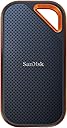
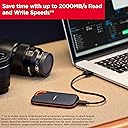
The SanDisk 1TB Extreme PRO Portable SSD combines professional-grade NVMe performance with up to 2000MB/s read/write speeds, housed in a rugged IP65-rated aluminum chassis. Designed for demanding users, it offers 3-meter drop protection, advanced 256-bit AES hardware encryption, and broad USB-C/USB 3.2 Gen 2x2 compatibility, making it the ultimate portable storage solution for fast, secure, and reliable data access on the go.


| ASIN | B08GV9M64L |
| Additional Features | External, Portable |
| Best Sellers Rank | #13 in External Solid State Drives |
| Brand | Sandisk |
| Built-In Media | 1 x SanDisk Extreme PRO Portable SSD |
| Cache Memory Installed Size | 1 |
| Color | Black |
| Compatible Devices | Laptop,Desktop, Smart Phones, Tablets |
| Connectivity Technology | USB |
| Customer Package Type | Standard Packaging |
| Customer Reviews | 4.5 out of 5 stars 16,996 Reviews |
| Data Transfer Rate | 2000 megabits_per_second |
| Digital Storage Capacity | 1 TB |
| Enclosure Material | Information Not Available |
| Form Factor | Portable |
| Global Trade Identification Number | 00619659181284 |
| Hard Disk Description | Solid State Drive |
| Hard Disk Form Factor | 2.5 inches |
| Hard Disk Interface | USB 3.0 |
| Hard-Drive Size | 1 TB |
| Hardware Connectivity | USB Type C |
| Installation Type | Not Specified |
| Item Dimensions L x W x Thickness | 4.36"L x 2.28"W x 0.41"Th |
| Item Type Name | External SSD |
| Item Weight | 2.72 ounces |
| Manufacturer | Sandisk Technologies, Inc. |
| Media Speed | 2000 megabits_per_second |
| Mfr Part Number | SDSSDE81-1T00-G25 |
| Model Name | SanDisk Extreme PRO Portable SSD |
| Model Number | SDSSDE81-1T00-G25 |
| Number of Items | 1 |
| Read Speed | 1050 megabytes_per_second |
| Special Feature | External, Portable |
| Specific Uses For Product | business, personal |
| UPC | 619659181284 |
| Warranty Description | 5-year limited manufacturer warranty |
A**R
So far it's working fine, no issues.
So was going through the install process on my PC, and not thrilled to see the notice on the SanDisk Firmware site that there have been failures with this drive lately. UGH! So I punched in my SSN# and luckily my device was not affected - I have the current Firmware. That scare aside, so far the drive has been working out fine. I'm using it as a backup for my 2tb home PC. I have it connected via a USB 3.2 Gen 2x2 20Gbps Type-C port on my PC to run weekly backups. The drive is not super fast, but it's fine for what I need. It's super light and portable - the size of my Android phone, so ideal if you need an external drive for your laptop or whatever. And it's 4tb so should be enough for whatever you need to do. Keeping my fingers crossed that the Firmware fix does the job!
E**T
An absolute must if you require true sustained large capacity speeds
TL;DR: This drive personally verified capable of large, sustained reads for hours if needed and had no problem transferring 500GB+ of data (both read and write) without slowing down at all. If you're tired of external SSDs that slow down due to cache outs and/or overheating, this drive will take care of those issues. ------- I've gone through several Samsung and Crucial external SSDs and one common thing is they all "cache out" sooner than later or even overheat and transfer speeds quickly plummet (sub 50-75MB/sec in some instances) when you're doing large (>100GB) transfers or if you're using the drive as an attached active media for real time use like using a replicated database or photo editing. If the job ends up R/W > 75-100GB+ I will always see drive slow downs consistently on those Samsung and Crucial models. They are good for small, quick transfers especially sub 25GB but anything remotely large and sustained and the slowdown happens. After doing a lot of research and reading along with personal recommendation from some fellow developers and editors, I gave the SanDisk 2TB Extreme PRO (you know it's serious when "PRO" is all in caps) a try. It is very compact and nicely built. Excellent external texture with even a corner clip hole. It comes with both USB-A and USB-C USB 3.2 2x2 cables and is ready for data transfers up to 2000MB/s. So how did it fair? I plugged it into my 1000MB/s rated USB-C port to backup over 500GB of data in one sitting and sat there and watched it transfer the entire set of data with zero slowdowns sometimes peaking OVER 1000MB/sec on large contiguous data asset transfers. This is a first among the pile of external drives I've used over the last 10 years. When it came time to copy the information back, the sustained speeds were still there during the entire transfer. I used it even to run some games for testing and it had no problems for Steam or Blizzard games albeit for normal use I use internal storage. I also did a couple of dev projects externally and it worked absolutely fantastic. As with most external drives, it does get warm during heavy use but nothing that is worrisome. I was able to pick up and hold the drive no problem. I tested it on both Windows 10 and 11 and Windows 11 is slightly slower than Windows 10 in data transfers under the same conditions but still peaked over 900MB/sec. It isn't the Sandisk's fault but the OS. Overall, I can't recommend this drive highly enough. It fixed all the issues I had grown used to accepting with my previous Samsung and Crucial models with expected slowdowns (it wasn't an issue of "if" but "when") and 2TB is spacious enough for now. If I end up needing more capacity I will pick up the 4TB version if needed but as for the 2TB model specifically? Highly recommended. 5/5
M**A
Great product.
Great product. Small size, good price, and great performance.
T**R
Reliable SSD
Been using one as my main storage since 2023. Never rely on an internal drive, but externals can be slow. Blackmagic Speed Test says this one is 920mbps read and write. Fast enough for editing 2k in most codecs. In practice, I've been able to use it to edit 4k raw in DVR. Biggest problem will be playback if you have power windows and a lot of nodes esp denoise. For that, I go straight to my Mac Mini internal that reads/writes at 6700mbps, then archive to the external. Good news is it hasn't hesitated, overheated or crashed.
A**D
BRICKED SSD After 6 Months. MacOS users out of luck.
My experience is a breach of trust in the WD brand. I'm a macOS user working with large files for photography and videography. I've been a WD customer since the first My Passport and My Book HDDs. I bought the 4TB Extreme PRO V2 because I enjoyed using the 2TB Extreme V2. I figured the faster R/W speed and storage space would mean an even better user experience. Right? Wrong. After only six months of storing over 2TB of data, my system no longer recognized the disk. The only actions my system allowed me to take were to either Eject, Initialize or Ignore the disk. None of these were optimal. Yet the hurdles to hunting for a solution frustrated me even more. That's when I learned about the firmware issue from WD's response to another reviewer's comments. The device impact checker confirmed my disk "may have been impacted." Discovering that my only options were to use a PC to download and install the firmware update or contact customer support infuriated me. WD must not value its macOS customers for it not to offer an easy way for us to update the firmware. We are Mac users for a reason. Instead of having it done the easy way, I get a complicated set of instructions to download and install a third-party program called RescuePRO Deluxe. Now here's where I got super angry with this experience. Customer support told me that though the program might be able to preview in evaluation mode, I would need to pay for it to back them up to my local hard disk. In other words, the customer MUST PAY for WD's negligence to address this issue before they shipped these drives. On top of that, I learned that if this program failed to retrieve my files, my last line of defense was to pay for third-party hardware data recovery. I think WD should pay for this, not the customer they failed. At the very least, WD should replace my bricked SSD with a working one and include shipping costs. I ran RescuePRO Deluxe overnight and returned to find that it could not produce a preview of any recoverable files. Not one byte of my more than 2TB of data was retrievable. Incredible. I cannot recover my files and am too cash-strapped to pay for hardware data recovery. I can't believe I spent $400 for a bricked SSD. This event prompted me to write this review to steer others clear of this debacle and look elsewhere for portable storage solutions.
R**Y
Obsessed with this "toy"
I got this back in January 2025 and it has completely changed everything for me because it is just so convenient and useful for my daily life. My absolute favorite thing in the world is using it for RetroBat. If you have never heard of it, it is this incredibly hyped software that rescues all your old games and brings them to life on a beautiful, super slick dashboard. It makes browsing through your childhood memories feel like such a premium and special experience. I was lucky enough to score it for $299 before the price shot all the way up to $585, but honestly, the pure joy it brings me every single day makes it worth every single penny. If you are on the fence, please do your future self a favor and just get it!
S**S
Sandisk Extreme Pro Portable SSD 2 TB New Generation
Right now, the only computer equipment that I have is an ASUS 15 inch Vivobook Laptop PC. My desktop self destructed and I gave my Dell laptop to my daughter. Compared to similar portable SSD's, I was impressed by how durable this Sandisk SSD is (water resistant & dust resistant and survives ordinary drops). I have not dropped it or placed it in water (yet) but it is nice to know that this Sandisk will survive through harsh conditions. I read several negative reviews about how super HOT this SSD gets. So I decided to purchase the Sandisk Extreme Pro Portable SSD 2 TB New Generation (which is a lot more SSD than I really need). Why? The SanDisk Extreme PRO® Portable SSD is housed in a forged aluminum chassis that also acts as a heatsink, saving you time through higher sustained speeds (it is less likely to overheat). The Extreme Pro is slightly larger than the regular Extreme - which also helps it to dissipate heat (although both models are very portable). In other words, this model promises to never slow down due to overheating. In my experience: My Extreme Pro NEVER gets hot, in fact, it seldom gets warm. My Extreme Pro is cool to the touch except the rare times when it is slightly warm. Note: I am not extremely demanding. I read and write small files to my Sandisk from time to to time during the day. Otherwise, I leave the Sandisk plugged to my ASUS laptop all day One thing I noticed about my Sandisk Extreme Pro. If there is zero read-write activity for an extended period, my Extreme Pro goes to sleep. And it drops to room temperature. This situation can prevail for minutes or 24-7 with my setup. My Extreme Pro Portable NEVER gets hot. As you read other reviews by other buyers, it appears (I am guessing here) that some users are in a situation where their Extreme Pro or Extreme never goes to sleep (and their device gets SUPER HOT). In my situation, if I attempt to write to my Extreme Pro after it has not experienced any read-write activity for an extended period, it takes a moment to "wake-up" my Extreme Pro. Not a problem because I know this feature allows my Extreme Pro to stay nice and cool (resulting in a longer life). I have not read anything about this feature. If you are interested in how this "sleep" feature works or if your Sandisk portable SSD gets SUPER HOT, contact Sandisk and ask for further details. I did encounter one problem. I have no idea what causes this and neither does Sandisk Technical Support. When I connect this device to the single USB C port in my laptop, Windows OS cannot "see" this SSD. Yet, my PC works just fine with another external HDD that I connect to this same USB C port. So, I connect my Sandisk to a Type A USB 3.0 port (and the Sandisk works just fine). I do not have another PC to connect my Sandisk SSD to (which might give me a clue what is going on). It is entirely possible that something is strange with the USB C port on my laptop, so I cannot blame the Sandisk SSD. This is a revision written weeks later: I purchased a new laptop. Exactly the same kind as I already had, a ASUS Vivobook 15.6" laptop. Because I really like the keyboard on the ASUS. The USB C port on my new laptop works just fine with my Sandisk Extreme Pro SSD. So the problem lies with my older ASUS Vivobook (read above). My Sandisk Extreme Pro SSD works perfectly. I am happy with my Sandisk Extreme Pro Portable SSD 2 TB New Generation and I intend to keep it long after my ASUS Vivobooks die. My only negative: I wish the Sandisk Extreme Pro Portable SSD had an activity light (so I could tell [at a glance] when it is reading-writing). Note that this device is totally silent and warm to the touch, so not always obvious when it is reading-writing data. Not a big enough negative for me to deduct a star. update: 8 months after purchase. My Sandisk Extreme Pro performing well, going strong. Zero problems. Connected to my ASUS laptop all the time using the USB C port, a laptop I use about 12 hours a day, my Extreme Pro gets warm but not hot.
L**I
Mixed User Review: SanDisk 2TB Extreme PRO Portable SSD
The SanDisk 2TB Extreme PRO Portable SSD is a premium external storage solution for creative professionals and power users who require blazing transfer speeds, substantial capacity, and rugged durability in a portable form factor. With advertised speeds of up to 2000 MB/s via USB-C and USB 3.2 Gen 2x2 connectivity, this SSD accelerates workflows such as high-resolution video editing, large file backups, and rapid data transfers. However, while its performance and build quality are strong selling points, some users have reported hardware and software issues worth considering. Key Features • Ultra-Fast Data Transfer: With transfer speeds of up to 2000 MB/s, the drive drastically reduces file transfer times, which is critical for high-bandwidth tasks. • Ample 2TB Capacity: The generous 2TB storage provides enough space for high-resolution media, large project files, and comprehensive backups. • Robust Design & Durability: Rated IP65 for water and dust resistance, the SSD is built to withstand challenging environmental conditions during travel and fieldwork. • Updated Firmware: The drive comes with updated firmware that enhances performance stability, security, and overall drive management. • Modern Connectivity: Compatibility with USB-C and USB 3.2 Gen 2x2 ensures the SSD can interface seamlessly with contemporary laptops and desktops. Pros • Exceptional Speed: The advertised 2000 MB/s performance is a significant advantage for professionals dealing with large files and time-sensitive projects. • Solid Build Quality: The rugged, IP65-rated enclosure provides confidence for those using the drive in outdoor or challenging environments. • High Storage Capacity: With 2TB of space, the drive is well-suited for demanding storage needs in creative and professional applications. • Future-Proof Connectivity: USB-C and USB 3.2 Gen 2x2 compatibility means that the drive is ready for next-generation devices and connectivity standards. • Enhanced Firmware: The updated firmware is intended to improve performance consistency and add more data security. Cons & Reported Issues • Hardware Connectivity Issues: • Intermittent Disconnections: Some users have reported occasional drive recognition issues—particularly on systems with older USB-C ports or cables. These intermittent disconnections can interrupt workflow and require re-plugging the device. • Thermal Concerns: A few users observed elevated operating temperatures under heavy and prolonged workloads, which may lead to thermal throttling. Although not widespread, this has been noted in environments with insufficient airflow. • Software & Firmware Challenges: • Firmware Update Process: Although the updated firmware promises enhanced performance, several reports indicate that the update process can be unintuitive. Users sometimes experience temporary instability or reduced performance after attempting a firmware update. • Compatibility Glitches: A few reviews have noted issues with drive recognition on specific operating systems following firmware updates. Users on legacy systems may need to exercise caution or seek technical support to ensure smooth integration. • Premium Price Point: • While the drive offers high performance and robust features, its cost is on the higher side, which may not appeal to budget-conscious buyers, especially when considering potential additional expenses (e.g., certified cables or adapters). Recommendations • For Creative Professionals & Power Users: If you routinely work with large files and require fast, reliable storage on the go, this SSD is an excellent option. However, ensure your system fully supports USB 3.2 Gen 2x2 to fully exploit the drive’s speed potential. Monitor operating temperatures during intensive tasks and consider using cooling accessories if necessary. • Firmware and Software Best Practices: Before performing firmware updates, back up your data and review the manufacturer’s update instructions carefully. For users experiencing post-update compatibility issues, contacting SanDisk support can provide guidance and, if needed, firmware patches. • Hardware Setup Considerations: To avoid connectivity issues, use recommended cables and verify that your system’s ports meet the necessary specifications. Using a certified adapter may help maintain stable connections and maximize performance for users with older devices. • For Field Use: The drive’s IP65 rating is a significant benefit for on-location work. However, remain mindful of potential environmental extremes that could affect thermal performance. In such cases, ensure proper ventilation or avoid prolonged high-intensity operations in confined spaces. Conclusion — The SanDisk 2TB Extreme PRO Portable SSD delivers impressive performance and durability, making it an attractive choice for professionals who need fast and reliable portable storage. Its high-speed data transfer, ample storage capacity, and rugged design are significant advantages. However, the reports of intermittent connectivity issues, thermal concerns under heavy workloads, and challenges associated with the firmware update process suggest that potential buyers should proceed cautiously. You can mitigate many of these concerns and fully leverage the drive's capabilities by ensuring compatibility with your hardware environment, following best practices for firmware updates, and monitoring device performance during heavy use. Overall, suppose you seek a high-end, future-proof storage solution and are prepared to navigate some of these reported issues. The SanDisk 2TB Extreme PRO Portable SSD is a substantial investment in that case.
J**W
Excellent
Fast and works great
N**S
Highly recommend
So small and convenient. I bought the Monterey color as well and it is similar transfer speed. Just Wow! For both of them. It's super fast and the perfect size. I'm using it as an external drive, I truly like the size..wanted alot of space..just excellent for what I need to store. I would recommend. Thanks Seller Amazon!
L**.
Velocidad y eficiencia en un disco portátil
Trabajar super bien, excelente compra
M**I
H D
Muito bom 👍
B**R
Świetny dysk do kopii zapasowej
Świetnie wygląda, szybki i poręczny. Warto dokupić etui
Trustpilot
2 days ago
2 weeks ago