We remain fully operational. Our teams are working around the clock to ensure your deliveries continue safely.

DOWNLOAD THE APP


Customer Services
Copyright © 2025 Desertcart Holdings Limited
DOWNLOAD THE APP


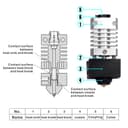
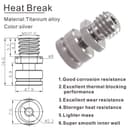


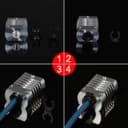
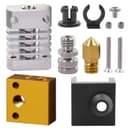
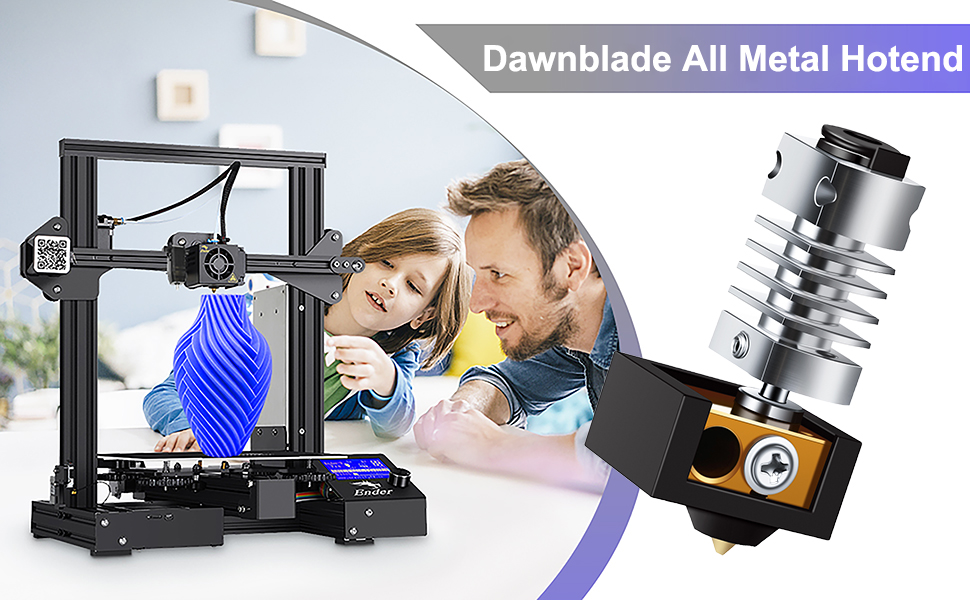
🚀 Elevate Your Prints with Dawnblade!
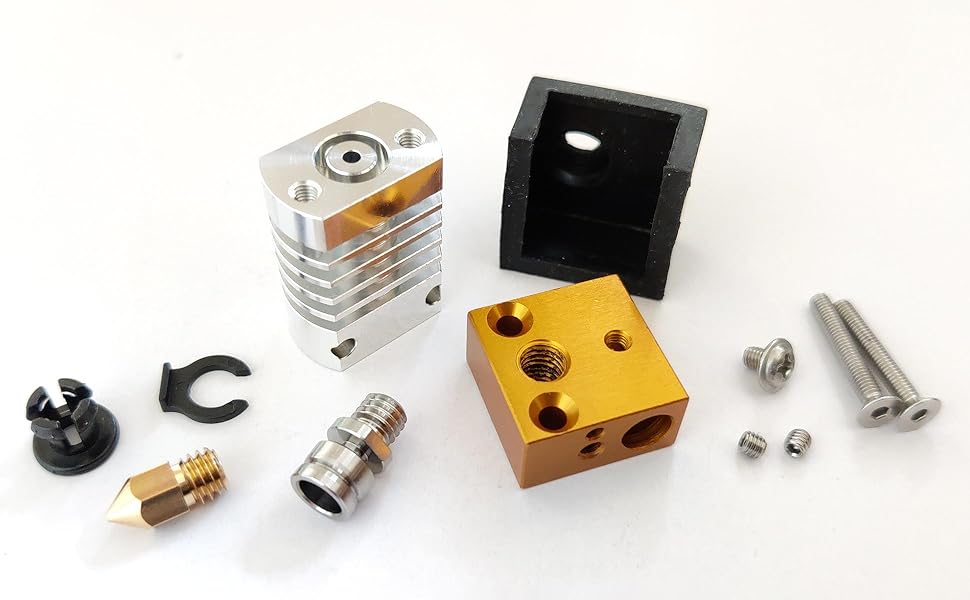
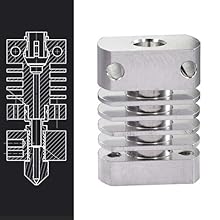
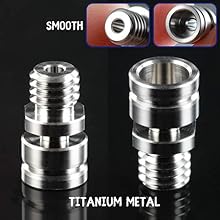
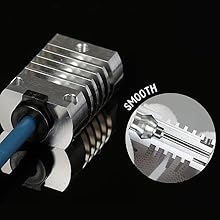
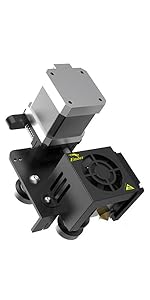
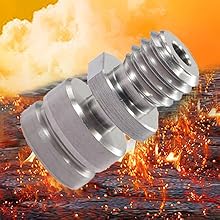
The Dawnblade All Metal Hotend Kit is a premium upgrade for Creality 3D printers, designed to enhance performance with features like rapid heat dissipation, a titanium alloy heat break for superior thermal isolation, and precision engineering to minimize filament blockage. Compatible with various models, this kit is perfect for serious 3D printing enthusiasts looking to achieve high-quality results.


| ASIN | B08D3BCGHG |
| Best Sellers Rank | #861,447 in Industrial & Scientific ( See Top 100 in Industrial & Scientific ) #12,374 in 3D Printer Accessories |
| Customer Reviews | 4.0 4.0 out of 5 stars (313) |
| Date First Available | July 16, 2020 |
| Item Weight | 0.6 ounces |
| Item model number | Dawnblade200716 |
| Manufacturer | Dawnblade |
| Product Dimensions | 0.79 x 0.79 x 2.05 inches |
I**F
Good quality
I could only find one negative and it is a minor one. Negative: The thermistor hole does not conform to the thermistor. You can tighten with the allen screw and it stays put just fine, but it is a loose fit which means less contact and inefficient heat transfer. It still works and gets to at least 260c (I have only tested that high) but again I would have preferred a slot cutout to enable a better fit. Positives: Everything else. The entire length of hole that the filament travels down has no gaps. The threads for the nozzle are shallow to prevent any gaps there also. As long as you lower you retraction settings and tune your extrusion, you should have no clogs. The finish is good, the screws and allen bolts all fit well and as long as you are using good tools at correct sizes, stripping will not be an issue. Since there are 2 extra bolts that connect the heat block to the heat sink, leaking should not be an issues from constant nozzle changes. Everything should stay in place even without using a wrench. This is a good unit and everything works as it should. Price is right. I would not hesitate upgrading any Ender 3 as this is truly an upgrade.
J**B
Beginner's review, tips and install guide (Ender 3)
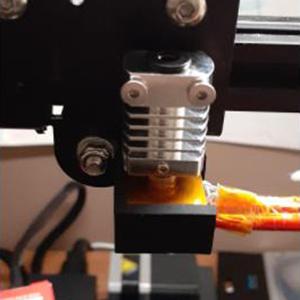
Don't usually write product reviews but thought I'd write this for anyone in my shoes. At the time of buying this product, I was VERY new to 3d printing, as in having only 3-4 completed prints under my belt before making the purchase. Now, it's about two weeks later, and needless to say I am an expert in all things three dimensional and printing them. I bought this hotend because I was printing with PETG on my ender 3 (non-pro) and the heat degraded my bowden tube, causing a clog. I was never able to get the tube to sit right after replacing the bowden tube and decided to just make the upgrade to an all metal hotend sooner than later in order to avoid perpetual troubleshooting due to clogs. I went with this option over the microswiss or one of the other clones based on reviews and its relative cost. I, as a complete beginner, have been able to get amazing prints from this hotend on a very basic entry level printer so I thought I'd give a basic rundown of the not-so-obvious steps to installing this that I took. Hopefully this helps anyone that, like me, is confused by fancy words like "extrusion," "retraction" and "printing." 1. Put all of the pieces together besides the nozzle/silicone sock - follow the diagram on this page if you're having trouble figuring out where things go. If you spent any time at all with lego sets in the past, this should be mostly straightforward. Make sure your heatblock is oriented correctly. You'll pretty much know immediately when you try to install it if you messed that part up. I also found good results by only partially tightening the each screw that holds the heatblock in place until they were both in and then going back and forth tightening each by a quarter turn until they were both fully tight (this is good practice in general for putting things together to ensure proper fit and stability, including furniture by IKEA). - It's important to note that the heatblock insert for the heatbeak/nozzle is threaded all the way through, however, there is not enough room for the heatbeak AND the nozzle to screw in all the way and be flush with the heatblock (this is an intentional design) so make sure that your heatbeak is the thing screw in first and that the heatbeak is what is flush with the heatblock. - Many people in the reviews report frustration at how thin the part that tightens the heatbeak is and it is difficult to tighten it fully without buying an extra tool. I got around this by using one of the wrenches that came with my ender 3. The wrench itself is too big for the heatbeak, BUT if you jam some small pieces of paper (or ziptie in my case) between the wrench and the heatbeak, it creates enough of a hold to tighten the heatbeak fully. 2. Finger tighten the nozzle. DO NOT fully tighten the nozzle yet. 3. Install the hotend on your printer. Plenty of videos on hotend replacement if you're having trouble, but it's worth it to mention that the screw which holds the transistor in place should only be tight enough to hold the wires in place, DO NOT tighten this screw more than absolutely necessary as you could find yourself having to order new transistor wires. 4. Leave the fan shroud and silicone sock off, and heat up the nozzle around 5-10 degrees C hotter than you normally print at. I went to 252 since 245 seems to be my ideal printing temperature for Overture PETG. 5. Grab the heatblock with pliers or a wrench to hold it in place and then grab your other wrench to tighten the nozzle fully. The goal here is to get it to sit firmly up against the bottom of the heatbeak while at temperature (since heat will expand the metal). Probably unecessary to say but be careful, the heatblock and the nozzle will be hot enough to burn you pretty nicely. It is important that the hotend is fully heated at this step, so don't try to take a shortcut here. 6. You can let it cool down now to install the silicone sock, fan shroud, and the bowden tube. 7. Relevel your bed 8. Happy printing! As a bonus, here are my settings for getting pretty awesome PETG prints (Overture black PETG) on my ender 3 with this hotend. Still making adjustments but these settings are working pretty well for me at this stage with very minimal stringing and great adhesion: Bed temp: 70 C with painters tape Print temp: 245 C Retraction: 3mm Retraction speed: 25 mm/s Print speed: 15 mm/s first layer, 50 mm/s thereafter Happy printing! EDIT: Got my first clog with this hotend after many many prints. I think it was less to do with the hotend and more to do with my print settings. Clog wasn’t resolving easily with a hot pull so I ended up just heating my hotend up to 255 (10 C hotter than normal, at this time) and pushed filament through from the top until it flowed cleanly. Took two minutes. I believe the clog was caused by my temperature being too low (all metal hotends often require higher print temps based on my research) and my retraction distance being too high. I calibrated my esteps and revised my print settings above so my print temperature is now 250 and my retraction is 1.5 mm at 25mm/s. Prints are coming out better than ever. Rarely stringing, great adhesion, layer lines are barely noticeable if at all at 0.2 mm height. Still highly recommend this hotend!
L**U
Constant clogs
It's very decent for the price, and I actually prefer that it uses the stock heat block. I haven't had a problem with temperature oscillations - a simple PID tune fixes that. Where I keep running into an issue is that the threaded portion of the heat break isn't long enough for the stock hot end. The heat break is supposed to be tightened against the nozzle to prevent gaps, but I can't always get them to touch and end up with a small gap. For PETG that's usually not a big deal, but for softer plastics like PLA/SPLA it not only causes failed prints, but creates a huge mess of melted plastic all over my hot end. Update: The threads stripped on my original hot end so I bought a new one. I can’t get through a single print without clogging now out of maybe 30+ tries. I’ve taken it apart and tightened everything while it’s been hot too. Even tried a larger nozzle. I don’t know what changed, but this new one seems to be complete junk. 2nd update: The seller sent me a replacement immediately no questions asked. This new one is working much better and producing great prints. I don't think there was any significant issue with the first one. It appears that the heat block was a tiny bit thicker, and my nozzles were a little shorter. The combination of the two prevented the nozzle from compressing against the heat break. The new set has a slightly thinner block and I'm picking longer nozzles. This has helped a lot. So I'm increasing my review. Also the seller suggests not using the long screws. I could see how this would help, but the challenge is that without those the hot end is really prone to twisting. I would like to consider replacing those with titanium screws as the thermal conductivity would be much lower.
R**S
Works well on Voxelab Aquila
I bought this and have been running it since October of last year. It was a perfect drop in replacement on my printer(Voxelab Aquila, ender 3 v2 knock off), and it was relatively easy to install. Once I got my settings dialed in, I’ve been getting pretty consistent prints with it. I will update if anything changes. Update 5/24/2022: recently started printing PETG with a CR Touch. No modification necessary for the hot end itself, and print quality has been great. I had a firmware glitch cause my hot end to hit my print bed with such force that my gantry broke completely off of my printer. This hot end not only survived, it’s still printing with the exact same quality. Nothing bent or even scratched on the hot end itself. I did replace the brass nozzle after the event, but I was planning to do that for the new filament type anyway. Overall, I seriously cannot recommend this hot end enough. It’s rock solid, reliable, and extremely affordable.
R**S
Exact replacement for aquila original when the heater cartridge retaining screw would not budge, spare nozzles gave me a few problems but changed them for different and now its printing better than before.
A**A
Este es un buen hotend all metal, es fácil de poner ya que es prácticamente plug & play, la calidad del material es muy bueno, en mi caso no fue necesario ajustar los PID, de momento todo va sin problemas
F**Z
Muy bueno funcionando en ENDER 3 perfectamente
Trustpilot
5 days ago
2 weeks ago