

✍️ Elevate your iPad experience—write, draw, and create like never before!
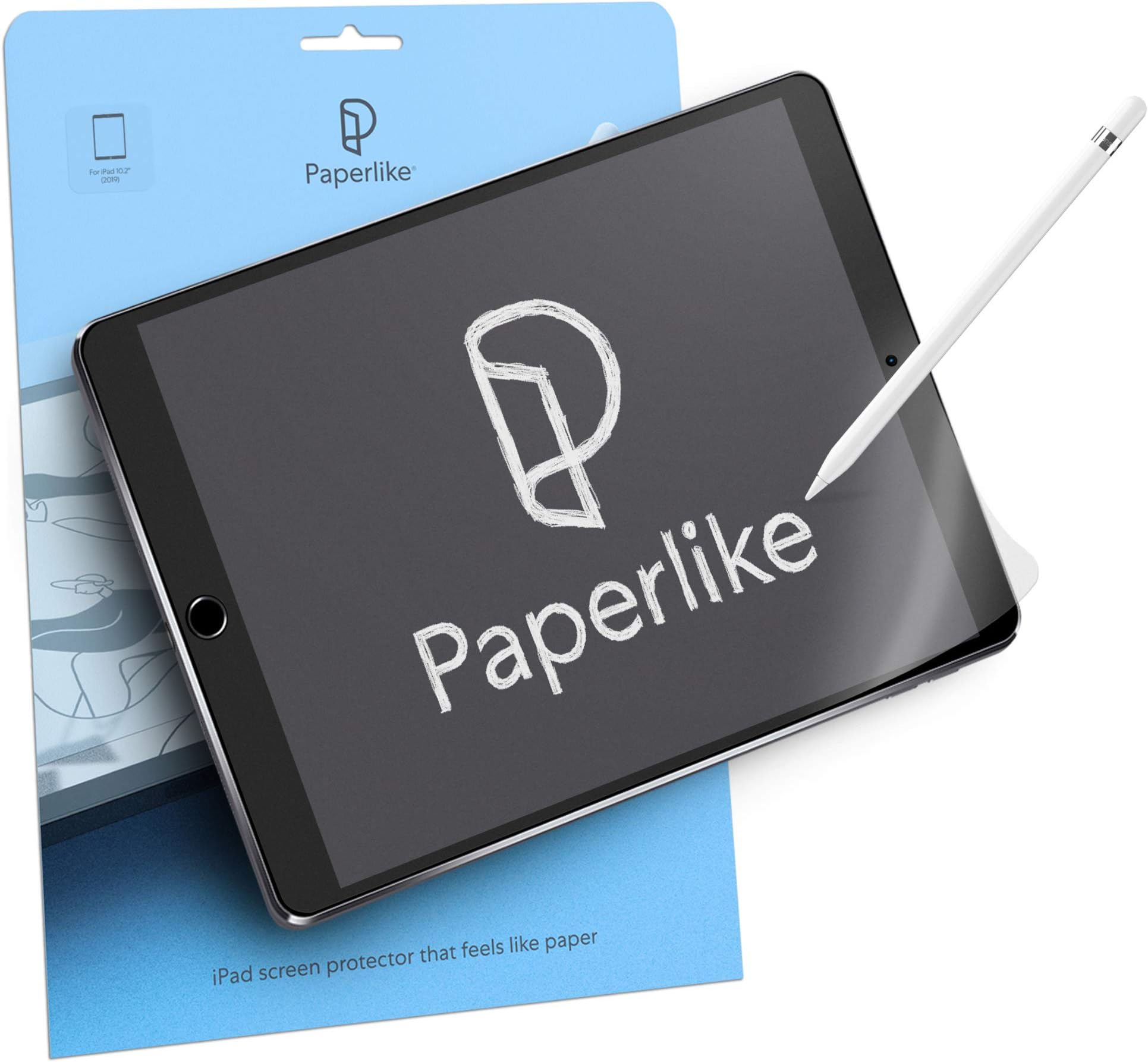
Paperlike 2.0 is a premium matte screen protector designed specifically for the iPad 10.2". Featuring advanced Nanodots technology, it delivers a natural paper-like texture that enhances drawing and writing precision. With 2H hardness, water repellency, anti-fingerprint, and anti-glare properties, it protects your screen while maintaining exceptional clarity and touch sensitivity. The package includes two protectors plus all necessary tools for a flawless, bubble-free installation.


| ASIN | B082477LSX |
| Best Sellers Rank | #213 in Tablet Screen Protectors |
| Customer Reviews | 4.3 4.3 out of 5 stars (25,742) |
| Date First Available | November 28, 2019 |
| Item model number | Paperlike 2.0 |
| Label | Paperlike |
| Manufacturer | Paperlike |
| Product Dimensions | 9.37 x 0.12 x 9.37 inches; 0.71 ounces |
B**.
Be very careful while installing
Installation is quite the delicate and tedious process. I'm glad they give you two of them but my plan was to use them at different times, not to have one as a backup in case I messed up installing the first. The guide on installation is easy to follow and I did it mostly right but I did end up with two small bubbles which I can sometimes notice when looking at the screen. It doesn't ruin the experience or get in the way of using the touch screen at all regardless of whether I'm using my finger or the Apple Pencil. It does feel like paper which is cool but sometimes it actually feels quite smooth. The longer you use it the more it will wear down and you will eventually get smooth spots which are still rougher than the screen itself but smooth compared to when its new. I wanted this because drawing on the iPad without something like this feels unnatural and it's far too easy to slide my pencil across the screen and have far less control over delicate strokes. With Paperlike it feels much more like paper and the resistance allows you to feel enough feedback to really feel as though you're interacting with the medium that the app you're running is emulating. It feels like pencil on paper or paint brush on canvas. It's great. One thing they don't tell you is that it's great for reading books on iPad as well. When turning pages I really feel more like I'm reading a paper book than a digital one. I've always preferred paper and analog tools but I'm more likely to buy and read digital books now with the Paperlike screen protector on my iPad. It's easy to clean. You just take the same sort of cloth you'd use to clean your iPad's naked screen and use it on the Paperlike. Yes, you will get fingerprints on your screen if you touch it with your hands just like using the normal screen so you have to clean it periodically. The Paperlike does dim the screen and dull the colors just a tiny bit but unless your work demands absolute perfection when it comes to color accuracy or you're some superhuman that can't handle a negligible change in brightness/color then you won't notice it unless you're specifically looking for it. I'm glad it comes with two because eventually the first will wear out and I'll need to apply another and the second time I'll hopefully learn from the mistakes I made with the first and make sure there are no small bubbles that end up under the screen. But like I said, even if you do end up with a couple small bubbles you'll most likely be able to live with it and in most cases it isn't worth removing the Paperlike and reapplying a new one. The difference is negligible.
S**H
A great feeling screen protector
I decided to purchase this after reading some of the reviews, including the few that were not all positive. The negatives seem to be related to the screen protector getting scratched (best review stated they had been using for 4 months) and the screen protector being a pain to apply. I have only had this for a single day so far and if the longevity is better/worse/different than the reviewer noting that they made it 4 months, I’ll update this review. As far as applying, this was no harder than any other protector that I’ve applied to an iPad or phone. I would recommend that you take your time, watch the video, and ensure that the screen is completely free of any dust. I don’t find applying screen protectors to something as large as an iPad to be extremely easy, but if following the instructions here, it wasn’t hard and turned out as I hoped. From a use perspective, I can say this thing is leaps and bounds better than what I’ve tried in the past. It’s very smooth to write on, but not as smooth as glass. I’ve tried some cheaper alternatives and they felt like I was writing on a very fine grit sandpaper. This doesn’t feel that way at all. I suspect this impacts the longevity. On that note, I’m expecting 3-6 months before I have to use the second one of these that came with my purchase. I will be using this mainly for taking notes electronically, however I may do the occasional drawing. I don’t like the feeling of writing directly on the glass and this screen protector seems to be about as close to paper as I’ve found. If you are like me and do not like writing on glass, I would recommend this. I do feel it’s a bit expensive (about double what I payed for a protector that did not feel good), but I feel like the extra is well worth it.
A**K
Scratches easily but overall is good
Overall, pretty OK. Offers a drawing experience almost like paper with a fairly simple application process. Only downside is that it is scratched very easily.
F**K
Brilliant, but painful to install flawlessly
Having to focus painstakingly hard on a perfectly flawless lint-free screen during the application is utterly nerve-racking, but once it has been applied (and if you get it >just< right), the PaperLike screen protector is a fantastic product that delivers a great paper-like feel. Definitely worth the cost, but losing the first of two covers due to two (2) super-tiny (nearly-invisible) pieces of lint (from the black cloth PaperLike provided) was heart-wrenching. Two thumbs up from me, but I strongly recommend having someone else around to examine and confirm the screen is perfectly free of any lint (no matter how tiny) before applying the screen protector. To the PaperLike QA Staff… I very strongly recommend that the cleaning cloth provided in the package be of a different color than black. A bright colored cloth, very easily seen (no matter how tiny it is) against the black screen would have saved me from losing my first cover the first time I installed the screen protector. (2x Updates 24 July 2022) 1. I was contacted by the PaperLike QC Team about my experience. Once I explained more detail about the lint from the black cloth provided in the package and provided evidence, their Representative chose to send me a replacement package, so hats off to their quality management team for doing their due diligence and sorting out my loss. 2. I’ve been using my PaperLike screen for a couple weeks now. It does exactly what they say it will do, providing the closest feel I’ve ever experienced using similar paper-like screen protectors. I’m an avid note-taker and have tried most other products on the market. None of them even come close to the PaperLike screen. I highly recommend this product to anyone who wishes to use their iPad Pro (or similar) for any handwritten notes or for drawing. Best regards, Frank
ト**ピ
タイトル通りです。 ザラつき無くなった後のフィルムの適度な摩擦感が好きで、変えずに使ってる。 ペーパーライクじゃ無くても、フィルムの品質が高いのが良いです。
J**U
Great instructions for the installation. Quality protector. The only down side is the price.
A**N
Excellent product - i use it on my 9th gen iPad. Especially good on note taking apps such as Goodnotes. However, does need some “break-in” time because right out of the box it is a bit too sticky
N**D
After using it for more than a week, I have to say that it has really helped me to take notes in my ipad, as I now feel that my pen is a bit more grippy and not so slippery anymore.
W**K
Ich hab lange gebraucht es tatsächlich zu kaufen weil ich mir wegen dem Preis unsicher war ob es das wert. Jetzt wo ich’s hab kann ich mir nicht mal vorstellen ohne mit meinem iPad zu arbeiten. Die matte Oberfläche macht schreiben und vor allem zeichnen 10x angenehmer weil der Stift nicht mehr so herum rutscht. 10/10 will buy again.
Trustpilot
2 weeks ago
3 weeks ago