Buy anything from 5,000+ international stores. One checkout price. No surprise fees. Join 2M+ shoppers on Desertcart.
Desertcart purchases this item on your behalf and handles shipping, customs, and support to Kyrgyzstan.
📞 Transform your landline into a smart, safe, and signal-strong communication hub!
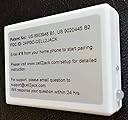
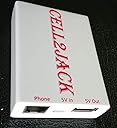
CELL2JACK is a patented Bluetooth adapter that connects your cell phone to any analog home phone, enabling calls via your mobile plan with superior signal strength and reduced radiation exposure. It supports all types of landline phones, integrates with Siri and Google Assistant for smart home control, and offers a simple plug-and-play setup with optional phone charging—all while helping you save on traditional landline costs.


| ASIN | B089984QRT |
| Best Sellers Rank | #1,859 in Cell Phones & Accessories ( See Top 100 in Cell Phones & Accessories ) #59 in Cell Phone Grips |
| Brand | CELL2JACK |
| Built-In Media | Cell2Jack + USB cable |
| Color | white |
| Compatible Devices | Support all iPhone and Andriod. No Flip phone or fax support |
| Connector Type | USB 2.0 |
| Customer Reviews | 4.3 out of 5 stars 3,523 Reviews |
| Global Trade Identification Number | 00869067000404 |
| Input Voltage | 5 Volts |
| Item Dimensions | 9 x 6 x 0.5 inches |
| Item Weight | 1 Ounces |
| Item dimensions L x W x H | 9 x 6 x 0.5 inches |
| Manufacturer | cell2jack |
| Mfr Part Number | cell2jack_v5 |
| Model Number | Cell2jack_v4 |
| Number of Items | 1 |
| Number of Ports | 1 |
| Package Quantity | 1 |
| Power Plug Type | No Plug |
| Smart Home Compatibility | Smart Home Compatible |
| Specific Uses For Product | Home |
| Unit Count | 1.0 Count |
| Warranty Description | One year warranty |
D**S
Great Device with Useful Troubleshooting Features
The Cell2Jack works really well and does exactly what I needed it to do. Setup was straightforward, and I love that it has command codes available in case you need to troubleshoot or adjust settings. That feature alone makes it feel more reliable and user-friendly. The call sound quality is pretty decent — voices come through clearly, and I haven’t had issues with distortion or major delays. I can leave it plugged in without any problems, and it stays consistent. One thing I really appreciate is that it’s not limited to standard phone calls. It also works with audio calls from social media and messaging apps like Instagram, Snapchat, Facebook Messenger, TextNow, TextFree, and others. That flexibility makes it much more useful than I expected. Overall, it’s a solid device that does what it promises and adds convenience if you’re looking to connect your calls through another system.
L**.
Works seamlessly
I could not be happier! I got this to move over our expensive landline service to a cheaper mobile one, and this was the perfect solution. It’s everything I hoped for and more. Very easy set up, quality sound, and the cord being short is a non issue since telephone lines are typically long. It even works with a hub that you can connect multiple landline phones to! Every phone rings. Initially, there were loud static sounds, but it resolved after reconnecting the telephone line to both the phone and cell2jack adapter. My set up is: iPhone 7 with homepage Shortcuts configured to dial a contact with their photo set as the “app” icon. This is a good solution for seniors, kids, or anyone illiterate.
V**D
Great Little Device!
I will start out this review by saying I do still have landline telephone service at my house. But recently I took possession of an old landline telephone that belonged to a family member, and wanted a way to use it via Bluetooth with my smartphone. The cell2jack does exactly what I need it to do. The phone I tested this with was a 1970s touch tone desk phone (I do NOT currently own any rotary dial phones with modular (RJ11) jacks, so while cell2jack says that this WILL work with those phones, I don't have a way to test that (yet)). Pairing is simple: just plug the USB cable (which is admitting short) into a wall adapter like the one you use with your smartphone (they do NOT include one in the box... you have to supply your own, which isn't a big deal, and while the included USB cable is short, you can swap it out for ANY USB cable if you need a longer one), plug your RJ11 cord into both your phone and the cell2jack (also not included, but that's expected), and then take your landline phone off-gook, and dial #*# (a voice prompt will tell you to pair it to use it). Then just select it within your smartphone's Bluetooth devices, and connect to it. The cell2jack essentially turns your landline phone into a Bluetooth headset for your smartphone. One thing I will say about the cell2jack is that I believe there is supposed to be a dial tone emitted from the landline phone connected to it (just as if you were using a regular landline), but I got no dial tone when I picked up the receiver. However, the touch tones still worked, and the calls were patched through to my smartphone immediately. This may cause confusion for some. Receiving calls works well, and the mechanical bell ringer on my vintage landline phone started ringing at the same time my smartphone did. In both cases (making and receiving calls), when I hung up the handset of my vintage landline phone, the cell2jack disconnected and ended the call on my smartphone almost immediately, which is great. I haven't yet connected the cell2jack to a landline phone with built-in Caller ID, so I'm not sure if the CID information from my smartphone would pass through to a connected landline (I will be trying this in the near future). You can apparently also hook the cell2jack directly to an RJ11 telephone jack in your house, and ALL landline phones in your house connected to other RJ11 jacks will work together as if you had landline service. This is also something I have not yet tried, and don't have any intention to, as I have landline service as well. Another feature I haven't tried yet and would like to try is the built in pass-thru for a smartphone's voice assistant (i.e. Siri or Google Gemini). I will have to try that soon as well. Finally, I love how small the device is. I'd assume that, if you had enough space inside the casing of your landline phone, you could put the cell2jack right inside of it and hide it, although sitting behind or right next to your landline, it still looks good. Whether you're a vintage telephone collector, or just want to keep your landline phones hooked up after you disconnect your landline service, the cell2jack delivers. Sure there are more expensive devices like this out there, but the cell2jack delivers on what you'd expect one to do for a great price. Highly recommended!
L**I
Works and allows me to avoid my Cell Phone when home
4.5, I like it. Using with AT&T Corded Home Phone ( https://www.amazon.com/dp/B09R1QDLH6?ref=ppx_yo2ov_dt_b_fed_asin_title&th=1 ). It works, the Phone reliably receives and makes calls from my Cell Phone. Easy to set up and pair; when I get home, I can put my Cell Phone out of reach. I got these two items to help reduce my in-home smartphone usage. I don't know if it's the AT&T Corded Home Phone or the CELL2JACK causing this, but, the volume of incoming calls is low and there is a constant buzzy humming--I saw in the CELL2JACK directions that this can be caused by the power adapter used, so idk. Overall, I am thrilled with the fact that this WORKS for what I wanted it for. CELL2JACK + AT&T Corded Home Phone together costed less than bluetooth-installed Phone receivers, so I would recommend this combination to someone interested in using a Home Phone as a Cell Phone receiver.
N**R
It works!! Simple, affordable antidote to screen fatigue and phone addiction
I've been wanting to find a better balance with technology (to reduce distractions, be more present with family, etc), but am not ready to ditch my iPhone completely for a dumb phone. So, I bought a $20 vintage corded phone, cira 1980s, and hooked it up to Cell2Jack. I was worried that Cell2Jack wouldn't work well, or even at all. I was wrong. I don't write many reviews, but felt compelled to write this one because it works perfectly and is improving my quality of life. I couldn't find landline service in this area, but I now have a phone my entire family can now easily use, with a dial tone, real buttons, and real ringer, thanks to Cell2Jack. My kids love the tactile feel and have been calling their grandparents, "prank calling" their cousins and having a lot of fun. And I can set my phone aside, know we'll hear it if it rings, and if I need to make a phone call, I don't get swept up in Big Tech addiction.
M**I
Very reliable long-term
I'm a long-time Cell2Jack customer, approximately 5 years, and have nothing but great things to say about this little device. I bought it here. It automatically connects to my cell phone's Bluetooth when I walk in the house from going out somewhere. I use it because I'm always busy doing things around the house and in the yard. I don't always hear my cellphone ringing, so I use my loud ringing desk phone in conjunction with my Cell2Jack. I always hear it, wherever I'm at. This is a great product!
W**R
Useful when charging, but with some flaws
I've been using this for roughly 3 weeks & I've found while it does allow me to continue using my Panasonic KX-TGD220 (wireless phone) using my cell as the main, it does have some flaws & ultimately I decided I was only going to use it while charging the phone. First thing you'll need to know is that it's best to leave your cellphone next to the Cell2Jack when you intend on using a phone connected to it, this allows for the strongest signal to the phone. Most people will have their cell on them when not charging it, so it may be more ideal to speak on the cell instead if not near the Cell2Jack as you'll get a better signal that way. I have found that I don't get a very good signal on the cell in the bathroom (no windows & I have a metallic roof), so this is one case where it's more ideal to use the cordless phone over the cell. Ultimately the first priority in a strong signal is your cell phone before even considering placement of the Cell2Jack, so consider that first by finding out where your signal is strongest where you live. Second point I'm going to go over, the Cell2Jack puts itself into pairing mode automatically when powered up if not able to pair with a previously paired device (or if this is your first time powering it up). This could be a bit of a problem if somebody close by accidentally hijacks the device with their own cell, but it's fairly simple to re-pair to your own cell by entering a keypad code on your phone, just something to keep in mind if you start getting calls on your phone that aren't getting to your cell (the cell should display calls coming in as you get called on your phone connected to the Cell2Jack. This will likely only be a problem if there is a power outage/flicker while you are away from home or if your phone is powered down. Third point is going to cause some problems if you are calling (or receiving calls) from automated systems; it seems the dial tones don't correctly go through to the cell, so you're likely going to find that you'll still need to use the keypad on your cell if you have to navigate automated systems that require keypresses (dialing phone numbers is not a problem however). Forth point is related to picking up your voice. I've noticed that if somebody is talking or making noise through the phone (this includes wind going by an open window while driving, other background noises or even loud static on a call), it seems that your phone will stop picking up your voice (pretty common with bluetooth communication devices from my experience), this wasn't an issue I had when I had wired or VOIP phone service. If you're patient & can wait for a particularly talkative person to stop talking, this shouldn't be a problem, but when it comes to talking with my mother, she's constantly cutting me off, so I find myself repeating myself quite a bit using my phone with this device... In regards to Caller ID, it doesn't seem to register correctly on my cordless phones. There's a key code you can supposedly press in the instructions to make it carry over, but I haven't seen it work yet (at least not fully; it does show a phone number, but no name)... Even if you have a phone that is capable of caller ID, you may find that you're still going to be using your cell for caller ID (which can be a bit troublesome if you are using a multi-handset wireless phone). Additionally, keep in mind if the Caller ID isn't functioning correctly, any phones that rely on Caller ID to set the time on your phone will never update to the correct time (as is the case with my wireless phones). In regards to using Voice Assistance, a lot of these functions may not work if your phone is locked, this can be an issue if your using a partyline (or multi-handset wireless phones) to access those functions from a room other than where your cell phone is. Final statement is while Cell2Jack can be useful making phones available in areas that would normally be deadzones or having a poor signal on your cell in your home, a bluetooth headset might be a better choice unless you already have a wired phone with functions you want to retain access to (like an answering machine, block list or programmed quickcalls), Cell2Jack just eliminates the concern of battery life when it comes to wireless communication devices.
B**T
Perfect option for turning cell to landline
I bought this when my Mom moved into assisted living. She was beginning to have trouble using her cell phone but could manage a landline, but the facility often had trouble with the phone lines so she couldn’t call us. This was the perfect answer. It is so easy to set up-just a wire for power, a wire to the cell phone and the jack that goes to the landline. Literally only takes a minute. It works instantly and my mom can still use the speed dial option on her landline phone exactly as she always has. The calls are very clear, no interference or static. I did put the cell phone on silent to prevent both phones ringing at once and everything has to stay plugged in. My mom doesn’t use the cell anymore for calls or texts so that’s not a problem for her. If you or a loved one need a landline and only have cell service, this is the perfect answer. I definitely recommend it.
A**R
Does its job
It’s ok. Does what it’s supposed to do
S**H
Works well, simple setup
Wow works so well, I love it. I love being able to use old school phones and just have it connected to my mobile. When I’m at home I can leave my mobile on silent in another room and know my rotary phone will ring if someone calls. Great idea
F**O
Funciona
El único problema que he detectado es que no permite cortar la llamada entrante no iniciada desde el teléfono no celular. Es un problema menor. Respecto al alcance del Bluetooth para que el celular se conecte al dispositivo indican que debe estar al lado uno del otro pero en mi caso he probado a más de 10 metros en habitaciones diferentes y seguía funcionando. Por lo demás funciona según lo que prometen.
V**V
Sehr gut
Sehr gut
A**I
very good but dialing function does not work in my country
the device provide an amazing and swift integration between mobile phone and old rotary phones (or any other dial phones). no programing is required and ringing quality is good, I used it with socotel 63, worked like a charm. however I cannot use it for dialing. after referring back the problem to Cell2jack support team, they confirmed that in this stage their support and focus is on US market and they are adopting their dialing conventions. currently I am not using it awaiting any further updates to add a leading zero dialing function.
Trustpilot
4 days ago
2 months ago