


Buy anything from 5,000+ international stores. One checkout price. No surprise fees. Join 2M+ shoppers on Desertcart.
Desertcart purchases this item on your behalf and handles shipping, customs, and support to Kyrgyzstan.
🖋️ Never miss a word, never lose a thought.
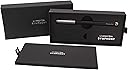
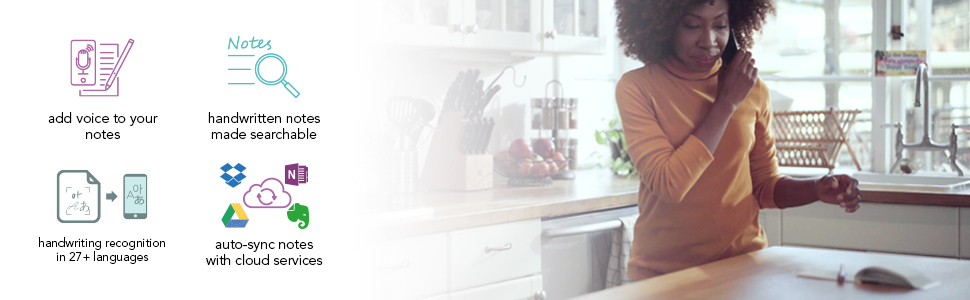
The Livescribe Symphony Smartpen combines the tactile comfort of pen and paper with cutting-edge digital technology. It records everything you write and hear, instantly syncing your notes and audio to your smartphone, tablet, or computer. With handwriting-to-text conversion supporting 28 languages and seamless cloud integration, it’s the ultimate tool for students and professionals who demand flawless note-taking and effortless collaboration.




| ASIN | B087CLF1SL |
| Batteries | 1 Lithium Ion batteries required. (included) |
| Best Sellers Rank | #400 in Digital Pens |
| Brand | Livescribe |
| Color | Black, Silver |
| Customer Reviews | 3.8 3.8 out of 5 stars (689) |
| Date First Available | May 8, 2020 |
| Item Weight | 0.001 ounces |
| Item model number | APX-00040 |
| Manufacturer | Anoto Korea |
| Manufacturer Part Number | APX-00040 |
| Material Type | Paper |
| Number of Items | 1 |
| Product Dimensions | 5.91 x 0.46 x 0.46 inches |
| Size | Symhony Smartpen Combo |
H**U
Outstanding product! 1 year of use...
Outstanding product! I've been using it daily for a year, and it connects seamlessly to both my laptop and mobile phone. The battery life is exceptional, and it connects quickly. It's always reliable. I couldn't ask for more.
J**Y
Great Pen
Am writing all day long 5-7 days a week. I have been on a journey for YEARS to find a system that allows me to take handwritten notes synced to electronic files and then search my handwriting. Sampling various pens, tablets and other electronic "paper-feel" devices (*-Pads, Bamb**s, ReMar**able, etc) and apps (Good***, N*teability, etc), none have come close to this pen and its software for the ability to write in real ink, sync (*.pdf), and then search my accurately located handwritten notes (even in cursive--still don't know how they do that!). I do use my tablet to then read, annotate, and put images and other web based content into the PDFs. Yes, I'm a real person. Send me your telephone number in the States and I'll call you if you want to talk about it. I really enjoy this product...they have given me $0 for writing this....though, I should be their poster-child and get some merch.! Ha!
G**R
PROBABLY NOT FOR LONGTIME LIVESCRIBE USERS
I’m had a tough time determining the number of stars for this review because I don’t want to bash on a product that probably performs as advertised. However, for the life of me I can’t understand how Livescribe (now Anoto) has made things so convoluted. I have been a Livescribe user since the original Pulse and have used an Echo since they were introduced. I loved being able to grab a pen and paper, write everything in a notebook and have a digital (and searchable) copy of that notebook stored on my computer. The sound recorder was also an added benefit as I could certainly talk (or listen) faster then I wrote. It was simple … click a “button” on the notepad and you were capturing sound on the pen. Write some brief notes to summarize what you were saying (hearing), hook up the pen to a computer and voila, searchable notes with sound were stored and indexed into beautiful “notebooks”. Really the only drawback was the size and weight of the pen. That was until the screen failed which is a known issue and affects almost all of the Echo pens. Mine still works but figuring out if it is on, setting the time/date, and all the other functions that require a “screen” cannot be performed. So, instead of using this fantastic tool as the basis for a re-design, the company goes in an entirely different direction by offering “wifi” pens, direct to device pens, pens with no sound recording capability, etc. I understand that by removing the sound recording feature they were able to make the devices smaller but not by enough to make that much of a difference. And, I’m sure they removed the screen because of the defect rate, but I find it hard to believe that with every other electronic device getting smaller, faster, lighter, there was no way for them to design a better product. My thought is these devices did not make them enough profit and rather than abandoning the entire project they are trying to hold on and squeeze as much as they can out of an antiquated product. But I digress. So, with all my “company beefs” out of the way let’s get into a review of the actual product. The pen is by far the sleekest of their offerings. It is comfortable to hold and does a fine job at “writing”. It paired with my iPhone quickly and easily, found and installed a firmware update, and transferred my writings to the Livescribe+ app. It automatically recognized the type of notebook I wrote in and what page I wrote on. Great. Now I had a “picture” of what I wrote in a “notebook” and was able to act on the writings. So, attempt to act on them I did. It takes the words I wrote and attempts to create snippets called “feeds” that you can swipe and turn into typed text. The problem is it created several of these snips for the same paragraph and did a terrible job OCR’ing that to text. I then exported a PDF of what I wrote. That worked fine but was a convoluted process whereby you clicked on the “share” icon but then needed to select “Open In” to get to the PDF (and others) option. The app is also slow and sluggish and this was on an iPhone 11 so it isn’t the phone. Clicking different items sometimes worked sometime didn’t. Click, Click, Click, oh there it goes. Next, I moved on to some recordings. This is also convoluted as you need to have the app open on the phone for it to work. No longer can you just grab a pen and notebook and click a button. Now you need to grab the pen, grab your phone, open an app, grab the notebook, start recording. Once that was accomplished it acted the same way as what I was used to with the Echo. Any text written while recording was green and once transferred to the phone you could click on it and hear what was said. So now I wanted to transfer everything to the computer. Certainly, on the desktop things would be better than in the app, right? Well, NO, not really. You can’t transfer the recordings. All that transfers is the writing. I guess this was to be expected since the recordings are not on the pen but certainly there must be a way to get those recordings into the desktop program. Right? NOPE! The only way to have a sound recording that corresponded to the written word was to create this wonderful thing called a “Pencast PDF”. And no these are not really wonderful. In fact, they are useless. This is basically a PDF with the sound somehow embedded in them. There is no program to open them (native adobe does not play the recordings) but instead you open a webpage and drag/drop the PDF onto a box to listen to it. I highly want to stress that this webpage is NOT SECURE. It uses the basic http protocol. The fact is this didn’t even work for me as all my browsers are set to strictly use https. Once I saw this and figured out these “PDF’s” could not be imported into the actual desktop program, I was done. I’m not going to store single PDF’s (not even in a notebook or in the program) on my computer only to find out several years from now when this company is defunct and their website converter is dead, that I can no longer hear what was spoken while I was taking notes. I should also note that the program used by this pen is entirely different from the one I was using with the Echo. One is Echo desktop and the other is Livescribe+ Desktop. So now I have all my old notebooks in one program and all the new ones in another. Ridiculous!!! Perhaps as I said in the opening this functionality is something that people want, and if so, maybe this device would be a good tool, but I am not one of those people. As other reviewers have said, if you want a digital pen get the Echo but keep in mind the screen will probably die at some point which will make using it exceedingly difficult. I cannot find anywhere that Livescibe (Anoto) admitted this issue with the Echo screens but have read several bloggers saying they did and now offer a 3-year warrantee. This is NOT written anywhere on their website and I have not been able to determine when the “new” Echo’s began production or any indication that the screen has been improved. From what I can tell the newer units ship in a white box whereas the older ones were in yellow plastic packaging. In any case I’m not chancing it and will be moving on to a different solution. Specifically, an iPad mini with a paper-like screen protector and the Apple pencil. It won’t be the same as writing on actual paper but at least I won’t have to buy special paper and will be able to store and retrieve my “notes” as needed. Good-bye Livescribe. You had a great start but have since failed miserably.
P**M
So far, best Livescribe pen yet. (UPDATED: Star removed. Details inside.)
I bought my first Livescribe Pulse 1GB pen on a retail shelf, back when Best Buy had a Livescribe kiosk in 2007. I was an early adopter. Impulse buy while visiting a Best Buy—saw the technology and went "oh ****, I need that badly, it would help X, Y, and Z so much!" Bought in, used it, and like all Livescribe customers, I've been *struggling* through Livescribe equipment since, because I need the functionality. - Pulse pens: Massive, hard to hold, screens died quickly (owned 3, each died after about 1 year) - Echo pens: Somewhat easier to hold, screens still died, more fragile body (owned 3 of these, too) - Paper: Lots of choices, but also they replace paper formats frequently, meaning you have to keep switching I did not try the Livescribe 3 pen because during that period, they switched to the mobile app and had no desktop support at first (there was lots of anger about this on their user forum, which they quickly killed off entirely and removed from their website to stop the complaining), and that did not work for me. I didn't try the Aegir because the user reviews were flat-out terrible and I was scared off, especially by claims of the writing sensor not working (only half of strokes captured) and claims of horrid battery life (half a day on a charge, just a day or two of standby, etc.) My use case: - I need to write reliably with a pen on paper, a lot - I need an archived digital copy to be saved as a PDF afterward for distribution and storage - I need to be able to do this using a desktop computer - I need to be able to write/capture *without* having to have a mobile device paired and nearby That's it. That's all. The most basic use case. Write-capture-share with a computer. With my sixth Livescribe pen (a 4GB Echo) finally dead once again, I decided it was time to either try one of the newer Livescribe models or head for another solution (something like a fountain pen, regular paper, and a camera phone, page by page). So, after much thought, I ordered a Symphony because its claims seemed designed to fix the big problems users had with Aegir. Here's my experience: - The pen is actually pen sized and shaped, finally, and handles very well - The lid does in fact stay put if you push it on all the way (will snap into place, on both ends) - There is an LED that indicates status (blue = trying to pair, green = on, red/yellow = firmware update) - When you take cap off, pen turns on; when you put cap back on, pen turns off - You can in fact write/capture without pairing with a mobile device, no problem - You can plug via USB into a desktop and sync notes to your desktop - The Livescribe+ app isn't as nice as the old Livescribe desktop app, but it's usable - The app now syncs to cloud storage and will automatically dump PDFs of your pages there as you go - It does support the full set of old Livescribe papers as far as I can tell, even the ones not made any longer I also tried, with some worry about screwing things up, pairing with a mobile phone as well, just to test it out. It works, and better than that, there appears to be no penalty for doing so, i.e. you can sync with two different devices and the data will just be imported to both of them. For regular use, however, I will not be pairing—I will just be using it like a pen and plugging in daily to the desktop computer to sync notes to the app, and (nice touch that's new) have the PDFs of these notes automatically updated in my Dropbox rather than having to manually export to PDF. Do note the following limitation: - Cloud sync does not keep pages in sync on *other* devices, i.e. if I sync on phone, it doesn't update on desktop - To have an updated copy of your pen data on several devices, you must connect/pair to each of them in turn Infuriatingly, NONE of this is spelled out on the Livescribe website, which is why I almost didn't buy the Symphony pen. They don't clearly spell out: - Whether you can turn it off - Whether you can sync the data passively (i.e. write without pairing to capture data and sync later) - Whether you can use the desktop app on a standalone basis, without syncing to mobile - Whether there's an on-pen indicator for pen status, so that you know capture is occurring - etc. We'll see about longevity, but so far: - The pen works just as well as Pulse/Echo in capturing handwriting - It appears to be well-made - It's FAR easier to write with than other Livescribe pens - I don't miss the screen thanks to the LED indicator - It actually has a pen clip and actually fits in a pocket or pen slot in a briefcase/backpack In short, Symphony feels like they *finally* have fixed all the problems and arrived at a smartpen that actually works well, is compatible with many things, and is not a terrible device to write with. Assuming it lasts ok (I have learned not to have super high hopes from Livescribe, but 1-2y will be adequate) it's the best Livescribe pen ever, and probably the best smart pen ever, given the handling and the range of Livescribe paper available. Editorial note: I think Livescribe will continue to suffer by being opaque about things. They're trying to appeal to the luddite-ish "I hate technology, don't tell me about tech, I just want a pen" demographic, and so they won't describe things, won't document things, etc. But like it or not this is a TECH product. It will never be "just a pen" or that easy to use, because it's not just a pen. i.e. it matters that you can *tell* that it's currently capturing because a green LED will be lit; it matters that you can sync directly to a Mac OS application without a phone as an intermediary. They should be clear. Yes, they might lose a couple anti-technology people ("OMG complicated!"), but those people don't seem to be having a good experience anyway, and they'd gain some professionals (like me) that rely on the technology for work and will thus buy in long term. They should be a lot more transparent about specifications, compatibilities, ideal use cases, methods of troubleshooting when things go wrong, etc. I almost didn't buy this pen because their product page literally tells you nothing about how it works, and I couldn't find the information anywhere. It was only due to my longtime buy-in to the Livescribe ecosystem and my decent stock of unused Livescribe paper that I decided to buy. So far, glad I did. As someone that is very familiar with Livescribe and how the system works, this is a very solid upgrade over the Echo pens I've been using-until-breaking for a decade, and is a million miles ahead of the old Pulse pens, which were basically like writing with flagpoles. One key note, related to previous thoughts: Do not buy if you're not technical. Because Livescribe does not provide support. As a company, they *suck* at support. The will tell you nothing, will not help, and will not replace products that break, even under warranty. If you are the sort of person that often needs tech support, you will *hate* this product family. But if you just need a tool to do a job and the price works for you, this is a good product, very fit for purpose. Hopefully this review helps someone. --- UPDATE LIKE A WEEK LATER --- Well, Livescribe's build quality and/or quality control prove to be the same as ever. The pen no longer goes off by itself when I put the cap on. Instead, the pen now stays on unless I shake it and/or rotate the cap a few times after putting it on. The cap has a magnet inside that seems as though it activates a switch inside the pen to switch off when the cap is placed on the pen tip. And of course, that magnetic switch has already started to wear out—and so some fudging and fidgeting is required to shift the magnetic field and/or internal bits of the switch around. *sigh* But with manipulation, I can still get it to go off, so I'll hang on to it—since replacing the pen means fragmenting the data stored in notebooks (old livescribe problem—replace a pen, replace all your notebooks, they have no way around this still to this day). I'll be generous and just remove one star, since in concept the pen is great and it's still their best pen ever, even with this flaw. But BOY is Livescribe a company you love to hate. They just never quite seem to get to "satisfied customer," only to "dependent customers."
D**S
Recording Pen
It takes special paper and special application. Not sure this was a good buy for me. Still working on learning how it works.
W**.
Well you have to be patient if you want to receive that product. Shame as it is a good pen!
D**I
Funktioniert sehr gut. Leider aktuell nicht lieferbar
W**P
Laadt niet meer op, na aankoop in februari 2024. Wel erg snel! Claim ingediend bij Amazon, benieuwd hoe snel we antwoord krijgen en wat ze er gaan doen....
G**O
I encompass technology but presently there is nothing out there that quite matches pen and paper so i am a lover of livescribe and have been for a few years. you write on proper paper (livescribe) with a livescribe pen and Bluetooth and save. I am on my perhaps, fifth set of 4 books and they just keep going. Logbooks, notes, surveys, does the lot. When technology get closer, i might review my position. but, until then.....
M**A
È’ stato un esperimento andato ben oltre le aspettative! Ora son passata agli appunti digitali. La penna scrive beni! Stra raccomandata chi ha bisogno della carta ma vuole digitare i propri appunti per lo studio e\ o il lavoro.
Trustpilot
1 month ago
1 month ago