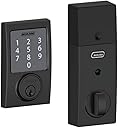
🔐 Elevate your home security—smart, sleek, and always connected.
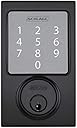
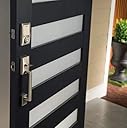
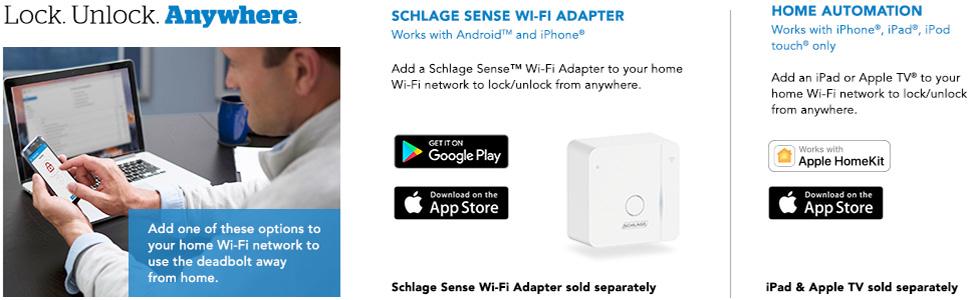
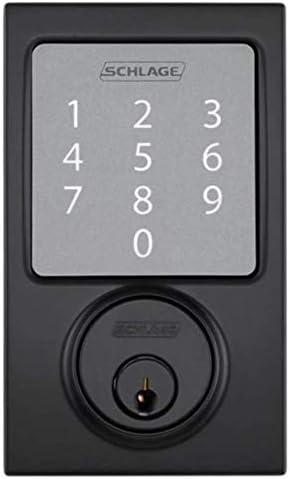
The SCHLAGE Sense Smart Deadbolt with Century Trim in Matte Black offers advanced keyless entry with up to 30 customizable access codes, Bluetooth and Wi-Fi connectivity for remote control via smartphone apps, and seamless integration with Apple HomeKit and voice assistants. Designed for easy DIY installation, it runs on 2 AAA batteries lasting about a year, featuring a built-in alarm system and detailed access logs to enhance home security and convenience.


| ASIN | B00YUPDV34 |
| Batteries | 2 AAA batteries required. |
| Batteries Included? | No |
| Batteries Required? | No |
| Battery Cell Type | Alkaline |
| Best Sellers Rank | #351,808 in Tools & Home Improvement ( See Top 100 in Tools & Home Improvement ) #1,063 in Deadbolts |
| Brand | SCHLAGE |
| Color | Matte Black |
| Connectivity Protocol | Bluetooth, Wi-Fi |
| Control Method | Voice |
| Controller Type | Amazon Alexa, Android, Apple HomeKit, Vera, iOS |
| Customer Reviews | 3.9 3.9 out of 5 stars (514) |
| Date First Available | June 3, 2015 |
| Description Pile | AA (included) |
| Finish | Matte Black |
| Finish Type | Matte Black |
| Global Trade Identification Number | 09414894600757 |
| Handle/Lever Placement | No Handle |
| Included Components | Lockset, Hardware, Installation Instructions |
| Is Discontinued By Manufacturer | No |
| Item Package Quantity | 1 |
| Item Weight | 1 pounds |
| Item dimensions L x W x H | 5 x 3 x 1 inches |
| Item model number | BE479AA V CEN 622 |
| Lock Type | Deadbolt |
| Manufacturer | Schlage |
| Material | Alloy Steel |
| Model Name | Schlage Sense Smart Deadbolt with Century Trim in Matte Black |
| Number of Pieces | 2 |
| Part Number | BE479 V CEN 622 |
| Pattern | Smart Lock |
| Product Dimensions | 5 x 3 x 1 inches |
| Recommended Uses For Product | Door |
| Size | Century |
| Special Feature | Keyless |
| Special Features | Keyless |
| Style | Century |
| UPC | 756655248280 043156531455 733353379638 |
| Usage | Security |
H**T
Back to 5 star rating after they finally updated their app
Update: 7/24/19 Since Schlage updated their app a couple months ago the lock is once again working reliably. So I’ve restored my original 5 star rating. I only wish they would have acknowledged and remedied the issue quicker. Update: 5 months after purchase The lock itself is great, and it worked flawlessly with the Apple Home app for the first couple months. But the software has been pretty unreliable for the last 3 months. I most frequently get a ‘unresponsive’ or ‘updating’ message when attempting to unlock with both the Apple Home app as well as the Schlage app. I recommend checking the other reviews on the Apple App Store. As other reviewers have suggested, the onset of this problem seems to coincide with Apples iOS 12 update. I hope that Schlage will fix this soon, or stop calling it ‘Smart’. The lock itself is great and the keypad works well. I was planning to purchase a second one for my rear door, but decided against it for now due to the unreliability of the software. Original 5 star review: I’m very happy with this purchase. The lock seems very solid and well made. Installation was very straightforward, their app takes you through step by step as you’re doing the install. Works well with Apple HomeKit.
J**S
Flawless operation, the hardest part is making sure your door is ready. Love it-- can't imagine going back to a regular lock.
Now that I have this I can't see how I lived without it for so long. It is tremendously liberating not to have to worry about your key and I feel the house is much more secure than previously. I matched it with a simple Schlage Century passage handle (about $40). I did not have a deadbolt installed in my exterior door and decided to install it myself. This meant the door had to be drilled and chiseled, etc. I bought the Milwaukee door lock installation kit (about $35) and watched a few Youtube videos and I was able to pull off a pretty decent installation that looks very clean and functions well. You will also need a chisel to set the strike plates. This is easier than you would imagine. Thank you Youtube ! The main thing I did not expect about installation of this lock is that the most important thing is preparing your door. The motor that drives this deadbolt is lightweight and it needs the door to be perfectly aligned so that the bolt can open and close with no added pressure or drag. So if you have a door that you have to lift up or press in or pull out or otherwise wiggle to get the deadbolt closed, you are going to have to do some work on your door until it is all properly aligned so that the deadbolt can click open or closed easily with no interference or drag. Apparently Schlage customer support does have some tricks up their sleeve like differently shaped strike plates if needed. But that is the first thing you need to start with .... how your door and current deadbolt fit and work and do you need to adjust the door itself. Schlage says that with correct fit the batteries will last over a year but they recommend replacing them annually anyway. However the first time your bolt tests the installation in the door it uses a low power mode to lock the bolt. If it is unable to successfully complete its "low power" cycle due to drag somewhere in the fit, after 3 unsuccessful tries it will go into a "high power" mode permanently. This will result in shorter battery life. You can check your battery level in the app. After a few weeks of constant use the batteries are still showing at 100%. Schlage also has a nice video about installation that is available in the app or on Youtube. I was amused to see that the very first thing in the instructions is that they tell you "FOLLOW THE INSTRUCTIONS!". For example you do not insert the batteries until a specific time and if you insert them too early you can foul up the lock's programming and self test cycle. So, READ AND FOLLOW THE INSTRUCTIONS STEP BY STEP. For extra reinforcement, Schlage provides a heavy duty backer to the strike plate on the frame and super long screws to secure it through your door frame. You may really want to have an impact driver to set these long screws. We didn't and stripped it using our regular electric screwdriver but finally got them in.... only to discover the placement was slightly off and we had a slight drag on the operation of the deadbolt. And there was no way those screws were coming out without a fight. So if I was doing it all over again, I would have set the strike plate only using the small screws until I fully tested the fit of the lock. In our case we were able to adjust the lower strike plate for the door handle inward to get the deadbolt back to non-interference operation, so we were OK. Once physically installed, the HomeKit setup and lock programming was quick and easy. The first thing the lock did was update its firmware and I had not a single hiccup with the HomeKit. I have a 3rd generation Apple TV that's about 10 feet away from the front door and it is turned off in power saving mode most of the time but I have not noticed any problems with remote access when I have tried it. Works perfectly. So how do we actually use the door? Well, you can assign up to 30 codes for entrance and those codes can be set to work during all hours and days or limited hours and days. It does warn you that whatever number of digits you pick for your codes that will be permanent. So we went with 4 digit codes since that's what most people are used to for their PINs. Longer codes would obviously be slightly more secure, but if you stand at the lock and try various combinations you can only make a few attempts before it sets off a built-in internal alarm. The alarm is loudest in the house and doesn't carry outside too strongly but loud enough to make the person attempting to guess your code feel uncomfortable standing there. You only get a certain number of tries before it won't accept any more and sounds the alarm. So there are two of us in the house and we each picked a four digit code and that's what we use as our key. You can lock and unlock it using the app, but it's easier just to walk up to the door and type in your code. You can use the app to check the lock status and lock or unlock it remotely (works perfectly with our HomeKit setup) and also to view an extensive log of who has locked/unlocked the door and when. You can set the door to auto lock at the interval of your choice. On the exterior, as soon as you close the door you can press the Schlage button to lock the door immediately without waiting for it to auto lock. Once inside we are making it a habit to manually lock the door upon entry to save battery so it doesn't auto lock every time. So I always used to be stressed out about "did I have my key with me" and now ... I just don't need a key. The door is locked a lot more than before. It has a built in alarm that responds to tampering. It keeps a record of when it's been opened and closed. And I can remotely allow access to someone if needed which is a huge comfort given that my dogs are left in the house a lot and I'd always worried about how I would handle that if I was stuck somewhere and needed someone to go in and take care of them.... now I can do it easily from wherever. Documentation of HomeKit features is sparse but I expect that to improve over time. For example the one time I set off the lock's alarm by typing in the wrong code repeatedly, i would have expected it to send me a notification that the alarm had been set off. It did not and I have no way of knowing if it was supposed to or not or how to set it to do that if possible. IN SUMMARY, I LOVE THIS LOCK. For a future upgrade, I can see the value of adding an automatic door closer so I am considering adding one of those to my door to make sure it closes fully on its own so that the auto lock can be completely successful without my remembering to fully manually close the door.
S**N
Quality lock but understand how it works before you buy.
I bought two of these for our vacation home, hoping to be able to monitor and open/close remotely. One of them is very near the router and AppleTV the other is downstairs away from them. The one near the router/ATV works as advertised. It reliably stays connected to the network, thus functioning as a smartlock is supposed to function. The one downstairs lock drops on and off the network and is in fact mostly off. The home is not large and there aren't a lot of walls/floors between the router and the lock. My phone has full WiFi signal standing at the lock. I called Schlage about the lock (40 minutes to get a person on the phone) and they told me it sounded like a bad communication board on the lock so they sent me another brand new and told me to keep the bad one. I installed the new lock and it's exactly the same. Sometimes I can connect via the Schlage or HomeKit apps, but usually not. Even when I can connect, it's only after several minutes, which is not what you want when you want to unlock the door from your phone. They do make a WiFi booster but evidently it doesn't work with HomeKit so I haven't added another $70 to an already expensive lock. I did use the first lock at my primary residence and it works better, but still not 100% of the time and it is very close to both the router and ATV. As a keyless deadbolt they work fantastic. As a smartlock, however, I'm batting 1 for 3 with reliability. At $200 +/- per lock I'm less than thrilled. I gave it 3* only because of their customer service, because it seems to be well built and it functions well as a keyless deadbolt. It could be non Apple HomeKit users might have a better experience. ****Update April, 2018**** I bought the Schlage Sense locks, and subsequently wrote my review above, without fully delving in to how they worked. I just knew I wanted a smart lock that worked via HomeKit so I could manage my vacation home from hundreds of miles away. The problem with connection I was having was explained by some comments, but I never returned to my review to see them until I sat down to write this update. What I did do, however, was research the problem on my own and came to the realization of why the one location was not working in my setup. Now that I know how the locks work, I am upgrading my rating to 4 stars not five because of the extra equipment and expense that may be required to get them functioning properly. THIS IS WHAT YOU NEED TO UNDERSTAND WHEN CONSIDERING THESE LOCKS The locks communicate via Bluetooth, not WiFi. As long as you understand this, you can plan accordingly. Basically it works like this Schlage Sense <——(Bluetooth)——> Bluetooth Network Device <——(WiFi/Ethernet)——> Router The Bluetooth Network Device is the key and for HomeKit users, it can be either an AppleTV (3rd gen or newer*) or an iPhone/iPad running iOS 10 or higher. If you don’t use home kit and just want to use the Schlage or 3rd party apps to manage the locks, you can also use the Schlage BR-400 WiFi adapter. The key is the bluetooth connection device must stay pretty much in the room where the lock is, which may or may not be convenient for you. In my case, my AppleTV was in the same room as my upstairs main entrance and always had a consistent connection. But my other lock was downstairs on an exterior garage door. It was too far away from the Apple TV. Since my TV was upstairs, I wasn’t going to move the Apple TV into the garage, obviously, so I had to figure out a way to get Bluetooth into the garage. If you are in my same predicament where your AppleTV is not able to be placed near enough to your lock, then you do have three options at this time. 1. Ditch HomeKit and buy the Schlage WiFi adapter. I wanted to use HomeKit so that was out and is why you buy this lock over the others. 2. Buy another Apple Bluetooth Network Device to leave in the room where the lock is. This makes an expensive lock even more so. 3. Use an old Apple Bluetooth Network Device to leave in the room where the lock is *. Since I had just upgraded my Gen. 3 ATV to the new 4K version, I happened to have a compatible device that I could use. I simply plugged it in inside the garage and now the lock communicates perfectly. You could use an old iPhone or iPad too, just remember it has to stay put and you cant walk around with it or it will not stay connected. Would I buy the lock again if I didn’t have an extra Apple device laying around at my disposal, well I doubt it. I’m not sure if there are better alternatives or not so I probably would have just abandoned the smart lock in that location. The good thing is, because Schlage sent me a replacement lock, I now have one to use at my main home. I installed it on an exterior door that is near my ATV and it works great. So now I have three functioning Sense locks for the price of two, thanks to Schlage. So hopefully this update will help potential customers understand how the locks work and you will be able to determine if it will work for you or not. Regarding the lock, well it is fantastic. The touch controls are nice and having a key backup is also good in case of electronic failure. After six months, the four AA batteries still have 90% life remaining. And the quality of the lock is excellent, which is why it is one of the best residential security locks on the market. *Update January 5, 2019 If you have a Gen. 4 Apple TV, you can't use a Generation 3 on the same network. You can supposedly use multiple Gen 3s or multiple Gen 4 or newer, but Gen. 3 loose remote function when on the same network with a Gen 4. I added another Schlage Sense lock to our main home and could not get it to work via Homekit or the Schlage App remotely initially, despite having a 3rd Generation ATV sitting less than 5 feet away. The main ATV 4K is well beyond range of the lock. Doing a bit of research, I came across an article that simply reveals that Gen 3 ATVs, if connected to a network that has ATV Gen 4 or newer (4K) also on the network, will not act as a fully functioning Bluetooth extender. Apple specifies that remote features and automation don't work with the Gen. 3's in this scenario. The remote function is what I'm looking for and as far as I can tell, nothing really works at all in this scenario anyway. So, I've ordered a Gen 4 Apple TV to act as a Bluetooth Extender with my ATV 4K and will report if this indeed fixes issue. That brings me to my vacation home where I also have a 4K and Gen. 3 Apple TV. Since the time of writing the first update where everything was working fine, the lock has begun disconnecting again. What I have come to assume is that the 4K Apple TV has a stronger blue tooth signal and was initially connecting to my previously troublesome lock rather than the Gen 3 ATV I placed near it like I thought. As the lock batteries have weakened, so has it's receiver and now it has disconnected like before. So I am in the same situation in both homes, needing to purchase two new 4th Generation or newer Apple TVs to provide coverage where I need it. Once I determine that the Gen. 4 really does fix the issue, I'll probably buy another for the vacation home but will not be happy about it. As far as I can tell, no one has released a Bluetooth Network Extension Device. There were a few shown at CES 2017, but none made it to market. Perhaps some young tech entrepreneur will design one and bring it to market for less than an ATV soon. Conclusion: Before you buy, be aware of the limited Bluetooth range if you want remote features (which is the only reason you would want this lock over the traditional keypad version). Essentially, you need a 4th gen or newer ATV in the same room as the lock. Of course if you only have 3rd gen ATVs they will work too, as long as you never upgrade any of them. There is still the iOS option, but I can't speak to their idiosyncrasies. 1/10/19 I can confirm that replacing the 3rd Gen ATV with a 4 Gen as a Bluetooth extender solved the issues above. All locks now function perfectly. So to reiterate, you can mix and match Gen 4 and 4K ATVs as extenders, but not Gen. 3. Gen 3 can only be used with other Gen. 3s if extenders are required.
T**R
Love this thing!
Great product. Allows entry without a key. Can also track activity. Batteries last a long time.
J**E
Great lock. Does exactly what it should. Recommend the wifi adapter. I’m able to lock and unlock my condo from the other side of the globe. And see the history of who has come and gomeo
R**Z
Muy buena chapa inteligente. De las chapas inteligentes compatibles con Apple Homekit, y el ecosistema inteligente de Apple, es la mejor sin duda alguna. Muy importante que consideren que su puerta tenga el orificio bien hecho y con las dimensiones que muestra el video guía del producto. Si tienen dudas mejor consulten la página oficial del producto donde vienen varias guías, videos y diagramas. Es bastante fácil de instalar, solamente necesitas un desarmador y seguir las instrucciones. Lo recomiendo ampliamente!
I**S
Can not set the status of the lock remotely right out of the box. Need a 2nd device, Schlage wifi adaptor or appletv
C**E
Bought this for my house as I love these kind of doorlocks. Package came in with missing pieces. Contacted amazon, they tell me to call schlage and vice versa. Never buying anything from schlage again. Real poor customer service
I**N
Actualización junio 27: No he podido hacer que trabaje de manera constate con HomeKit. Es completamente aleatorio el funcionamiento con el Home app, aún estando cerca de la cerradura y teniendo un Apple TV 4K como hub y dentro de rango. He reseteado la cerradura dos veces y no funciona correctamente. 1.- Instalación rápida si la puerta y marco fueron preparados correctamente. En mi caso la cerradura que retiré requería medidas diferentes y el instalador hizo chicanadas, dejando un desorden. Al querer instalar la nueva, tuve que corregir y modificar, una vez hecho, la instalación fue sin problemas. 2.- La sincronización inicial con HomeKit en mi celular fue fácil y sin problemas. Pero, al moverme a otro cuarto, me marca “no disponible”, me acerco y la reconoce. Asumo que tiene que ver con mi “hub” que es un Apple TV. Voy a investigar y actualizo la reseña. 3.- Es ruidosa, MUY ruidosa 4.- El acabo es perfecto y de calidad. Llegó sin ningún problema o defecto. En general estoy muy contento, no le pongo 5 estrellas por lo ruidosa y por el detalle del HomeKit.
Trustpilot
5 days ago
1 month ago