Buy anything from 5,000+ international stores. One checkout price. No surprise fees. Join 2M+ shoppers on Desertcart.
Desertcart purchases this item on your behalf and handles shipping, customs, and support to Kyrgyzstan.
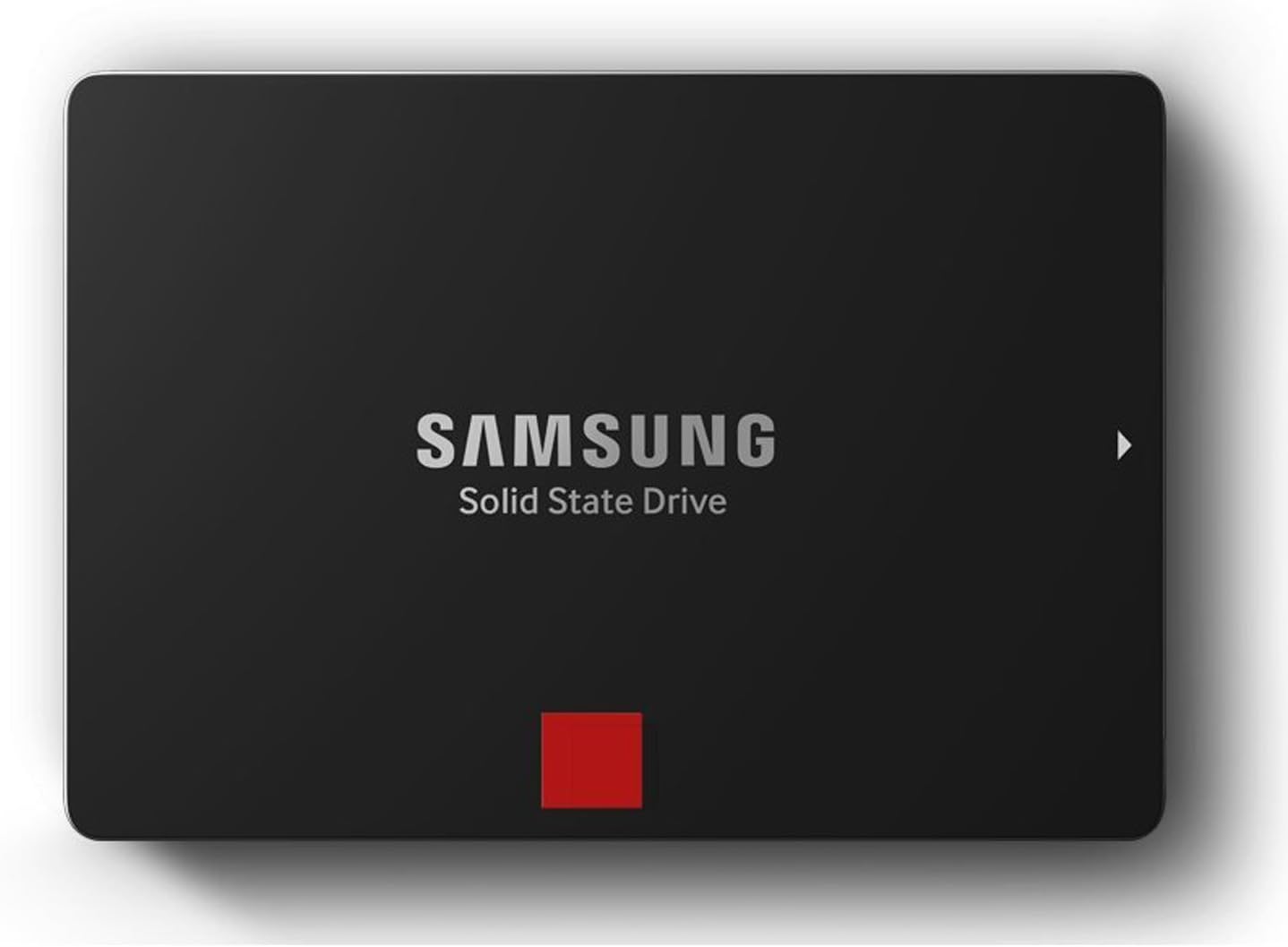
🚀 Upgrade to the SSD that makes your system feel like lightning—because speed is the new status.
The Samsung 850 PRO 512GB SATA III SSD delivers industry-leading sequential read/write speeds up to 550/520 MB/s and up to 100,000 IOPS random performance. Featuring AES 256-bit encryption, a robust 10-year warranty, and Samsung’s 5th-gen 3-Core MEX controller, it’s engineered for gamers, creatives, and professionals demanding ultra-fast, reliable storage with energy-efficient design.


| ASIN | B00LF10KTO |
| Additional Features | Samsung SSD Magician Software| Samsung Data Migration Software |
| Best Sellers Rank | #296 in Internal Solid State Drives |
| Brand | Samsung |
| Built-In Media | 2.5-Inch SATA III (6GB/s) SSD & User Manual |
| Cache Memory Installed Size | 1 |
| Color | Black |
| Compatible Devices | Desktop |
| Connectivity Technology | SATA |
| Customer Reviews | 4.7 4.7 out of 5 stars (8,963) |
| Digital Storage Capacity | 512 GB |
| Enclosure Material | Electronic components |
| Form Factor | 2.5-inch |
| Global Trade Identification Number | 00880608626464, 00887276057491, 04053162525795, 06954268116178, 08806086264648 |
| Hard Disk Description | Solid State Drive |
| Hard Disk Form Factor | 2.5 Inches |
| Hard Disk Interface | Serial ATA |
| Hard-Drive Size | 512 GB |
| Hardware Connectivity | SATA 6.0 Gb/s |
| Hardware Platform | PC; Mac |
| Installation Type | Screw In |
| Item Part Number | MZ7KE512BW |
| Item Weight | 0.07 Kilograms |
| Manufacturer | Samsung Electronics |
| Media Speed | 520 Megabytes Per Second |
| Mfr Part Number | MZ-7KE512BW |
| Model Name | 850 Pro |
| Model Number | MZ-7KE512BW |
| Number of Items | 1 |
| Read Speed | 540 Megabytes Per Second |
| Specific Uses For Product | Gaming |
| UPC | 644535535592 714547219978 797045621115 887276036298 667562730730 771591310167 887276057491 801940122223 771591292630 803983045583 803983041042 880608626464 804892190197 782386505873 809394437771 723856187083 |
| Warranty Description | 10 Years/300TBW |
D**S
The best SATA SSD of mid 2014
If you're looking for a new SATA SSD and can afford it, this is the one to choose. + blisteringly fast reads & writes in every environment (random, sequential, small and large chunks) + unparalleled high and sustained write consistency across time, conditioned on overprovisioning (see below) + best warranty in the market: 10 years or 150TB writes, whichever comes first +/- reasonably priced, except for the $700 1TB model (yikes!) This thing is ridiculously fast. If you've never used a solid state system drive before, then prepare yourself for a huge treat. It's a categorical difference in system performance compared to a spinning disk. For the rest of us that have been fiddling with SSDs for years, you are accustomed to this class of data storage device. I can't say that this drive is worth it if you already have an SSD manufactured in the last couple years. However, if you are in the market for a new SSD and you can afford this one, your search stops here. Aside from price of the 1TB version, there is nothing to criticize about this drive. The smaller capacity models are actually pretty competitively priced. It does a great job as a fast read cache when paired with spinning disk array. It handles the churn of the workstation environment without a hiccup. Perhaps most importantly, its throughput is consistent over time and load, so long as it's highly (>25%) overprovisioned. It can keep up with my write requests over hours of gigs being written down, ensuring I never lose a bit of data being pushed. It is the current market leader in performance and consistency. Samsung did a good job with their earlier 840 Pro , but this 850 Pro takes things a step further. I deploy systems for a large variety of environments, from laptops to workstations to high-end enterprise-level data servers. Before this drive came out, I had to pick the right drive for the application. Was I putting together a desktop workstation and needed a good mix of generalized read and write performance? If so, then I'd order a SanDisk, either the Extreme II or, more recently, the faster Extreme Pro . Was I putting together a small-footprint database server with a write heavy workload? If so, then I'd order the Crucial M550 , Samsung 840 Pro , or OCZ Vector . Was I in a mobile/laptop environment or because carrying sensitive data and needed encryption (HIPPA compliance and all that)? Then I had to go with the Crucial M550 or Samsung 840 Pro . Don't get me wrong, these aforementioned drives are not bad by any means. I've deployed several of each in the appropriate setting and they all do well in their respective application. I've used the SanDisk Extreme II for a ZFS data server's L2ARC and ZIL cache and it performed beautifully. I've deployed the Samsung 840 Pro, Crucial M550, and SanDisk Extreme Pro in both read/write heavy workstation environments and they have all kept up very well (the SanDisk Extreme Pro does the best of those three). It's just that the 850 Pro takes things one step further and eliminates the need to pick the right drive for the right environment. This single drive replaces all these other drives which excel at their specific tasks and beats them all at their own game. It's downright remarkable. To top it all off, it's also got the lowest power consumption of any SSD on the market because it's the first to the market with the new 3D NAND cell architecture, so it's incredibly data dense while using so few chips. That makes it even more attractive for mobile/laptop use. A note on the endurance and the warranty here, as that is also a new move for Samsung here. They are offering an across the board 150TB write endurance or 10 year warranty, whichever comes first, on all drives. This is a very interesting move, as NAND cells have a fixed write lifetime and since the 1TB version has more NAND cells than the 128GB version, you would expect the 1TB version to have a longer life cycle. What this basically means is that you can only fill the 1TB drive up 150 times before your warranty expires, but you have to write 1200 times to the 128GB version to reach the same threshold. I'm not quite sure what Samsung was thinking when they made that calculation, because these NAND cells should have at least 1000 (heck, if not 10000) write life cycles, so they're definitely low-balling the 1TB version. It's possible that with density this high, it's more prone to bad NAND cells. Maybe they're just testing the waters with their first device using a 3D NAND architecture. Most consumers will get to 10 years before they hit 150TB write cycles, but this is something to consider for enterprise, as you could easily hit 150TB on a write-heavy data server. Packaging is just the standard fare for SSDs. Drive, CD, random booklets, and a couple Samsung SSD stickers. Yay stickers! They're too cheap to throw in drive screws--so much for "retail" packaging. I suppose though if you're willing to drop $700 for a 1TB drive, they figure you aren't hurting to source your own machine screws. Gone are the days of included SATA cables and everything. Alas, I miss those days where you couldn't lose a several hundred dollar retail box hard drive package in between the seats of your car... Accessories aren't the reason you are buying this though. It's the performance it offers. Scour the web for performance reviews if you want other thoughts and the nitty-gritty numbers, they are all unanimous in their findings. The Samsung 850 Pro defines the new standard for SATA SSDs. As always, don't forget to overprovision the drive to around 25%-30% capacity to maximize performance. It takes a huge performance hit without that step. To be clear, overprovisioning means leaving aside some percentage (25-30%) of the drive as unpartitioned and unallocated free space. SSD drives already have around 5-7% overprovisioning done already (that is why you see some written as 120/240GB capacity, etc), but going beyond the factory overprovisioning only boosts performance even more. Overprovisioning increases the "swap space" for the SSD controller, allowing it more room to do data read/write housekeeping. It's the classic trade-off between memory usage and performance, but it will make a large difference in the performance of the drive. Again, check the product review sites for detailed quantification of just how big a difference this makes (greater than an order of magnitude in write speeds in some cases). The one thing to consider, if you're in this ballpark, is to forgo SATA all together and spring for a PCI express based drive. Most of these PCIe drives have been limited to industrial applications with their multi-thousand pricetags like the Intel 910 series. However, the just released (2014/09) Samsung XP941 drives are amazing in their performance and run circles around any SATA based rive and not ludicrously priced. They're definitely something to consider if you're not wedded to the SATA interface. In summary, so long as you don't mind the premium for the 1TB version, this is the undisputed best SATA SSD drive of mid 2014 no matter how you slice it. Enjoy the ride.
R**N
The fastest hard drive ive ever looked upon.
I bought this hard drive to replace a Western Digital Black for extreme gaming. I play old games and new games, so this review will be detailed. My system setup consists of an i7 4770k CPU, Asus Sabertooth z87 MB, 32 GB G.Skill RAM @ 2400mhz, and of course, the Samsung 850 Pro. My tests will include games, system and programs, music and video, and a benchmark tool. 1. Games - When it comes to gaming, having an SSD dramatically decreased load times for most newer games. Old games are not really affected due to how little data most of them need to load from the hard drive in today's standards. The biggest improvement came with Star Citizen. SC is still in super alpha, so nothing is optimized and load times are outrageous. Were outrageous. It used to take me nearly 2 minutes to load into hangar, now with the 850 pro, its less than 30 seconds. Other games such as Planetside 2, Mad Max, Homeworld etc have also vastly improved loading times. And its not just load times that are improved. In some games such as GTA San Andreas you can move into a new area faster than the hard drive can load things like building textures and pedestrians. The SSD solves this, no more do things just pop into existence beside you. Skyrim also has a bit of this problem too if you use a mod to give you a fast ride. Overall in the gaming department, this is really where the SSD shines to me. 2. System and Software - Windows startup time is also another area that shines brightly with an SSD. Traditional hard drive takes 1 minute or more to boot, sometimes 45 seconds if you got a good drive and a fresh install of windows. With the 850 pro, my fully loaded Windows 10 Pro OS can boot up in 22 seconds. That's with no password and such. 22 seconds from power button to mouse moving on desktop. The system tray icons at the bottom right of the desktop used to take 2 or 3 minutes for all of them to load up after arriving to the desktop, now with the 850 pro they all pop up simultaneously and instantly. My web browser, Firefox, used to take about 2 or 3 seconds to load up after clicking, now before my ear can even register the second click of the mouse, the browser is fully loaded and ready to go. I have also noticed greatly increased performance in Microsoft office programs, especially excel and power point. Then came the real software test. WinRar. As a winrar test i packed up 10 GB of music to test speeds. It took less than a minute to package up (compress) the 10 GB using the Best compression method, where as on a traditional hard drive your looking at 30 to 45 minutes of waiting maybe even more since i used the best method. Unpackaging (decompression) was instantaneous at the click of the mouse. Every thing i do is like a flash of light. 3. Music and Movies - Not much to say here other than transfer speeds are high, but i wouldn't keep music or movies on an SSD, they don't play better or sound better, but they do take up limited space and put wear and tear on the drive. Best to leave them on the traditional hard drive. 4. Benchmark - I have included a screenshot of the benchmarking program i used to test this hard drive. As you can see all test results exceed the specifications of this hard drive. I could to many different tests using many different settings but i stuck with the default and most used one. Construction - The SSD's construction is very nice. It is very strong and solid, but also very light almost like paper. It is very smooth and slim and should fit nearly anywhere you want to put it. Also the sata and power connectors are stiff and strong. Software - The samsung magician software that is paired with the hard drive is also very nice. It shows the health and total data written to the hard drive, can change windows options to better suit the SSD and its needs, encryption, the works. The only thing is that Rapid Mode does not work for windows 10 yet but Samsung says they are working hard on it, it has something to do with the new way windows 10 manages memory. Conclusion - Overall, this is the greatest hard drive Ive ever seen. Its super fast, super strong, has great software, and is backed up by a monster 10 year warranty. I looked forward to many years of extreme gaming with this SSD. I would highly haft to recommend this SSD to everyone. It is a truly great product made by a great company from a great nation. You wont be disappointed with this SSD. If you found this review helpful, please like it!
M**7
Excelente producto, si nunca han tenido un SDD (Disco de estado sólido), verán una inmensa diferencia en la carga de programas, de juegos e inicio de Windows, en mi caso cargo Win7 en 12 segundos (desde que ves el logotipo de Windows hasta el Escritorio). El software propietario Magician te ayuda a configurar diferentes escenarios como rendimiento, seguridad, balance; también configura parámetros de Windows automáticamente para optimizar la relación RAM/Espacio de disco, reduce el tamaño de 'memoria virtual' (espacio de disco usado) cuando tienes 4-8 o más Gb en RAM y utiliza una porción de la RAM que no se usa como cache intermedio que acelera aún más las cargas de lectura/escritura. AVISO Se han reportado ALGUNOS casos en donde después de actualizar el FIRMWARE a través de Magician, el SDD presenta problemas o baja de rendimiento. Mi recomendación es que ignoren dicha actualización hasta tener una versión más estable, por lo demás el software funciona bastante bien.
S**.
Good upgrade for iMacs and Macbook Pro from HDD to SSD ... iMac mid 2011 reboots in less than 20 seconds with the SSD , against more than 75 seconds with HDD .
J**E
Gran capacidad y rapidez
J**L
I currently own the Samsung 830 256GB SSD, and after coming to the upper limits of its storage, it was time to expand (only had 4GB remaining!). First choice was the 850 Pro, with its higher IOPS range, reflected by Samsung's 10 year warranty guarantee. Physically, the 850 Pro is not as good looking as the 830, which had a brushed aluminium finish. The chrome trim remains however, so at least it will look unified once installed into the system. I was disappointed with the package given the price; the 850 Pro comes with no SATA cable, or SATA to USB cable, unlike the 830 - only the Samsung Magician CD (which would probably be more up-to-date on the Samsung website), and installation instructions. It would be nice to see at least one SATA cable packaged with Samsung SSDs, for newcomers etc - and just to save the expense of buying an extra cable. Coming onto installation, it was very simple; but my installation of Windows is strategically split into two - one partition for Windows, and another for Programs, which is a habit from my XP days, but also makes modifications to storage very easy. Using this method, it ensures that I do not modify or damage anything to do with Windows. Subsequently, I cloned the Programs (E:) partition to the 850 Pro, using Macrium Reflect, and then expanded the partition to the full storage capacity using AOEMI Partition Assistant. The drive letters were then re-ordered for Windows, with the 850 Pro taking up the Programs (E:) position from the 830. A reboot was all that was needed, Windows did not flinch at all, and I re-consolidated the extra space on the 830 to the Windows partition. So now I have one SSD for Windows, and another for Programs. The performance of the drive is very good; using Samsung Magician to run a performance test, the read speed clocked in at 564MB/s, while the write speed clocked in at 518MB/s. Obviously this a brand new drive, but even with constant use, the 850 Pro should hold up really well, given my past experience with the 830, which still reads/writes at 540/378 respectively, even after 2.5 years, where I have written 8TB in total. The CAD programs I depend on can get quite hefty in size (with multiple plugins, add-ons etc), and I have no doubt that the 850 Pro is up to the challenge, especially with RAPID Mode (present also on the 840 series) which is dependent on RAM size and speed - but bear in mind that it is more akin to a tuned version of Windows SuperFetch. Samsung are beginning to come into a league of their own with storage solutions, and with its performance, reliability, and relatively decent price ranges, it is not a surprise. I have no hesitation in recommending this speedy drive.
S**R
Wow amazing - what a performance !!! My system configuration is as follows : Processor - Intel i7-2600K 3.4GHz RAM - 12 GB corsair vengeance dual slot (4+8) HDD1 - Western Digital 320 GB 7200 RPM HDD2- Seagate Barracuda 1TB 7200 RPMB I am using this configuration along with Win 8.1 Pro with Media Center for some time. The addition of Samsung 850 Pro 256 GB to the set gave my system the much awaited rebirth ;). I already had a spare SATA cable and along with that bought the CNCT SSD and HDD Mounting Kit (http://www.amazon.in/gp/product/B00RCMK2MU?psc=1&redirect=true&ref_=oh_aui_detailpage_o02_s00). as it supports adding one more SSD in future. The CD came along with the SSD had the Data Migrations software using which I cloned by OS installed partition to SSD. Everything went smooth and SSD was added as the boot device. With the first boot itself I got awestruck with the performance, the boot times improved from around 5 mins to 1/2 a minute _/\_ The applications opened up as soon as the icon is clicked (editing a photo with ACDSee Pro 8 used to take ages to open, now it is ready with the edit mode as soon as edit option is selected). Everything seems to be super fast with the SSD. Love the Samsung 10year warranty as well.
Trustpilot
3 weeks ago
2 weeks ago