Buy anything from 5,000+ international stores. One checkout price. No surprise fees. Join 2M+ shoppers on Desertcart.
Desertcart purchases this item on your behalf and handles shipping, customs, and support to Kyrgyzstan.
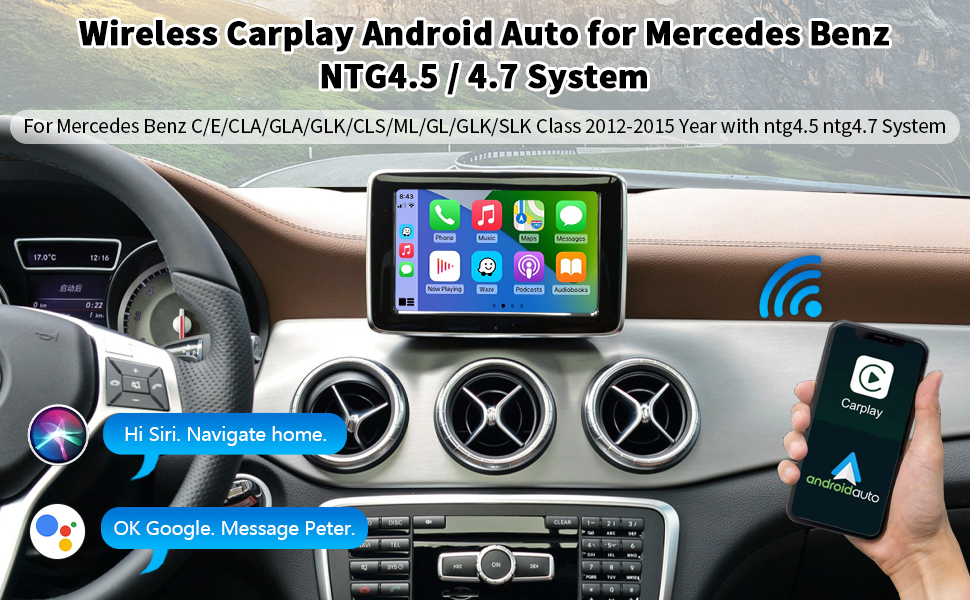
🚀 Upgrade your Benz’s brain without losing its soul!
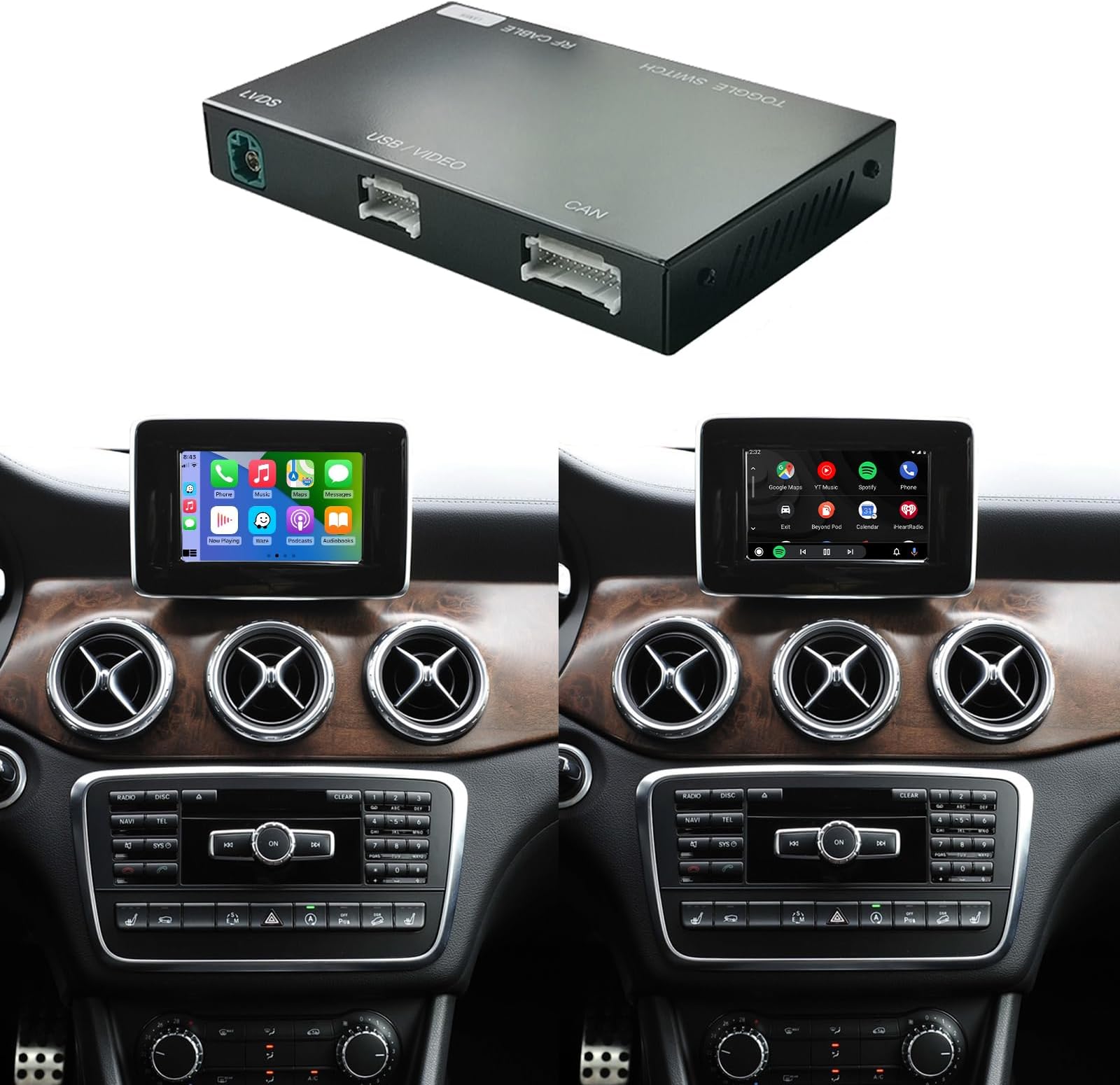
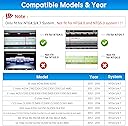
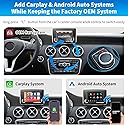
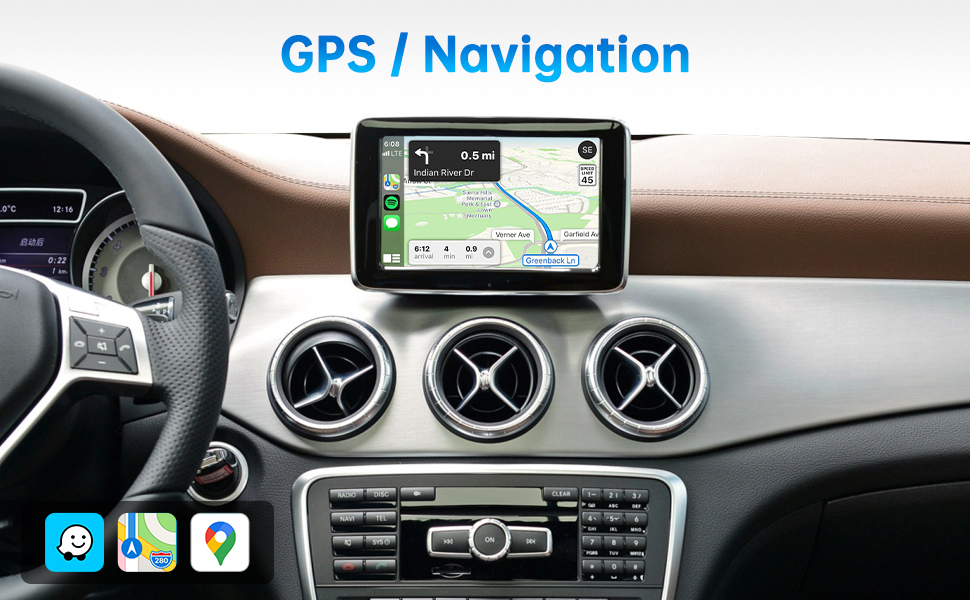
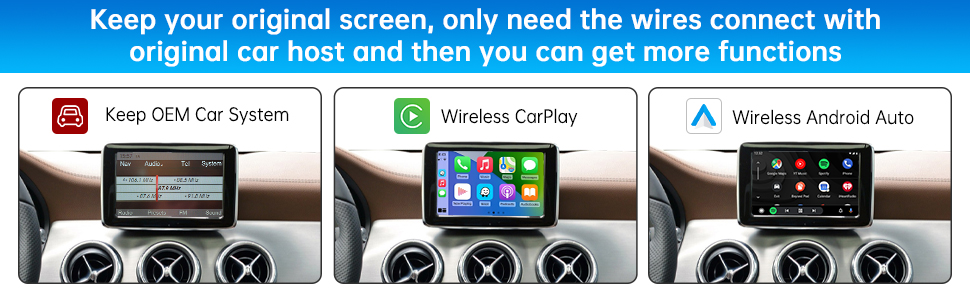
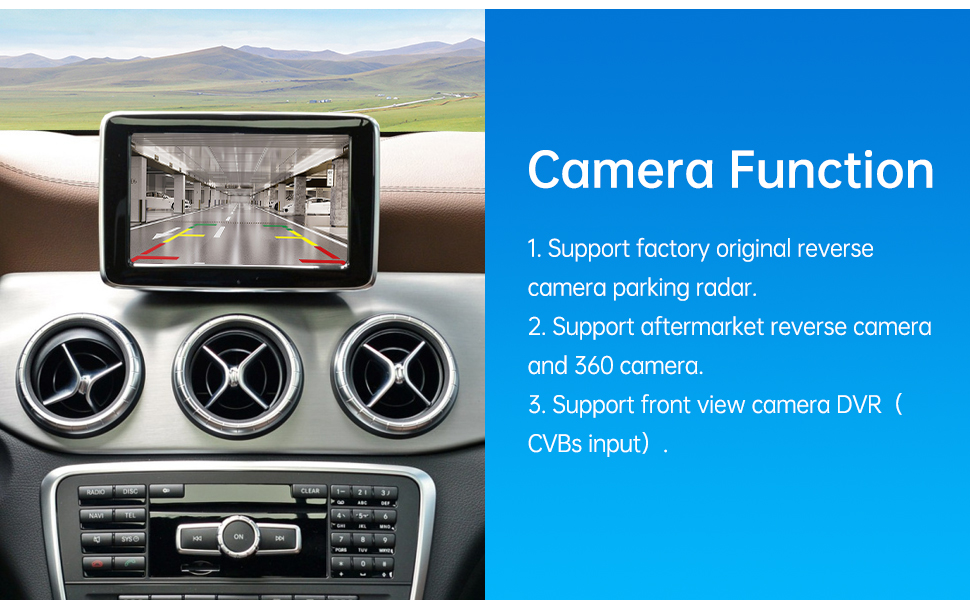
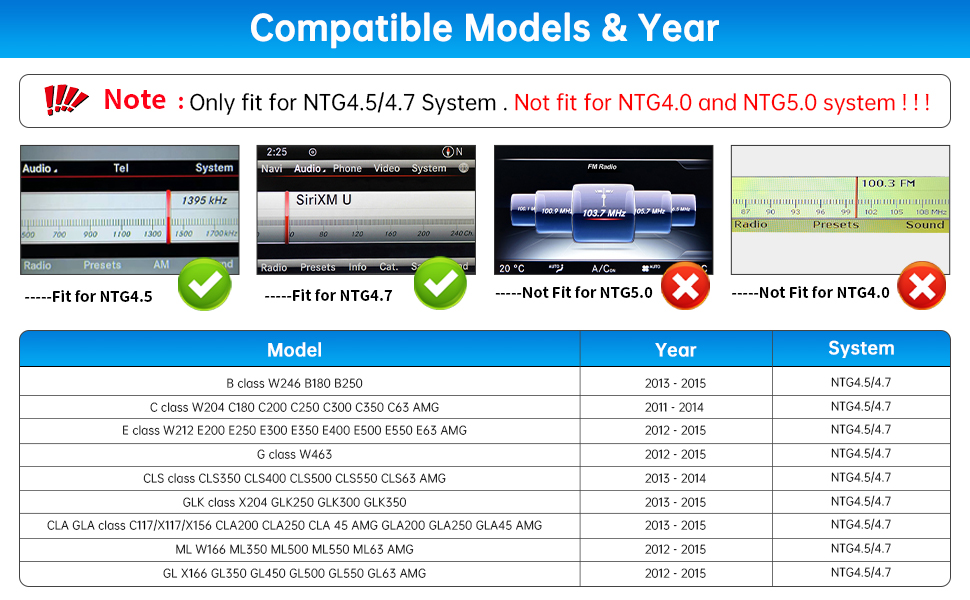
The Road Top Wireless CarPlay Retrofit Kit Decoder modernizes Mercedes Benz models (2012-2015, NTG4.5/4.7) by adding wireless Apple CarPlay, Android Auto, and Mirrorlink functionality. It integrates seamlessly with the original infotainment system, supports factory and aftermarket cameras, and allows control via existing knobs and steering wheel buttons. Installation requires dashboard access and AUX audio activation, delivering a sleek, connected driving experience without replacing your factory screen.


| ASIN | B084LZL126 |
| Audio Output Mode | Stereo |
| Audio Output Type | RCA, Speakers |
| Best Sellers Rank | #110,770 in Electronics ( See Top 100 in Electronics ) #2,560 in Car In-Dash Navigation GPS Units |
| Brand | Road Top |
| Built-In Media | carplay box |
| Compatible Devices | Smartphone |
| Connectivity Technology | Bluetooth |
| Connector Type | USB |
| Control Method | Voice |
| Controller Type | Android |
| Customer Reviews | 3.5 out of 5 stars 146 Reviews |
| Format | 4K, Dolby |
| Manufacturer | Road Top |
| Mfr Part Number | Carplay-mbntg4 |
| Model Number | 32a04258-c120-45c8-81b1-ef4061c255a1 |
| Number of Channels | 4 |
| Other Special Features of the Product | Built-In Bluetooth |
| Output Power | 45 Watts |
| Output Wattage | 45 Watts |
| Special Feature | Built-In Bluetooth |
| Supported Internet Services | YouTube |
| Surround Sound Channel Configuration | 4.1 |
| UPC | 763684288682 |
| Wireless Technology | Bluetooth |
J**S
Makes your early 201x MB new again
This will allow you to have modern Apple/Android functionality on your legacy stereo. Sharing install experiences for others (I have a 2013 E350, other 1st generation E-class models should be similar). I'm in the USA, so I have a LHD car, not sure if this works out for RHD cars. Before you forget, go ahead and set the DIP switches according to the manual. You will need to know if you have the 5.8" or 7" screen, set the switches per the instructions, depending on what screen you have. Also go ahead and attach the two black ground wires together (one from the main harness and the other from the USB harness). You won't get audio if you don't do this, and it's much easier to take care of it beforehand. You'll need to remove the LCD, center vent trim, the radio, the heater controller, the sliding cover/cup holder, and the control knob. Plenty of videos on YT for that. I highly recommend temporarily plugging everything in outside the dashboard, to make sure it all works correctly. If you do this, go ahead and put the center vent trim in position (don't lock it in, just rest it there) and plug in the switches, or else the car will throw errors about a hazard flasher malfunction since it can't find the hazard switch. Don't forget to move the fiber over from the original Quadlock connector to the Quadlock in the harness. The release clip is tiny, it's in the top of the connector. Once you release that the two fibers come out in a black connector. Don't try to take out the individual fibers. Be careful, these are plastic fiber, not as fragile as a glass cable, but still can be easily broken if roughly handled. Once you're sure it's working then take everything back apart and start actually installing it. Here are the best ways I found to route things on my car. I located the control box behind the LCD. That is the only decent place I found that had enough room and allowed the cables to reach. Now starting from the radio cavity, thread the wifi antenna connector, and the white connectors from the two harnesses, past the vent flanges, on the left side. Tuck the wires behind the vent flange on the left side. Take the LVDS cable and run it down the right side the same way. Think of it like a V, the bottom of the V goes to the control box and the two tails stay in the radio cavity. Plug the cables into the control box, working inside the monitor cavity. Now place the control box in position behind the LCD. I had the white connector end pointed down and wifi antenna connector pointing up. It was able to tuck into a recess that extended toward the passenger side. I took a big zip tie and was able to secure the control box to a metal support behind the LCD. Plug the factory cables (LVDS and black power connector) back into the LCD and reinstall it and put the bezel back on. Now the fun part. You have to extend 2 cables to the arm rest. One for your USB and the other for the audio. Route the USB and 3.5 mm cables down past the heater control area and into the space where the cup holder goes. Follow the harness right down the center of the cup holder area to avoid interference with the cup holder. The framework that holds the control knob needs to be unscrewed (4 T20 screws) and then pull up the front end (2 clamps at the front right and left corners. Once you do that you will see a small notch at the front of the armrest compartment. There is just enough clearance to route your audio cable and either your lightning cable or USB extension through this notch and close the framework back up. Wiggle the cords to make sure they're not pinched. I left the end of the lightning cable in the armrest compartment. The red protective cover that went over the Wi-fi antenna connector is the right size to slip over the end of the cable and prevent it from shorting out inside the compartment. You won't need this USB cable except if you want to run a wired connection. (see below, I ended up running a USB extension to get the actual USB connection in the armrest cubby to allow firmware flashes) The audio connects to the adapter that plugs into the MHI port in the back of the armrest compartment. You'll need a ground loop isolator, (item ID B019FC6ZQQ) or else you will get whining noises in the audio. Put the control knob and cup holder assembly back in. Don't forget to throw a towel back over this to prevent scratching the wood. Take the wi-fi antenna and route it down to the heater control area. There is a horizontal flat spot in the structure behind the heat controls that works great to secure the antenna. Reinstall the heater controls. Now all that is left is to plug the connections back into the radio and work it back into the opening. This takes a little bit of patience. The best place for the factory Quadlock is down low behind the heater controls. You may have to put the radio in part way and reach through the vent opening and down behind the radio to help get things where they need to go to allow the radio to seat flush. Don't force it, if it won't set in easy, you are pinching something. Put your vent back in and you're done except for some programming. If you don't want the factory MB voice (who does?) then go into Engineering Mode on the head unit (press and hold 'end call' + '1' + '#' buttons for 10 seconds). Navigate (using the console knob) to menu 7.7 (HU Parameter), then scroll down to find SDS/TTS in the list. Select this and choose Disable. Now hit the Back button until you're back at the root menu, then find menu 9 (Reset) and run this. It does not factory default the HU, this just reboots the unit. This is necessary to make it accept the changes. **new content 4 April 2022, after living with it for a month or so...** I was having problems with it connecting and staying connected. Turns out you have to be within about a foot of the wifi antenna for wireless CarPlay to work effectively (or maybe it's just where I mounted the wifi antenna, above the climate controls). If I leave my phone on the belt clip on my left side (in a USA LHD car) it had a hard time connecting. Once I realized this and put the phone in the cup holder or center console it works flawlessly. If I get motivated enough to pull the radio out again I may try moving the antenna but that's a big job, vs just taking the phone off my belt and putting it in the cup holder/arm rest cubby. Go ahead and get a short (2 ft) USB 2.0 extension, you will want the USB port extended out to the armrest cubby so you can flash the firmware if needed. Be sure to use a USB 2.0 cable, the USB 3.0 cables are too fat and you don't need the extra USB 3.0 wires anyway. If your head unit doesn't have the AUX as one of the audio choices then go into engineering mode and look for the menu to enable it. Be sure to do the 9. Reset afterward or it won't accept the changes.
M**G
Installation Instructions Vague, Doesnt Consistently Work
I was able to figure out how to install this with a friend. The instructions that it comes with are not too clear but we were able to figure it out. After installing it, it seemed to work fine. BUT a week later it doesnt work every time I turn the car on. I noticed on hotter days that it does not switch to carplay and instead I get a black screen. I would un-install this but it took almost 4 hours to install and unintalling it would require removing a lot of interior panels again.
S**B
Connect the grounds!
There are a few usability quirks, but overall this device provides a very good wireless CarPlay experience. The wireless connects quickly, the inputs are responsive, the audio quality is good, phone call quality is acceptable. The factory backup camera continues to work as expected. I installed this in my 2012 S212 E350 wagon with NTG 4.5/4.7. Other than tricky cable and space management, the install was straightforward with the biggest challenge caused by the instructions being wrong regarding what connections are required vs optional. I have only used the device for wireless CarPlay so I cannot comment on the wired CarPlay, Android, AirPlay, HDMI, or YouTube functions. Regarding the install: In my S212, the easiest place to put the box was directly behind the display screen standing upright. In this location, the CAN harness, USB, and LVDS cables connect to the top of the box arching outward in a heart shape, and the antenna connects at the bottom. In this position the box is sandwiched snug between the display and the framing supporting the dashboard and padded with the factory insulation, so no rattles! I fed the CAN harness up from below on the left side of the AC ducts and the LVDS cable up from below on the right side of the AC ducts. The USB cable I also fed down right side and out into the passenger foot well where the carpet meets the console. The antenna I sat below the screen atop the plastic AC duct at the back of the open space. Sliding the main radio all the way back into place was tricky. The only way I was able to do this was to place the large wiring harness junction (where the factory harness connects with the provided interposer harness) at the far back right of the radio bay. To get enough slack to do that I unwrapped the tape around the factory wiring harness and separated the MOST fibers from the rest of the wires so that they could still reach their connector on the back of the radio. As you slide the radio back, periodically pause and reach (or use a trim removal tool or other stick) behind the radio to ensure the wires are where they should be and not binding or pinching anywhere. The instructions are wrong or misleading in two ways: First, the instructions plainly say that it is NOT required to connect the two ground wires of the two harnesses that come off of the box together (audio ground and chassis ground). The instructions say this MAY improve audio quality/reduce buzz but that it IS NOT necessary. Not so!! I got NO SOUND at all from the CarPlay box until I connected these grounds together. This was very frustrating and added hours to my install time. I was about to pull the whole thing out and return it! Next, the instructions imply that it is required to run the long audio cable through the center console into the compartment to connect to the MMI auxiliary input. During my install I had run this cable into the passenger footwell and tucked it behind the console trim where it meets the carpet, intending to snake it into the console box. However, this can be avoided entirely because the head unit has a separate AUX input (versus the MMI aux) that the wiring harness is already connected to! To use this input, one must enter the Engineering Menu on the head unit (hold #, 1, and hang up buttons for several seconds), disable UCI (MMI) input in the TGW Parameter (if enabled, param 7.5.5) and then turn ON the AUX input in the HU Parameter menu (param 7.7.4). Next, reset the head unit (menu 9.1) and when it restarts selecting the Aux input will now use the rear input instead of the MMI input in the console. The long audio cable will not be required! But be careful to isolate the connector because it will induce a hum or buzz if it touches or comes near sources of interference. It would probably be best to snip this cable out of the harness if you feel you have the skill to do so. I’ve had this installed for three weeks now and have used it during normal driving as well as over a 28-hour-straight road trip and the only issue that I have had was that in one instance after getting fuel, CarPlay would not start despite my iPhone showing as connected. There is a “reset CarPlay” option in the menu of the unit which will force-restart the CarPlay feature and doing that cleared up the issue immediately. I have not had any overheating problems despite being in 100°+ California weather. The voice command button on the steering wheel will now trigger Siri but it will also trigger the factory Mercedes voice command which will cause a conflict; apparently you can disable the factory voice command in the radio engineering menu as well which will allow Siri to work, however I haven’t done this. Overall I am happy with it!
M**.
Functions as described, but NIGHTMARE to install. Borderline not worth the stress.
Device works and functions as described. I opted to not hardwire the audio as you can use it with your factory bluetooth audo, and that simplifies install. I have only two complaints keeping it from being 5 stars. First, and the biggest one, this is a NIGHTMARE to install. Every video online, including the one from the manufacturer, skips over the hardest part, which is reassembling everything with the added bulk of the new wiring harnesses. The harness provided to connnect the back of the factory radio is way too short, making tucking it somwhere that it does not get in the way next to impossible. I am a 4x ASE master mechanic, and do this for a living, and this still took me about 3 hours. You 100% need to remove the entire glovebox and lower kick panel on the passenger side to have any hope of finding a good place to put the box. Please, do yourself a huge favor and TEST EVERYTHING before putting it back together. This will take you hours to get back together, and if it doesnt work you will want to just give up. My other issue was with the manual. My display was listed in the manual as 5 inch, but its actually 7, so it did not work at first due to the dip switches being in the wrong setting. That is an easy fix, but I did not figure it out for almost 4 days, and support from the seller is very slow to respond. They were helpful, and figured out my issue, but my interior was disassembled waiting for a response from them for 3 days, and I had to use my other car to get to work. At the end of the day, I'm happy I got it, I'm happy with how it works so far, but I would not install another one of these for anything under $1000. That was the biggest nightmare I've had in a while, and I would 100% not recommend it to a novice or someone who does not have at least a little experience with running wires and interior disassembly, as the interior of your car needs to come apart WAYYYYY more than you would initially think.
A**T
Fantastic unit works very well. Update review after a few months
Updated review, Update month 5. Okay, having lived with the unit for over 4 months+ I have come to the solid conclusion to remove the unit and returning to factory. I started having too many ghost issues. For what ever the reason this unit has had an effect on the modules it is connected too. Scan after scan I would reset codes only to have them return. After removing the unit everything went away. Not sure what to say other than nothing wrong with using the Bluetooth.. Update month 2: The unit is draining the battery of the car when the vehicle is rested for a few weeks. After running circuit by circuit tests we found this unit does not fully shut down and had instances where after the vehicle has set over night the box would be very hot from the heat generated from inside overnight processing. For me this unit is coming out of the car. Shame. It was working quite nicely. I reached out to those folks and never got a response. Another Chinese electronic. Rebranded….for all I know it was back dooring my network…. 1st review: The install is a bit advanced. Having an above normal mechanical and electrical aptitude this was a two hour project. There is a lot going on with this system. Had to play with the DIP switches to get the screen to work. After figuring this out it worked flawlessly. I do recommend tying the grounds together shown as optional on the can bus leads. Absolutely love this. I now enjoy Car play. Great addition. Good product.
C**Y
Fantastic upgrade for the price! My GLA250 feels so much better appointed now!
I purchased my 2015 GLA 250 CPO as a bare-bones (no options) well-priced entry point for Mercedes. But, I quickly learned that I needed a backup camera and the so-called "infotainment system" was not very good at providing info (nor entertainment)! (NTG 4.5) I had no navigation, no backup camera, pretty much nothing but a radio and an input for an iPod. It left me using my Android phone for pretty much everything and nothing was integrated with the car. I purchased this unit and I must admit it took me something like a week to install. Granted, I didn't need the car for the week and it was 95 degrees in the shade sometimes, so I didn't spend a lot of time on it each day. But, this installation is not for the faint of heart. It is actually very simple in terms of connections, but taking your Mercedes apart can be tedious and scary. I would watch YouTube videos for different types of installations showing how the different parts of the car were put together, and carefully do one section at a time until I had my entire dash and tailgate carefully disassembled. It was a frightening sight but it all went back together beautifully! I added two cameras: a front camera in the emblem and a rear camera in the rear hatch-latch (each purchased on Amazon for under $40). These work GREAT! When I shift into reverse, the rear view pops up on the screen and when I shift into drive it switches to the front camera for 10 seconds. This is absolutely awesome for parallel-parking in tight spaces. I am having some trouble with connecting to Android Auto; it only seems to work 1 in 3 times or so. But, I have come to realize it is my phone because my husband's phone (we both have Moto Z3s) connects every time. I might reset or replace my phone sometime soon because I expect that will resolve itself with a change of phones. My phone has been acting weirdly in other ways lately, so I am pretty sure something is messed up with my phone. There are two options I wish this unit had in order to make it absolutely perfect: 1. an interface to an OBD2 scanner. Android Auto has no app for that (DUH??) so it would be nice if I could view my real-time dash information on the unit (notice in my photo I have my phone mounted below the stock screen, running Torque Pro). 2. an add-on inline DVR that could record images from the camera. Like, a pass-thru RCA in/out that captures the camera feed as it goes through the unit. That would turn my front camera into a "dash" cam but very unobtrusively. I cannot imagine such a thing doesn't already exist, but I haven't been able to find anything that will do that. The manufacturer points out that they support dashcam standards, but I'm looking not to use my dashcam as the camera feed, but the camera feed as my dash cam. Hope that makes sense. Both these features would be really nice to have, but this thing is an awesome upgrade as it is already. I got what was probably $1200 worth of functionality for $300 (plus a bunch of sweat & swearing). The instructions were perfectly adequate for what needed to be done. I never needed any support so I cannot comment on that. Overall, I am thrilled!
B**R
Don’t buy. Get Something else
It only worked for a day. I am having issues going back and forth between the Mercedes OS ”Command” screen and the Apple Carplay OS. I can always go on to the Mercedes OS, but the Apple carplay has issues and will go black. If I can get it working I will change this releview.
T**.
Like it was always meant to be!
First, I want to say how wonderful this experience has been. The order process was easy, the shipping was super fast, and the packaging and product itself is very impressive. This appears to be a first class product! Installation into my 2014 Mercedes E550 Coupe (C207) was straight-forward, although my console and head unit are different than those depicted in the instructions. Once installed, the decoder unit performance exceeded my expectations - it’s like my car was always meant to have CarPlay! I also love that both systems (Comand and CarPlay) operate simultaneously, so switching between them is VERY fast. I wanted to provide some constructive feedback that perhaps could improve your product. Mostly it is regarding the Siri Voice Control. There are several ways the product can invoke Siri: “Hey Siri” Short press on steering wheel Voice Command button Long press on Comand Control Wheel button I believe these options are all intended. However, because both systems are operational, the short press option simultaneously invokes both the Comand Voice Control and Siri, which sometimes causes confusion for the systems and for myself. I have also found some other things that appear to unintentionally invoke Siri. These are: Raise (or lower) driver’s seatback. This does not happen when adjusting the passenger seat. I have tried everything else and found no other undesirable Siri invocations. Would it be possible to modify firmware to prevent the driver’s seat adjustments from invoking Siri? More feedback: At the center console, both the CLR and BACK buttons can be used to switch between Comand and CarPlay via long press. This seems redundant but was maybe unavoidable? Meanwhile, although the right (hollow) star (✩) button retains its original function (screen off/on) for both systems (excellent!), the left (solid) star (★) appears to be unused by the CarPlay system. The ★ invokes the Comand system menu and displays a representation of the analog clock. Perhaps this ★ could be used to invoke Siri instead of using the steering wheel Voice Command button? The steering wheel Voice Command button could then be dedicated purely to activating original Mercedes Comand system voice commands? There may be programmatic reasons why this is not possible, but I figured there is no harm in asking 😊. The unit must be switched from CarPlay back to Comand in order to use the Original Reverse camera. I usually only have to do this when about to park and leave the car. Therefore, this is a minor issue and certainly not a deal-breaker, but it would be awesome if it was possible to port the OEM camera signal(s) through to the CarPlay system. Overall, I am delighted with this decoder and have already recommended it to several friends. I particularly appreciate the Equalizer feature which brings out the best from the car's Harmon Kardon sound system. I has never sounded better! UPDATE: With excellent and prompt support from the seller, I have been able to configure the system to port the OEM Reverse Camera signals through while connected to CarPlay. We are still working together to investigate the seatback adjustments apparently invoking Siri. So far, we seem to have determined this is an intermittent problem and, currently, it isn't happening. Seriously, there are too many big name companies that could take a lesson in customer care from Road Top. If you have a Merc, Bmer or Audi without CarPlay, want a quality product that works well, is earnestly supported by the seller, and not get abandoned once they have your money...look no further folks!
A**H
Satisfaction
Fonctionne bien pour le moment, par contre pas réussi à installer avec l’auxiliaire. On a du synchroniser avec le Bluetooth de la voiture
G**M
Recién instalado en MB C200 w204
Es un producto cuyo empaque y unboxing es una buena experiencia. El manual cuenta con la información suficiente para hacer una correcta instalación. Solo recomiendo ampliamente que tambien busquen videos de youtube, sobre todo para desarmar las ventilas de aire y la radio. Si es obligatorio contar con herramientas plásticas para no dañar el tablero y sobre todo los seguros de las ventilas; se requieren unos ganchos para poderlos desasegurar. Tambien desarmadores o matraca con puntas T20 porque los van a necesitar una lámpara o tu cel para iluminar y mucha, mucha paciencia para instalarlo. Desarmar el embellecedor con las salidas de aire, contando con las herramientas adecuadas, no es tan complejo, pero si de calma. Una vez retirados, la radio cuenta con unos tornillos T20 en la parte superior. Habrá que quitarlos. Una vez realizado se bajan los seguros y queda libre. Cuidado, hay unos cables a la derecha de la radio que debemos desconectar antes de jalarlo. Debemos mover la palanca de velocidad para poder retirar la consola. Se puede hacer encendiendo el auto y moviendo la palanca o sin arrancarlo botando con cuidado la cubierta de piel con la lengüeta que desatora la palanca (ver videos de ejemplos o el manual). Una vez retirado la radio, saquen foto de como estan acomodados los cables, por si requieren ponerlo como estaba original y empezar a hacer los pasos y conectar todo como lo indica el manual. Considera de una vez donde vas a acomodar el modulo negro ya que sinceramente el espacio que ofrece el MB w204 es nulo y va a ser una verdadera pesadilla a la hora de volver a colocar la radio en su lugar. Personalmente decidí dejarlo afuera y colocarlo debajo de la guantera, en la cubierta inferior que oculta el filtro de polen, pegado con velcro de alta resistencia y practicamente pasa desapercibido. Además, si existiera algun problema, que los vas a tener al principio, habra que desconectar y conectar de nuevo, o si en un futuro instalas una camara frontal o un aparato con hdmi, como una dash cam u otra cosa, será mas fácil instalarlo con el modulo disponible a tener que volver a desarmar todo de nuevo. Ni de broma lo recomiendo y ni se puede. La conexión del cableado es relativamente fácil, solo con cuidado de la fibra optica. El arnés que conecta los cables originales del auto es muy engorroso y complejo de acomodar en su multicontacto y a la hora de reinstalar todo, por lo que es mejor colocarlo por debajo de las guías inferiores de la radio. Y sacar los cables que se conectarán al modulo negro. Antes de armar todo pruebenlo, porque al principio presentó fallas, como pantallas negras y sin sonido. Esto último se arregló conectando los cables de grnd, según el manual, de los arneses. El cable de la antena WiFi la puse en el piso de la consola central perfectamente oculto y la antena la pegué a lado del asiento del copiloto, en la consola central... muy limpio y discreto. Lo mismo con el cable AMI, muy discreto y lo oculté con la pieza de las ventilas traseras. La configuración fue rápida, pero tuve que desconectar el modulo como cuatro veces porque la pantalla se puso negra por completo y dejó de funcionar, también ocurrió que la radio no se apagaba porque el teléfono seguía conectado con el bluetooth y android auto. Como dije, se requiere mucha paciencia y tambien objetividad. Lo mas complejo de todo fue volver a montar la radio, la caja con la multiconexión del modulo negro estorba mucho y hay que probar acomodarlo por debajo del espacio de la radio y con una presión controlada. Creeme, una vez que lo lograste reinstalar ¡Jamás querras volverlo a desarmar! Lo único que me falta resolver es que el control por voz de google funcione con Android Auto, ya que la voz original del auto me indica que las ordenes realizadas por google android "No son validas" y este no se oye. Ya funciona por el momento la interfaz visual de android auto, su activación automática al encender el auto, inicio de música automáticamente, spotify, samsung player, youtube, waze, llamadas telefónicas y la cámara de reversa. Veré en los próximos días como funciona y les comento. ACTUALIZACIÓN 11/11/2022 El aparato sigue teniendo el problema de que a pesar que se escucha que se activa y el teléfono se conecta inalámbricamente, no envía señal de video al monitor del auto. Solo dejo de usar el auto por dos días y ocurre esto. Se ha solucionado de forma parcial desconectando los cables CAN, pero vuelve a fallar. Ya envié un mensaje de whatsapp al fabricante para que me de soporte técnico. Si no me responde pronto tendré que optar por devolverlo, teniendo que desarmarlo. Lo molesto es que no entre de forma normal y simplemente la pantalla se pone en negro. Actualización 14/11/22 Recomiendo ampliamente que antes de encender el auto, primero desbloqueen su teléfono y así se garantiza que entre se emparejen este y el kit. Hasta el momento eso es lo que mejor ha funcionado. Actualización 18/11/22 Producto con defecto en interfaz de video, ahora la falla es permanente, simplemente no hay video. Y nadie de la compañía responde, ni servicio técnico ni nada. Voy a proceder a desarmar todo de nuevo y devolverlo. No lo recomiendo.
S**Z
Pues de mala calidad
Se desconecta de repente y hay que volver a enlazar el vendedor pide la devolución pero me cuesta $3,000 quitarlo y más lo que cuesta ponerlo y el costo del aparato pues ya no sale la devolución l, pedí que me lo actualizara o algo para evitar se desconecte y no tengo respuesta
Trustpilot
3 weeks ago
3 days ago