Buy anything from 5,000+ international stores. One checkout price. No surprise fees. Join 2M+ shoppers on Desertcart.
Desertcart purchases this item on your behalf and handles shipping, customs, and support to Kyrgyzstan.
⚡ Upgrade your storage game—fast, cool, and hassle-free!
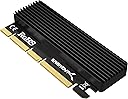
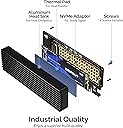
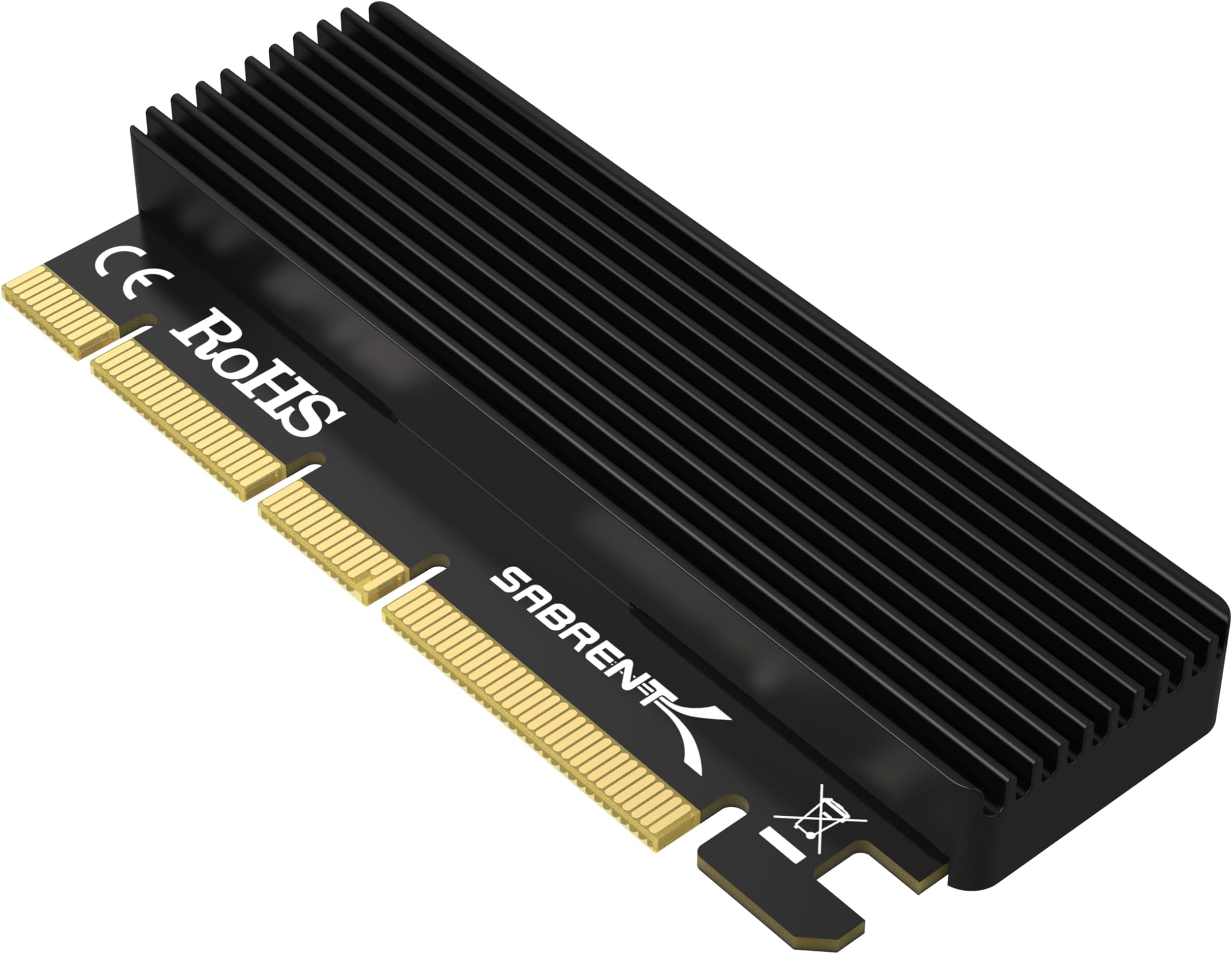
The SABRENT M.2 NVMe SSD to PCIe X16/X8/X4 Adapter Card transforms your desktop’s PCIe slot into a high-speed NVMe SSD powerhouse. Supporting multiple M.2 sizes and equipped with an aluminum heatsink, it ensures blazing transfer speeds and reliable thermal management. Easy to install and compatible with major OS platforms, this adapter is a must-have for professionals seeking to maximize storage performance and future-proof their systems.


| ASIN | B084GDY2PW |
| Brand | SABRENT |
| Built-In Media | Item |
| Color | Black |
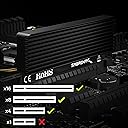
| Compatible Devices | Motherboards with PCIe X16/X8/X4 Card |
| Connector Type | Pcie |
| Customer Reviews | 4.5 out of 5 stars 5,964 Reviews |
| Finish | Aluminum |
| Finish Type | Aluminum |
| Global Trade Identification Number | 00840025214163 |
| Item Dimensions | 4 x 2 x 0.5 inches |
| Item Weight | 80 Grams |
| Item dimensions L x W x H | 4 x 2 x 0.5 inches |
| Manufacturer | SABRENT |
| Mfr Part Number | Sabrent |
| Model Number | EC-PCIE |
| Number of Items | 1 |
| Number of Ports | 4 |
| Package Quantity | 1 |
| Power Plug Type | No Plug |
| Smart Home Compatibility | Not Smart Home Compatible |
| UPC | 840025214163 |
| Unit Count | 1.0 Count |
| Warranty Description | 1 Year limited. Register your product at Sabrent.com for an extended 5 Year limited Warranty. |
| Warranty Type | Limited |
C**.
provides very fast transfer speeds
i use two of them on my ATX mobo. this is what the speeds look like for file transferring between them. about 3/4 as good as m.2 but it works reliably and without any fixing. my drives stay recognized reliably across reboots (good when using /etc/fstab permanent mounting on linux). very satisfied customer. however, i would not recommend using the provided thermal tape pad things. they degrade quickly and leave a slightly moist residue on the nvme chip. 99% isopropyl can go a long way for these things. no need for any thermal pads at all, unless you are moving hundred of gigs on the regular you will be just fine with the internal air pockets cooling it off. just buy it if you are debating about it.
M**N
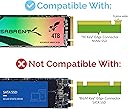
Make sure to get correct type of NVMe drive.
This worked perfectly as an adapter for an NVMe drive. Well made. Directions are not good with respect to heat-sink foam. You have to select the appropriate thickness that fits on top of the NVMe drive and sticks to it and the aluminum heat sync case. Also have to back the screw out that is used to hold the NVMe in place. I put a WD Blue 1TB drive in it and it screams.
A**H
Perfect for that extra storage expansion
Works exactly as intended, speeds seem phenomenal and I can play games on the ssd just fine. Easy to set up as well.
P**E
Great expansion card, but beware if using 2230-sized cards
This expansion card/adapter is wonderful! It fit effortlessly, was easy to install (both into the computer, and installing the M.2 drive into it), and worked flawlessly! It's also nice and compact such that it shouldn't interfere with anything else nearby (any other cards or cables/connectors). Unfortunately the instructions don't mention the thermal pads; there are three of them. One thicker one, and two thin ones. The thick one appears to be meant for the bottom of the drive (between the drive and this adapter card) if your drive is single-sided. Then one thin one goes on top (between the drive and the heatsink). If your drive is double-sided, then you would use a thin one on the bottom (between the drive and the adapter) instead of the thick one. It has screw holes to accommodate every size of M.2 drive, and it's incredibly easy to switch it between the holes. There are pockets in the bottom plate of the heatsink to accommodate the screw on the bottom of the circuit board that fastens the "nut" that holds the drive in place... HOWEVER, they unfortunately appear to have "forgotten" to mill out a pocket for the screw in the 2230-sized drive hole. This means that if you're using a 2230 M.2 drive in this adapter, the back plate isn't going to fit correctly, and will bow out because of it. It's not worrying to me as I don't plan to push this drive much, so it shouldn't generate too much heat, and it is already making good contact with the important part of the heatsink. I just find it disappointing that Sabrent seems to have "forgotten" this, given they have their own line of 2230 M.2 drives (what I used with this adapter). As an aside warning for those who may not be aware: older motherboards may not be able to "see" the drive within the BIOS, and so may not be able to boot from it. Even in that case, the drive should still appear and work flawlessly once you're inside your desired operating system (assuming you're using a modern OS that supports NVME over PCIe). This is not the device or Sabrent's fault. Overall, this is a great way to add an M.2 drive to any modern computer, whether the motherboard is just already fully populated, or if your motherboard doesn't naively come with M.2 sockets. I just suggest considering getting a drive that is any size other than the 2230 to use with it for an optimal fit and heat dissipation. That said, it's also not the end of the world though if you do choose to use a 2230-sized drive with it.
M**H
SABRENT M.2 NVMe SSD to PCIe X16/X8/X4 Adapter Card with Aluminum Heatsink
Very simple to use and a quality product. Easy to install. The only drawback is the tiny screws. The included screwdriver works but I would suggest a magnetic screwdriver. I have above average size hands and the screws made it slightly difficult. I will buy again if I need another expansion!
K**N
Works well
Great unit at a great price. Nice built quality, included the correct heat pad spacers. Worked right away. A+
J**R
works great, keeps the drive cool
worked perfectly to connect a Samsung 990 EVO SSD to an Asrock B450 Pro 4 motherboard. the heat sink enclosure works great, drive temperature is sitting very steady at 41-43ºC
J**N
Very fast!
This is super fast. I copied 329gb data from a drive in this to another ssd in less than 3 minutes. For those who "think" there is no retaining screw, it's kind of confusing but what you do is unscrew the gold piece from the card from the screw underneath, then put the ssd in the slot, put the slotted part of the ssd into the skinny part of the gold piece and line the threads up with the hole the screw came out of.. and screw it back together. you do not put a screw into the top of the gold piece. Also note, if you have a WIFI/Bluetooth card inside the pc, this card can interfere or make the Bluetooth or wifi act funny because of the power draw of the card. If you need wifi/bluetooth and this card... and you have issues, try using a Bluetooth and or WIFI USB adapter instead.
F**A
Produto de boa qualidade e funcionalidade ok
Apreciei a qualidade do produto, aliás consultei o site do fabricante... Fácil de instalar, não causará danos ao Pciex. Sim, barramento é X4, rodando com SSD Crucial M.2 P3 500MB. [obs. Pciex Asus sabertooth 990FX é 2.0, conforme foto, velocidade de leitura e gravação foi a máxima adquirida para este Pciex 2.0... SSD é para Pciex 3.0.] RECOMENDO o produto e vendedor, produto chegou antes do prazo estipulado pelo Amazon. Obs. Para este modelo de Main board, afim de fazer boot Windows 10, tive que atualizar para a última versão de BIOS afim de ser detectável SSD M.2 NVME, então é obrigatório consultar compatibilidade de funcionamento da Main board para com este periférico SSD M.2 NVME.
P**S
Great Performance and easy to Install...Awesome
Nice Product.easy to install and it's a nice Technology for old motherboard.Upgraded Pc without Invest lots more money at all.Problem Shortout with it.Thanks to Seller.
E**C
Werkt perfect!
Werkt perfect en precies zoals omschreven voor mijn 1Tb Samsung EVO 970 Nvme SSD, in combinatie met een Gigabyte X99 moederbord. Read speed 3535 Mb/s en write 3050 Mb/s. Voor de bijgeleverde blauwe koelstrips wordt in de manual niet toegelicht hoe ze gebruikt kunnen worden. Ik heb 1 dikkere strip onder de SSD geplaatst en 1 dunnere variant bovenop de SSD. Er zijn Youtube videos installatie videos te vinden, zoals deze: https://www.youtube.com/watch?v=vB87WNisVJA.
D**L
impeccable ... à voir dans le temps
12/11/2025 monté sur un hp proliant microserver gen7 N40L sur le port pcie 16x2 et reconnu par un système debian 13 sans problème. la vitesse avec hdparm -tT est de +-1700MB/sec (cached) et 852MB/sec (buffered). l'adaptateur est couplé à un ssd (netac) NVMe 250 Go (PCIe 3.0, 3D NAND, NVMe, M.2 Gaming SSD) jusqu'à 3000 Mo/s pour PC NAS. sur le ssd une database postgres de plus de 150GO répond parfaitement. rien à dire pour le moment, il faudra voir avec le temps ...
T**M
simple et efficace
simple à mettre en œuvre, qualité au rendez vous, permet d'utiliser un ssd nvme sans avoir de port dédié ou dans rajouter !
Trustpilot
3 weeks ago
4 days ago