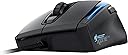
Meine erste Roccat Maus hatte einen Mausradbruch nach kurzer Nutzungszeit. Ich bekam funktionierenden Ersatz, war aber trotzdem entsetzt das dies ein sehr weit verbreitetes Problem bei Roccat Mäusen war. Meine zweite Maus (Kone+) hatte ebenfalls ein mausradfehler und ich bekam eine Rückerstattung. Solangsam verlor ich das Vertrauen in Roccat Produkte, auch wenn mir die Maus und die Funktionen perfekt zusagen! Mit der neuen Maus hat es Roccat aber endlich geschafft eine Maus auf den Markt zu bringen, die nicht mit solchen Kinderkrankheitne zu kämpfen hat. Die Titanverstärkte Mausradachse scheint nun den Gamingansprüchen zu genügen und erfüllt vollstens ihren Zweck. Auch die Software und alle anderen Funktionen funktionieren einwandfrei. So stelle ich mir ein Produkt dieser Preisklasse vor! 5 verdiente Sterne! Edit: Ich habe nun in der Zwischenzeit weitere Mäuse ausgetestet und meine Rezension deutlich detailierter gestaltet. Siehe: An dieser Stelle will ich, unabhängig von dieser Bewertung, erst einmal Amazon hervorheben. Ich habe bisher viele PC Mäuse gehabt und hatte leider oft das Pech, dass die Mäuse recht schnell Defekte hatten, die sie nicht haben sollten. Amazon hat die Waren anstandslos zurückgenommen und den Kaufbetrag auf mein Konto zurücküberwiesen. Auch die Lieferungen waren bisher immer in Top Zustand und schnell. Des Weiteren hatte ich bisher auch nie Probleme damit, mehrere Produkte zu bestellen (z.B. 3 PC Mäuse) und dann diejenigen zurückzuschicken, die ich nicht behalten wollte, wie in diesem Fall. Deshalb schreibe ich dieses ausführliche Review, mich der Service von Amazon bisher sehr begeistert. Zur Bewertung will ich vorweg sagen, dass ich mich viel mit PC Mäusen beschäftige und selbst leidenschaftlicher PC Gamer bin. Ich spiele durchweg alle Genres/Games (Battlefield, League of Legends, Far Cry 3, Terraria, Skyrim, und mehrere Stunden pro Woche. Dementsprechend sind die PC Mäuse bei mir praktisch im Dauereinsatz. Ich hatte bisher Mäuse von Razer (Naga Hex), Roccat (Kone, Kone+, XTD) und aktuell habe ich die Sharkoon Drakonia (black), eine Maus von Anker (8200dpi) und als letztes die Logitech G700s getestet. Ich poste dieses Review in alle erwähnten Produkte, da ich denke, dass ein Vergleich ganz gut ist, falls man die Qual der Wahl hat und nicht so sehr auf das Finanzielle achten muss. Ich werde an dieser Stelle nicht die Razer Naga Hex bewerten, da mir ihre Mausform nicht gefallen hat und ich sie somit nicht objektiv bewerten kann (ist halt Geschmackssache). Materialqualität: - Roccat Kone/Kone+/XTD: Bei den Roccat Mäusen wird glattes mattes Plastik verwendet. Die Qualität wirkt durchschnittlich, nichts Besonderes, aber es fällt auch nicht negativ auf. - Sharkoon Drakonia black: Das Plastik ist ähnlich der Roccat Mäuse. Der Unterschied zur Roccat Maus ist, dass die linke und rechte Seite gummiert sind. Im ersten Moment empfand ich es als angenehm, aber die Riffelung wird bei längerem Spielen unangenehm, besonders wenn die Hände leicht schwitzig werden und man über das Gummi gleitet. Auch lagert sich recht schnell Dreck zwischen den Riffelungen ab. - Anker 8200dpi: Das Plastik ist ähnlich der Roccat Mäuse. Der Unterschied zur Roccat Maus ist, dass die linke Seite gummiert ist. Auch hier besteht das Problem der Dreckablagerungen. Ein für mich großes Problem stellte dar, dass das Plastik anscheinend minderwertig ist und ich das Gefühl hatte, dass das Plastik meine Hände zum Schwitzen brachte (habe bisher selten schwitzige Hände beim Spielen bekommen). Gerade mit der Gummierung auf der linken Seite, ist das dann sehr unbequem. - Logitech G700s: Die Logitech sticht in diesem Vergleich positiv hervor. Die linke und rechte Seite haben eine raue und gekörnte Plastikoberfläche. Im ersten Moment wirkt sie gewöhnungsbedürftig, aber sie ist nicht unbequem. Man hat die Maus dadurch fest im Griff und mir ist aufgefallen, dass man durch das Material keine feuchten Hände bekommt. Außerdem wirkt das Plastik ansich hochwertig Produktverarbeitung: - Roccat Kone/Kone+/XTD: Hier kann ich aus langjähriger Erfahrung sprechen. Die Verarbeitung wirkt auf den ersten Blick hochwertig und ist sie im Großen und Ganzen sicherlich auch. Ich besitze nicht nur Mäuse von Roccat, sondern auch eine Tastatur und anderes Equipment und bin, mit kleinen Ausnahmen, von der Qualität überzeugt. Leider habe ich anscheinend immer das Pech, Montagsmodelle zu erwischen. Zweimal ist mir die Mausradachse durchgebrochen und bei meiner XTD hat die linke Maustaste angefangen zu hängen (nach eineinhalb Jahren dauerzocken, möchte ich hier anmerken). Die XTD scheint aber insgesamt die ganzen Fehler der vorigen Reihe ausgemerzt zu haben. Ansonsten: Die Roccat Mäuse sind sehr gut verarbeitet. Buttons sitzen fest, nichts klappert. Außerdem keine scharfen Kanten. - Sharkoon Drakonia black: Sie wirkt gut verarbeitet. Buttons sitzen fest, nichts klappert. Außerdem keine scharfen Kanten. - Anker 8200dpi: Die Verarbeitung ist mittelmäßig. Es gibt zwar keinerlei scharfe Kanten, aber die Buttons wackeln leider doch recht stark und klappern zum Teil auch. Das wirkt leider etwas billig. - Logitech G700s: Die Logitech wirkt extrem gut verarbeitet. Wenn man die Maus in die Hand nimmt, spürt man schon, dass die Maus in der Verarbeitung ihr Geld wert ist. Sie hat ein hohes Gewicht (was unter anderem dem Akku zuzuschreiben ist) und wirkt dadurch hochwertig. Die Buttons passen sich alle gut in die Lücken ein und die Abstände von Buttons zum Rand sind gleichmäßig. Das können nicht alle Mäuse von sich behaupten. Ergonomie: - Roccat Kone/Kone+/XTD: Die aufgezählten Roccat Mäuse sind nur für Rechtshänder gedacht. Dementsprechend gut passend sich diese Mäuse aber der Form der rechten Hand an. Roccat Mäuse fallen durchschnittlich etwas größer aus. Für SEHR kleine Hände könnten die Mäuse also unbequem/ungeeignet sein. Für mittelgroße bis große Hände, sind sie aber super geeignet. Die Position der Buttons ist super. Die 2 Daumenbuttons erreicht man mit dem Daumen optimal und auch alle anderen Buttons erreicht man gut. Die benötigte Druckkraft für die Buttons ist genau richtig - Sharkoon Drakonia black: Auch die Drakonia Black ist nur für Rechtshänder. Insgesamt ist die Maus etwas kleiner als die Mäuse von Roccat, weshalb ich sie auch kleineren Händen empfehlen würde. Die Daumenbuttons sind, wie bei der Roccat, optimal erreichbar. Ein ganz großes Problem habe ich allerdings mit dem DPI Schalter! Es handelt sich hierbei nicht um 2 Buttons, sondern um einen kleinen „Hebel“, der zu allem Überfluss auch noch in die Maus eingebettet wurde. Mit dem Zeigerfinger ist es während dem Spielen schwer möglich, die DPI nach unten zu schalten, aber fast unmöglich, die DPI wieder hochzuschalten. Somit sind potenzielle Buttons (zwei Hebelrichtungen) sozusagen vergeudet. Die benötigte Druckkraft für die Buttons sind mir persönlich etwas zu hoch. Wer viel Widerstand bei Buttons mag, kommt hier allerdings auf seine Kosten. - Anker 8200dpi: Auch die Anker 8200dpi ist nur für Rechtshänder. Die Anker fällt von allen Modellen deutlich größer aus. Deshalb würde ich besonders Leuten diese Maus empfehlen, die sehr große Hände haben. Die Buttons sind insgesamt gut erreichbar. Besonders der Button über dem Mausrad empfand ich als sehr angenehm und praktisch. An der linken Seite sind 3 Daumenbuttons, wovon aber nur die Vorderen beiden bequem zu bedienen sind. Der hintere Button ist schwer intuitiv einsetzbar. Die benötigte Druckkraft für die Buttons ist genau richtig - Logitech G700s: Auch die Logitech G700s ist nur für Rechtshänder. Was die Maus wirklich hervorhebt, ist die Ergonomie der Buttons. Insgesamt gibt es 4 Daumenbuttons, wovon alle(!) gut erreichbar sind. Dies liegt vor allem daran, dass man die Buttons nicht horizontal reindrückt, wie bei anderen Mäusen, sondern man drückt die Buttons mit einer nach oben ausgerichteten diagonalen Bewegung. Es fühlt sich natürlicher an, als das einfache reindrücken der Buttons, zumal die Buttons auch sehr leichtgängig sind und somit auch im schnellen Spielgeschehen schnell gedrückt werden können. Die benötigte Druckkraft für die anderen Buttons ist genau richtig (nur das Mausrad ist etwas schwer zu betätigen). Funktionalität: - Roccat Kone/Kone+/XTD: Die Softwarelösung von Roccat ist meiner Meinung nach die Beste. Man hat unglaublich viele Einstellungsmöglichkeiten. Von DPI bis hin zur X/Y-Achsen Beschleunigung ist alles drin. Auch die Farben kann man einstellen. Besonders toll ist allerdings, dass man mittels Software, den Laser der Maus auf den Untergrund einstellen kann. Dadurch laufen die Roccat Mäuse auf praktisch allen Oberflächen sehr gut. Die Makrofunktion ist top. Man kann Tastenkombinationen aufnehmen und dann einer Taste zuweisen. Des Weiteren kann man den Zusatzbuttons der Maus auch andere Funktionen zuweisen (sowohl praktisch für Gaming, als auch für Bürotätigkeiten) - Sharkoon Drakonia black: Die Softwarelösung erinnert stark an die von Roccat. Man kann viel an DPI und X/Y-Achsen einstellen und auch die Farbbeleuchtung verändern. Was ich allerdings vermisse ist, dass man KEINE DPI Abstufungen einstellen kann. Wenn man also gerade auf 6000dpi ist und 500 haben möchte, muss man mehrere DPI Stufen runter regeln, bis man bei 500 angelangt. Bei anderen Mäusen kann man die Anzahl der DPI Abstufungen einstellen und auch die Höhe der DPI. Insbesondere in Kombination mit dem schwer erreichbaren DPI +/- Button ist das sehr nervig. Wer aber nur mit einer DPI-Auflösung spielt, der kann diese Kritik vernachlässigen. Die Makrofunktion ist top. Man kann Tastenkombinationen aufnehmen und dann einer Taste zuweisen. Des Weiteren kann man den Zusatzbuttons der Maus auch andere Funktionen zuweisen (sowohl praktisch für Gaming, als auch für Bürotätigkeiten) - Anker 8200dpi: Auch diese Softwarelösung erinnert stark an Roccat. DPI und X/Y-Achsen Optionen sind vorhanden, sowie die Farbeinstellungen. Was die Anker von der Sharkoon hervorhebt ist die Tatsache, dass man 4 DPI Abstufungen einstellen kann, aber diese optional auch deaktivieren kann (so dass man z.B. nur 2 Abstufungen hat). So hatte ich z.B. 1500dpi und 4500dpi zur Auswahl. Toll ist auch, dass es nicht nur die DPI+/- Funktion gibt, sondern auch die DPI-Switch Funktion. Drückt man den Knopf, wird automatisch die nächste DPI Stufe genutzt (bei 2 Optionen reicht also ein knopf um hier und her zu switchen). Die Makrofunktion ist top. Man kann Tastenkombinationen aufnehmen und dann einer Taste zuweisen. Des Weiteren kann man den Zusatzbuttons der Maus auch andere Funktionen zuweisen (sowohl praktisch für Gaming, als auch für Bürotätigkeiten) - Logitech G700s: Die Einstellungsmöglichkeiten sind nicht ganz so umfangreich wie bei den anderen 3 Mäusen. Man kann Makros zuweisen, verschiedene/mehrere DPI Abstufungen und auch, wie bei der Anker, einen DPI-Switch Schalter zuweisen, mit dem man die DPI Abstufungen weiterblättern kann. Diese Funktionalität sollte den meisten aber ausreichen. Design: - Roccat Kone/Kone+/XTD: Die Designs von Roccat sind top. Die Mäuse haben einen schlichten schwarz-matten Farbton und die Designs wirken mit den beleuchteten Zonen futuristisch. Man kann mehrere Farben gleichzeitig zuweisen, sodass man Farbverläufe hat und man kann verschiedene Animationen anwählen (z.B. ein Pulsiereffekt). - Sharkoon Drakonia black: Auf dem Bild hat mir das Schuppenmuster echt gefallen. In echt wirkt es allerdings leider sehr billig, vor allem da es sich dem restlichen Design der Maus nicht gut anpasst. Dafür hat die Maus aber ein schön kantiges Design, wenn einem das gefällt. Ansonsten kann man die Farbe und Animation des Sharkoon-Logos im Treiber einstellen. Die pulsierende Animation wirkte bei mir aber leider etwas abgehackt, insbesondere wenn Maus dunkler wurde. - Anker 8200dpi: Die Maus wirkt recht schlicht. Sie ist ziemlich groß, aber komplett in Schwarz (Glänzend/Matt-Kombination). Einzig herausstechen tun die beleuchteten Zonen (das Anker-Logo und das Mausrad). Man kann auch hier wieder die Farbe und Animation der beleuchteten Zonen einstellen. - Logitech G700s: Das Design ist matt-schwarz/dunkelgrau (Glänzend/Matt-Kombination). Gefällt mir ansich ziemlich gut. Was mir nicht gefallen hat, sind die pseudo-coolen Streifen auf der Maus oben drauf. Gerade an Griffflächen nutzen sich solche Aufdrucke schnell ab und ab dann wirkt eine Maus einfach nicht mehr stylisch. Nerven tun mich auch etwas die silbernen Streifen bei der linken und rechten Maustaste. Aber mittlerweile habe ich mich dran gewöhnt und finde es recht ansehnlich. Die Maus hat keinerlei Beleuchtung (lediglich den Batteriestatus) - Besonderheiten: - Roccat Kone/Kone+/XTD: Die Farbbeleuchtung ist vielseitiger Einstellbar als bei allen anderen Mäusen. Man hat auch wesentlich mehr Einstellungsoptionen bezüglich des Mauszeigerverhaltens. Laser kann an die Oberfläche angepasst werden für optimale Untergrund Erkennung. - Sharkoon Drakonia black: In der Lieferung sind noch zusätzliche Gleitpads enthalten. Sollte sich eure also irgendwann abnutzen, habt ihr Ersatz. - Anker 8200dpi: 3 Daumenbuttons statt 2 (wie bei Sharkoon/Roccat), beleuchtetes Mausrad - Logitech G700s: 4 Daumenbuttons statt 2 (wie bei Sharkoon/Roccat). Zusätzlich gibt es noch 3 gut erreichbare Zeigfingerbuttons neben der linken Maustaste, die ich sehr schätzen gelernt habe. Erwähnenswert sei auch das Mausrad. Als einzige Gamermaus, kann man mittels Knopfdruck das Mausrad lösen, sodass sie einen freien Lauf hat (kein Raster mehr). Dies ist besonders dann nützlich, wenn man PDF Dateien liest, oder sich Internetseiten anschaut, wo man viel scrollen muss. Ist also nützlich, wenn man mit der Maus auch arbeitet/studiert. Leider ist der Raster (wenn eingeschaltet) dafür nicht sonderlich stark, weshalb man während dem Spielen auch schnell mal ausversehen 2 Raster weiter dreht, statt einem Raster. Preis und Fazit: - Roccat Kone/Kone+/XTD: Die Roccat Kone Mäuse bewegen sich immer im Preissegment zwischen 70-100€ zum Releasezeitpunkt. Damit dieser Preis gerechtfertigt ist, müsste Roccat noch ein bisschen an Funktionalität und Qualität drauflegen. Insbesondere die Kinderkrankheiten bei den ersten Produktionsserien nerven tierisch und bei 100€ (die nächste Roccat Tyon, die bald released wird, wird so viel kosten) könnte Roccat auch ruhig über eine wireless-Funktion nachdenken (mit optionalem Kabelanschluss, falls Akku leer geht). Meine Empfehlung: Roccat Mäuse nicht direkt zum Release kaufen. Sobald die Mäuse aber ein paar Monate am Markt sind, kann man unbedenklich zugreifen! Deshalb klare Kaufempfehlung! - Sharkoon Drakonia black: 30€ sind absolut top! Man kann nicht erwarten, dass man für 30€ die beste Gamingmaus am Markt bekommt, aber sie kostet nur einen Bruchteil von anderen Mäusen und bringt an Funktionalität und Qualität fast dasselbe mit. Nur wer noch das bisschen mehr braucht, sollte zu teureren Mäusen greifen, ansonsten absolute Kaufempfehlung! - Anker 8200dpi: Auch hier sind die 30€ gut investiert. Man bekommt mehr an Funktionalität, Design und Verarbeitung, als man bei einer 30€ Maus erwarten würde. Auch hier eine ganz klare Kaufempfehlung! - Logitech G700s: Die 75€ (aktuell, vorher 100€) sind meiner Meinung nach fair für das Gebotene und deshalb gut investiert. Von allen 4 Mäusen hat mich die Logitech am meisten überzeugt. Ich mag zwar Beleuchtung und Design, aber am wichtigsten sind mir Ergonomie, Funktionalität und Verarbeitungsqualität und hier hat die Logitech den bisher besten Eindruck bei mir hinterlassen. Gerade die wireless-Funktion rechtfertigt einen Preis von 75€. Deshalb auch hier eine klare Kaufempfehlung. Gesamtfazit: Die Logitech sticht am besten ab, gefolgt von den Roccat-Mäusen. Diese Mäuse stehen bei mir an Platz 1 und 2, da ich viel Wert auf Ergonomie, Funktionalität und Verarbeitungsqualität lege und auch bereit bin, dafür ein paar 10er mehr zu zahlen. Wer aber nicht ganz so extreme(!) Ansprüche hat wie ich an Ergonomie, Funktionalität und Verarbeitungsqualität, der sollte zur Anker oder Sharkoon greifen. Beide teilen sich bei mir den dritten Platz, wobei ich die Anker aufgrund des DPI-Switch (wichtig für Shooter) und der Größe (ich hab sehr große schlanke Hände) bevorzugen würde. Wenn ihr die Möglichkeit habt, solltet ihr die Roccat und G700s beim örtlichen Händler mal in die Hand nehmen und euch überlegen, ob es DIESE Qualität sein muss, oder ob ihr ein paar (geringe) Abstriche in Kauf nehmen könnt und dafür auch gut mal 50€ sparen könnt.