Buy anything from 5,000+ international stores. One checkout price. No surprise fees. Join 2M+ shoppers on Desertcart.
Desertcart purchases this item on your behalf and handles shipping, customs, and support to Kyrgyzstan.
🖨️ Elevate your workspace with wireless freedom and pro-quality prints—because your ideas deserve the best!
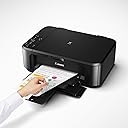
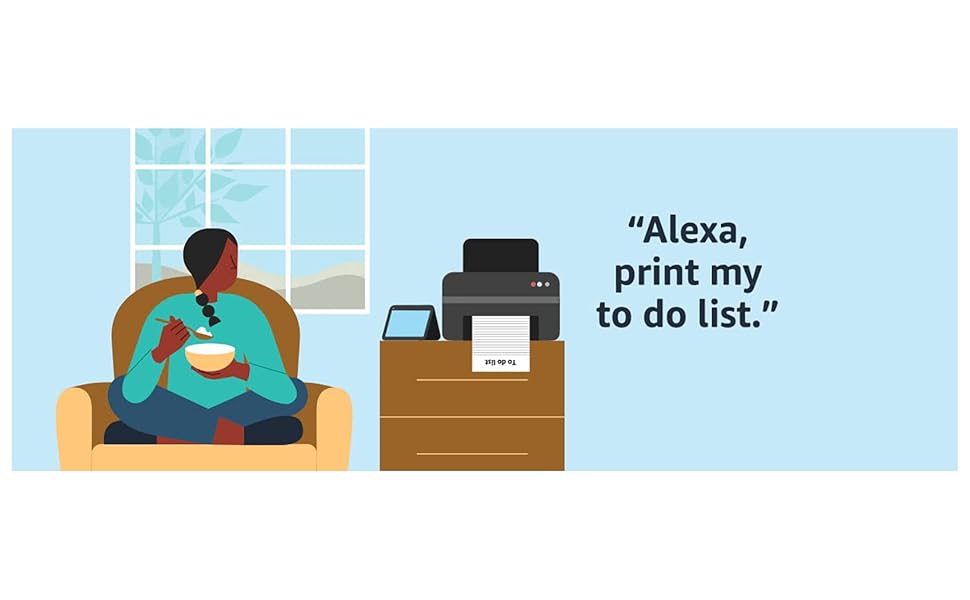
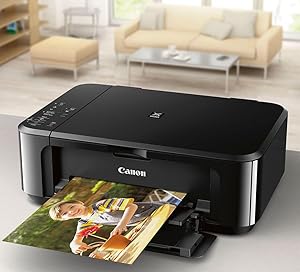
The Canon Pixma MG3620 is a versatile wireless all-in-one inkjet printer designed for professionals and creatives who demand quality and convenience. It offers fast print speeds up to 9.9 ppm (B&W) and 5.7 ppm (color), automatic duplex printing, and seamless mobile device integration via AirPrint and Google Cloud Print. Compact yet powerful, it supports high-resolution borderless photo printing and smart ink management through Alexa, ensuring you never run out of ink. Compatible with a wide range of operating systems including Windows 7 through 11 and macOS, this printer combines professional-grade output with effortless setup and operation—perfect for home offices, small businesses, and millennial managers who value efficiency and style.


| ASIN | B010A7TZ76 |
| Additional Printer Functions | Copy, Scan |
| B&W Pages per Minute | 9.9 ppm |
| Best Sellers Rank | #7,212 in Office Products ( See Top 100 in Office Products ) #17 in Ink Tank Printers |
| Brand | Canon |
| Built-In Media | Pixma Mg3620 Photo Printer (black) |
| Color | Black |
| Color Depth | 48-bit Input / 24-bit Output Bits |
| Color Pages per Minute | 5.7 ppm |
| Compatible Cartridge | PG-245, CL-246 |
| Compatible Devices | Smartphones |
| Connectivity Technology | wireless |
| Control Method | App |
| Controller Type | Android |
| Customer Reviews | 3.9 out of 5 stars 30,673 Reviews |
| Display Type | LCD |
| Dual-sided printing | Yes |
| Duplex | Automatic |
| Global Trade Identification Number | 00013803256192 |
| Hardware Interface | USB 2.0 |
| Ink Color | Tri-Color; Black |
| Item Dimensions D x W x H | 12"D x 17.7"W x 6"H |
| Item Type Name | Color Laser Printer |
| Item Weight | 11.9 Pounds |
| Manufacturer | Canon USA Inc. |
| Maximum Copy Resolution Black and White | 4800 x 1200 dpi |
| Maximum Copy Resolution Color | 4800 x 1200 dpi |
| Maximum Copy Speed Black and White | 9.9 ppm |
| Maximum Media Size | 8.5 x 14 inch |
| Maximum Print Resolution Black and White | 600 x 600 Dots Per Inch |
| Maximum Sheet Capacity | 100 |
| Maximum print Resolution Color | 4800 x 1200 Dots Per Inch |
| Model Name | CNMG3620K |
| Model Number | 0515C002 |
| Model Series | PIXMA MG3620 |
| Number of Drivers | 2 |
| Number of Trays | 1 |
| Other Special Features of the Product | All-in-One Wireless Inkjet Printer |
| Output sheet capacity | 100 |
| Paper Size | 4 x 6, 5 x 7, 8 x 10 Inches |
| Power Consumption | 16 Watts |
| Print media | Envelopes, Paper (plain) |
| Printer Connectivity Type | wireless |
| Printer Output Type | Color |
| Printer Type | Inkjet |
| Printing Technology | Inkjet |
| Processor Count | 1 |
| Resolution | 4800 x 1200 |
| Scanner Type | Flatbed |
| Series Number | 515 |
| Special Feature | All-in-One Wireless Inkjet Printer |
| Specific Uses For Product | Home |
| Total USB 2.0 Ports | 1 |
| Total Usb Ports | 1 |
| UPC | 013803256192 |
| Unit Count | 1.0 Count |
| Warranty Description | 1-Year Limited Warranty with Instant Exchange Program. |
| Warranty Type | 1 Year Warranty |
C**R
Very useful, great value, great engineered printer.
I am very happy with this very low-cost, great value, WIFI AIO. I use the printer, not the scanner. WIFI connection no problems from my Windows desktop and Android phone. Duplex works great. OK with the print speed. I think XL ink might last me 2 years or more. I don't print much, less than quantity 100, 20LB pages/year so the original low capacity ink lasted 1 year. The printer print quality is amazing, letters as small as 1 mm are all perfectly shaped, clear and legible. Canon claims DPI , color and black, 4800 horizontal × 1200 vertical.
R**Y
Outstanding Universal Wireless Printer
The Canon Pixma MG3620 Wireless Printer is a Universal Printer that works with Apple & Windows, iOS & Android Users. It's fully compatible with the latest Windows 11 and Windows 10, as well as older versions. Mac users can print effortlessly from MacBook Air, MacBook Pro, iMac, and Mac Mini running macOS and OS X systems. The setup is easy: Connect the printer to your Wi-Fi network, and all your computers will detect it automatically with plug-and-play simplicity. USB Connection for Mac & Windows makes both wireless and USB a never limited by circumstances. The MG3620 excels at mobile printing for both iOS and Android devices. iPhone and iPad users benefit from native Apple AirPrint support, allowing instant printing without additional software, plus the comprehensive Canon PRINT Inkjet/SELPHY app for advanced features. Android smartphone and tablet users enjoy the same Canon PRINT app functionality, along with Google Cloud Print compatibility. The Canon PRINT app transforms your smartphone into a complete printer control center. Check ink levels, scan documents directly to your phone, and access cloud services like Dropbox and OneDrive. This printer comes with a two-cartridge system—one black (PG-245) and one tri-color (CL-246). The standard cartridges are reasonably priced, and Canon offers XL high-yield versions that significantly reduce cost-per-page for frequent printers. The ink efficiency is solid for an inkjet in this price range, though heavy photo printing will naturally consume more color ink. The Canon PRINT app's ink level monitoring helps you stay ahead of replacements, preventing unexpected run-outs during important print jobs. One of the pleasant surprises with the MG3620 is its relatively quiet operation. During printing, the noise level stays at a comfortable level—noticeable but not disruptive. It operates at approximately 45-48 decibels, which is comparable to normal conversation volume. You can easily print in a home office, bedroom, or shared space without disturbing others. The printer isn't silent, but it's far from the loud, jarring sounds some budget printers produce. Scanning and copying operations are even quieter than printing. The print quality is where the MG3620 truly shines, especially considering its affordable price. With a maximum color resolution of 4800 x 600 dpi, it produces sharp, vibrant prints that exceed expectations. Text documents are crisp and professional-looking with clean edges and deep blacks—perfect for business correspondence, school assignments, and reports. Color documents feature accurate hues and smooth gradients. Photo printing is genuinely impressive, with rich colors, excellent detail, and minimal graininess. Family photos, creative projects, and presentations all come out looking polished and professional. Supported Print Sizes: - Standard Sizes: Letter (8.5 x 11"), Legal (8.5 x 14"), A4, A5 - Photo Sizes: 4 x 6", 5 x 7", 8 x 10" - Envelopes: #10, DL - Borderless Printing: 4 x 6", 5 x 7", 8.5 x 11" (Letter) - Custom Sizes:** Supports various custom dimensions for specialty projects The borderless printing capability is particularly valuable for photo enthusiasts, allowing edge-to-edge prints without white borders. The versatility in paper sizes makes it suitable for everything from standard documents to creative projects, photo printing, and envelope addressing. One of the most praised features is how incredibly easy this printer is to hook up. The wireless setup takes less than 10 minutes, with straightforward on-screen instructions that guide you through connecting to your Wi-Fi network. Once connected, every device: Windows PCs & Mac computers to iPhones, iPads, and Android devices can access the printer instantly. No complicated configurations, no technical expertise required. Intuitive setup that gets you printing immediately. What makes the Canon Pixma MG3620 truly remarkable is that you're getting all this versatility, quality, and convenience at an unbeatable price. Professional-grade wireless printing, scanning, and copying capabilities that work with every major operating system that is combined with excellent print quality, reasonable speed, quiet operation, solid construction, and flexible size options, all without the premium price tag typically associated with such comprehensive features. It's rare to find a printer that delivers this much functionality and universal device support while remaining so affordable. From Windows 11 PCs to MacBook Airs, from iPhones to Android tablets, the Canon Pixma MG3620 works flawlessly with them all. With print speeds suitable for home use, economical ink usage, whisper-quiet operation, sturdy construction, and exceptional print quality across multiple paper sizes, borderless photos. This printer punches well above its weight class. Combined with its incredibly easy wireless setup and outstanding price, the MG3620 represents exceptional value for students, families, home offices, and small businesses. If you need reliable, high-quality printing across multiple devices without complexity or extensive cost, the MG3620 is your answer! The Pixma Canon Wireless Printer MG3620 True workhorse that delivers professional results without the professional price tag.
J**Y
Astoundingly unreliable over wifi! (UPDATE: And other problems.)
****UPDATE: We resolved the reliability problem by never using wireless printing for more than one or two pages (after confirming with our service provider and testing on multiple routers that it is *not* a problem with our wifi), but we've discovered further issues as we've used this printer over the past year that make me regret this purchase. (1) Double-sided printing is also unreliable and only works with certain mobile devices despite the settings being exactly the same (we've never succeeded in getting it to work with a computer, only phones). (2) Borderless printing results in a drastic decrease in the quality of the image even when all other settings are the same. Apparently this has been a known issue among users with many different Canon printers since at least 2014 (!!!) but Canon has refused to acknowledge the problem, let alone attempt to fix it. Some reviewers on the help forums recommend switching to an HP printer if you plan to do a lot of borderless printing. (3) As usual, ink runs out quickly. But on top of that, the printer will switch to printing out lower quality/washed out images even before ink is used up. Presumably this is to prolong the ink that is left, but the result is that you start getting washed out prints after using less than half of an ink cartridge. The first time this happened, I made the mistake of replacing the ink in order to get full-color print-outs again -- what a waste of money! A work-around for this problem is to delete the printer and reinstall it on your computer; this will prevent the computer from automatically sensing remaining ink levels and lowering the quality to compensate, unfortunately you have to do this every time you start a new print job. What a waste of time. Overall, I would NOT buy this printer again and would definitely NOT recommend it to others. It's not worth the money unless you need a super cheap way to scan in and make copies of your standard text documents. It's too much hassle and money to use for photos and images -- save yourself the headache and buy yourself a nicer home printer (and just get prints made somewhere where at least they're accountable for the quality). **** Original Review Below: Astoundingly unreliable! I would say that it drops print jobs upwards of 70% of the time, which means wasted ink and sheets of half-printed pages and (if you're trying to handle a double-sided print job) sometimes even more if the remaining pages then get printed out of order. If you're printing anything longer than a few pages, you have to sit and monitor it while it prints to make sure this doesn't happen. I'm thinking we'll probably have to buy a cord to connect the printer to the computer directly in order to ensure no more dropped jobs, so it was a waste of money to get a wireless printer. I know for sure this is not a problem with our wifi connection, as no other wireless device in our home has this kind of trouble and the printer sits in the same room as our router. Also, when we first set up the printer (several months ago now) it was an incredible hassle and took three hours of trouble-shooting. The set up *would not work* with our computer. I had to download the app and use my smart phone to set it up b/c there was no way to use a computer to input our wifi password -- this functionality is only available if you use the mobile app. WTF WHY?! This is absolutely idiotic and frustrating, since the majority of printing is done from a computer, not your phone. Also, there was no indication in any of the trouble-shooting FAQs provided by Canon that this very simple step was not available via computer, only on the mobile app (even just pointing that out in the manual would have saved me hours of wasted time trying all sorts of work-arounds). The printing itself is... fine.** [See update. It's not fine.] No complaints. Haven't tried the photo printer yet. The scanner is not super great quality for images but will work fine for copying printed documents. But if you want a wireless printer/scanner, I can't recommend this -- it's a nightmare of counter-intuitive steps to set up and once it's set up, it's a coin toss whether or not the printer will drop its connection and cancel your print job without finishing.
D**R
Wifi setup is not working
UPDATE! use a Printer Cable 6FT USB 2.0 Printer Cable USB-A to USB-B Cables, High Speed Scanner Print Cord for HP Canon Dell Samsung Epson Brother Lexmark Xerox, MIDI Cables for Digital Piano DAC MIDI Controller With this printer! It prints beautifully. I still cannot get the WiFi to work but the cable gets it working with no problem. I was going to return it but I am keeping it. It prints great for the price. _________________ This printer looks like a good printer but the set up for WiFi is ridiculous. I have tried everything but it will not connect. Very disappointing.
I**Y
Canon Printers are the way to go
I bought this as a replacement for the same model I had for 10 years before it failed after a trans Pacific move because the ink absorber pads got full after transporting it overseas. It is a basic all around sound printer with more reasonable ink cartridges than other models. It is also one of the few printers I could find that still cooperates with Windows 7.0. For me, it was a no brainer, an easy switch out from the old printer which is why I paid five times what I paid for it originally 10 years ago. After 2021, the price of everything soared so I guess it is to be expected although there are other Canon printers for a lot less with much more capacity. If my operating system was more up to date, I would likely have gone with one of those. I needed a Windows 7.0 compatible printer with no frills, other than the capacity to scan and copy with good print quality. I am pleased this printer was still available online although Canon discontinued it. The seller shipped it quickly which was a great bonus too and it seems to be working just fine, new out of the box. I have used HP, Sharp and Epson printers in the past; all required replacement less than a year after purchase. After going through two top of the line HP models and multiple Sharp and Epson printers, I was introduced to Canon printers. This is my third Canon printer; each one has lasted nearly a decade. With any good fortune, this one will also last a good long time.
R**N
Solid all-in-one printer for home use
I've been using this Canon printer for a while now, and it's been a reliable workhorse for basic home printing needs. What I like: · Easy setup – wireless connection was straightforward. I can print and scan directly from my phone without needing to turn on my computer. · Compact size – it fits nicely on a small desk without taking up too much space. · Auto duplex printing – a great feature at this price point. Saves paper and hassle. · Print quality – text documents are crisp, and photos come out decent for a standard inkjet. · Alexa integration – the smart reorder feature is actually useful. I got a notification when ink was low and was able to reorder without thinking about it. A couple things to keep in mind: · Print speed is fine for occasional use, but if you print large volumes regularly, it may feel a bit slow. · The 100-sheet paper tray means you'll refill fairly often, but that's typical for printers in this size. Overall, it's a great choice for students, home offices, or anyone who needs a compact, wireless printer that handles printing, scanning, and copying without fuss. Good value for the price.
L**.
Works really well. Wireless setup is a pain.
I have owned a couple of other Canon PIXMA models. And I am quite pleased with the brand. My latest is currently in storage, out of state. Purchased this one, as a low cost replacement. This model required a download of Canon software, to integrate it into the home wifi network. The app for it, requires permissions for usage statistics that I don't feel are any of Canon's business, and I very much did not want to give it. The instructions are no longer printed out. Have to follow a QR code, to an online video. A video with advertising interruptions. Which SUCKS, -1 star. Because if I ever have to set this up again, I have to go through that video again. My other models had PRINTED instructions. -1 star. However, once set up, installing the app again, on my tablet this time, took no effort, other than those permissions. So it's considerably easier, after that first time. It's not a professional grade printer. It's not a specialized printer. It does what it does, no more, no less, and does it quite well enough for the average user to be happy and pleased. Ink quality is good. This model has a very easy method for loading the ink cartridges. Including a lever that brings them out and forward, which my other 2 did not. Ink is not cheap. And Canon gives you a smaller cartridge in the printer, than they sell for replacements. So it runs out sooner than the replacements. At time of writing, I am seeing the inks at about 42 dollars for sets of color and black and white. And pretty much exactly half that for REFURBISHED single packs. Pretty much cheaper just to buy another printer. On Android, this was a learning experience to use. The Canon App has functionality to print straight from file. But. OneNote and other note apps don't save this as PDF format, or don't save them as such right away. Instead, have to go into my note app, share the file to Canon Print, and then it starts up the task. Also- DO NOT share a document that is in dark mode, if you don't want to waste a lot of that expensive black ink!! It will print it EXACTLY as it looks on your screen. Dark mode and all!! This model runs a diagnostic when it starts up, including the paper tray. That's a nice feature, but also a pain. I leave it unplugged when not using it. So when I plug it in, I'm ready to use it. Not turn it on, and wait. The app does not provide a measure to password the printer. Living in an apartment complex, with a lot of neighbors, I wish this was included. Yes, I'm only writing about the negatives. Simply because all the positives are pretty much exactly what you want to get, when buying a printer, scanner, and copier. It does them well, quietly, and in a timely manner.
M**Z
Great printer
Great value and works great. Doesn't use a ton of ink. We use it a lot. Not big and bulky.
B**O
Funcional
Ótimo custo benefício. Impressora ideal para uso pessoal.
C**️
Excelente impresora económica, pude recargar los cartuchos con facilidad.
Mi novia me pidió que le ayude a buscar una impresora multifuncional y terminé comprando esta. Imprime con facilidad documentos que tenga en su iPhone de manera inalámbrica así cmo archivos que tenga en su laptop. Configurarla no fue nada difícil ya que el software con el que viene se encarga de todo. Funciona con iPads y iPhones sin necesidad de hacerle ajustes extras pero con tabletas y celulares Android si será necesario descargar el app de Mopria Print pero no es algo complicado. Para uso doméstico funciona a la perfección y es muy práctica. En la cuestión de los cartuchos adquirí un kit de recarga y quedaron a la perfección. El único detalle que para recargar los cartuchos se tienen que seguir las indicaciones de recarga al pie de la letra para que te queden bien los cartuchos. Siendo que ya tengo algo de experiencia recargando mis propios cartuchos este proceso me toma 10 minutos y no he tenido problemas. Obvio esa es una alternativa a comprar cartuchos nuevos cada vez que se acabe la tinta de los cartuchos que estés utilizando. Dada la facilidad de uso de esta impresora, la calidad de impresión y su precio la recomiendo ampliamente.
J**Y
Not for use in the UK
The product is incompatible with the UK, the plug is not useable and the voltage is American, I asked for a return which you agreed . The problem with the return is that I have to pay the costs and the return postage ( to the USA) is over £80.00. So I am stuck with a useless printer which cost me £104 and I have now no idea how to contact Amazon for a simpler way to return this useless printer.
A**N
Great Printer/Scanner
This is a replacement purchase. I like the printer and the quality of the printing. Of course the cartridges are really the expensive part. I had difficulty with the bluetoothj setting so I use a cord.
P**A
Buena
Buena
Trustpilot
5 days ago
2 months ago