🚀 Double Your Storage, Halve Your Hassle!
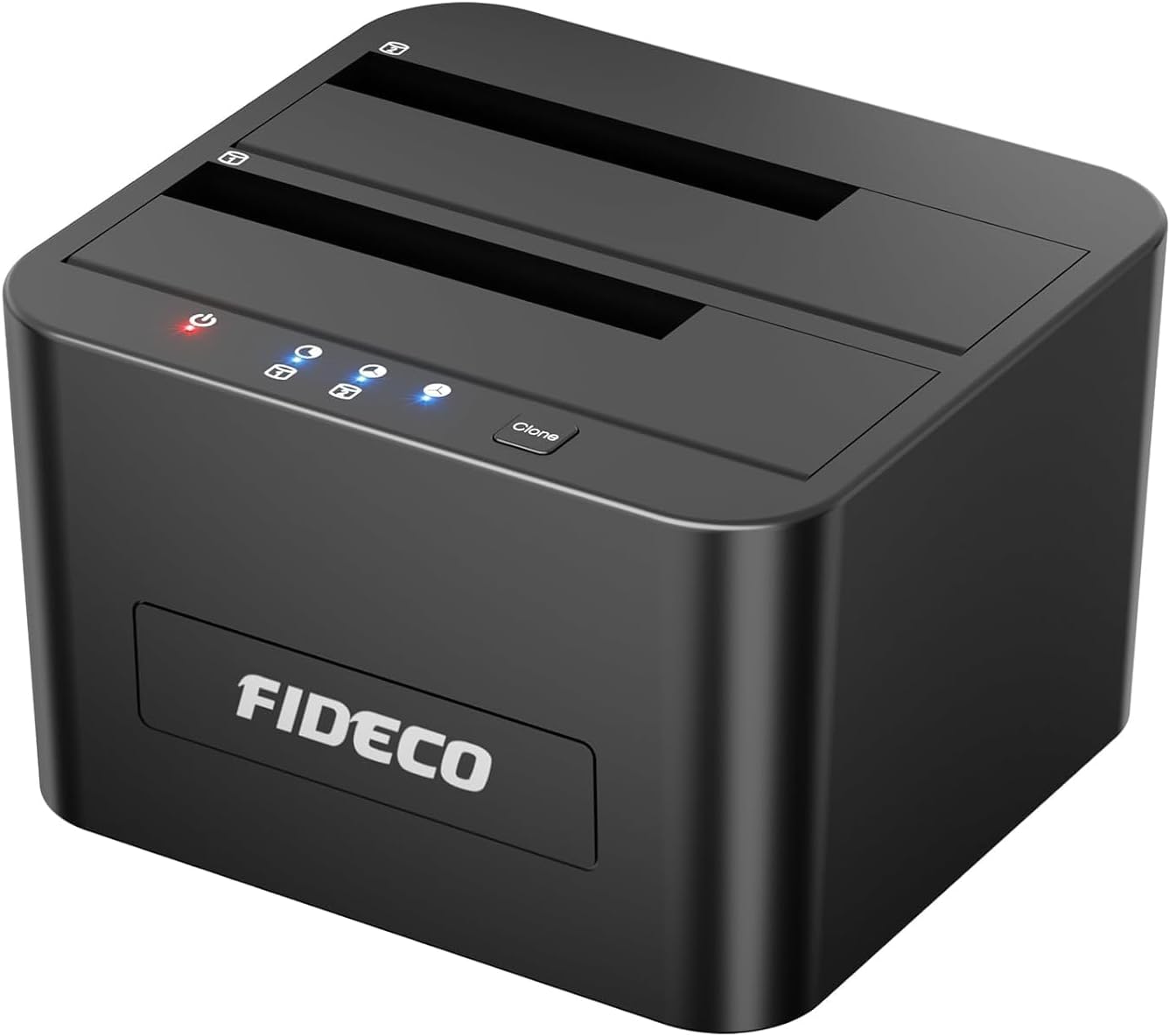
The FIDECO Hard Drive Docking Station is a dual-bay USB 3.0 device supporting 2.5" and 3.5" SATA HDDs and SSDs with transfer speeds up to 5Gbps. It features offline cloning for easy drive duplication without a PC, supports up to 32TB total capacity, and offers universal compatibility across major operating systems. Designed for professionals and tech enthusiasts, it delivers fast, flexible, and tool-free storage expansion.


| ASIN | B08291CB6J |
| Best Sellers Rank | 2,703 in Computers & Accessories ( See Top 100 in Computers & Accessories ) 3 in Hard Drive Docking Stations |
| Compatible devices | 2.5" Hard Drive (HDD), 2.5" Solid State Drive (SSD), 3.5" Hard Drive (HDD), 3.5" Solid State Drive (SSD) |
| Customer Reviews | 4.4 4.4 out of 5 stars (5,369) |
| Data transfer rate | 5 Gigabits Per Second |
| Date First Available | 11 Dec. 2019 |
| Hard disk form factor | 2.5 Inches |
| Item Weight | 590 g |
| Item model number | YPZ04-S2 |
| Manufacturer | FIDECO |
| Material | Acrylonitrile Butadiene Styrene (ABS) |
| Max number of supported devices | 1 |
| Memory storage capacity | 24 TB |
| Other display features | Wireless |
| Product Dimensions | 23 x 14.5 x 8 cm; 590 g |
| UPC | 751450850409 |
M**Y
Works well, easy to use, quick speeds.
Exactly what I needed as I dont have enough space left in my PC for more HDDs or SSDs. Both slot easily in and I could transfer my info quickly off in to my new computer. Worth having one around if you have too many old HDDs and SSDs.
M**S
Great piece of equipment for all type of gamers
Works perfectly fine, I saw some negative reviews saying the top cover can become scratched but I am using a 2.5 and a 3.5 and no scratches so far, there's tape on the lip area, I keep mine on though for protection, I have a total of 1.5tb, works amazing, works on Xbox series S and presumably X, just literally plug in and play, averaging around 500mbps transfer speed from my old HDDs which is great
D**B
Easy to use and reliable, ideal for quick drive access
This docking station is very straightforward to set up. Drives slot in securely and are recognised by the computer almost instantly. Transfer speeds are solid for USB 3.0 and make it useful for backing up data, cloning drives, or recovering files from an old HDD or SSD. The build quality is good for the price. It feels stable on the desk and does not wobble when inserting or removing drives. Heat dissipation is decent, although mechanical drives can get a little warm during long transfers, which is normal. Overall, a convenient and reliable tool for anyone who works with multiple drives or wants easy access to old storage without installing them inside a PC. Good value and does exactly what it claims.
F**O
Simple and effective
Easy to set up, works well as expected
M**5
good product and good quality
brilliant product, great quality, takes 2 SATA hard drives, very easy to set up, and is plug and play for Linux or Windows, not used the cloning feature, but both hard drives appear in the file manager separately so easy to copy to both seperately
K**E
⭐⭐⭐⭐⭐ Excellent Hard Drive Docking Station – Fast, Reliable, and Stylish!
I recently purchased the FIDECO Hard Drive Docking Station (USB 3.0, SATA for 2.5” and 3.5” drives), and I’m thoroughly impressed! Quality & Build: Right out of the box, the docking station feels solid and well-built. The materials give a premium feel without being overly heavy, and the overall construction inspires confidence that this device will last for years. Value for Money: For the price, this docking station is an absolute steal. It delivers features and performance that often cost much more with other brands. I genuinely feel I got excellent value for my money. Design & Looks: The sleek, minimalist design looks great on my desk. It’s compact but still sturdy, with a professional aesthetic that blends seamlessly with both home and office setups. USB Ports & Ease of Use: Plug-and-play has never been easier. The USB 3.0 connection is fast and reliable, and installation is literally just inserting the drive and connecting it to my computer—no drivers or fuss required. Transfer Speed & Performance: Transfer speeds are excellent, easily handling large files without lag or interruption. Even with older drives, the docking station provides consistent and speedy performance, making backups and file transfers effortless. Fit & Compatibility: It perfectly accommodates both 2.5” and 3.5” SATA drives, and the drives fit snugly with no wobble. I’ve tested multiple drives, and everything slides in smoothly, staying secure while in use. Weight & Portability: Light enough to move around if needed, yet heavy enough to stay stable on a desk. It strikes a great balance between portability and sturdiness. Overall Impression: The FIDECO Hard Drive Docking Station is a fantastic purchase for anyone needing a reliable, fast, and easy way to access multiple SATA drives. From speed to design, build quality to value, it ticks all the boxes. Highly recommended for both casual users and tech enthusiasts!
A**N
Good Quality and Works perfectly.
This cloning dock is quite compact so doesn't take up much space. It's good quality, is packaged very well and comes with a UK 3A power supply. During my first clone of a 500GB 3.5" drive to a 2.5" SSD it didn't really get warm at all. Speed of copying was much faster than trying to copy through a laptop and SATA USB adapters (for example). I have been looking at this type of dock for some time and Fideco seemed good value. They are, especially when it comes with a proper UK power supply. Only niggle is the size of the LEDs. They are pin-small. There's a red one for power-on and three blue ones to track the copying process. With my older eyes I would have liked larger LEDs as it felt like I had to peer into the tiny holes to check progress. However it's a fine device and works really well.
S**.
Disk killer, be careful
Should have taken note of reviewer "edezzie" claming it ruined their hard drives. They are correct. Same issue. WIndows 11. Worked fine then 2 good disks suddenly stopped being accessible. RAW in Windows. Windows also showed one of themh as as SSD and not HDD. After realising it was the dock, I got out an old USB2.0 bridge cable and connected the drives to that. 1 of the previously rubbished drives became accessible. Fixed. Working. The other no longer useable. I really cannot stress enough to be cautious with this. I suspect the power supply and chipset are both the problem with some drives. I am returning it. Regret this purchase and the time taken to realise what was killing my drives (Seagate Barracudas and Western Digital Blues). Also, it doesn't seem to want to work with mixed drives. So SSD in one slot and a HDD in the other. Definitely wouldn't clone a disk I needed to clone, well not in that combination (SSD > HDD). I ended up imaging the SSD with Macrium Reflect free and then from windows applying the image to a new disk with the Macrium software. This product should state what chipset it uses and the actual capabilities with regards to mixing drive technologies. That is, whether it supports both SSD and HDD simultaneously. I wouldn't have purchased it if i had this information beforehand.
B**E
Can't speak to the duplicating a drive feature. It is a dang fast interface between my desktop and two auxiliary hard drives. When the docking station is turned on, they come up like they were installed in my computer, without a problem. I turn it on when I need access to the drives and off when I don't to save the drives, since drives in my computer turn on and off whenever I turn my computer on or off, and the internal drives run continuously while the computer is on. With this, the drive wear is greatly reduced.
J**S
Nice device, haven't had any issues with it. I like that the switch is on the unit instead of the cable. NOTE: If you have drive that was formatted with GPT on a Nexstar or similar device from about 10 years ago, it isn't compatible. If you want to save the data, you will need to get a new drive, format it with the Fideco with GPT, plug in your Nexstar as well and transfer the data to the new drive. There is no way to convert the Nexstar's GPT to the newer GPT used by these disk devices today. If you don't need to save the data, you can use Minitool Partition Wizard to delete the entire partition and create a new/clean GPT partition. If you have a drive smaller than 2TB, you don't need to worry as it can still use MBR and can still be read by the device.
P**S
Excellent build quality. Working perfectly. Excellent data transfer speed
S**A
Wonderful product
P**2
Installation et utilisation très aisée.
Trustpilot
2 weeks ago
2 months ago