Buy anything from 5,000+ international stores. One checkout price. No surprise fees. Join 2M+ shoppers on Desertcart.
Desertcart purchases this item on your behalf and handles shipping, customs, and support to Kyrgyzstan.
🎮 Own the game with precision, power, and style.
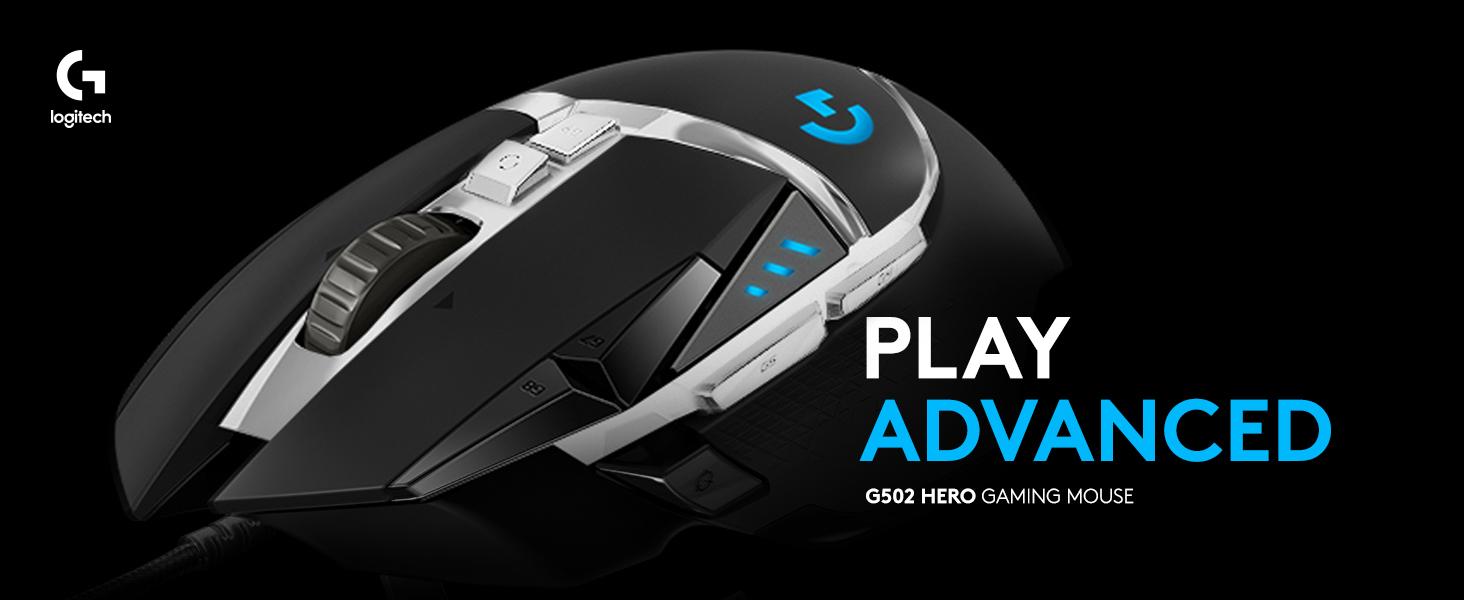
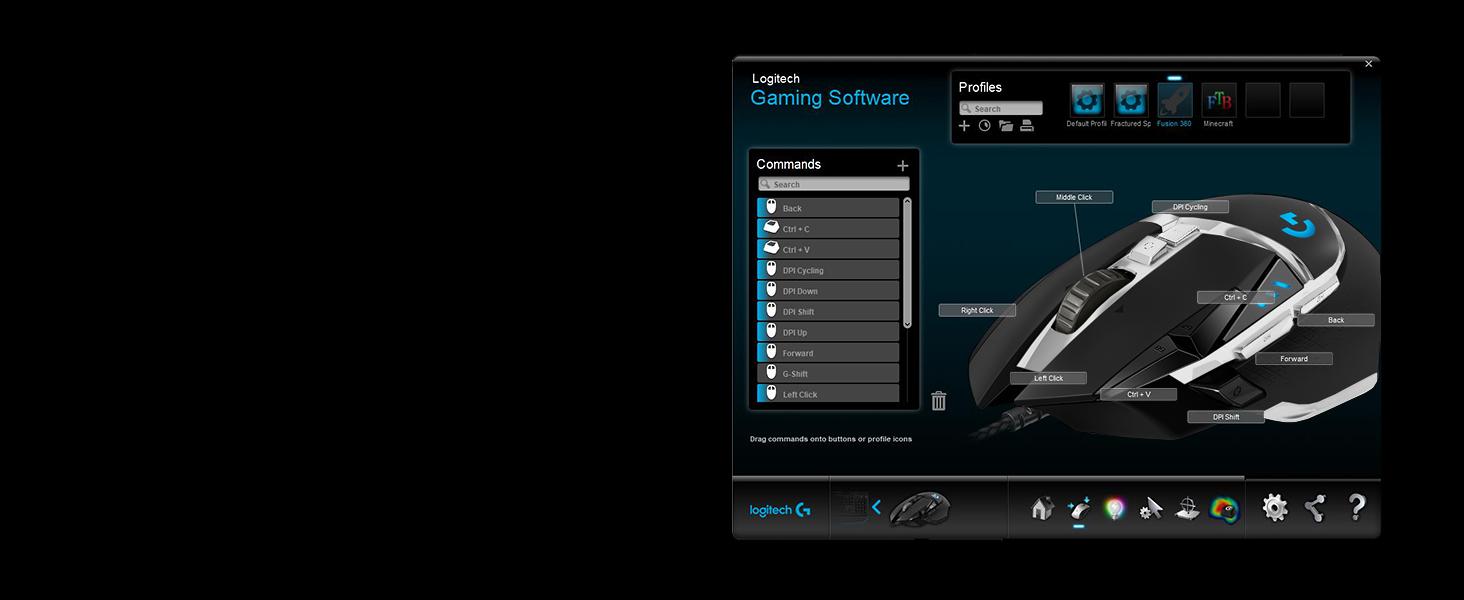
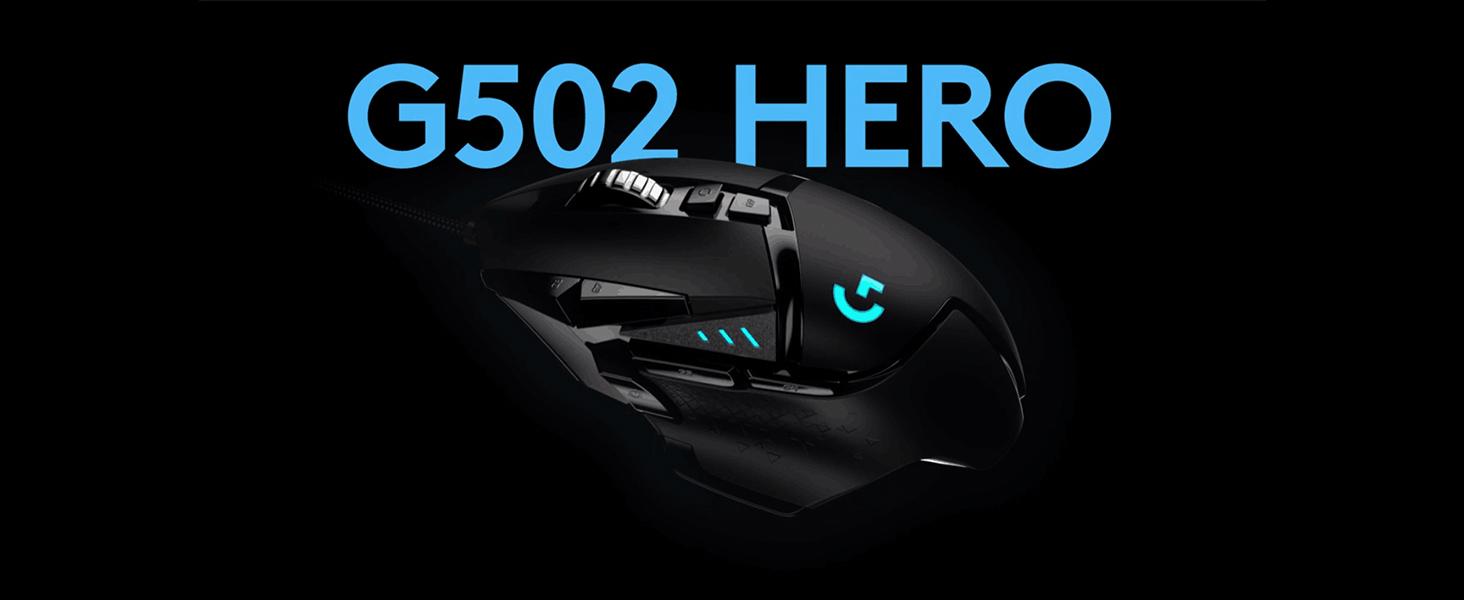
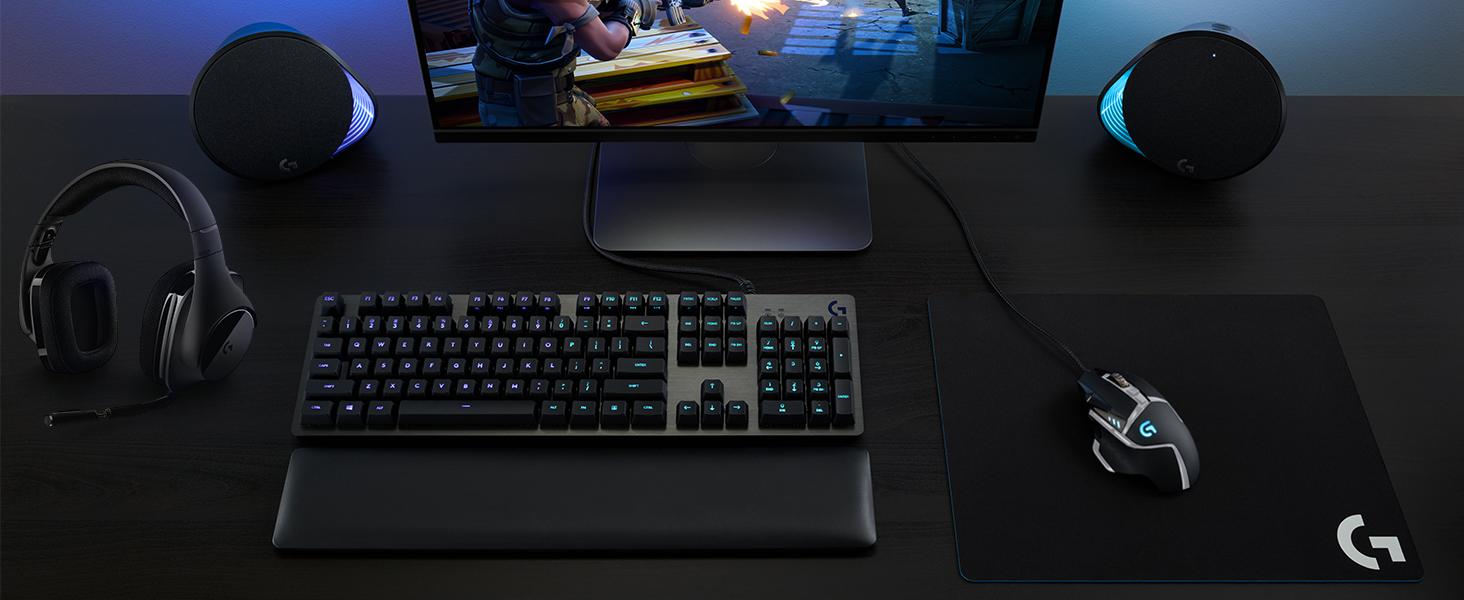
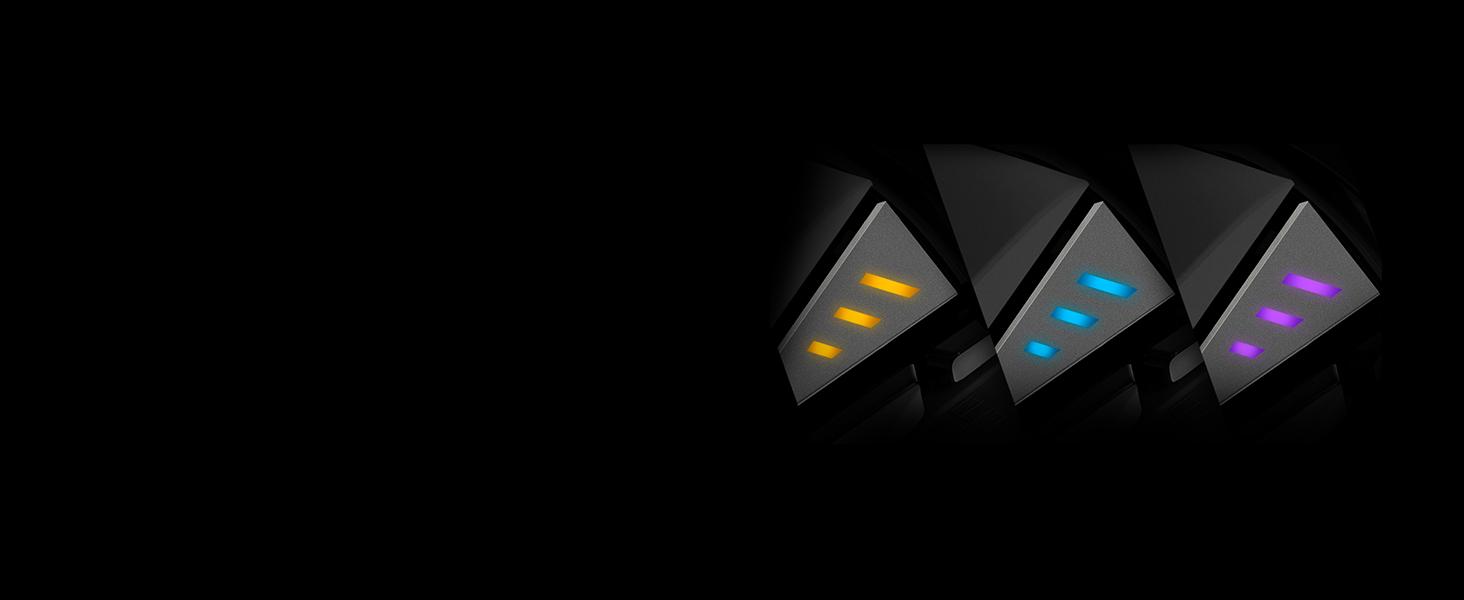
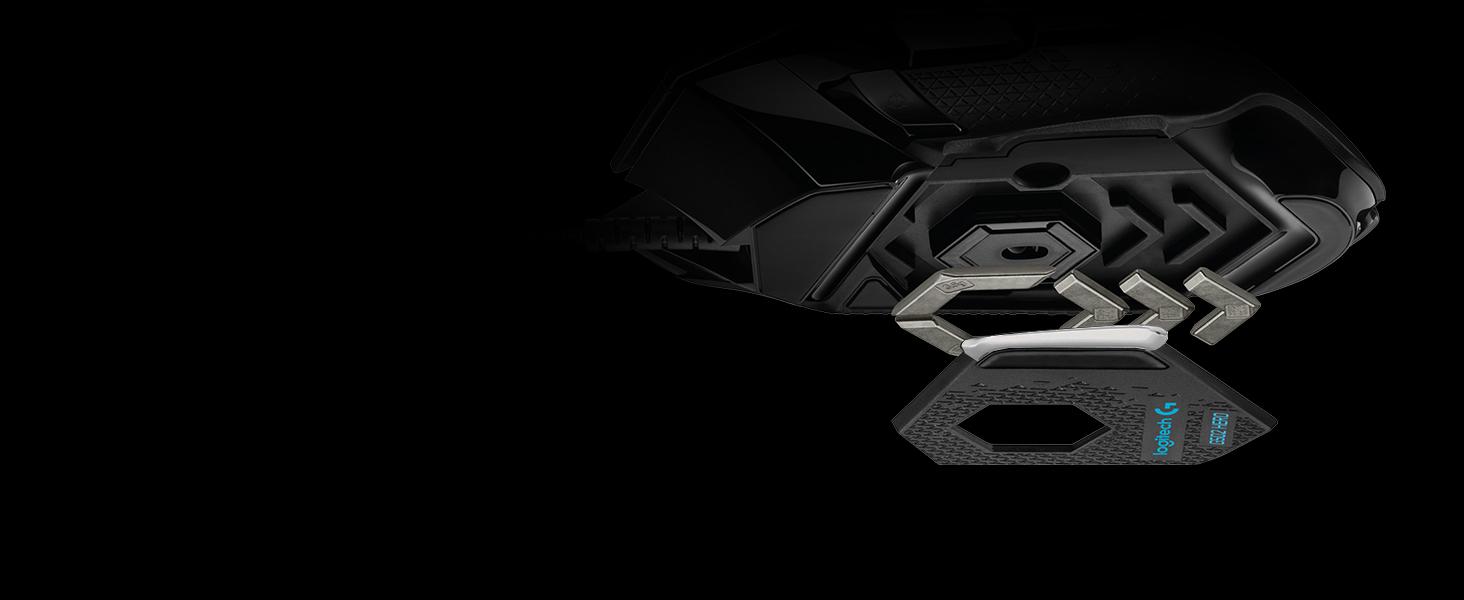
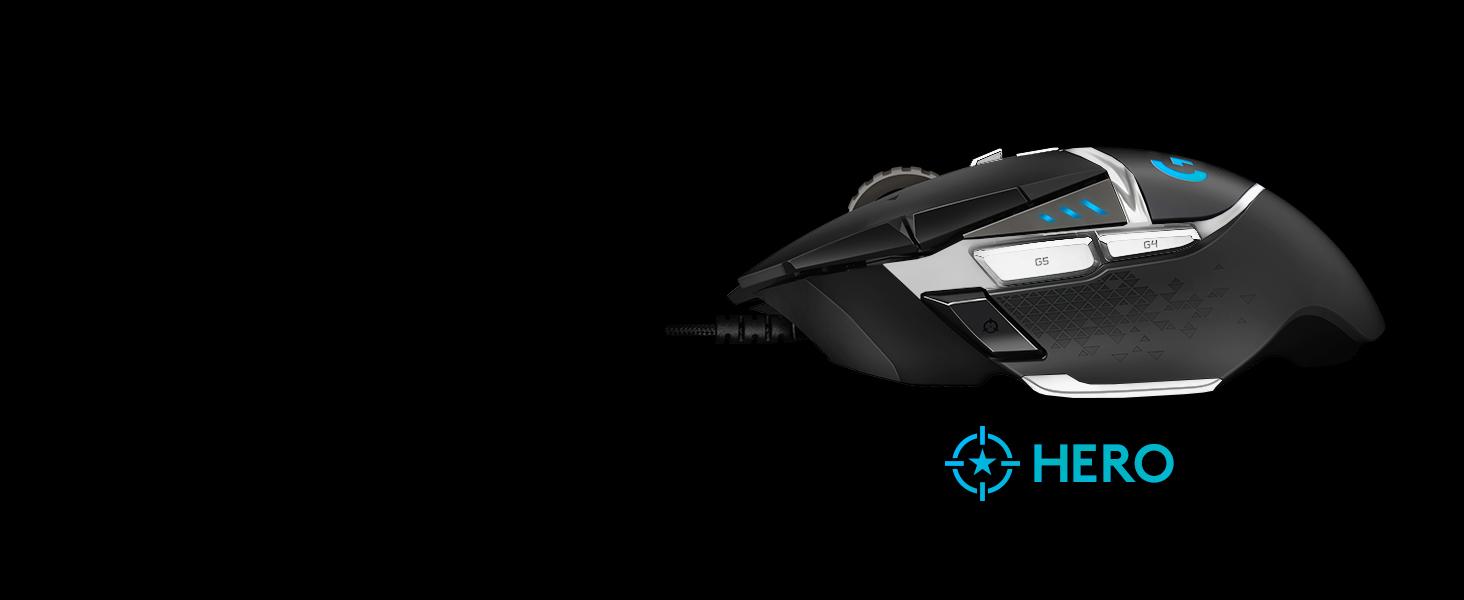
The Logitech G502 Hero Special Edition gaming mouse features a cutting-edge HERO 25K sensor with up to 25600 DPI for unparalleled accuracy, 11 programmable buttons, customizable RGB LIGHTSYNC lighting, and adjustable weights for personalized balance. Designed for pro-level gamers on PC and Mac, it combines durability with rapid mechanical switches and on-board memory to save your custom profiles—making it the ultimate tool to elevate your gaming performance.


| ASIN | B07W6JP8N2 |
| Additional Features | Compatible with Mac. |
| Antenna Location | Spielen |
| Are Batteries Included | No |
| Are Batteries Required | No |
| Best Sellers Rank | #26,811 in Video Games ( See Top 100 in Video Games ) #926 in PC Gaming Mice |
| Brand | Logitech G |
| Built-In Media | Tuning Weights and Cases, User documentation, gaming mouse |
| Button Quantity | 11 |
| Color | Black & White |
| Compatible Devices | Chrome OS, Mac OS 10.11 or later, Windows 7 or later |
| Connectivity Technology | USB |
| Customer Reviews | 4.5 out of 5 stars 7,827 Reviews |
| Embellishment Feature | LED |
| Enclosure Material | Metal |
| Finish | Matte |
| Global Trade Identification Number | 05099206085879 |
| Hand Orientation | Right |
| Hardware Platform | Mac, PC |
| Item Dimensions L x W | 2.95"L x 1.57"W |
| Item Type Name | Gaming Mouse |
| Item Weight | 4.27 Ounces |
| Manufacturer | Logitech |
| Mfr Part Number | 910-005729 |
| Model Name | G502 SE HERO Gaming Mouse |
| Model Number | 910-005729 |
| Mouse Maximum Sensitivity | 16000 Dots per Inch |
| Movement Detection | Optical |
| Movement Detection Technology | Optical |
| Number of Batteries | 1 Lithium Ion batteries required. |
| Number of Buttons | 11 |
| Operating System | Chrome OS, Windows 7 or later, mac OS 10.11 or later |
| Pattern | G502 Hero Wired (White Version) |
| Power Source | USB |
| Range | 1.0 meters |
| Special Feature | Compatible with Mac. |
| Style Name | East Europe Version |
| Theme | Video Game |
| Unit Count | 1.0 Count |
J**E
Great for gaming, less so for other stuff
First of all I'm going from Corsair's most popular wired gaming mouse (Scimitar?) back to a Logitech because the Corsair wore out after about a year and the mouse wheel never really worked all that great. I had to replace it because the bearings on the mouse wheel Completely locked up and it was unusable at that point. And it was only about a year old. The sensitivity on the primary Mouse button was unsatisfactory as well by that point. I had a Logitech before that tgat had lasted for YEARS, so I went back to Logitech because the performance and reliability and durability has just proven to be better than the Corsair. This new version of what I used to have is fantastic and the trigger on Mouse button one is Utterly satisfying with the sheer speed of response and my ability to easily single tap and double tap shots from an AK-47 as well as other guns in CS2. Controlled bursts are equally easy. My in-game accuracy has gone way up as I find that I can pinpoint my shots effortlessly and I'm not exactly sure why. The weighting definitely feels better than on the Scimitar. I am very satisfied with this mouse for gaming. As far as using it on normal desktop applications in Windows, I find that sometimes it's a little spastic with the buttons, so I think it was mainly tuned just for gaming.
D**E
Great mouse for gaming and work
I am a gamer and I also work from home so I needed a mouse that is good for both gaming and IT work. This mouse is very reliable, I use it all day every day and it has never failed me. There are a lot of options for sensitivity and customization, so I think it could work for just about anybody. I would definitely repurchase.
C**Y
Plastic scrollwheel, colors a bit different than pictured, otherwise a solid mouse
I am purchasing to replace my Corsair M65 Pro mouse. I like the M65, but the mouse started double-clicking and I had issues with middle click not working at one point in time. The M65 has a wider frame, while this G502 is much thinner. Generally, I prefer the wider frame. Pros: * Logitech - Mice tend to last a long time - Good key mapping and customizability in the driver/software * Molds well to the hand (nice indentation for the thumb), and has nice textured grips on the side. * Scroll wheel can be toggled between free-scroll and individual clicks * Good quality sensor (I'm not picky) * Mouse cord has a good length and width Cons: * Colors are different than pictured - the scroll wheel looks like a grey spray paint, and the Special Edition lines are colored a very bright and plastic white. * Scroll wheel is plastic and looks cheap (feels like a good Logitech mouse, however). * No buttons on pinky/ring finger location. G7/G8/G9 buttons are also a bit awkward to reach. Notes: * There is a wireless version available. * G Hub has a cool audio visualizer mode, but there's not many lights on the mouse, and the colors and settings don't "wow" me. Fun gimmick. * There is a sensitivity changing button that can be configured for anything. By default it is set to a "sniper" mode (hold it down to decrease DPI). I like this as a middle click alternative. It rests at the end of my thumb (not as nice as Corsair M65 under the thumb, but still in a good location). Pro: you shouldn't accidentally click it while picking up the mouse to move it (I never had this issue with M65). My background: This is probably my fifth or sixth unique Logitech mouse. I have also owned a Corsair mouse. My favorite two are probably the Corsair M65 Pro and the Logitech MX Master, which both have a wider footprint. On this mouse, I miss the buttons on the right side of the G900, the metal scroll wheel from the MX Master, the wider frame of the MX Master and Corsair M65 Pro, and the long battery life of the Marathon mouse (I chose not to get the wireless version because of the battery life being measured in days as opposed to months). However, I am very happy with the mouse so far.
D**Y
Best mouse ever made
This is the best FPS gaming mouse ever!
A**R
No batteries and no latency its perfect.
Had for 6 months and it has worked great. The adjustable weight is nice. Clicks are crisp and not sponge.
A**A
Calidad
Muy buena calidad
D**A
Great for gaming.
The Logitech software is very buggy and it is slow to start so u will need to wait a few minutes before you can use your mouse when the PC starts. That's pretty annoying. Also the buttons to change DPI don't want to work a lot of the times. Using the official software and drivers from the Logitech website. I'm hoping an update eventually fixes these problems because when it wants to work this thing is amazing.
G**G
Would give 0 stars if I could.
Never ever again. Have bought this mouse 6 times. One time, the failure was my fault. Spilled something on it. I own that. 5 other times the wheel has failed. FIVE TIMES. It's the same thing every single time. The little spring inside the mouse wheel fails. When contacting Logitech, I asked how much to replace a spring. They said they will not sell me one. I emailed them back to clarify that I wanted to buy the little spring that pushes middle mouse up. It costs 5 cents to make and I'd pay them $5 plus shipping. They said no... I emailed one more time to make sure I understood correctly. "So you're telling me you refuse to sell me a part that you guys still manufacture and that instead you fully expect me to buy another mouse." They said YES. Greed greed greed greed greed. 0/10 customer service. Do not buy from them and do not trust them.
M**K
Il re dei mouse è tornato, più HEROico di prima.
INTRO Il Logitech G502 per me è il mouse definitivo, si da il caso che io lo stia usando dalla sua prima release (quella con il led blu, chiamato G502 Proteus Core), poi ho preso il refresh con il led RGB (grande miglioramento di cui sentivo veramente il bisogno, per questo l'ho preso. A parte gli scherzi l'ho preso dopo qualche anno per usarlo anche al lavoro visto che mi piaceva). E ora ho preso questo per sostituire il primo (che oramai ha 7 anni) visto che mi piaceva con i dettagli in bianco, anche perché l'ho trovato ad un buon prezzo usato. Quindi sono 10 anni che utilizzo due G502, uno a casa e uno al lavoro, e questo è il terzo. Per me questo mouse è il migliore sul mercato, e ne ho provati tanti, ma visto che lo stanno tenendo invariato da quasi un decennio con cambiamenti minimi ogni volta, vuol dire che anche in Logitech sono consapevoli di aver creato un prodotto eccellente. TECNICA E QUALITA COSTRUTTIVA Il mouse presenta UNDICI bottoni programmabili (tre taterali, due vicino al tasto destro, click centrale più tilt a destra e sinistra, il tastino del cambio profilo e ovviamente il click destro e sinistro che in totale fa 11), che poi è il motivo per il quale l'ho preso ormai un decennio fa per la prima volta. Io adoro i tastini programmabili, e non posso farne a meno, non solo per il gaming ma anche nell'uso generale del computer e nei programmi che utilizzo. Il mouse ha un sensore credo sviluppato direttamente da Logitech chiamato semplicemente "HERO 25K" (che sta per High Efficiency Rated Optical), che arriva a 25600 dpi. Inutile dire che non lo utilizzerete mai a questa sensibilità perché sennò con uno spostamento del mouse di un millimetro si muove da un lato all'altro dello schermo. Io uso sempre la stessa configurazione con questo mouse, 3 step: 6400, 3200, 2400. La rotella del mouse utilizza il brevetto Logitech, quindi ha funzionalità che non si trovano su mouse di altre marche, ovvero il tilt a destra e a sinistra, e lo sblocco della rotellina per lo scrolling infinito senza step, il che è utile per scrollare pagine molto lunghe. Gli switch del mouse non sono specificati da Logitech, ma secondo me durano parecchio, come dicevo il mio ha dato problemi solo dopo 7 anni. Per quanto riguarda i materiali, il mouse è fatto di un'ottima plastica opaca che offre un buon grip alla mano. Il cosiddetto thumb-rest è gommato così come la parte sinistra del mouse per migliorare ancora di più il grip. Alla lunga questa plastica comincia a fondersi, sul mio primo G502 si sta cominciando a screpolare ma l'ho usato e strausato davvero per tanto tempo, quindi è normale. Leggevo nelle recensioni di certi geniacci che pensano che il mouse dovrebbe essere fatto in metallo, e a questi signori chiedo innanzitutto dove comprano la droga perché sicuramente è roba buona e ne vorrei un po', e secondariamente chiedo, ma un mouse in metallo si è mai visto dico io? No non si è mai visto e per ottime ragioni a meno di non farlo in titanio qualsiasi altro metallo provocherebbe allergie, si ossiderebbe, renderebbe il mouse 10 volte più pesante e 100 volte più costoso, eccetera eccetera, quindi per favore dateci un taglio con la droga che poi scrivete queste cose. A proposito di metallo, il mouse ha i pesettini per renderlo più pesante o più bilanciato, io onestamente non ho mai capito il senso di questa cosa specialmente ora che sembrano andare per la maggiore i mouse "leggeri" bucherellati, ma per motivi di effetto placebo mi piace mettere due pesettini sul retro del mouse così mi sembra più bilanciato come peso, ma in realtà sono solo pippe mentali. ERGONOMIA E UTILIZZO Io ho delle mani piuttosto piccole ma comunque con questo mi trovo bene anche se è un mouse un po' grosso. Utilizzo una presa di tipo palm-grip e riesco a raggiungere senza problemi tutti i tasti, ma sono al limite. Il Corsair NightSword che è giusto pochi millimetri più grande di questo per me è inutilizzabile. Per il resto ci vuole qualche mese per abituarsi ai tastini laterali, ma poi io personalmente non ho più potuto farne a meno. DIFFERENZE CON I VECCHI G502 Il modello "Hero" è l'ultima variante del G502. Le differenze con il vecchio "Proteus Core\Spectrum" sono sostanzialmente solo sul sensore, l'Hero appunto usa il sensore HERO di cui ho parlato prima, che arriva a 25000Dpi. Il cavo inoltre è leggermente diverso e un po' più flessibile, e sul mouse c'è il nuovo logo di Logitech squadrato. Per il resto sono identici quindi se avete il modello vecchio che va ancora è inutile aggiornare. Il modello SE è anche lui identico se non per le plastiche bianche che sinceramente in foto sembravano molto estetiche ma nella realtà meh, non mi sembra tutto sto gran che, avrei preferito prenderlo di nuovo nero. SOFTWARE, RGB E VARIE Il mouse è customizzabile con il programmino nuovo della Logitech, chiamato Logitech G Hub. È piuttosto intuitivo da usare e non occupa tanta memoria (al contrario per esempio del Corsair iCue che occupa 1.5Gb sull'hard disk). Questo software sostituisce il vecchio Logitech Gaming Software e secondo me funziona bene. Il mouse ha 11 tasti programmabili e l'RGB sul logo e sull'indicatore dpi. Il mouse ha la memoria interna per salvare 3 profili quindi lo potete programmare una volta e poi disinstallare il software, il che è molto positivo. CONCLUSIONE Che dire, io adoro questo mouse, e lo uso da tanti anni. Non posso fare a meno dei tastini programmabili, inoltre essendo un Logitech ha le funzionalità esclusive di questo brand come la rotella a scroll infinito e il tilt. Il nuovo modello "Hero" è pressoché identico ai precedenti quindi mi sono trovato subito bene, e il nuovo sensore mi sembra un po' più preciso rispetto al precedente. È un ottimo mouse, l'unico che si avvicina ma senza superarlo è il Nightsword della Corsair ma per le mie mani è troppo grosso. Quindi lo consiglio al 100% senza riserve, specialmente se lo trovate ad un prezzo ridotto.
D**N
Précise et agréable en tous usages une fois qu'on s'y est habitué
Vendue en solde à un très bon prix, une souris gaming agréable et précise - bien lestée et bonne glisse - ajustement de la précision précise dans Logitech Hub (même si le nombre max de dpi est délirant et inutile). Un réglage de chaque niveau est possible. Un bouton raccourci gère les paliers. - ergonomie parfaite pour une main de taille moyenne - nombre de fonctions amplement suffisant pour du gaming - molette qui répond bien MAIS à laquelle il faut s'habituer : lestée et course très libre, vous revenez en haut de page d'un simple mouvement. Cependant il faut bien s'y habituer car la course libre a une forte inertie. - les switchs sont de qualité moyenne d'après les tests (ça explique son prix modéré) mais répondent très bien quel que soit le type de grip - lestage inclus mais son poids de base est très suffisant pour qu'elle soit stable. J'utilise un lapboard Cycon et elle ne bouge pas d'un poil quelle que soit l'inclinaison de la planche, gros bonus pour moi comparé à mes autres souris plus légères. En résumé que du bonheur à cette gamme de prix mais préférez l'acheter à 40€ qu'à 60€ si possible.
B**2
Najlepsza myszka jaką miałem
Bardzo ergonomiczna i wygdona mysz. Świetny klik bez żadnego luzu. Wysoka precyzja wykonania. Do wad mogę zaliczyć (moim zdaniem) gumowane boki. Ręce się strasznie pocą, po czym są śliskie. Wolałbym jakiś chropowaty plastik. Drugą wadą jest brak białego podświetlenia. Kolor jest delikatnie czerwony i słabo świeci.
M**P
Toppie
Snelle levering werkt perfect
Y**W
Tolles Upgrade von der bereits guten G500
Ich habe die Logitech G502 Hero SE (weiße Variante, unterscheidet sich ansonsten nicht von der G502 Hero) als Upgrade zu meiner alten Logitech G500 gekauft. Einige Punkte, die ich in meiner Rezension ansprechen möchte sind: - Mausfunktionalität (Buttons) - Ergonomie im Vergleich zur G500 - Software (GHub) und RGB - Sensor Mausfunktionalität (Buttons) Die Logitech G502 besitzt die üblichen Links- und Rechtsklick-Buttons. Diese haben einen sehr angenehmen Druckpunkt und fühlen sich im Vergleich zur G500 hochwertiger an. Man merkt den Klick deutlich, was mir persönlich sehr wichtig ist. Die Buttons sind separiert von den üblichen Bestandteilen der Maus, was bei anderen Produkten nicht immer der Fall ist (z.B. Mausoberfläche aus einem Guss gefertigt). Dies empfinde ich als äußerst positiv. Das Mausrad ist für mich der Hauptgrund, warum ich wieder auf eine Maus von Logitech setze. Mit der G500 habe ich das Feature lieben gelernt, das Mausrad freischalten zu können (unlimitiertes Drehen nach einmaligen Anstoßen). Auch hier ist das wieder gegeben und funktioniert tadellos. Das normale Scrollen empfinde ich ebenfalls als äußerst angenehm und präzise. Ebenso ist das Mausrad wieder gut klickbar, sowohl vertikal als auch horizontal für das Scrollen nach links und rechts. Persönlich benötige ich diese Features kaum und daher habe ich diese umkonfiguriert mithilfe der Software. Die Maus bietet zusätzlich zwei Buttons auf der linken Seite der linken Taste. Diese werden, wie schon bei der G500, zum schnellen Anpassen des DPI Settings genutzt. Bei normaler Handauflage sind diese Buttons keineswegs störend und können auch nicht ungewollt gedrückt werden. Auf der linken Außenseite der Maus befinden sich drei Daumentasten. Zwei sind individuell zu konfigurieren und mit der Vor- und Zurückfunktion vorbelegt (Browser vor und zurück beispielsweise). Der andere Button dient zum temporären umstellen der DPI auf die niedrigste Stufe. Persönlich habe ich diese Funktion bisher nie gebraucht, aber die Funktionsweise habe ich getestet. Diese Taste kann man ebenfalls umkonfigurieren, falls gewünscht. Aus Versehen geklickt habe ich keine der Tasten trotz recht großer Hände. Eine letzte Taste für das Cyclen durch die On-Board-Memory Profile habe ich noch nicht angeprochen. Diese befindet sich hinter der Unlock-Taste für das Scrollwheel. Bisher genutzt habe ich diese Taste aber nicht. Sie ist auch niedriger als die Unlock-Taste, wodurch sie nicht als störend wahrgenommen wird. Ergonomie im Vergleich zur G500 Die G502 ist etwas schmaler als die G500 und passt sich gut der Hand an. Man kann also sehr angenehm den Handballen auflegen und die übrigen Finger finden sich natürlich an der passenden Stelle ein. Die Daumenauflage ist ausgeprägter als beim Vorgängermodell, wodurch man nicht konstant Druck mit dem Daumen ausüben muss, damit dieser in Position bleibt. Bei mehrstündiger Verwendung lernt man, diese Eigenschaft zu schätzen. Beim älteren Modell habe ich persönlich immer Probleme gehabt den richtigen Platz für den kleinen Finger zu finden. Beim schieben der Maus nach rechts hat mich dadurch ab und zu der kleine Finger gestört durch zusätzliche Reibung auf dem Mauspad. Bei der G502 ist dies bei mir nicht mehr der Fall. Die Maus selbst hat ein recht stattliches Gewicht, aber ist insgesamt leichter als die G500. Als jemand, der vom Vorgängermodell umstellt, ist dies positiv zu empfinden. Ich kann leider keine Auskunft über die Umstellung von einer leichteren Maus geben. Zusätzlich liegen der Maus, wie bereits bei der G500, Beschwerungsgewichte bei, welche man individuell an der Maus anbringen kann. Dies habe ich aber bisher nicht wirklich als nötig empfunden. Software (GHub) und RGB Mit dem Upgrade auf die G502 kommt auch die neue Software GHub von Logitech ins Spiel. (Zuvor hat man die Logitech Gaming Software LGS verwendet). Insgesamt freut mich die Umstellung, da alle Logitech Produkte auf Dauer zentral über eine einzige Software verwaltet werden können. Da ich auch ältere Produkte von Logitech besitze, musste ich zuvor drei verschiedene Treiber Softwaren verwenden. Häufig liest man im Internet über Probleme bei der Erkennung und Einrichtung von Geräten mittels der GHub Software. Ich kann einige Erkennungsprobleme bestätigen, aber durch kurze Suche im Internet finden sich zahlreiche Troubleshooting Anweisungen, welche eventuell helfen können. Bisher musste ich kein Produkt austauschen lassen, da immer eine Neuinstallation von GHub, Ein- und Ausstecken des Geräts oder andere Tipps im Internet geholfen haben. Funktioniert das Gerät einmal und wird erkannt, so treten fast immer keine weiteren Probleme auf und man kann die Software ungestört verwenden. An dieser Stelle möchte ich kurz auf ein spezifisches Problem mit der G502 Hero eingehen. Nach dem erstmaligen Einrichten in Windows habe ich gleich die GHub Software gestartet, welche mich auf ein Firmware Update für die Maus hingewiesen hat. Daraufhin habe ich die Installation gestartet, aber auch nach zehn Minuten hat sich nichts getan. Eine kurze Suche im Net hat ergeben, dass bei nicht mehr funktionierender Maus ein Ein- und Ausstecken helfen sollte, um die Installation abzuschließen. Meine Maus hat aber noch funktioniert, weshalb dieser Schritt nicht geholfen hat. Die weitere Suche hat ergeben, dass man vor dem Update die On-Board-Memory der Maus einschalten sollte (Settings der Maus oben in links in GHub, On-Board-Memory Slider auf An). Folglich habe ich die GHub Software beendet und damit das Update abgebrochen und zuvor genannte Schritte durchgeführt. Letztlich konnte das Update problemlos abgeschlossen werden. Den Umfang der GHub Konfigurationsoptionen hier duchzugehen würde den Rahmen meiner Rezension sprengen. Man kann jegliche Tasten umbelegen, Makros aufnehmen und zuweisen, DPI Einstellungen ändern, persönliche Profile für bestimmte Spiele/Software erstellen und festlegen, RGB Effekte einstellen und RGB Effekte synchronisieren mit anderen Logitech Komponenten. Bisher habe ich noch keinen Anwendungsfall gehabt, welcher nicht mittels der Software gelöst werden konnte. Demnach bin ich sehr zufrieden mit dem Funktionsumfang. Bezüglich RGB - Das DPI Setting und das Logitech Logo kann in unterschiedlichen Farben beleuchtet werden (also DPI auch in anderer Farbe als das Logo). Es gibt verscheidene Effekte, besonders angetan bin ich vom Screensampler, welcher eine bestimmte Farbe eines Bereichs auf dem Bildschirm wiedergibt. Die Konfigurationsoptionen sind zahlreich und der Farbton recht kräftig. Sensor Zuletzt möchte ich noch den Sensor der Logitech G502 Hero ansprechen. Die Maus bietet einen 16000 DPI ohne Hardware Acceleration. Wenn Sie nicht genau wissen, was Hardware Acceleration ist, so reicht es aus zu wissen, dass ein "Nicht-Vorhanden-Sein" eine positive Eigenschaft ist, um eine bessere Präzision in Spielen zu haben. Unter Windows gibt es zusätzlich die Software-Acceleration, welche ich ebenfalls empfehle bei einer hochwertigen Maus, wie dieser, abzuschalten. Der Sensor funktioniert problemlos auf zahlreichen Oberflächen, getestet habe ich ein recht raues Gaming-Mauspad eines anderen Herstellers als Logitech, eine gummierte etwas rutschfestere Oberfläche und einen Holztisch. Auf allen Oberflächen funktionierte der Sensor stets problemlos und präzise. Beim Anheben der Maus wird schon nach kurzer Distanz kein Input mehr wahrgenommen. Werten kann ich dies nicht, da ich meine Maus bei normaler Benutzung und beim Spielen nie anhebe. Die 16000 DPI, welche die Maus zur Verfügung stellt, sind mehr als ausreichend für auch äußerst große Monitore. Es ist alles einstellbar von 100 bis 16000. Persönlich reicht mir aber die Voreinstellung von 2400 als default (nach dem Start von Windows) bereits aus, um auf einer recht kleinen Oberfläche operieren zu können. Mit der Software lassen sich hier alle möglichen Stufen festlegen. Ebenfalls ist die default-Belegung der Report-Rate (Maus Updates pro Sekunde) auf 1000 voreingestellt. Mehr als das habe ich bisher bei keiner Maus gehabt und es ist auch vollkommen ausreichend. Zusammenfassung / TL:DR Nach langen Dienstjahren meiner G500 ist die G502 Hero ein würdiger Nachfolger, welcher mir hoffentlich ebenfalls jahrelang treu bleiben wird. Meine ersten Eindrücke sind durchwegs positiv. Diese Maus kann auch mit deutlich teureren Konkurrenzprodukten mithalten und übertrifft diese sogar nach meinem persönlichen Empfinden.
Trustpilot
2 months ago
4 days ago