Buy anything from 5,000+ international stores. One checkout price. No surprise fees. Join 2M+ shoppers on Desertcart.
Desertcart purchases this item on your behalf and handles shipping, customs, and support to Kyrgyzstan.
🚀 Elevate your Wi-Fi game — never settle for weak signals again!
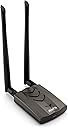
The Alfa Long-Range Dual-Band AC1200 Wi-Fi Adapter combines cutting-edge 802.11ac technology with dual-band speeds up to 867Mbps on 5GHz and 300Mbps on 2.4GHz. Featuring USB 3.0 Type-C connectivity and dual 5dBi external antennas with a built-in signal amplifier, it delivers extended range and stable connections even through thick walls and floors. Compatible across Windows, MacOS, and Linux platforms, this adapter offers hassle-free plug-and-play setup, making it the ultimate upgrade for professionals demanding reliable, high-speed wireless networking.


| ASIN | B00VEEBOPG |
| Best Sellers Rank | #400 in USB Computer Network Adapters |
| Brand | ALFA Network |
| Color | B |
| Compatible Devices | Desktop, Laptop, Tablet |
| Compatible Operating System Family | Linux, MacOS, Windows |
| Customer Reviews | 4.5 out of 5 stars 3,012 Reviews |
| Data Link Protocol | USB |
| Data Transfer Rate | 867 Megabits Per Second |
| Global Trade Identification Number | 04718050302222 |
| Hardware Interface | USB 3.0 |
| Item Dimensions L x W x H | 5.51"L x 5.51"W x 2.36"H |
| Item Weight | 0.57 Pounds |
| Manufacturer | ALFA Network |
| Mfr Part Number | AWUS036ACH |
| Model Number | AWUS036ACH |
| Product Dimensions | 5.51"L x 5.51"W x 2.36"H |
A**N
Works fantastic
My Wifi Antennas were connected to the back of my PC. And my PC was in a cabinet. Needless to say not the ideal situation for a good signal. The signal would massively fluctuate down to no bars at times. Always stayed connected though. But couldn't even get my full internet speed. I started looking around for Wifi Adpaters so I can place one on top of the cabinet and out in the open. I figured I might as well spend the extra money and get a good one. I also got a new USB 3 hub. And bought a short USB 3 adapter so I can plug the Alfa into it and have it standing straight up for great reception (see attached photo).My computer is on the 3rd floor, and my router is on the 2nd floor in the Kitchen. The signal has to go through sheetrock, marble tile, some thick cork underlayment, and really tough bamboo flooring. It's working beautifully. The signal is rock solid. I'm actually getting faster internet speeds than I even thought I had. I'm only using the 5 Ghz wireless N though right now. I don't have an AC router yet. But since AC works off the 5 Ghz spectrum it should be great too. I should note that my photo shows different Antennas, that's because I had some other pretty robust ones I put on instead of the stock ones. The Stock ones are totally fine though. I'm not sure it mattered, it's just I already had them and the wire inside looked to be thicker, I figured maybe it offers less resistance and that could help. So I threw them on. The stock ones are plenty good quality though and were working great. I wish Amazon would put this one higher on the search results, I had to go pretty far to find this. I almost bought an older one that was cheaper but didn't look as good or have the newest specs. It's USB 3, it's wireless AC, it's the newest version. It works fantastic. Spend the little bit of extra money and get this one. *I'd also like to note that I did NOT install any of the drivers or software or anything on the CD. I just plugged it in and Windows 10 did everything instantly. I'd suggest you also do the same. You should really never use CD drivers or software. It's almost always out of date for anything you are installing. Either let windows do it or go download the latest and most up to date from a manufactures website.
G**G
Works Great, but is a Challenge to Set Up with Linux
This is a great little product. My old Dell desktop had been Internet capable using an Ethernet cable only, no WiFi. However, it is no longer my primary computer for software development activities. I have a new developer-edition laptop for my desk, along with a large external monitor. The old desktop is still quite usable, but needed to be moved away from a wired connection. So I bought this product. I had bought the desktop system in approximately 2009, and it had had Windows Vista installed. The system had become unusable due to slow response, and I had become disgusted with the poor quality of many Windows releases. So I saved-off a lot of files using a thumb drive, erased Vista, and installed Ubuntu Linux back in 2013. So...back to this product. It is advertised for compatibility with Windows and MacOS, and comes with an install disk for these systems. The disk appeared also to contain a driver for Linux, but I could not install it this way...an error occurred for which there were no specifics. However, I did find instructions on the Internet for downloading a compatible driver, using "sudo apt install..." Something like that. Just look it up if you need to; I don't remember specifically what I did. But it can be done. So I am typing on this system right now using the wireless connection. The system and I are downstairs, but my modem is upstairs.
J**1
Fast connection in a pinch
My main desktop computer died and all I had was an older desktop with no wireless built in. Running ethernet was not an option for me, so I purchased this item and just moved the hard drives over. Set up was fast and easy, and it connected to my router without issue. It worked well enough that I put off replacing the desktop and I still use it for the internet connection for it today. I mostly use a laptop now, but I still rely on this unit when I need to access my larger archive drives. The speeds stay consistent and it has never once dropped the connection like I have experienced with some other brands.
R**S
Good. Very good. Incredibly awesome. ICS update.
Use in RV camps, hotels etc... In a camp now and compare: Laptop card shows 13 SSIDs, 36ACH adapter reflects 51 SSIDs, signal strength/quality huge improvement. I've used a 36H for over decade (Good!), a 36NR w dual dongle 8 years (not so good), and now this adapter (very good!) Wifi Ranger postponed Good purchase Update: Now in a State camp w RV.. laptop 1 card barely connects to camp wifi, an android and iphone won't connect (nor any data available), then I have this 36ach plugged into laptop 1 connected to same wifi source and it's providing ICS to both phones allowing voice/text, a second laptop, and an XBOX One X streaming Netflix to LCD at 480, no buffering, all connected thru 36ach, operating same time LOL LOL... I wouldn't believe it either! friggin awesome adapter... I found adapter works great without me tweaking 8812au utility file (Advanced Page) via modifying permissions. Works great with std driver/utility. Had issues w it intermittently losing connection, then diagnosed issue to laptop power saving ... laptop was not applying constant power thru usb as set! I completely turned off all power saving, laptop screen stays on Best amz purchase ever
J**O
Beware Linux users! Not so Linux friendly.
First I would like to say that it is possible to get this product to work on Linux, but it definately is NOT OOB supported! Even the box says Linux kernel 2.4 or more recent, which I doubt that is true... There are different drivers for the Alfa, some are hacked or forked and those simply do not work well. I could not get the "official" drivers from the manufacturer website to install (requires kernel module compilation and that fails). For Ubuntu or Mint users there is a version of the driver that is installable and works great - however it requires you to have two development files installed which are not installed by default. SO you have to already have the driver and those two files downloaded or backed up somewhere to get internet. Why are these not installed by default??? I have no idea, but it's definately not good. If anyone needs the info, these are the required files to be downloaded before install (I use Linux Mint 19.2): rtl8812au-dkms_4.3.8.12175.20140902+dfsg-0ubuntu8_all.deb libc6-dev_2.27-3ubuntu1_amd64.deb libc-dev-bin_2.27-3ubuntu1_amd64.deb You install the libc dev files first. If dkms build fails upon install of the rtl8812au driver, then open a terminal and go to the /usr/src/rtl8812au-4.3.8.12175.20140902+dfsg directory and do a "make install" manually. I tested it on default 4.15 and 5.0 kernels. On Windows 10 it is configured by default, but the performance is pathetic. After automatic install and a reboot, Windows Update pulls a new driver for the Alfa and that new one (in my case 7/19) work ok. Not what I expected, but once properly installed and configured it has some great performance :)
J**B
It's worked well for years now.
It still works well after numerous years of use. I also bought some +9dbm antennas to really extend the range. I can pick up the college WiFi from half a mile away with clear line of sight.
L**O
Amazing setup!
One great way to mount it is to get a metal plate (like those used for magnetic phone mounts) and a pair of magnets. This combined with a short type c to micro b cable got me a very practical, compact setup. Those accessories come for about $10, and I find myself carrying it easily on my backpack for, uhm, wifi extending ;) The included cable is long enough for you to keep it in your bag discretely, if you ever need to, but I have embraced the tech-savy look as you can see in the pictures. Works well with Windows and Linux tools, including Kali, and it is necessary if you plan to run OSX on a non-apple device. The 5Ghz range is superb and it supports monitor mode, injection, and all that good stuff. If you're using it on your laptop you get the extra benefit of having your internal wifi available for referencing, googling, etc; while using the adapter for more technical endeavors. This is a dual band device, which means you get to do all that fun stuff not only on 2.4Ghz networks but also on the 5Ghz ones, which are getting way more common in public spaces,. All in all, works as it's supposed to and holds great value, 10/10 would buy again.
J**.
Can't recommend this right now
I bought this with the hope of replacing my trusty Alfa AWUS036H for use in both Windows and in Kali Linux. I'l divide my review into two sections. Windows: I initially thought this worked great in Windows 10. I did a comparison with my 036H in the same position and the 036ACH was able to pull in more networks, even taking the AC band out of the equation. Connections are stable. However, once I started testing it more I found it to be extremely slow. I was unable to get more than 5mbit down when my laptop's built-in card would get almost 200mbit down. Kali Linux: I bought this as soon as driver support was announced, excited at the prospect of packet injection on AC networks. Unfortunately I think the drivers need more work. Packet injection *does* work - I was able to deauth a computer and capture a WPA2 handshake on my home network. However, it simply does not pick up nearly as many wifi networks in Kali as it does in Windows. I'm seeing a bit more than 1/2 of the networks I see from Windows, whether it's AC networks or otherwise. I also found that more intense usage like OpenVAS would make the device very unstable, often disconnecting it from the network. I was also unable to increase the transmit power in Kali with this device, whereas the same commands worked to boost power on the older 036H. If you are looking to use it for wireless audits in Kali, I'd suggest holding off on this unless you specifically need AC network support despite the caveats above. I did contact their tech support regarding the slow speeds in Windows 10. They told me I may have gotten a defective unit so I'm returning it to Amazon. I will update this review whenever I get a hold of another one.
H**G
Muy contento
El producto llegó a tiempo, es de buena calidad, compatible al 100% con windows y linux. Lo recomiendo demasiado.
S**6
Amazing range
Works really good , easy to carry , disassemble and assembly is fast
W**R
Nessun problema su Kali
Ero un pò preoccupato sulla compatibilità. Dalle recensioni ho letto che qualcuno ha avuto problemi ad installarlo su Linux invece su Kali ci ho messo 5 minuti. Basta andare sul sito indicato e ti da il procedimento giusto per l'installazione corretta. Su Windows 10 è stato ancora più semplice ovviamente. Basta far partire il file eseguibile e funziona benissimo. Per lavoro comunque a me serve usarla su Kali e non mi ha dato nessun problema. Ho provato Wireshark, airodump... giusto per testare il prodotto e devo dire che fa il suo lavoro. Ovviamente non aspettatevi miracoli sul raggio di azione. A me da le stesse reti del router in dotazione ma ovviamente serve a tutt'altro. Se volete più raggio di azione conviene che andate su altre tipologie di dispositivi. Spero funzioni anche su Parrott Os. Vi farò sapere perchè non ho avuto tempo comunque rimane un prodotto di ottima fattura e qualità. Nella scatola c'è il gancio per attaccarlo al monitor, il cavetto di buona qualità e l'adattatore micro usb to usb. A proposito sarebbe meglio attaccarlo a prese usb 3 per sfruttare a pieno il dispositivo. Credo però funzioni anche con le prese più vecchie.
V**S
works with kali 2022.4
works well with kali 2022.4, but drivers will most likely become an issue in future releases for this realtek chipset
J**S
Calidad y potencia
Magnífica antena usb. La uso en mi portatil con windows y en kali linux para hacer "auditorias internas" y tiene un alcance muy eficiente, aunque en este último, debes instalar los drivers correspondientes pero no tendrás problema en ello ya que están muy probados y en este chip funcionan de maravilla. Modo monitor sin pegas.
Trustpilot
3 weeks ago
1 month ago