
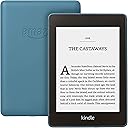



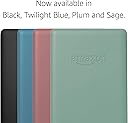
Kindle Paperwhite | Waterproof, 6" High-Resolution Display, 8 GB—with Ads—Twilight Blue (Previous generation)
Product ID: 148796853
💧Waterproof (IPX8)
📱6" High-Res Display
🔋Weeks of Battery Life
📚 Read, Relax, Repeat! Your next adventure awaits.
The Kindle Paperwhite is a waterproof e-reader featuring a 6-inch high-resolution display and 8 GB of storage, designed for avid readers who want to enjoy their favorite books anywhere, anytime. With a battery life that lasts weeks and compatibility with Audible, this device is perfect for both reading and listening on the go.

S**L
Still going strong after years of use
I've had this Kindle Paperwhite since 2019, and it's still one of the best tech purchases I've made. The battery lasts for weeks, the screen is comfortable to read even for long sessions, and the built-in light makes reading at night very easy without straining my eyes. After years of regular use it still works reliably, and the waterproof design has given me extra peace of mind when reading by the pool or in the bath. It's lightweight, easy to carry, and distraction-free compared to reading on a phone or tablet. If you're looking for a dedicated e-reader that lasts, I wouldn't hesitate to recommend it.
M**M
Newbie to Kindles, love it, so much, bought two
Received the Kindle for Christmas. I wanted to share my experiences with a fabulous device. I only ever read books when on holiday. Since being at home, I actually asked for the Kindle. I know the Kindle has been out years, but where have I been. The Kindle is my life presently, being disabled my life line. Fantastic books, on offer, or free, saved me lots of money. Quite easy for me to float around the settings. Being a newbie to this device, I am still learning. I joined unlimited as on offer, will see if it’s worth it, so far I have read lots of books. I love the dark mode, very usual or will be in direct sunlight. The Kindle has some very good features . I do find and it’s a little hard to explain. Not sure if this is normal, or a glitch. Sometimes when changing pages or searching etc, the screen flickers between dark and light. Unless I haven’t set it correct I notice the writing a little dull, so needed to brighten the screen. Using Dark mode is good for bright sunlight, darkens very well. Also keep it in the dark mode if you want a black background and white writing. Undoing dark mode gives the brighter white background on black writing. A fair amount of options at the top of the screen, aeroplane mode, blue tooth to connect to other devices, sync Kindle, all settings. If you have little ones, the device can be locked with a password in parental controls. Gives options to review books that can be read, and audiobooks. When settings tapped, this will bring up the brightness option. The brightness level goes up to 24 on settings. Sometimes you can hi light errors, and press screen to hi light them, and underline passages important to the book.i assume this helps the author, not really sure. What isn’t shown ( that I know of) is the font size for the reading.... I found this by accident. When on a book, like we do on PCs, for example, spread fingers out as if to make page bigger. What happens is it comes up on the screen, font size, use the slider for your particular reading size. Mine is currently on 7 as have bad eye sight. I would like to mention about the length of battery time. So when I got the Kindle, I didn’t turn it off, just closed it. This is after charging from new. I found the battery lasted 2-3 days if that. I felt I was doing something wrong, it states lasts weeks ? Going around the Kindle there is a button at the very bottom of the device. Shines green, press and hold, after a few seconds, on screen flashes to turn off etc. Press that and screen will go off. Makes sense really, but I was slow to catch on. Depending on how much I read determines battery life. If when I read a few pages before bed, battery lasts a bout a week, any more, or all day, wouldn’t last. So not sure how the Kindle was tested to be honest. It is so easy, light weight and I love it. So much so, I have another delivery today for my husbands birthday.... I wish I bought one years ago. I have the Kindle case and accompanied charger in my bundle. Everything great....... I have the one with ads, like this because it comes up with new ideas of books to buy, or free. After a while, the Kindle knows what kinds of books I like. Thank you to the seller, remarkable lightweight device ** I do hope my review has helped in your decision making, kind regards**
N**E
Best Kindle yet!
Before deciding to buy this Kindle, I had been using the 2010 Kindle - the one with no keyboard and no touch screen, just the side buttons. I'd had no inclination to buy another Kindle, because the touch screen wasn't enough of a pull to spend more money on it. I had filled my 2010 Kindle with 18 pages of books and felt sad that I couldn't read it in the bath (my second favourite place) or at night in bed with the light off (my favourite place) I looked on the Amazon store to see how much the Kindle Paperwhite was, and saw this beauty! Wow is all I can say! Amazon seemed to have packed everything you could possibly want into this Kindle Paperwhite! It's small and compact (see pictures), it has light control, it's waterproof, AND you can listen to Audible - all for £129.99! I was definitely sold from the word go! I received it today and I have had a little play around with it and here's what I really like! Pros The new Kindle has no buttons around the edge and it's easy to grasp and keep ahold of. It has Audible and is waterproof like the Kindle Oasis but at a fraction of the price There are no fiddly buttons to change the page but instead a touch screen (very different to my Kindle 2010) There isn't a frame that sits above the screen on this Kindle which makes it look lovely and fancy There is a major amount of space compared to the Kindle I had (I have the 8gb which fits in all of my books and there is still more space) You can set font profiles so if others are using it, it will alter to their preference with ease Cons The only possible con I can think of is I am going to have no time to sleep or socialise because I am going to be stuck reading on this. Overall Amazon have done an amazing job with this new Kindle Paperwhite and at a fraction of the cost of the other high-end Kindles it sells.
B**Y
Love everything about it.
I’ve always loved physical books (still do) so for a long time kindles and other devices like it held no interest for me and then I fell into the world of FanFiction the majority of which isn’t available in book form so you have to read it online, I was reading on my phone which was both too small for my liking and drained my battery when I discovered that I could download fanfics as ebooks and read them on a kindle I snapped up a bundle deal with the case and plug and I absolutely would not be without it now, I currently have over 700 fanfic books on mine, - the battery life is fantastic, - It’s easy to use, - the Amazon plug is well worth purchasing, - it’s so easy to put books on just save the book to your laptop, plug it in open the relevant file and copy and paste or drag them over. - the background light is well worth having - paying the extra £10 to have it ad free is also well worth it in my opinion. -once a book is downloaded onto the device you can read it anywhere no need to be online. -the storage is immense, I have over 700 books of varying lengths on mine and have barley used a gb. -it’s the perfect size and nice and light. -it saves your page so you just open it and go. If you’re a book lover like me it probably won’t ever be able to completely replace books but it’s a brilliant little device to be able to carry about with hundreds (or even thousands) of books at your fingertips, it’s perfect for my needs and I wouldn’t be without one now and highly recommended them.
J**K
Very Nice
I got this to replace my very old Kindle with a physical keyboard, which after many years of very good service has now begun to develop a mind of its own regarding whether it will turn on or not, turn pages, and generally speaking being a nuisance. The new Kindle seems to be a great device. The touchscreen makes for very easy access to menu's and setting up your preferences etc. and the different levels of back-lit screen assures that you can read in all light conditions, or without any back-lit if you prefer. It is of course also a lot lighter than my old one, and a lot smaller, even though the actual screen is the exact same size. And it is waterproof! A few things that I have come across so far, that do not fully live up to my expectation, might mainly be a question of getting used to the new device. To me one handed reading was easier with the old version where I would press the forward or backward button with my thumb, but with the touch screen I have not found any way of turning a page backwards with a one handed grip. It is a small issue but if you just want to go back a page you will need your other hand for that, which could easily be done one handed on the old one. I like a compact page on the display but I find that the smallest font is too small and the gap up to the second smallest is quite big, while between size two and three there is hardly any noticeable difference at all. At the same time the font size goes all the way up to 14, and I honestly cannot imagine anyone actually wanting a font so big that only 15-20 words will fit on a page. Just a strange priority the way I see it. The last thing that I am finding a little difficult getting used to is the library function and how it can be filtered to show different folders, or collections as they are called. On the old one setting up collections was a pain but once done the overview of all your books was pretty good. On the new one I find it a bit of a jungle trying to get what I want. Usually I have all my new books delivered into the main library and once I read them I moved them into my different collection. Straight form the library I could then see all my new books, not yet in collections, and by turning pages forward I would then get all my collections listed, and could choose to go into any of them and maybe re-read an old book. With the new one I can either get all my books, or collections only, or read books only, or unread books only, but that means that I have to change the library filter every time I go into the library to show me what I am looking for, rather than have it all at my disposal when I open the library's main page. As said it might just be a question of getting used to the new layout etc. and even if I think that some of the features on the old Kindle was actually better I am still very pleased with the new version that without any doubt is a great device.
D**E
An amazing update
The Amazon Kindle Paperwhite 4 (2018 – Tenth Generation) is a welcome update to the Paperwhite. Whilst externally, the new Paperwhite 4 has a similar look to the previous Paperwhite 3, there are some subtle and not so subtle differences that mark this Paperwhite as a device to be reckoned with. Most of the changes are under the hood, and include a new 1500 mAh battery, upgraded LPDDR rom and a more powerful 1gb Cortex Processor. This brings the Paperwhite 4 in line with last year’s (2017) Oasis 2. And this is not the only thing in common the two devices have; The new Paperwhite 4 has the same IPX8 water resistance rating as the Oasis 2. For those not savvy on what the different IP water resistant ratings mean: this Kindle can survive an accidental dunking in water, or having a drink spilled on it. You can sit in the bath and use it. You can sit in a swimming pool and read from it. It can stand getting a little wet – BUT, it is not designed to be used underwater. So those hoping for a Paperwhite they can use whilst diving, or in the shower will be disappointed. But then, why would you want to read a book whilst you were diving or in the shower? The IPX8 rating is welcome, and frankly should be a standard on all future Kindles. I have suffered the annoyance of a Kindle being killed by a glass of water, thanks to the family cat. Whilst I keep all three separate these days, it’s nice to know that a little water isn’t going to kill the device. Audible integration has become a standard for Kindle eReaders since the launch of the Oasis 2 in 2017, and for those Kindles that have a Bluetooth chip installed. There hasn’t been an audio jack on a Kindle since the Third Generation Kindle Keyboard. The new Paperwhite 4 is no exception, this means you have to pair Bluetooth headphones with it to listen to your Audible books. The device is fully Bluetooth compliant, and I had no problems connecting any of the Bluetooth headsets I own. Audible integration works well on those eBooks where you opted to purchase the Audible narration, allowing you to switch between reading or listening to your book. Immersion reading is not supported however, but that makes perfect sense given the display is eInk. Switching from Audible to eBook will take you to the page you are on, rather than highlight the word. It’s not too big a problem. For those Audible books you own without the accompanying eBook, you can listen to them as normal. The Audible controls are basic, Amazon need to introduce a few more control options – such as the ability to stop at the end of a chapter, or a timer to stop playing after a set time. These are minor things that would improve the Audible experience on all the Kindle eReaders that support it. However, it is nice to have all your books – eBooks or Audible, on one dedicated device. Like the Oasis 2, the Paperwhite 4 has two storage options; 8gb and 32gb. This is a major improvement over previous generations which have 4gb. Kindle OS does use some of that storage, normally about 1gb to 1.25gb – but that’s still allowed the user to have around 1-2,000 eBooks on their Kindle. Storage has never been a big deal as Kindles have always had enough storage space for the most avid of readers. 8gb (minus the amount used by the OS) allows for storage of around 6-7,000 eBooks, depending on size per book. It allows for 30 or so Audible books – or a mix of the two. If you have a lot of eComics, then I would suggest opting for the 32gb version as they tend to be larger than eBooks or Audible files. Storage management is dealt with very nicely and has been since the 5.10 OS update that more modern Kindles received. So how does it feel and how does it perform? The Paperwhite 4 is lighter and thinner than the previous Paperwhite 3, at 181g it’s comfortable to hold. The rubbery non-slip back feels nice and has a natural warmth to it, it’s not as cold or as hard as a full metal or hard plastic back. Some people have said it feels “cheap” – but I counter that by pointing out how practical it is to have a non-slip back, that it sits well and holds well against your fingers. It adds to the comfort when holding the device. It adds some protection to the device against drops and will prevent corners being chipped or damaged by accident. The screen is flush this time, there is no raised bezel. Gorilla-glass covers the entire front of the device, and thanks to coatings is antiglare so reading in direct sunlight is not a problem. The display is still as crisp as the Paperwhite 3 – it is in fact the same 6 inch 300ppi E Ink Carta screen as used on the Paperwhite 3; this is one area that Amazon has not touched (and didn’t need to). Reading is a joy, and thanks to recent OS updates now offers numerous settings to customise the display to suit how you want to read. There is a built-in option to invert the screen, white text on a black background. This is particularly nice when reading before bed, as it puts less strain on the eyes. The flush bezel around the screen looks chunky but is designed well. It allows the device to be held without accidently touching the capacitive touch screen. It’s nice to see thought like this being put into the design. The touch screen is very responsive and allows for two-point touching, handy for the pinch and zoom options for text – and for PDFs and eComics. The screen is lit evenly by 5 LEDs, an increase from the 4 used on the Paperwhite 3. Lighting is evenly distributed across the entire screen. This is one area where there are very few issues these days as uniform lighting is something that has been mastered since its introduction in 2012. The LEDs are a different hue from previous Kindles. They are not as overtly blue as previous versions, but more a warmer colour. This is a nice change and gives the screen a more “paper like” look. There is no comfort light option, in fact there is no automatic light adjustment sensor at all. Like previous Paperwhites, the screen light has to be adjusted manually. This is – again – no change from the Paperwhite 3. Automatic light adjustment sensors and the like are a staple of the Flagship Kindle, the Oasis 2. It’s no surprise this option wasn’t included on what is now Amazon’s mid-level eReader. Out of the box, the device comes installed with Kindle OS 5.10.1.1 – which is the version used on more recent Kindle eReaders (Oasis, Oasis 2, Paperwhite 3). As soon as you connect to Wi-Fi you will be updated to 5.10.1.2 – an update that applies only to the Paperwhite 4, which adds to the overall performance of the device. This includes a new low power mode for when the kindle is switched off for more than an hour. It’s toggled on by default and will mean that if you leave your Kindle off for more than an hour is will take a little longer to wake up, as the device enters a hibernate mode when not used for more than an hour. Speaking of battery life; I got this on the day of release. I have charged it once. I don’t leave Wi-Fi on, or Bluetooth for that matter (I only toggle Bluetooth on when I want to use Audible). I have the screen light set to 10, the font size set to 5. I read a couple of hours a day, I have listened to an Audible book, which does hit the battery. But I have 63% left on the battery as of typing this. Given this includes setting the device up and leaving it to index the 500+ eBooks I downloaded onto it, I’m impressed. This bodes well for future battery life. Something a lot of people forget – or don’t know - when you load an eBook onto your Kindle, the device “indexes” it. This is all part of how any Kindle handles any eBook and allows you to search through it. All Kindle eReaders do this. So, if you dump 500+ eBooks on it, it’s going to take a few hours to index all those books and will cause a slow down on the device until it’s done. Even with a new processor and more ROM, the Paperwhite 4 is not a super-computer or high-end tablet. It’s a dedicated eReader. Give it time to do its job (2-4 hours if you dump 500+ ebooks on it) and then use it. You’ll get the best out of the device then and see just how well it does perform. Like previous Kindles, no wall socket adapter is included in the box, just the device and a Micro USB data/charging cable. It’s disappointing that Amazon haven’t taken the opportunity to make this the first Kindle eReader to have a USB-C port, rather than the old Micro USB. Of course, there would be no performance advantage in doing this, but rather make it more convenient in terms of making it easier to plug the cable in, and mean you only have to carry one cable with you when you go on holiday, as most modern phones use a USB-C type charging cable. But until it has an impact upon performance, I can’t see Amazon making this leap to changing the cable type needed. If you’re looking to upgrade your Kindle – or looking to get your first Kindle, but don’t have the budget for the Oasis 2, then this is a good device to go for. Remember, that if you opt to purchase a device “with special offers” you are going to have ads. They do not impact on either the device performance, or overall reading enjoyment. Overall, I’m going to give this 5-out-of-5. This is an amazing upgrade to the mid-range Kindle. It’s not a massive upgrade, but a welcome and recomended one.
S**H
The original Kindle was approaching a miracle. If this is waterproof, then that is great too.
OK Folks, The first Kindle I bought was great. It was fantastic. Perhaps the only reason it froze after about 2 years was because I had not yet written a review of it. What a fantastic idea! And I, at least, continue to rather prefer buying Kindle books and reading on a Kindle to reading all except older books. It surely must be more ecologically viable to not have to print hundreds of books. And convenient, to be able to have a portable library at your fingertips. The electric charge also keeps very well in Kindles. If this one is waterproof, then that is an improvement, but I would not want to throw it in the bath to try it to its limits. For anyone who suffers with sight problems the ability to change the Font is great. A formerly Dyslexic relative of mine told me that because he did not feel the pressure remembered from school of having a heavy book in front of him he just instead had to cope with a page at a time that he does so, and first did so and could hardly believe that after a while he had managed to complete his first book ever. Not only that, but I do have to say that before the Kindle came out the Book Industry as led by the Publishers was highly exlusive in a rather prejudicial manner: less that it was exclusive, but that its intention was often to exclude. I like Jeff Bezos from what I have seen of him (the Boss of Amazon). It is my theory he was never given enough credit for the magnificent invention of the Kindle. It may be that he went into overdrive as a result of this oversight. I admit that I have been in overdrive also to an extent, and am currently in some circles known as one of Amazon's "wildest customer". It may be that with the outbreak of Coronovirus people are going to be wanting to order more from Amazon and expect intrepid parcel deliverers to treck out to meet all their demands. I myself DID intend to try to stop using Amazon for anything other than Kindle books, and perhaps to listen to Albums before I order them from HMV. The problem is sometimes I have found that HMV has refused to acknowledge an Album of great worth and refuse to scout it into its stock. So, maybe I will use it for Music a little if necessary. I am hoping NOT to use it to watch films because the Carbon Footprint of Streaming both on Amazon and competing services like Netflix is said to be high....and if I am going to stream video I would prefer to keep it to YouTube. For now, I am hoping to be able to continue my Prime Membership to show for a while how grateful I do feel towards what Amazon has done for me. But Jeff Bezos has come out himself now as someone who is really concerned about Climate Change and the Environment....and it may indeed have been this initial concern which led him to invent the Kindle...as it was my concern also that led me to buy one in the first place.
A**K
Massive book lover - CONVERTED TO KINDLE!
*Detailed review ahead BUT I hope this helps*: I’ve always been one of those people who would never order a Kindle because they prefer an actual book. However, thought I’d treat myself to one for lockdown and try it out, if only to save a hell of a lot of money on books with all the extra reading I’ve been doing with this spare time! And... I LOVE IT. It doesn’t really feel like you are reading off a device as the screen is not like a smartphone glare. I also like it as I can read outside and the screen is still perfect in the sun just like paper, also don’t have the annoyance of wind blowing pages all over. It’s waterproof so you can also read in the bath without worry! The built in LED means you can read on a night before bed without getting eye strain which is perfect for me as I have always enjoyed reading a quick chapter or two to wind down before bed. The discounts available on the kindle store make this well worth the money and switch to a kindle if you are tempted but not sure if you’ll like it compared to an actual book. I’ve found I haven’t really noticed a difference, if anything I’m reading the books even quicker. I have saved as much as around 85% off the price of some books I have wanted for a long time by getting them on the kindle store. For example, as I’m a massive fan of The Last Kingdom on Netflix, I got the first 6 books in the series on the kindle store for about £6.99, as opposed to the usual retail price for the physical set of books being anything around £50-£60!! Finally, another side of the Paperwhite I like is that you can highlight and comment on quotes, you can also hold on a word and it will bring up either translations (if another language) or general info from the internet (e.g. a historical figure). I have found this particularly useful as I am going into Secondary Teaching so have highlighted a few passages which are now saved on the kindle, which I can use as thinking points/part of activities in lessons. I was torn between this and the earlier model. The earlier is cheaper, but I have found the Paperwhite is still great value for money and I believe you are getting more features to make it a better reading experience (e.g. LED, flush screen, waterproof). And I just wanted to have a newer model, I always prefer this when ordering new devices so it’s more up-to-date for any future updates. So, overall (apologies this has been very long but I have written it with people like myself in mind, who may have toyed with the idea of a kindle for years but not sure if they will like it compared to a usual book): *great value for money *haven’t missed reading a physical book. If anything I’m now reading books faster *unbelievable discounts available on kindle store - you are saving a HELL of a lot of money compared to physical books *great features - LED and waterproof *other perks e.g. highlighting and saving passages/quotes to your device
Trustpilot
2 months ago
4 days ago