Buy anything from 5,000+ international stores. One checkout price. No surprise fees. Join 2M+ shoppers on Desertcart.
Desertcart purchases this item on your behalf and handles shipping, customs, and support to Kyrgyzstan.
🎤 Spotlight your brilliance, anywhere in the room.
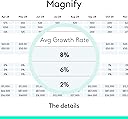
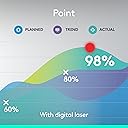
The Logitech Spotlight Presentation Remote redefines professional presenting with its advanced digital highlighting, dual wireless connectivity (Bluetooth and USB), and an impressive 30-meter operating range. Featuring quick charging that delivers hours of use in just a minute, customizable vibration timers, and universal compatibility across major platforms and software, it empowers managers and professionals to engage audiences effortlessly and confidently.


| ASIN | B07S5HMQBH |
| Additional Features | Ergonomic |
| Battery Type | Lithium-Ion Polymer |
| Best Sellers Rank | #6,226 in Office Products ( See Top 100 in Office Products ) #9 in Office Presentation Remotes |
| Brand | Logitech |
| Button Quantity | 5 |
| Color | Black |
| Compatible Devices | Personal Computer |
| Connectivity Technology | Bluetooth |
| Controller Type | Button Control |
| Customer Reviews | 4.4 out of 5 stars 1,291 Reviews |
| Global Trade Identification Number | 00097855152756 |
| Item Type Name | Logitech Spotlight Presentation Remote - Advanced Digital Highlighting with Bluetooth, Universal Presenter Clicker, 30M Range and Quick Charging – Black |
| Item Weight | 49.2 Grams |
| Manufacturer | Logitech |
| Max Number of Supported Devices | 1 |
| Maximum Number of Supported Devices | 1 |
| Maximum Range | 30 Meters |
| Mfr Part Number | 910-005749 |
| Model Name | Spotlight Presentation Remote |
| Model Number | 910-005749 |
| Number of Batteries | 1 Lithium Polymer batteries required. (included) |
| Smart Home Compatibility | Not Smart Home Compatible |
| Special Feature | Ergonomic |
| UPC | 097855152756 |
| Unit Count | 1.0 Count |
| Warranty Description | 1 Year Limited Hardware Warranty |
H**R
Wireless Wizardry: A Closer Look at the Logitech Spotlight Remote
When it comes to presentations, finding the right tools can truly make a difference. Enter the Logitech Spotlight Remote—a game-changer that's transformed how I handle my presentations. After putting it to the test, here's what I've discovered. This is by far the best presentation remote I have ever used. In fact I lost the receiver and I purchased another remote! The Logitech Spotlight Remote is all about simplifying presentations. With a range of up to 100 feet, I can navigate slides and interact with on-screen content effortlessly. It's like having complete control from anywhere in the room. The customizable timer is a standout feature for me. Vibration alerts sent directly to my hand keep me on track without disrupting the flow. But the real magic lies in the advanced pointer system. It allows me to highlight and magnify areas of focus with pixel-perfect precision. You can also easily blackout the screen with a tap. This level of detail is essential when delivering impactful presentations. What's more, the remote offers gesture-commanded scrolling, panning, and volume control, giving me all the tools I need to crush every presentation. One of the impressive aspects is its long-lasting battery life. A full charge lasts up to three months, which is a relief during back-to-back presentations. The remote is plug-and-play on most devices and platforms, which makes setup hassle-free. The Logitech Presentation App is a great companion that unlocks additional capabilities. In summary, the Logitech Spotlight Remote has truly elevated my presentation game. Its range, customizable timer, advanced pointer system, and additional features offer a comprehensive package for presenters. If you're seeking a remote that simplifies and empowers your presentations, the Logitech Spotlight Remote is definitely worth considering.
J**E
A few minor flaws, but worth the money
Last summer I bought a Logitech Spotlight clicker. I was a little nervous about the purchase since I'd never spent that much on a presentation clicker before. After four weeks of use, I can say without a doubt that for someone who does a lot of presentations, it is worth every penny. Pros: No batteries required. You charge it via a USB cable. After four weeks of hard usage, it is still at 100%, it vibrates when the battery is low, it automatically turns off and on, and according to the instructions, you can give it a 3 hour charge by plugging it into your computer for 1 minute. Error free clicking. Every clicker I've used before has occasionally double clicked or not clicked when I pushed the button. In over 50 presentations so far, it has not mis-clicked once. They claim the range is 100 feet and that seems to be the case. I'm using it with the dongle, and I've had to place it behind a curtain around a corner on a stage, and still worked fine. You can also connect it via Bluetooth. Instant connectivity: I often have to use someone else's computer for a presentation and have only a few minutes to get up and running. In the past, this has been an issue. This takes a minute or two to install the drivers, but is always working as soon as I need it. This is the case for both Macs and PCs, older laptops and newer. Features: Holy moley! This thing has so many features. There are only 3 buttons (forward, back, and pointer) which makes it simple to use, and the forward button is bigger than the other two, which is great for my big fingers. But you can also customize the buttons. The pointer can be a cursor, a spotlight that darkens the rest of the screen while making a flashlight-like circle which moves as you move the clicker, or a magnifier. You can also customize what happens if you hold down the top or bottom buttons. I control the volume with one (moving the clicker up or down) and blank the screen with the other. There is a also a countdown timer you can set to vibrate when you are five minutes from ending time. Cons: It's about $100, which isn't cheap for a clicker. In order to use spotlight and other custom buttons, you have to install software. Some of the PCs I had to use downloaded the software automatically, but on others, I lost those features for that presentation. I've heard there is a lag on the pointer if the projector is hooked to the PC wirelessly. I seldom run into this, so not a concern for me. There is no laser, so if you are using someone else's PC and don't have internet access to download the software, you do not have a pointer. This has been a minor issue for me at times. All, in all, I am super satisfied and highly recommend it,
W**.
The New Gold Standard
I've used several other presentation controllers over the years, and this one wins in a walk-off! It's completely intuitive, charges quickly and holds its charge, and is feather-light, easy to hold and, and easy manipulate unobtrusively. Works seamlessly with MS PowerPoint and, when used in PPT's "presenter view", displays a great count-down timer and haptic alert when halfway through your presentation time limit. Installation is a no-brainer - just plug the USB dongle into your laptop and you're good to go (unless you want to set up advanced features like the timer and highlight/magnifier features, which is a breeze to do). It doesn't have a laser pointer, but the highlight/magnifier is better, IMHO, although it does take a bit of getting used to. It comes without a charging brick, but by now you probably have more than enough of them, in addition to the USB ports on your laptop. The charging cable is USB-A to USB-C, so your spare USB mini and micro cables won't work. But the plus side is that the USB-C can be plugged into the Spotlight in either horizontal orientation - no squinting at the port and plug to sort out up or down. It charges almost instantly, and no batteries to fuss with. At a bit under 6", the supplied charging cable risks getting lost, so I keep my cable plugged into a charger at home, and give the Spotlight a fresh charge (a minute or so) while I'm packing my kit to take on the road. Everything else is there - a way to manually emphasize areas of a slide that is much more effective than a laser dot, a simple way to blank and restore the screen, no-brainer slide advance and back, and all of this in a slim, 3-button stick. If you do much presenting, this is the new gold standard, and well worth the price.
S**E
Best clicker out there. Beautifully-designed, easy to use, USB-rechargable, and all-around awesome.
Looks great. Feels great in my hand. Easy-to-use. Boosts my confidence when I go out on stage. I'm a professional speaker, and so getting a new clicker for my talks was bizarrely one of the most exciting things I've done this year! :) I chose this one because it has a good range (100ft/30m) which means it'll work well if I'm presenting in a big ballroom and my laptop is at the back of the room with the A/V station, and I'm at the front of the room on a stage. The clicker looks good and feels nice in my hand. Well-balanced, and just a nice finish on the metal. The buttons are simple and there's no confusion with accidentally pressing the wrong button. No laser, but that's ok because there's an even better feature: Spotlight. Point your clicker at the screen, hit the "highlight" button, and the screen darkens just a little, save for a spotlighted area that you're pointing to. It's like magic. Really impressive tech, and it's easy to set up and use. Love, love, LOVE it! I'd recommend this clicker to anyone. And I've used a lot of different types in my time. Unless you're spending $900 on a professional Cue clicker system (which some big Venus have for their A/V teams) this is about the best you'll get out there. Long range, reliable, beautifully-designed, ergonomic, simple to use, and with great features. And NO MORE BATTERIES! The clicker charges with an included USB cable. And if you get to a presentation and find it's dead, you can charge it up enough in one minute for three hours of use. Terrific. Get one!
T**F
5 stars for the one I bought direct from Logitech; 0 for the ones from Amazon
TL;DR Amazon shipped me 2 defective units. Buying directly from Logitech (~$95) resulted in a functioning unit on the first try. Update, 3/14/24: At an educational technology conference last week, I saw a presenter using one of these (it was not the focus of their presentation). They confirmed that they were using the device with their Mac, so I went to the vendors to see if there was a Logitech rep, and there indeed was. I told him I’d love to use one of their spotlight presenters, but the two I had purchased through Amazon wouldn’t even charge. He immediately checked that I had the software, and plugged his device in to my Mac. It worked beautifully. He recommended I buy direct from the company, and indicated that he had had numerous complaints like mine about those purchased on Amazon. Though the shipping was kind of slow, the device arrived yesterday. Unlike the purchase and its replacement from Amazon, this unit buzzed its haptic feedback as soon as it had power. Its light came on immediately (finally letting me know what that was supposed to look like, since I hadn’t seen it with either the purchase or the replacement from Amazon). All features worked as demonstrated by the rep and as expected. Assuming the unit continues to work as expected this will be the last update. Original review: Received a defective unit. 2 hours trying to charge with no effect. About an hour and a half on Logitech’s chat system before I gave up and called, only to be told it was defective and to return it. On the way to UPS now; so much for presenting with it in 4 days. Also, the Logitech site suggests this product is not compatible with OS14 as of today’s date. This is not the immediate reason it didn’t work; it never lit up or vibrated to indicate charge. I’ll update if/when I get a functional replacement. Update 12/18/23 Received the replacement. Plugged it in overnight. No LED came on. Nothing buzzed. The software said for a second time there appeared to be a problem with the unit. Not sure whether the seller or the product gets zero stars. What neither gets is another chance.
L**E
the usb connector is hidden inside on the end under the usb-a dongl.
Decent hardware, lousy setup instructions. So heres what you must do to get this pointer working - 1) download and install the logitech+ app on your presentation pc/mac - they make you create a logitech acct in the cloud here.- must do apparently 2) unbox the spotlight device - NOTE - there is a usb-c port on the end of the pointer, but you have to pull out the USB-A dongle from the end- the usb-c port is hidden deep INSIDE the dongle slot! 3) plug in the USB-C Power cord into the end port ( you have to fiddle to get it plugged in) - it vibrates and a bluish light comes on at the opposite end when you plug it in. 4) Open up tour bluetooth utility on your pc/mac. 5) pair to bluetooth -hold down top and bottom keys on the pointer to pair via bluetooth 6) Now go to the downloaded logitech app to locate the pointer and program the pointer buttons. click on each key to select the functions you want - red dot, spot circle, magnify circle, fast fwd/back and more do these 6 steps co get the pointer to work. at that point the pointer worked well for me. Dont try to set up the pointer using the pc/mac bluetooth software. only use the logitech + app to set up the pointer, after connecting the pointer. I did not try to connect with the usb-a dongle. so i dont know how that works. but bluetooth worked well once i figured out the steps
D**I
My new Gold Standard for clickers
Setting this one up straight out of the box took under 10 minutes and that’s because I wanted all of the fancy features. The signal strength is excellent. With my other clickers if I went back stage with them planning on walking on with the clicker in my hand, all of the lights and mics would break the signal and they would not work unless I did a lot of power off, unplugging etc. in front of the audience :( This clicker even worked from back stage when my laptop was on stage. The spotlight feature is a game changer. Brilliant idea whoever came up with it. The sticker price might seem to be a bit high until you actually use it. Then the price makes complete sense. This clicker in my opinion gets an A++
J**.
Best Presentation remote I have ever used (and I do a LOT of presentations)
I do a lot of presentations and this is my 3rd Logitech presentation remote that I have purchased over the past 5 years. The first two (a 5 year old model with a red laser and a 2 year old model with a green laser) still work but I really liked the idea of the "spotlight" feature on this remote. Some of my presentations are given on 70" flat panel screens rather than projector screens and laser pointers are worthless when you are trying to shine them on a TV screen. I received this Spotlight remote last week and I've already had the chance to use it a couple of times. In a word, it is FANTASTIC. Easy to use and I love the way the controls can be customized via the software (such as what do you want to happen if you hold down the "next" button or the "previous" button and do you want the pointer to just "spotlight" or would you rather have it magnify or put a circle on the screen). I also wanted to point out that there is another review on here which states this remote is not compatible with presentation mode in PowerPoint (where the presenter can see the current slide, the next slide, presentation notes and a timer on their laptop but the audience sees only the current slide on the projector). I have not encountered this problem. I ALWAYS use presentation mode with my laptop and this remote works just fine in presentation mode on my MacBook Pro so I am not sure if Logitech recently fixed the issue or if the other reviewer might have had something else going on with their computer that prevented this remote from working with PowerPoint.
P**N
I highly recommend this product
Very cool product. Easy to integrate and understand. Battery life is great. Range is as promised. Features are useful and well thought out. My favourite purchase on Amazon so far
A**R
Magnífico puntero y con función de zoom.
Fantástico.
W**R
Der beste Presenter ...
... den ich je hatte. Und ich verwende seit 20 Jahren solche Fernbedienungen.
K**E
Unhappy 🙁
Came and doesn't work
A**X
Just great
Nothing like that on the market, it’s a great tool. Just wished it had a mouse click option, it would be the perfect air mouse.
Trustpilot
1 month ago
1 day ago