We remain fully operational. Our teams are working around the clock to ensure your deliveries continue safely.

DOWNLOAD THE APP


Customer Services
Copyright © 2025 Desertcart Holdings Limited
DOWNLOAD THE APP


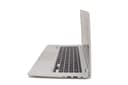
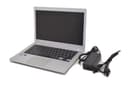

🚀 Power through your day with Toshiba’s sleek, speedy Chromebook!
The Toshiba CB35-B3330 Chromebook combines a 2.16 GHz Intel Celeron processor, 2GB RAM, and a 16GB SSD with a vibrant 13.3-inch HD display and up to 11 hours of battery life. Running Chrome OS, it offers seamless cloud integration, fast 802.11ac Wi-Fi, and essential ports like USB 3.0 and HDMI, all packed into a lightweight silver chassis designed for on-the-go professionals.
| ASIN | B00N99FV76 |
| Average Battery Life (in hours) | 11 Hours |
| Batteries | 1 Lithium Ion batteries required. (included) |
| Brand | TOSHIBA |
| Card Description | Integrated |
| Chipset Brand | Intel |
| Color | Silver |
| Computer Memory Type | DDR3 SDRAM |
| Customer Reviews | 4.2 4.2 out of 5 stars (656) |
| Date First Available | September 2, 2014 |
| Flash Memory Size | 16 |
| Graphics Card Ram Size | 256 MB |
| Graphics Coprocessor | Intel HD graphics |
| Hard Drive | 16 GB SSD |
| Hard Drive Interface | Unknown |
| Hardware Platform | PC |
| Item Dimensions LxWxH | 12.6 x 8.4 x 0.76 inches |
| Item Weight | 2.95 pounds |
| Item model number | PLM02U-007008 |
| Max Screen Resolution | 1366x768 Pixels |
| Memory Speed | 1600 MHz |
| Number of Processors | 2 |
| Number of USB 2.0 Ports | 1 |
| Number of USB 3.0 Ports | 1 |
| Operating System | Chrome OS |
| Power Source | Battery Powered |
| Processor | 2.16 GHz celeron |
| Processor Brand | Intel |
| Product Dimensions | 12.6 x 8.4 x 0.76 inches |
| RAM | 2 GB DDR3L SDRAM |
| Screen Resolution | 1366 x 768 pixels |
| Series | Chromebook 2 CB35 |
| Standing screen display size | 13.3 Inches |
| Voltage | 19 Volts |
| Wireless Type | 802.11ac |
K**W
A great computer for what it is
This, for the money, is a great product. It is handsome with a comfortable keyboard, and seems well built. I find the processor to be very fast. In fact, I think it's faster than my iMac with the latest OS X, Yosemite. The battery life is awesome. I used it over 2 days for about 8 hrs. and had almost 40% battery charge remaining. Both the unit's construction and the 13" screen's images look great, neither too big or too small. Keep in mind that the Chromebook format is different, and a buyer should understand that virtually all memory will need to go to the Cloud, not stored in the unit. It was simple for me to set up. I already had a Google Chrome internet browser set up on my Mac with my bookmarks and favorites and other customization through my gmail account. So, all I had to do was to sign into that gmail account, and voila, my customized page appeared. Since I already had a Google Play account through my android phone, my music was readily available without having to download a single tune. My conclusion is that for surfing the web, seeking information, on-line shopping, utilizing chat/message boards, or for just checking the news and weather, the Chromebook and it's format may be just what you're looking for. I had just returned a Lenovo laptop with 4 Ram, 1 TB memory because it had a 2-3 hr. battery life, and its AMD 6 processor, I found to be very slow, for the aforementioned purposes, plus I did not need the storage or memory. From what I understand, since sensitive and most other files are not going to be stored in the unit, hacking and other safety violations are relative low on Chromebooks. With that said, Chromebooks are not perfect, and have their limitations (apps., gaming, etc.), but is a value for its price.
J**E
All the bang for your buck and more
I at first was apprehensive about the no-fan design that this Chromebook boasts, but I have been very pleased with it so far. I tend to keep a lot of tabs open and I've never had a problem with it being slow. Even Netflix and all my tabs open run well together without making the Chromebook too hot. This is a great little Chromebook for someone like me who does web surfing, e-mail checking, Netflix, and YouTube. The price is also right - you get what you pay for and more in terms of speed, functionality, and design. The keyboard was a bit hard to get used to at first since it's missing a few buttons that I'm used to (Caps Lock, namely) but it's very adaptable. And I have to say that a big bonus on this Chromebook is the fact that the battery life is AMAZING. I charge it semi-frequently but it's great not to have to lug the charger around everywhere I go. If I use this laptop, it normally keeps a charge for about 6-8 hours - and that's if I'm really pushing it with Netflix/YouTube, etc. It's really nice to have that kind of efficiency in a battery. The screen design may be smaller than you're used to but it really is optimal for Netflix and YouTube. The sound quality is nothing short of amazing and I was totally blown away the first time I listened to Spotify on the laptop. I didn't expect it to sound that loud or good! This is a product I definitely recommend for casual web browsing and Netflix.
M**W
My daughter is happy with it.
I bought this Chromebook for my High School aged daughter. It is an attractive unit with good graphics and superior sound quality (which is important to young users). As most of her homework is done in Google Docs and other online applications, this computer works fine for her. It is very light and easy to carry, feels sturdy, and the battery lasts a long time. I would recommend a Chromebook for this type of user that doesn't need a full blown operating system and doesn't need major storage or peripheral devices. She can do research, do homework, and watch Netflix and such with no problem. FYI: I originally purchased the ASUS Chromebook and was not happy with it. I purchased one unit, it failed, replaced it, the second one failed. Then I got this computer and was pleased with it. It provides excellent value for the dollar and has performed well for several months. I would recommend it to a friend.
R**M
Great product: Thanks Amazon for a great price too
It is a great product that does what at promises. It starts up real fast, and connects to the Internet super fast. It is light weight. It can be used by multiple users - in my home 4 currently! I was able to take it out of the box and be online in less than 3 minutes. That too because I did not enter the password for the Home WiFi correctly 2 times. Amazon/Chromebook manufacturers should run a video contest on how fast can one users get connected and start using their Chromebooks the first time. Positives: Great price Great looks Instant startup from sleep mode Good sound quality on speakers Recognizes my old external HDD (at least 5 years old) Cons: I am still getting used to the keyboard, which is not the normal laptop keyboard one is used to. The lack of a Delete key is quite painful to me when I am typing. Yes, the Backspace key works - thank you very much - but it is just that Google is asking me to change the way I type, and I find it somewhat painful. Same goes for the missing Page Up/Page Down, Home/End keys. Anyone who uses they keyboard to navigate documents or web pages knows what it means. Again, yes, I am aware of the work arounds, but that is exactly my point...why are you making me do things differently? The double tap on the shift key should give CAPS LOCK...but it does not always work in popup windows that expect me to type in text information. I have kept one tab open with the keyboard shortcuts for Chromebook, and hope to master them sometime soon. Overall, a great product for those who spend a vast majority of their "computer time" on the net.
J**A
Excelente computadora. La use para enseñar a mi abuelo a usar una computadora y todo ha sido muy sencillo debido a su facilidad de manejo.
A**R
Mejor de lo que esperaba, precio increible. Gracias amazon ! Definitivamente no es para power users, pero es una alternativa increible para nosotroa los mortales que usamos la pc, con un uso de tablet.
Trustpilot
1 week ago
1 month ago