Processors
Product ID: 141032719
Details
- BrandAMD
- CPU manufacturerAMD
- CPU modelNone
- CPU socketSocket AM4
- CPU speed3.9 GHz
- Cache size32
⚡Boosts up to 4.5GHz
💾36MB total cache
🧠8 cores powerhouse
Desertcart purchases this item on your behalf and handles shipping, customs, and support to Kyrgyzstan.
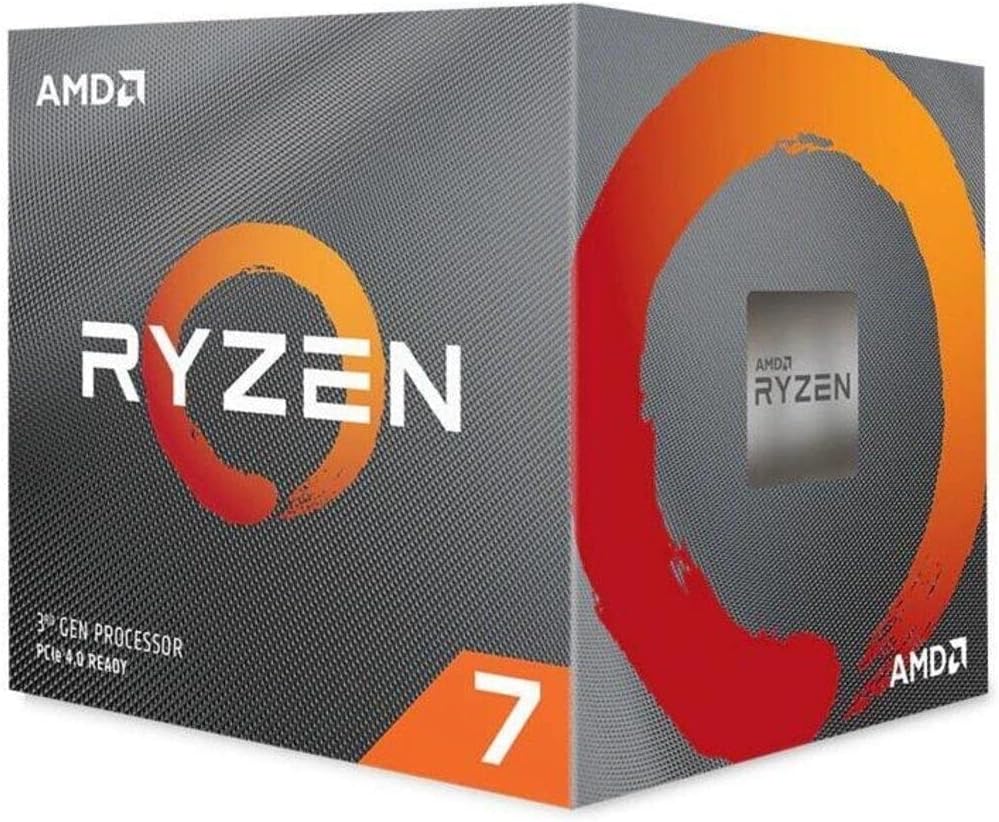
🚀 Power your productivity with the Ryzen 7 3800X — where speed meets efficiency!
The AMD Ryzen 7 3800X is an 8-core, 16-thread desktop processor built on TSMC's advanced 7nm FinFET technology. It features a base clock of 3.9GHz and can boost up to 4.5GHz, supported by a substantial 36MB combined L2 and L3 cache. Designed for professionals and gamers alike, it offers unlocked overclocking capabilities and comes with the RGB-enabled Wraith Prism cooler. Ideal for multitasking, gaming, and creative workloads, this CPU delivers high performance with efficient power consumption.


| ASIN | B07SXMZLPJ |
| Best Sellers Rank | 13,287 in Computers & Accessories ( See Top 100 in Computers & Accessories ) 26 in CPUs |
| Brand | AMD |
| Brand Name | AMD |
| CPU manufacturer | AMD |
| CPU model | None |
| CPU socket | Socket AM4 |
| CPU speed | 3.9 GHz |
| Cache Memory Installed Size | 36 MB |
| Cooling Method | heatsink and fan |
| Customer Reviews | 4.8 out of 5 stars 8,398 Reviews |
| Global Trade Identification Number | 00730143309899 |
| Item Dimensions L x W | 40L x 40W millimetres |
| Item Type Name | AMD Ryzen 7 3800X, with Wraith Prism cooler |
| Item Weight | 635 g |
| Manufacturer | AMD |
| Manufacturer Part Number | Ryzen 7 3800X |
| Model Number | 100-100000025BOX |
| Platform | Windows |
| Processor Brand | AMD |
| Processor Core Count | 8 |
| Processor Count | 1 |
| Processor Number of Concurrent Threads | 16 |
| Processor Series | None |
| Processor Socket | Socket AM4 |
| Processor Speed | 3.9 GHz |
| Product Warranty | 2 year manufacturer |
| Secondary Cache | 4 MB |
| Secondary cache | 4 MB |
| UPC | 730143309899 |
| Wattage | 105 watts |
M**M
Sturdy workhorse - but had to replace due to stock cooler
I had to buy this as a replacement for the same model I already owned - I upgraded my case and wanted to try a water cooler instead of the supplied Wraith Prism Cooler... read further below after the review if you want to know why I had to replace. Review: This is a great CPU which works very well with an ASUS TUF GAMING X570-plus mobo and 64GB RAM running at 40.00MHz constant with 2 high end 7.1 soundcards and a Nvidia graphics card. I have been using this model since it was first released. Mainly used for music production and sound engineering so nothing too strenuous apart from rendering. It works like a dream if you tweak the BIOS settings to match RAM, clocking and voltages. I have never had any issues. Changing the CPU creates a BIOS nightmare which means it initially won't start as it locks down for security, even after clearing and resetting, clearing security keys etc. to default settings. More tweaking required.. The reason for replacing is that the CPU was stuck firmly to the Wraith Cooler which I could not get free at all. After much pushing and pulling to try and free it from the already tricky AM4 clips the whole thing came out CPU and all, still attached. I had to prize the two apart with a long blade - not good and in all of the tugging some of the pins of the CPU were damaged. I was ever so slightly angry!! After freeing the two said items I found the copper plate on the cooler had disappeared where the copper pipes go underneath it, you could literally see the pipes instead of a nice flat smooth copper surface. Once again, not good. I reckon now that it would have failed soon. Now, I do not push the PC too hard by any stretch and max CPU temp was never more than 38- 42C as I tend to have the fans on full blast all of the time. The thermal paste was the original which came with the unit and on inspection was spread well over the CPU. Another reason for wanting a water cooler was I felt I could get the temps down further which they now have done - now around 30C, nice. Finally, I am happy!!! (again) :)
M**N
A beast of a processor at a good price
This is (currently) a beast of a processsor from AMD, and if you can find software that takes advantage of all 8 cores, it'll fly along. On a per-core basis its pretty fast, blowing my old replacement out of the water in terms of instructions per cycle, and I've noticed a distinct improvement in frame-rates during gaming, just from moving the bottleneck from CPU to GPU, which will be the next upgrade. The stock cooler that comes with it is capable of RGB tricks which is nice, although in a HTPC setup it's irrelevant, but it's reasonably quiet until you start hammering it, at which point it ramps up to a fairly low-key hum that won't blow your wig off. In fact, with the lid on and it pushed back into the cabinet you can barely hear it when it gets hot under the collar. Once games start actively using all these extra cores that are now available, it'll be like having a new processor all over again with the speed-ups we can expect from properly scaled division or workload. Great value compared to the Intel offering, and if you pop it into an appropriate PCI-e 4 equipped Mobo with some decent RAM, you'll be glad of the upgrade.
R**R
Nice heatsink
Bought the 3800x over the 3700x cos the price was the same at the time of order. Reading indepth reviews online suggest that this is only ever slightly faster than the 3700x. So far it's working well paired with an MSI B550 motherboard. One thing to bear in mind is unlike the Intel i5 or i7, the Ryzen 3800x (and 3700x for that matter) doesn't have built in GPU, so any HDMI port on your motherboard isn't going to give you a picture. You will need a separate GPU card to give you a video output. I didn't realise this, and it meant having to buy an extra GPU card which I was hoping to put off until the Nvidia 3000 series becomes available. Benchmarks suggest the Ryzen 3700 and 3800 series have now superceded by the Intel 10th gen i7. Whilst the Intel are more expensive, they do come with built in GPU which are sufficient for non graphics intensive users. You'll have to get a Ryzen 5xxx series to beat the 10th gen Intel, unfortunately the 5xxx series is even more expensive at the time of writing. I do like the included heatsink which uses heatpipe technology, and have built in LED lights.
W**L
Good for Workstations
Great Processor, I have been using this one for 3 years now and it still holds up well against anything I can throw at it. A great and affordable option for workstations, personally I use it for Unreal Engine 5 and it’s been a trooper so far.
A**M
An awesome piece of kit
This processor is right up there amongst the best on the market for gaming pcs. It's lightning quick and can handle pretty much anything I throw at it. I have coupled it with an RTX 2080S and 16GB of RAM and I am able to blitz through some of the most intensive games (such as Shadow of the Tomb Raider and AC Odyssey) on maximum setting with no issues what so ever. The only thing I would keep an eye out for is the temperatures. The side panel spends more time off my pc than on just so my CPU can cool, and even so it's not uncommon to see my temps hitting 90 Celsius when in game. It's worth noting that I am using the cooler that comes with this processor, which itself is pretty great. While the temps do climb (sometimes a little higher than I would like), the stock fan does its job which, to say it comes with it, is pretty good indeed. If you want to keep those temps down, maybe look at a water cooler, but for all intents and purposes, there are few CPUs that can top this one for the price point.
I**8
Higher specs GPU
I always have intel as my CPU never tried AMD as the old generation was prone to over heat if not using the right CPU heatsink but that was the olden days! Since Ryzen showed in the market I was impressed with its clock speed for the price compared to Intel. so I decided to go and build AMD PC and I chose this CPU clock speed was far better than my old i7 6950X clock speed of 3.0Ghz stock although I Overclocked it to 4.2, this Ryzen CPU base clock 3.9Ghz but I put it on 4.4GHz with water cooling AIO and so far stable. Overclocking either using app from your motherboard or do it manually. I prefer doing it manually as I can stabilise the CPU temp better. using app to overclock your CPU temp is ok as well but expect an erratic temp. In editing 4K videos using my newly build AMD PC matching with 3080 GPU I would say perfect! gaming I would say fantastic graphic wise FPS wise wow. I also overclocked my GPU using afterburner just a bit of tweak not too much every time I play games but I revert it back to normal range afterwards not recommended but if you know what you are doing I am telling you guys gaming experience will be more dramatic and far better depending of course with your PC monitor too. I have 4K 49 inches monitor and as an Enthusiasts I can see the difference performance, visual and experience, in total to sum it up this CPU is more than capable not just for gaming but for editing too! well worth the money.
J**B
its pretty sweet.
I mean its a 8 core 16 thread CPU, if you're a normal consumer mostly using the pc for gaming, this thing will last you the next 10 years thanks to consoles limited what people can do with games. being honest you can probably get about as good results with the 3700x if you're just gaming you'd only lose a couple of frames.
M**G
Have been using it for months now!
Have been using this CPU for months now, its not the best on the market, its not the worst and for what I'm using it for I works perfectly. Doesn't struggle in any AAA Games. Runs nice and cool, even with a mild overclock. It can also be very stable with an undervoltage. This keeps it nice and cool. The fan provided with the CPU is just awesome, the RGB on it is mesmerising. However due to moving to a water setup I have passed the fan onto a friend.
B**G
Does not have the equipped to win bundle.
Product is genuine and works as expected. However, don’t expect Amazon SG to send you the Equipped to Win game codes. If you want those games valued at almost $80+, you’re better off buying the processor from another retailer.
R**N
4,5 Ghz auf ALLEN Kernen
Also, Nachdem der erste 3800x zwar um ca. 20 % schneller und 40 % weniger Strom gebraucht hat als mein 2700x war ich dennoch nicht ganz zufrieden denn die angegebenen 4,5 Ghz hat er nie und mit keiner Einstellung erreicht, bei 4,35 auf allen Kernen bzw. 4,4 mit ccx Einstellung ( in ccx 1, weil dort die beiden besten Kerne waren - das ist aber bei jedem anders) , ausserdem war das Temperaturlimit von 95° trotz Wakü sehr rasch erreicht. Nach Rücksprache mit dem technischen Support von Amazon ( vielen Dank nochmals) habe ich die erste CPU zurück gesendet. Innerhalb von 1 Woche war auch schon eine neue da und diesmal läuft alles perfekt. Nur zur Info: In standart Einstellung erreicht auch diese CPU die angegebenen 4,5 GHZ nicht, man muss das, am besten in Kombination mit dem Ryzen Master Tool und dem Bios selber machen. Das Ryzen Master Tool dient dabei quasi als Testgelände weil man verschiedene Einstellungen austesten kann ohne jedesmal neu zu starten und den Umweg über das Bios gehen zu müssen. Ich konnte dabei folgende Werte ermitteln: 4,5 Ghz / all Core mit 1,35 V, LLC ist Serieneinstellung, Leistungsgrenzen können verändert werden - bringt aber nichts. PBO MUSS deaktiviert sein, ebenso alle anderen OC Hilfsmittel. RAM ist extrem wichtig: Ich habe hier 100% Stabile 3600 Mhz mit 14-14-16-15-30-T1, daß scheint auch der Sweetspot auf meinem Board ( X370) zu sein. Höhere Einstellungen sind entweder deutlich langsamer oder benötigen eine Einstellung des Fclk und das verträgt mein Board nicht - gut möglich das x570 hier besser ist. Die maximalen Temperaturen liegen mit meinen Einstellungen bei 80 - 81° am Tdie und deutlich unter 80° an der CPUTemp. Was bedeutet das alles: Die CPU erreicht 2390 Punkte all Core in CB15 und 212 Punkte single Core ( gegenüber 1900 und 178 Punkten mit dem 2700x) im "normalen Alltagsbetrieb ist die CPU unglaublich schnell, egal welche Anwendung oder wieviele, alles ist kurz nach dem Mausklick auch schon erledigt und dabei werden bei meinen Einstellungen ca. 45 Watt weniger verbraucht als mit dem 2700x. Lohnt sich ein Upgrade: von einem 2700x wahrscheinlich nur für technisch interessierte weil der Leistungszuwachs zwar groß ist aber wahrscheinlich auch für die meisten egal sein wird ( wen juckt es schon ob eine Datei um 10 sek. schneller in 7Zip gepackt ist oder nicht) für alle die CPU`s unter dem 2700x haben zahlt es sich, denke ich schon aus weil der Leistungszuwachs enorm ist und wird. Es sollte aber niemand zögern eine gekaufte CPU umzutauschen wenn die angegebene Leistung nicht stimmt und / oder die CPU zu warm wird. Ob 25% Mehrleistung und ~ 40 % geringerer Stromverbrauch knappe 400€ wert sind muss halt jeder für sich entscheiden - ich habe hier offensichtlich eine CPU am oberen Limit der Leistungsstreuung erwischt, ist halt, wie so oft, ein kleines Lotteriespiel was man bekommt. Kleines Update nach 2 Monaten: Für mich die beste Allround CPU. Aufpassen müssen diejenigen die sehr hohe RAM Taktraten haben möchten, denn ab 3600 Mhz wird es heikel. Bei mir laufen 4,5 Ghz und 3800 Mhz am Ram nicht mehr, 3733 Mhz laufen zwar und sind bei vielen Anwendungen auch stabil, aber intensive Belastungen hält das System dann nicht mehr aus. 4.4Ghz und 3800 Mhz schaffen die meisten Benchmark Tests. Mir ist es trotzdem zu sehr am Limit und ich bin bei einer 24/7 Einstellung von 4,4 Ghz mit 1,300 V, 3600Mhz mit C14 und 1.35V - Daraus ergeben sich bei z.b Games ca. 55 W Leistungsverbrauch was für mich ok ist. 4,5 Ghz All Core - stabil sogar 20x CB 15 ( mit etwas Spielerei 2410 Pkt und mit AbbA Bios 213 Pkt Single Core) Nochmal ein kurzes update: wegen einer defekten AIO Kühlung auf eine brandneue 360mm Variante umgesteigen und wieder zeigt sich wie sehr die 3000er Serie Kühlung liebt. 4,55 Ghz laufen stabil bei 1,275 V und max 68° !!! Prime 95 1h getestet. ich habe zum Test auch die "alten" GSkill Flare X AMD eingebaut und mit denen laufen auch 3800 Mhz mit 16 er Latenzen. Mir ist klar das ich hier eine CPU am obersten Rand der Lotterie erwischt habe. PS: in oben angeführtem Setting mit x370 Board 2450 P bei CB15 !
B**Y
Good buy when price is equivalent to 3700X
The CPU is definitely enough for what I currently need for 3d modeling, graphic design, and gaming. It was cheap when I brought it so it was bang for the buck better than 3700x. It is paired with an RTX 2070 so it can run most games at medium to high-resolution 144Hz. I use the stock Wraith cooler so it does run a bit warm normally 50 degrees C, and gaming 70 - 80 degrees C. So would recommend buying a third-party cooler if you live in a warm area like me (Australia). But overall very powerful and would take on most medium to high-performance tasks. If this isn't on-sell or cheap go for 3700x or the newer AMD CPU as they will provide better value to performance.
E**T
Test’n OC potential immediately. Edits: Wrangle voltage, it’s awesome! BIOS shuffle. Yippee Ki Yay!
Great CPU for everyone at stock, challenging for overclock enthusiasts. Edit 13 - “Guess who’s back, back again.” BIOS F60f Update AGESA ComboV2 1.1.0.0 D, 5000 series compatibility and all that sweet refined micro code goodness. Finewine TM. If you can get the 5000 series do it, 5600X seems great for gaming right now, 19% increase in FPS over 3000 series is legit. So unless you actually need the extra cores of the 3700X or 3800X don’t get them. Keeping it brief, got a new job, lots of intense work, moved, computer throwing fits, “ain’t no body got time fo dat,” new laptop, furloughed, ‘I got time for dat,’ fixed, “~it’s been a whileee~,” updates, and here we are. This latest BIOS seems to have smoothed out my experience to glass, my only solid evidence is a few runs in Time Spy which had the highest CPU scores I’ve ever had, 10,762 vs 10,581. Doesn’t seem like much, but the CPU physics test stays at a high frame rate with no jutters unlike before. Micro stutters that I used to see from my pair of GTX 570s were common for me to see in these CPU physics tests. That is no more. DRAM OCs are also stable with 1usmus‘s Calculator v1.7.3, 3800CL16 1.4v (from 3600CL18), snappy and not crashy. Might try for 4000 again but then again maybe not. Unfortunately that seems to be the extent of my rig’s power. My GTX 1070 Ti is quite upset with me and doesn’t hold high OCs anymore. Not getting a new GPU last year seems to have been a bad call I guess since it’ll likely be fall before prices become reasonable again. I’m going to finally move forward with my mono-block and multi radiator install and have very stabile OCs with maybe one last GPU upgrade in the future. Man, what a crazy couple years huh? Stay safe out there. Edit 12 - “Welcome to the party pal!” : BIOS F50 AGESA 1.0.0.4 B, ‘Return of the Features’, memory overclocking, CPU under volting, and 1usmus Power Plan conclusion. Black Friday, Cyber Monday, and Christmas sales mean choosing the 3800X over the 3700X is easy as the likelihood of a better binned chip and better Infinity Fabric is worth the $30-$40 price difference. So welcome to Enthusiast Land where we find the limits for fun! And while I do encourage others to join it can be rough out here sometimes. BIOS F50 AGESA 1.0.0.4 B, the refinement of the microcode has helped stabilize my computer’s performance. (Reset the profiles again!) It also brought back many features that I forgot my board came with. It’s been interesting to see a new base line of performance emerge and I’ve got mixed feelings about it. On the one hand the 3800X’s performance is better than ever, and on the other hand I’ve got a tighter window to find increased performance. Yes it’s nice to have better performance than before but dang if it isn’t annoying to have my tweaks repeatedly nulled. The BIOS for my X470 board had a bunch of features removed for the launch of the 3000 series for stability reasons I suppose and I got so used to it that I only remembered them when this BIOS brought them back. CPU features like AMD Cool’n’Quiet came back and some voltage controls can actually control voltage again. Other features Have been gradually added from X570 boards like CPPC, Global C-state Control, and PPC Adjustment. Which leads us to 1usmus‘s power plan. So with all these features now active again or introduced the 1usmus power plan actually works. It’s only noticeable when the processor encounters a lightly threaded program or many single thread programs. The normal AMD Power Plan distributes these jobs seemingly randomly over all the cores. 1usmus’s Power Plan focuses all the processes on your best CCX and sleeps the other CCX. Going by AMD’s statements the best pair of cores in one CCX on your CPU (usually Gold Star and grey dot) are supposed to be the best at handling high demand or have high overclocking/electrically stable potential. Which makes it seem like 1usmus PP is how it’s supposed to be. Neither plan is perfect. AMD idles hotter but is on average cooler than full work load 1usmus. And W10 keeps messing with my results too. I now prefer to use 1usmus but with my own Ryzen Master OC acting as a firmer boosting and peak voltage guide. I sincerely wish I could control how much voltage is sent to each core and have a ramping effect rather than keeping one core constantly at peak voltage. Keeping the 3800X cool is all you need for stability as when I’ve tested 1.275 and kept it under 65C it easily ran 4.45/4.40. After 65C my cooler hits a thermal runway with my 3800X and can’t get rid of the heat fast enough. If you can get a good custom water cooling set up, two 240s or two 280s, and you keep it under 65C, you can probably find awesome overclocking/under-volting potential. With this better default performance in mind let’s test memory. Average of three. Full default motherboard settings, XMP, and Ryzen Master OC. BIOS F50 3800X Default 2133 DRAM 1200 IF -vs- BIOS F50 3800X Default 3600 XMP DRAM 1800 IF -vs- BIOS F50 3800X (4.35/4.30 1.35v) 3600 XMP DRAM 1800 IF ——————————————————————————— Cinebench 15: 2154 - 2164 - 2237 Cinebench 20: 4943 - 4954 - 5132 3DMark11: Physics FPS: 54.58 - 62.55 - 63.39 3DMark Cloud: Physics FPS: 53.76 - 56.18 - 56.84 3DMark Sky Diver: Physics FPS: 66.85 - 75.60 - 76.51 3DMark Firestrike: Physics FPS: 74.01 - 78.73 - 77.43 (W10 strikes again) 3DMark Time Spy: Physics FPS: 31.92 - 35.57 - 36.16 Stage 1 tweaking. This was easy to achieve but soaked too much time. (NA is too bored to carry on) BIOS F50 3800X Default 3600CL16 DRAM 1800 IF -vs- BIOS F50 3800X (4.35/4.30 1.35v) 3600CL16 DRAM 1800 IF -vs- BIOS F50 3800X (4.35/4.30 1.35v) 3800 XMP DRAM 1900 IF ——————————————————————————— Cinebench 15: 2162 - 2220 - 2255 Cinebench 20: 4985 - 5160 - 5146 (W10?) 3DMark11: Physics FPS: 63.74 - 64.27 - 64.50 3DMark Cloud: Physics FPS: 55.27 - 56.16 - 57.70 3DMark Sky Diver: Physics FPS: 76.46 - 78.58 - 77.49 3DMark Firestrike: Physics FPS: 79.34 - 80.48 - NA 3DMark Time Spy: Physics FPS: 35.61 - 36.83 - NA Stage 2 tweaking once I get in the mood again. Zen 2 BIOS has come a long way in performance. Really want a better GPU to stretch my 3800X’s legs with. Edit 11 - Yippie Ki Yay Overclock'n! : BIOS F50a AGESA 1.0.0.4 & Windows 10 1usmus Power Plan. Return of memory OC. It's here! (11/10/19) And wouldn't ya know it the changes in BIOS mean saved profiles no longer apply when loaded so time for new tweaks! It's all good news so far as the introduced changes in the BIOS have allowed me to further increase my Infinity Fabric Clock and my memory overclock. (11/15/19) 1900 IF and 32GB of 3800Mhz CL 18-20-20-20-36-58 memory @ 1.4v (still tweaking, there's more there). This has essentially tied my 3000Mhz CL14 in C20 and helped game FPS (Ryzen be like that). And startup times are most certainly decreased from before and feels like when I first switched to an SSD. Destiny 2 runs flawlessly now (8 hour marathon and no crashes! New record!). Now 1usmus is THE Ryzen memory overclocking guy and he came up with a W10 power plan that he claims boosts Ryzen performance. While I can't say for sure as I've been switching between my tweaks and the different power plans it seems to at least not decrease performance. There is however strange behavior from the average CPU voltage as a whole since W10 1903 (I'm on 1909) as it now only rarely sleeps cores. I'm still testing. 9/10 would update to this new BIOS again. Edit 10 - Edit (insert Die Hard reference here): BIOS F42e (what happened to c and d?). Attempted improvements to aspects of the motherboard but an unexpectedly screechy side effect. So my CPU performance is still great but Gigabyte screwed up somewhere. While the notes for the BIOS don’t say much of anything and it’s still 1.0.0.3 ABBA, my system seemed to boot just a bit faster than before. And that would have been nice to keep but for what ever reason whenever I played Destiny 2 it glitched the audio out for over ten minutes each time (I quit before letting it go further) and screeched like a broken Halloween decoration. Not like, “boo,” more like stadium feedback mixed with a scream mixed with max treble and erratic high pitch and volume. I find enemy Hive screams pleasant in comparison. And this led to reinstalls of audio drivers, verifying Destiny 2 install, and testing in other games, but of course D2 is special. So I’m back to F42b. What ever initial ABBA BIOS you got, you might want to stick with if you play Destiny 2. Looking forward to 1.0.0.4 with ‘100+’ micro code improvements but like before you can expect it on X470/B450/X370 in around a month or so (late November or sometime in December). Side note: It’s winter! And that means attempting overclocking again with below freezing air flowing by! Long story short, not a noticeable difference, but the GPU liked it. Gamers Nexus already demonstrated that real automatic performance improvements only occur with LN2 and while that’d be fun, I just don’t have anywhere to put an LN2 container. Additional Side Note: I’m skipping the 5700 XT. The jury is out and most models have been tested by nearly every tech outlet. Similar to this CPU, almost all the overclocking headroom is already used and means no real tweaking. If the performance was just a bit more then I’d go for it but I have a 144Hz 1440p G-Sync monitor (before Nvidia embraced Free-sync) and losing that for frame rates that would show tearing just wasn’t enough for the switch. Still probably a red team future. Edit 9 - Edit harder: BIOS F42b. This not only implemented ABBA, the fix for boost problems, it also fixed a bunch of bugs in the Gigabyte BIOS in general. No more boot hitches, GPU driver errors, and memory overclocks are a breeze. Hurray! So yes, it automatically boosts properly now. I see 4.4-4.5 spikes on my best cores under load and all core auto is 4.2. OC All core is 4.35/4.3 @ 1.325V and 4.5/4.3 @ ~1.48 (it over heats almost immediately, see below). Sad news is I think my Corsair AIO is either failing or the horrible cold plate leveling is making direct cooling of the chiplets too difficult now. Its' copper surface is convex and therefore doesn’t cool the edges of the cpu properly. The chiplet for CPU cores is nearer the edge of the chip than typical mono chips. A quick word on my earlier edits CPU GHz numbers. Before Edit 5 I was using CPUZ and HWMonitor as Ryzen Master was broken on my computer. The new Ryzen Master to be used with the 3000 series installed an additional folder in the registry and then tried to reference the old Ryzen Master registry which broke the install until the old registry was deleted by me. During the testing of Edit 5 and after I began using HWINFO and Ryzen Master (then fixed). HWMonitor gives “optimistic” boost readings and CPUZ can’t tell the whole story. Looking at Ryzen Master, which only updates once per second, and HWINFO seems to correctly catch was HWMonitor almost gets. So the previous 4.5 readings were likely "stretch clocks”, not really increased performance, and single core readings of 4.65 sadly were likely a read error. (An earlier edit of this edit I screwed up and switched HWINFO and HWMonitor, they are correctly ordered now.) Edit 8 - A good day to Edit: Y’all fans of ABBA? Gonna be dancing soon enough to the latest BIOS that’ll have AGESA 1.0.0.3 ABBA, the fix for Zen 2 to hit the advertised boost clocks automatically. Rather than forcing the CPU to dance to my tune, which doesn’t quite jive with boost/voltage mechanics of Zen 2, it’ll boost to the rated clocks. While I’ve only heard of it beginning to hit X570 there aren’t any X470/B450 or X370 BIOS(s) being released yet and AMD is projecting broad releases by September 30th. Now I did in fact switch back to the now pulled/old F41c BIOS which was replaced by F41 officially. Since my motherboard has dual BIOS I can switch between them quickly. Long story short with exactly the same settings F41c posts and F41/F42a doesn’t. Basically, F41c rocks higher memory overclocks and tighter timings (my old OCs I missed you!). Downside, the CPU auto boosts are super inconsistent 4.1 - 4.3 under close to identical conditions (temp, ambient, active programs) using the same benchmarks. And it’s full of twitchy boosts like reacting to rapid mouse movements, which is present in F40 as well, F41 and F42a fix this. Side note: $200 for 32Gb 3600CL18 (OC CL16) with built in RGB and temp monitoring? Bought. I just had to get 3600 memory, I couldn’t take it anymore, I needed to know if it made a change, and it did. Better frame times and game FPS, but since it’s generally looser timings, Cinebench took a hit and I imagine production applications would take a hit as well. 3000CL14 got better scores than 3600CL16 but games ran faster. I’m not sure how much further I want to test tighter timings as I do want to get ABBA when it releases, but I’ll probably keep pushing it until something breaks because, “Yippee Ki Yay Overclock’n!” Edit 7 - Live free or Edit: Begrudgingly settled on latest BIOS for overclocking (7/31), oc scores, and the importance of Motherboards. BIOS F42a is a tricky one, coupled with updates to Windows I no longer get detectable voltage drops below 1v in auto. Keep in mind this is with the Ryzen Balanced Power plan as well. Granted it was through monitoring software and an oscilloscope would be ideal. But if we look at my temperature monitoring, my CPUs idle temps went up around 10C, maybe another BIOS or Windows update will change it. You can go see my over clocking results near the bottom of the review, which slightly decreased over time with one update after another but the average improvement currently over stock is around 8%. My previous boost clocks are down and I am running headlong into thermal limits before I get back to my old manual oc. I’m considering going back to BIOS 41c and I’ll probably edit when I’m done testing again. Motherboards: I use the Gigabyte X470 Aorus Gaming 7 WiFi, I like the board but some of the BIOS updates have been kinder to me than others, and if you want to get the most out of your 3800X you might really need dig deep. One of the most interesting recent developments with Zen 2 is how different motherboards using the same CPU can’t achieve the same clock speeds. One examination by Hardware Unboxed looked at 14 different motherboards with most being X570 and one being a B350. Of the 14 motherboards only six met or exceeded the 3800X’s boost clock of 4.5Ghz with manual adjustments. Of those six only three exceeded 4.5, the Aorus Xtreme (4.550), MSI A Pro (4.525), and Aorus Master (4.525). There’s performance available with the right motherboard it seems and being on X570 might mean fewer wacky and frustrating BIOS ‘updates’ like what I’m going through on X470. Edit 6 - Edit with a Vengeance: Yet another BIOS, F42a. RIP my old OCs but Cinebench 20: 4501 -> 4687. Thanks to the dedication of many internet and YouTube based reviewers/researchers, voltages and clock speeds for Zen 2 are now better understood. 1.5 volt bursts are within design perimeters with it dropping to sub 1 volt when unengaged. (Often so fast it’s only detectible by Oscilloscope.) AMD has binned and designed these processors so throughly that traditional overclocking isn’t as applicable anymore. Zen 2 often try’s to reach user OC clocks and voltages only to score worse despite posting. It’s quite the journey and will continue to be at this rate. I’m enjoying the challenge as an enthusiast and even if I didn’t OC the performance gain over Zen + has been great. (REFERENCED: Gamers Nexus, Hardware Unboxed, LinusTechTips, Level1Techs, Der8auer, AMD Reddit, and AMD.) Edit 5: New chipset and drivers and BIOS oh my! Suffice to say, Cinebench R20: 3715 -> 4501. Edit 4: While I'm still working on OC results the prelim finding is as follows: All core OC (4.5) is great for full load applications but the manual tweaking to get controlled automatic operation (auto boosts) is better for games. (3.2 to 4.65) Edit 2/3: After reinstalling F4 BIOS and 2600X, testing F4, F30, F40, and F41c BIOS; then testing and retesting 3800X with F40 & F41c, the results seem to have settled down. F40 played Nice with the 2600X more than 41c and 3800X likes the 41c better. Some strange system behavior prompted the BIOS testing which was irritating me as while the 2600X obeyed my instructions and settings and the 3800X didn’t. After diving deeper and probing further I remembered what I read on reddit about some motherboards pushing 30-50% more watts than spec. Not only did limiting PPT W to 105W lower temperatures, it also curbed voltage spikes with more consistent lower Vcore when idle: 1.00 Vcore. When under load it only occasionally taps 1.380 and hangs around 1.3-1.35. So all this in addition to what settings I used below actually resulted in some better scores in some places, which I’ll put a note on. Although it did lower boost frequency in some spots I’ll still have to test more. Side note: I’ve never had to work this hard to make a CPU run around spec. I mean I sort of knew it was coming but good lord. And I haven’t even serious started overclocking yet. Edit 1: Wrangle that voltage. (See voltage.) Bought at $399.99. Looking forward to hopefully a better binned 3700X essentially. Finally arrived looks pretty legit but with all these BIOS updates and even Nvidia driver changes my old overclocks have become unstable on both the 2600X (RIP [email protected]) and 1070Ti. For example, after updating to the first Ryzen 3000 BIOS I lost the OC on my Ram from 3333CL15 to 3333CL16. Was previously proved stable via Prime95 and memtest86. Booting is also strange and hiccups compared to 2600X boots, it boots but hangs a couple times. Hoping future BIOS updates will even things out. (Edit: each newer BIOS killed my mem oc I can only run tweaked 3000CL14 without errors anymore.) Voltage: The default Gigabyte determined voltage being sent to the 3800X is scary (1.35 - 1.55 Vcore) so I’ve set Vcore to Normal with a -0.10 Dynamic Vcore and Standard on the Loadline Calibration so it typically runs at 1.205 - 1.380. That is the baseline I’m using for the 3800X, with this setting it turbos to 4.4 GHz almost all the time and all-core 4.3. Focusing on CPU results from benches as I'm waiting on custom RX 5700 XT cards and my 1070Ti is already a bottleneck. It’s also worth mentioning that my gpu usage has gone up from 97-98% which I just assumed was the peak to 98-100% not just as spikes but as constant usage. It already seems like the tests and some games are already smoother. 2600X Auto OC XFR (1.35-1.45 Vcore) VS 3800X Auto (1.2-1.4 Vcore) —————————————- Cinebench 15: 1236 - 1597 Cinebench 20: 2734 - 3715 3DMark11: Physics FPS: 41.76 - 54.74 3DMark Cloud: Physics FPS: 37.00 - 46.73 3DMark Sky Diver: Physics FPS: 51.71 - 65.38 3DMark Firestrike: Physics FPS: 57.23 - 71.33 3DMark Time Spy: Physics FPS: 21.91 - 29.48 3800X BIOS 40/41 Auto VS 3800X BIOS 42c OC 4.4 Ghz 1.45v (not recommended) —————————————————— Cinebench 15: 1597 - 2150 Cinebench 20: 3715 - 4948 3DMark11: Physics FPS: 54.74 - 57.88 3DMark Cloud: Physics FPS: 46.73 - 52.44 3DMark Sky Diver: Physics FPS: 65.38 - 71.65 3DMark Firestrike: Physics FPS: 71.33 - 75.60 3DMark Time Spy: Physics FPS: 29.48 - 33.37 Note: 3800X @ 4.325Ghz 1.375v yields very slightly worse results than 4.4 but is significantly cooler. Spec: [email protected] to be replaced by 3800X -Gigabyte Aorus X470 Gaming 7 WiFi -Corsair V. LPX 3000CL15 (@3333CL15) 32Gb (4x8GB)(Retired) -Corsair V. RGB Pro 3600CL18@3800CL18 -Corsair H100i Pro x 2 x Corsair LL120 RGB -Samsung 970 Evo Plus 250GB NVMe -Samsung 860 Evo 2TB SSD -MSI 1070Ti 8GB Titanium -Corsair AX1200i Avid overclocker since 2011 Sandy.
J**✪
AMD supera a Intel en esta generación.
[Comprado a 369€] He probado las tres generaciones de Ryzen (Mi PC principal ha pasado del 1600x, al 2600x y actualmente este 3800x). La primera generación fue el retorno al juego de AMD tras los decepcionantes FX. Ryzen+ fue una mejora leve en cuanto a rendimiento y consumos por la que no merecía actualizar. Ryzen 2 es un verdadero salto tecnológico. El consumo se ha mantenido o reducido, el IPC se ha incrementado, superando incluso a a los Coffee Lake de Intel (8º y 9º gen) en single core, y siendo mucho mejores en multithread, a precios inferiores. Y todo ello manteniendo la plataforma AM4, por lo que es posible usar estos procesadores si te compraste una placa base hace dos generaciones (Impensable en Intel, con cambios de socket constante a pesar de seguir utilizando 14nm). Sí, tecnicamente el 9700k, su contraparte de Intel en este segmento de precios, es mejor en gaming por un 3-5%. Pero hasta un 30% peor en productividad, y conforme más avance el tiempo, los 8 cores 8 threads se van a quedar cortos frente a los 8 cores y 16 threads de AMD. El salto de Ryzen+ a Ryzen 2, como decía, lo he notado mucho. En juegos limitados por CPU (los e-sports como el LoL, CS:GO, Overwatch), el uso de mi GPU era relativamente bajo porque el 2600x no podía con tantos frames (El LoL, por ejemplo, se movía entre 180 y 240 fps en 1440p con todo al máximo, valores parecidos al 1600x). Con el 3800x casi he duplicado, pasando a una media de 350 fps, con picos de 500, algo que jamás había visto en el Ryzen 2600x. En juegos CPU intensivos como el infame Assassin's Creed Odyssey, por fin la 5700 XT puede estirar las piernas y funcionar al 100% en todo momento, porque la CPU no tiene problemas moviendo el juego y su horrible Denuvo. Debo decir que frente al 3700x, el 3800x solo merece la pena si está a buen precio. Actualmente está 45€ más caro, y realmente no tiene una diferencia de rendimiento que justifique el precio. Cuando lo compré la diferencia con el 3800x era de 15€, por lo que entonces sí tenía sentido. Los 100mhz de boostclock entre uno y otro no son muy importantes, especialmente teniendo en cuenta que es boostclock de un solo núcleo, y el boostclock en todos los núcleos viene más limitado por la temperatura y la suerte que tengas con el silicio que por otra cosa. Y en el tema de los boostclock, mi recomendación es que NO hagas overclock manual. No solamente porque el PBO funcione bastante bien y sea extremadamente fácil de configurar (Usando Ryzen Master), sino porque los voltajes seguros de Ryzen 2 todavía no están claros. Se dice por internet que 1.35v es el máximo, pero NO es nada probado, y no se sabe aún si ello conlleva degradación. Deja al PBO hacer su trabajo que es un buen algoritmo. De todas formas, no esperes grandes overclocks, porque la verdad es que Ryzen tiene poco margen para hacer OC. Por último, incorpora el Wraith Prism, aunque yo uso un Noctua NH-D15. El Prism lo he puesto en otro PC y es bonito, y el funcionamiento es decente. Te permite usar el 3800x sin problemas de temperatura, aunque con el PBO empieza a rondar los 80 grados. Me ha parecido un poco ruidoso, la verdad, especialmente con los picos de voltaje de Ryzen 2, pero entre eso y no llevar nada, se agradece. En definitiva, gran procesador, AMD ha acertado totalmente. Sin duda mejor elección que su equivalente de Intel, y tener socket AM4 te permite compatibilidad con la siguiente generación, los Ryzen 4000. Y no hagas OC manual si no quieres acabar con la CPU freída.
Trustpilot
4 days ago
1 week ago