Buy anything from 5,000+ international stores. One checkout price. No surprise fees. Join 2M+ shoppers on Desertcart.
Desertcart purchases this item on your behalf and handles shipping, customs, and support to Kyrgyzstan.
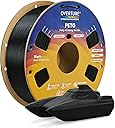
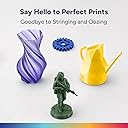
🖨️ Elevate your 3D prints with OVERTURE PETG — where strength meets precision!
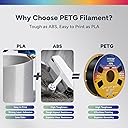
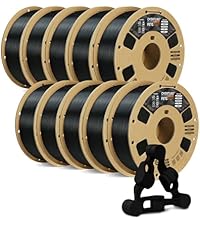
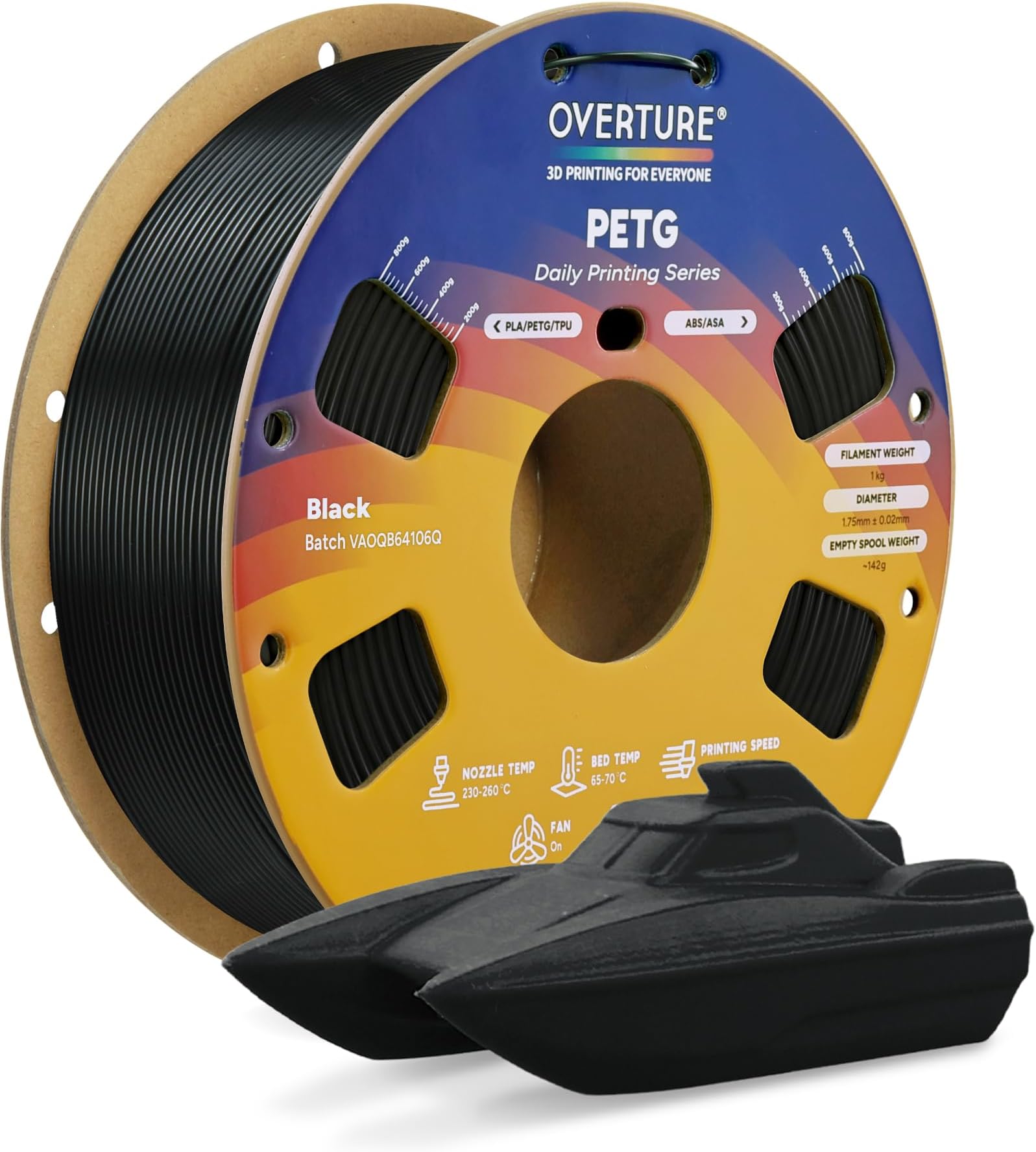
OVERTURE PETG 3D Printer Filament offers a premium 1.75mm diameter, ±0.02mm dimensional accuracy, and robust PETG material that combines ABS-level toughness with PLA-like ease of printing. Perfect for functional, mechanical, and outdoor parts, it features precision-wound spools for tangle-free use, vibrant fade-resistant colors, and is compatible with most FDM printers. Backed by a 1-year warranty and dedicated support, it’s the reliable choice for professionals demanding durability and flawless results.


| ASIN | B07PGYHYV8 |
| Additional Features | PETG filament type |
| Best Sellers Rank | #105 in Industrial & Scientific ( See Top 100 in Industrial & Scientific ) #10 in 3D Printing Filament |
| Brand | OVERTURE |
| Brand Name | OVERTURE |
| Color | Black |
| Customer Reviews | 4.3 out of 5 stars 18,107 Reviews |
| EU Spare Part Availability Duration | 1 Years |
| Item Diameter | 1.75 Millimeters |
| Item Weight | 1 Kilograms |
| Manufacturer | OVERTURE |
| Manufacturer Part Number | PETG JP A01 |
| Material | Polyethylene Terephthalate Glycol |
| Material Type | Polyethylene Terephthalate Glycol |
| Model Number | OVPETG175 |
| Number of Items | 1 |
| Special Feature | PETG filament type |
| UPC | 850006233403 |
| Unit Count | 35.274 Ounce |
| Warranty Description | 1-year Warranty |
J**T
Great PETG for my project. 250C was sweet spot, and prints perfect on Sovol SV07+ PEI bed.
Grass Green is pretty close to Ryobi's green. I printed PETG and found 250C, the max, was best. I also noticed it printed more shiny at higher temps. Duller at lower. 70C bed was fine and 80C no different on Sovol SV07 PEI bed. Fast led to problems. Sweet spot was around 38mm/sec for walls. If I dialed it up to 50mm/sec then stringing started. On a roll sitting for about 3-4 weeks it did pick up moisture which can cause your nozzle to accumulate some excess. Keep an eye out for it. If you come back to a final print with little extra blobs, it's probably knocked off the nozzle as it moved around. I used Cura default for wall thickness but I did drop my layers to 1.6mm for better arches. I didn't use bed adhesion (brim, raft, etc), bridges or supports but I also kept all my angles gradual. Look at the pic and you'll see they are basically circles. I used 20% infill as well as 30%. No real difference. When setting the power drills on the bracket arms, they only deflect maybe 1-2mm. Barely noticeable. Yes, by hand you can make it deflect 5-6mm but this is just to organize my tools, not create a climbing wall that will support lots of weight. I printed all of what you see with 1 spool. I have a 2nd loaded to do a ton of more tool wall brackets, but wanted to get this review up. If your print has started, and you have moisture issues, try bumping the temp up and keep an eye on it. You may get through it bumping 5 degrees at a time to watch for change. In my case, it was in the infill area, and so it's "entombed" inside. When I ramped up to 60mm/sec and got to higher layers, like around 300 of 500 (again, 1.6mm height layers) it did start to have issues rising a bit, and catching upon hot end return. I reduced the speed back to 32, and dropped the fan from 20% to 10% and the clipping stopped for a perfect finish. I do also use glue pen for adhesion to the bed, but even on a clean bed (no glue pen) I still had great adhesion. Finish is great. No stringing if I keep speeds down. Strong as you'd expect from PETG. I am super happy. I did read reviews that were negative but didn't have problems. The storage bag is resealable which is really nice. Spool did not detach on either spools. My filament was unopened on both rolls, ordered about 4 weeks apart. I will definitely order this product again as I get more of my power tools wall mounted, and when I get a chance I will upload the STL files to Thingiverse. I created these prints on TinkerCad. website, exported STL into Cura and then sliced GCode sent to Sovol SV07Plus.
P**N
Great PETG Filament That Just Works!
I've been using the OVERTURE 4KG PETG bundle with my FDM printer and overall it’s been an excellent experience. This filament prints very reliably and gives strong, functional parts right off the spool. 👍 What I Loved Smooth prints on a .4 mm nozzle — surfaces come out clean and even, with very nice finish quality. Supports release easily — support structures peel off without leaving noticeable marks on the model, which saves tons of cleanup time. No clogs at all — runs smoothly with no jams or feed issues, even with extended prints. Strong, durable prints — parts feel tough and are well suited for functional prints, prototypes, or mechanical uses. 🛠️ Printing Tips On smaller parts that have limited area touching the build plate, I recommend adding a brim to improve first-layer adhesion and prevent lifting. The filament sticks well overall, but a brim really helps those tiny contact points. 🎯 Summary Great value PETG filament that hits all the basics: reliable extrusion, smooth finish, easy support removal, and zero clogging. Ideal for hobbyists or anyone doing lots of functional prints — highly recommend!
R**E
GREAT VALUE
one of the best filament and works well. if u can get it on sale… GET IT. use for most of my prints without any issues and doesn’t jam or clog . after running through 4 kg filament i only have one jam but thats from my ams
M**M
Update...user error. Read for details on what it took to get this PETG to print on my E3v2 Neo.
UPDATED REVIEW: Getting this PETG to print was a real struggle for me but... it ended up eventually working so in all fairness I've upped my review stars and I take credit for this as "user error". What it boiled down to was print speed. I was working with common slicer templates for PETG which print around 50mm/sec and I see other people reporting success at that speed but, it was a total mess for me. I found a few reviews that suggested turning the speed way down so I tried it and it made all the difference. I am working with a new Ender 3 v2 Noe with PEI build plate. Using about 240 nozzle and 80 bed. My esteps are calibrated spot on, and my flow calibrated to about about 88 for this material in my machine and these temps. I turned the main print speed down to 30mm/sec and the initial layers, supports, and walls down to 15mm/sec and it completely changed my printing experience with this material. ***HERE IS MY INITIAL REVIEW BEFORE I DISCOVERED SLOWING DOWN THE PRINT SPEED*** Based on other reviews and pictures, it seems some people have had great results with this filament. My expectations are low, I just wanted decent results as my prints are mostly functional and I am not overly concerned with aesthetics. Unfortunately after hours of testing and tuning I have not achieved a single acceptable result and will likely give up with this Overature PETG. The filament arrived sealed, I have stored it in a vacuum bag and use a heated filament holder when printing. My machine is a new E3v2 Neo with capricorn PTFE tube and a bi-metal heat break. I also print in an enclosure. ZERO luck with this roll of PETG. The pictures show two temp towers, the one on the left I printed with TECBEARS PLA and the one on the right with Overature PETG. Yes, PLA is nice to work with and as you can see, the PLA tower printed clean starting with 215 and 180 on the top; all layers were good with just a little stringing at the top cooler levels. Again, I just hoped for acceptable results with the PETG; I started at 245 on the bottom with 85 bed temp and finished at 215 on the top layer. All levels look terrible. My e-steps are tuned perfect, I did several flow tests printing single and double walled cubes which resulted in overflow and an adjusted flow rate of 88 which resulted in good flow test results on the test cubes but still most all prints fail, I barely got this temp tower shown in my pictures to print and as you can see, it is terrible in all regards. I have done a ton of tests for 1st layer adhesion and z-offset, my bed is super level (I use octoprint to visualize) and I've tried a few z-offset adjustments, no love... My last 1st layer tests turned out good and then I go to print and it wont stick, the filament globs up on the print head and smears around. I absolutely must have a brim, or better yet a raft or my print fails on the first layer. Sure, some folks have had good luck although I've put in the time and a lot of effort and I give up; I cannot get this filament to produce a useable print on my E3v2 Neo. I am not the only one reporting these challenges, maybe Overature has quality control issues with their PETG? Maybe I never found the perfect adjustments but I sure tried and I have to move on now, I can't spend my whole life trying to get a filament to produce "OK" results. ***SEE TOP OF REVIEW FOR UPDATED SUCCESS STORY***
H**S
Easy to print and strong
Good PETG for the price. It is not too picky on temperature, it prints fine anywhere from 245-255 on my Ender 3 V2. It doesn't bridge very well but that is to be expected for PETG, if you want to bridge I recommend printing at 245 and turning on bridging settings in Cura which makes bridges possible although pretty ugly. Supports work better than bridging, but can be hard to remove because PETG sticks to itself so well. Here are my settings for Ender 3 v2: micro swiss all-metal hotend / original extruder / original bowden tube bltouch leveling probe + yellow springs nozzle 0.4mm 250c bed plain glass + gluestick, 85c first layer speed 10 speed after first layer 30 first layer height: 0.28 layer height after first layer: 0.2 fan: none unless you are trying to bridge, if so use bridge detection to turn fan 100% only for the bridge retraction 3mm @ 30 I find that the biggest struggle with PETG is just getting the first layer to stick and look good. Once you get past the first layer it is usually smooth sailing. If you have problems with the first layer, first of all dry your filament even if it is brand new. It is an easy way to eliminate frustrations. Also go ahead and calibrate your extruder steps and measure your filament diameter and put that into your slicer, again these are easy steps that ensure you will not be fighting under/over extrusion while you are trying to get everything else figured out. Next use glue stick on plain glass and let the glue stick dry. You want the glass to look dull, not shiny, but it also shouldn't feel sticky to the touch. This combo works great for me, it adheres well but not TOO well and the prints pop themselves off when they cool. Lots of people like hairspray too but gluestick works fine for me and is less messy. Finally the #1 most important thing is to adjust your z offset and first layer height. You cannot mush the filament onto the bed like PLA, it needs to fall out of the nozzle and gently lay down onto the bed. Before doing anything with your z-offset I recommend turning your first layer height up to .28 or .3. The reason is that this sets your nozzle higher AND automatically adjusts the flow rate to match. If you just start bumping your z-offset higher and higher, you will be under-extruding by a lot which can cause its own problems. Once you set your first-layer height to .28, then start printing a test print and live-adjust your Z until the lines lay down and stick to the bed, and are neither gooping up onto the nozzle, nor being hit by the nozzle and pulled off the bed. This is tricky because the sweet spot here is TINY. Like within one or 2 micro-adjustments on the z, either side of that you will have issues. But once you hit the sweet spot on the Z you are golden. Then print some bed leveling test prints and adjust your first layer extrusion multiplier or line width if needed so your lines are touching. I recommend always using the bed level print that is CIRCLES when starting off, not squares. The sharp corners on the squares are super unforgiving and will pop off instantly if your settings aren't right. It is easier to use a bed leveling print with circles to dial your settings in without frustrating yourself and needing to restart the print a hundred times. When printing things over 2" tall I recommend using a wide brim because originally I was using skirt and I have had taller prints pop off the bed right as they are nearly finished, I think the reason is due to the lower part of the print cooling off. A brim is cheap insurance against your whole print being ruined at the last moment, and is easy to remove and leaves little trace that it was ever there.
J**E
PETG that looks and feels amazing
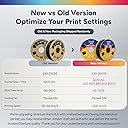
I'm pretty new to 3D printing and this is the second brand of PETG I've tried. The previous was Sunlu and I didn't like how it was translucent and too shiny. I basically gave up on PETG even though I need the better heat resistance, but decided to stick to PLA. I saw the Overture stuff in some nice colors and decided to try it. I'm glad I did! I first got black and grass green, and was confused because the spools were different and the black says 30-50mm/s while the green says <300mm/s. Now they've updated the listing to explain that there are two versions. The old version black is shiny and probably more like typical PETG but has a lot of pigment so it really is pure black and not translucent. The others I have are grass green, light grey, and white. The new ones have a lot of pigment and feel harder. The Overture new PETG filament is springy and noticeably stiffer than my Sunlu PETG. It gets stuck frequently on my Bambu Lab A1 Mini which I think is a combination of the springiness and the poor design of the printer. When printed, it feels and looks similar to LEGO bricks which are made from ABS not PETG-- Pure color, not too glossy, and makes a similar clicky sound when you tap it with your fingernail. In other words, it doesn't feel like soda bottles. The grass green is close to Ryobi green but slightly more vivid. It's not quite fluorescent green but close. The light grey is pretty neutral in color and has a great functional look. It would blend in with electrical infrastructure etc. The white is neutral and pigmented enough that it doesn't have the "chopping board" look. I love the look and feel of PLA but don't really need to buy it anymore now that I've found this PETG!
S**.
Print Slow & Hot to Get Maximum Clarity Possible
Overture transparent PETG is widely reputed as among the very best for achieving “glass like” clarity with careful tuning of your slicer settings. Thus, I decided to give it a try on my Bambu Lab X1E. I set a custom filament profile via Bambu Handy, titled “OVERTURE PETG Transparent @ Bambu Lab X1E 0.4 Nozzle”. If I understand correctly, this profile should update to the Bambu cloud so that other users can pick and use the profile for their prints. I started with the “Generic PETG” profile and amended the following: Flow ratio = 1.01 Max nozzle temp = 270 deg C Nozzle temp = 270 deg C (for initial layer & other layers) Minimum fan speed = 0 Maximum fan speed = 0 The slicer setting are absolutely essential: Wall loops = 1 Top shell loops = 0 Bottom shell loops = 0 Sparse infill density = 100% Sparse infill pattern = Aligned Rectilinear Infill direction = 0 deg (or 90 deg) Change all print speeds to 1/10th the defaults = 20 mm/s for most settings Layer heights (all) = 0.1 mm Line widths (all) = 0.5 mm Seam = I used “Back” (avoid using ‘Random’) Some design tips: 270 deg C nozzle temp is needed to create the infill to be as solid (unified) as possible, but be careful about avoiding overhangs and bridges as with the cooling turned off completely the filament will droop / sag extensively at such high nozzle temps. Even 45 deg overhangs will not print well. Thus, go with straight walls wherever possible for any that are not directly adjacent to the print plate. Also, keep any walls on your print design as thin as possible … 1 to 3 mm … for the best results. Ensure that there are no mesh errors as these will cause gaps inside the print that obstruct the clarity. Furthermore, orient the object you are printing so that the print direction parallels the longest axis (of the object). Dry the filament for at least 8 hours on the maximum dryer heat setting of 70 deg C for most non-industrial drying units. PETG is extremely hygroscopic and any absorbed moisture will cause bubbles of steam that will cloud the clarity of the print. You can print this filament from the AMS as long as you re-spool it to a plastic spool. Cardboard retains a lot of moisture. Thus, if you put the cardboard spool into your AMS, even with the plastic rims, you’ll end up raising the interior humidity of the AMS. So, how did the print go? Please see the attached video and photos. First, I was amazed at how little stringing occurred at 270 deg C. It did come with over-extrusion artifacts along the seams but that is par for the course for such high nozzle temps. This is why I recommended using the seam profile that creates the least amount of seams, which you can visually confirm in the slicer previews. The bottom wall and layers are amazingly clear. In the attached photos, you can read the text printed on the Overture filament box right through the bottom wall of the print. The side walls of my printed object (a purge chute, waste bin cover) are translucent but more diffuse. If I were to manually polish all the walls of my printed object, I am certain I could achieve “glass like” transparency. So, overall, a good print with excellent results with Overture Transparent PETG on clarity, cleanliness of the print, and its dimensional stability.
L**L
Good filament but the paper spool clogs the rollers and binds and forces a stop in print.
I like the filament but the holders not so much. The spools come warped and bent and have breaks in them so they jam in the AMS. but the filament is good and its cheaper so its kinda a double edged.
F**O
Excelente material PETG oro
El producto es muy bueno y el tono es agradable. Es un poco más caro que otras marcas pero vale la pena por lo que es el tipo de material y tono disponible. Lo negativo (y no tan grave) es que al ser carrete de cartón, llega a dañarse en el traslado y si lo usas con algun sistema multicolor (ams,CFS,ace pro, etc) puede que te de algún tipo de problema.
E**I
3D Printing made easier and better.
Been using this for a bunch of prints and it’s been really reliable. Feeds smoothly, sticks well to the bed, and I haven’t had issues with clogging or inconsistent extrusion. The 6kg spool is a big plus if you’re printing a lot—way more convenient than constantly swapping smaller rolls. Print quality comes out clean and strong, which is exactly what I want from PETG. Takes a bit of dialing in like any PETG, but once you’ve got your settings, it runs great. Good value for the amount you get.
D**B
Good filament
I'm using this filament with my Anycubic i3 Mega-S and it is working fine. Prints in a nice.. what I'd describe as royal blue. This is my first roll of PETG, and in fact, the first non-PLA filament that I have tried. I expected issues, but I actually got a darn near perfect print on my first try. I used the same default settings for PLA in Cura, but I changed the extruder temperature to 245 and the bed temperature to 85. Because I'd heard horror stories of people pulling chunks out of their ultrabases when printing PETG, I used the included build surface. It is smaller than my bed, but I just stuck it in the middle, re-leveled, and made sure that my project wasn't going to end up off the build surface. Worked great. Good adhesion. A bit difficult to remove, but not terrible. No discernable scent while printing. Comes in a resealable bag, which is super convenient! Also comes with a ruler, and the spool has markings on it (questionable accuracy?) to help you estimate how much filament you've used, and how much remains. EDIT: I was almost ready to downgrade my review because I was having so much trouble getting good prints after my first attempt. Globbing, stringing, oozing, oh my! Tried every setting tweak people suggested to no avail. Finally sprung on a dehydrator and dried the filament as a last ditch effort, and wow. People aren't lying when they say these filaments absorb moisture that can ruin a print. Huge difference.
R**R
Calidad
Excelente filamento, imprime bien y muy resistente además las bolsas son resellables
M**R
Strong and good prints
This is a good filament that prints well and gives good strong finishes to my prints. Using with a creality 3 pro and it sticks to the print surface well and the flow is also good. Will buy more of this brand.
Trustpilot
1 week ago
1 month ago