Desertcart purchases this item on your behalf and handles shipping, customs, and support to Kyrgyzstan.
🚀 Upgrade your WiFi game — because buffering is so last decade!
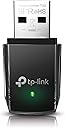
The TP-Link AC1300 USB WiFi Adapter (Archer T3U) delivers dual-band wireless speeds up to 1300 Mbps via USB 3.0, featuring MU-MIMO and Beamforming for optimized, lag-free connectivity. Compatible with a wide range of Windows and Mac OS versions, its compact design makes it ideal for desktop and laptop users seeking a reliable, high-speed internet upgrade.


| ASIN | B07P6N2TZH |
| Best Sellers Rank | #8 in USB Computer Network Adapters |
| Brand | TP-Link |
| Built-In Media | Archer T3U |
| Color | Black |
| Compatible Devices | Computers (desktops, laptops), running Windows 11, 10, 8.1, 8, 7, XP, and Mac OS X 10.9 to 10.14 |
| Compatible Operating System Family | MacOS, Windows |
| Customer Reviews | 4.4 out of 5 stars 17,974 Reviews |
| Data Link Protocol | USB |
| Data Transfer Rate | 1300 megabits_per_second |
| Global Trade Identification Number | 00840030700026 |
| Hardware Interface | Micro USB 3.0 Type B |
| Item Dimensions L x W x H | 0.78"L x 0.41"W x 1.59"H |
| Item Highlight | Wireless Adapter for PC, MU-MIMO PC WiFi Adapter, USB 3.0, Support Win11, 10, 8.1, 8, 7, XP/Mac OS X 10.9-10.14 (Archer T3U) |
| Item Weight | 9.07 g |
| Manufacturer | TP-Link |
| Mfr Part Number | Archer T3U |
| Minimum Required Operating System Version | Windows 11 |
| Model Number | Archer T3U |
| Number of Items | 1 |
| Product Dimensions | 0.78"L x 0.41"W x 1.59"H |
| UPC | 840030700026 |
| Unit Count | 1 Count |
| Warranty Description | 2 year manufacturer |
F**R
Easy install
I have my dual level Tp router & now I have the wireless adapter for it, both at the 5 gig level, & things are fast! The only restrictions I have are from the cable company with their signal, & other users hogging the wifi. When I upgrade those (modem & router) to MU-MIMO, it should really fly! This is an old two story house, & I think the cable connection is about as old as Comcast internet cable (in case you ask) in delightful Suburbia, in the town of Mundavia! This mini wireless TP unit installed without any issues, & once I gave it the passwords I wanted, it connected quickly. It switches back & forth on wifi signals modems or routers, if I need it to, & have only had one real error in connecting. I physically removed the device, reset the computer & plugged it back in. I don't believe the issue was with it, but with Windows after an update. How bad is the wifi on your mobo or laptop? Maybe you want to use this wifi to connect better? Be sure to turn off your other wifi connection when you're using this, to get the best connection. I have read some reviews that have an issue connecting, & this could be the reason. I don't believe dual connecting helps or works well in wifi, you'll have to configure one that yourself. This won't connect you any better than what your modem or router are projecting. It will get the 2.4 or 5 Ghz signal that you're looking for, & make sure it gets to the computer better. Let me be clear for you, your connection will either be up to 400Mbps at 2.5GHz or up to 867Mbps at 5.0 GHz. Somewhere in there is the same kind of fuzzy math that drive manufacturers use, to come out with 1300. Still better than my last adapter, that's for sure! That's it. It's small, easy to carry along or leave in place. I have it plugged in the front USB 3.0 rn on my tower, but I don't unplug it nearly as often (to reset) as I have other wifi connectors, so may move it towards the rear. I have used TP Link for quite some time, use many of their products on the builds I do for other people as well, & look for it exclusively; you should too. Easy & consistent is always good.
W**R
Saved my win7 pc from gathering cobwebs
Works great on my old windows 7 pc. Came with a cd for the driver. Took 8 minutes to install. speed is 252 down 307 up with gig fiber. Totally fine for this old of a pc. 252 mbps down 307 up.
D**.
Great service and excellent product
Excellent product. Easy to use. Very slick ! Very pleased
N**N
Good Wi-Fi upgrade for an old laptop running Debian.
Driver's on a CD, really? Anyway, it helped speed up an ancient 15 old AMD HP test laptop with a 2.4G Realtek, which struggled to reach 20 Mbps on a good day. It's running Debian Linux. The adapter connected with default drivers at boot, updated to correct Debian drivers and so far, it's good. Now running 90Mbps consistently on a VPN router network. Other reviews said it failed quickly, so we'll see.
M**9
Works on MX Linux
Ordered two of these. The first one was for my wife's Windows 11 computer and it worked fine. So, even though it doesn't mention Linux compatibility, I decided to try it on my computer running MX Linux 21.3 (Debian 11.11) and it worked perfectly, no need to install any drivers. So, I ordered a second one for me to replace an older WiFi adapter, and saw an increase in throughput. There is a driver CD included (Windows and Mac) but I didn't need it on either the Windows or Linux machines.
C**J
Important Note
So first things first, I thought i had to install the driver first (From their website NOT the CD) but I was wrong, Win10 automatically knew what it was and I was able to connect to WIFI from the Network Adapter list, so before assuming Win10/11 doesnt have the basic driver for it, Look there first. 2nd, If you get the Driver from TP-Links website YOU MUST Choose the Hardware Version V1 in the drop down list, V1.6 and 1.8 are for the PLUS version of the WIFI Adapter, otherwise the Driver Install will fail due to not being for the correct version. And most importantly, IF installing the Driver is required to get it working for you but you cant download the driver from the website for obvious reasons but you have a working cell phone and a USB Charger Cable you can simply do this, Download and save the driver on your phone, connect your phone to your device with a USB cable and enter your phones storage and folder where the driver saved to on your phone, simply transfer the driver file from your phone to your PC and install it. Look up how to access your phones storage if you need to, but this is an extremely easy workaround. With that said, I only bought this adapter for temporary use as needed but so far I have not encountered any of the issues as described in other reviews, it just works, thankfully.
A**N
Great upgrade 👌
My Dell laptops on board wifi started acting wonky so I bought this as a replacement ..easy installation and it's a much stronger faster connection. I definitely recommend this for a low price high quality upgrade
J**N
Okay for casual browsing, not good for work from home or video/audio calls, frequent drops
Overall, there is a decent connection. However, during conversations over video or audio I have noticed numerous disconnections or freezes where it seems to drag or lock up. Would not recommend this for work from home or anything beyond casual internet connection. Has made me switch to other devices for a more stable connection
M**Q
Excellent adapteur fonctionnel et à bon prix
Fonctionne parfaitement. Cet adapteur m’a permis d’utiliser mon vieil ordi et de me brancher à mon nouveau routeur. Branchement super rapide et très facile.
M**Y
Amazing helpful recommended
Really this product help me so much My wifi land card for my laptop dose not support 5 GHz But after using this adapter , my network speed became very very fast From the first day that i got it till now، i didn't restart or shutdown my laptop And the packing was very nice Really i appreciate and recommend it ♥️
م**د
القطعه ممتازه
القطعه ممتازه و مستقره انصحكم فيها و بذات اذا المودم شوي بعيد تلقطه
C**E
Excelente produto
Excelente produto. Salvou a possibilidade de conexão à rede wifi do meu computador
C**R
Gran desempeño
Sin duda recomendado, con este dispotivo pude acceder a la velocidad que me ofrece mi proveedor. Es muy ligero, sencillo de instalar y de usar. Si tienen necesidades de un equipo así, vale la pena que lo usen.
Trustpilot
5 days ago
2 weeks ago