🚀 Boost your Wi-Fi, boost your life—stay connected, stay ahead!
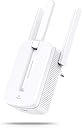
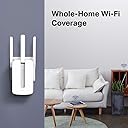
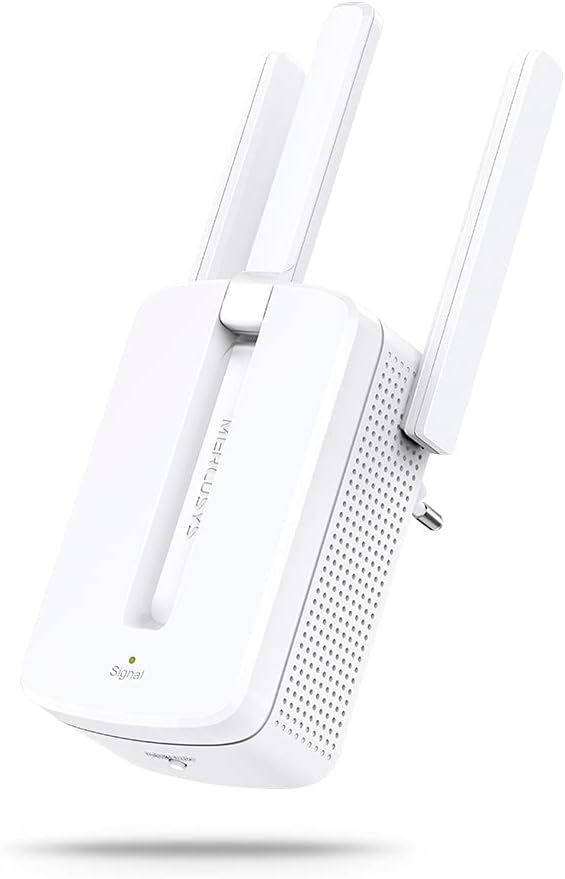
The Mercusys MW300RE is a compact, wall-mounted Wi-Fi range extender delivering up to 300Mbps using advanced MIMO technology and three external antennas. Designed for easy two-touch or WPS setup, it smartly extends wireless coverage to hard-to-reach areas, guided by a multicolor LED for optimal placement.


| Brand | MERCUSYS |
| Manufacturer | TP-Link Technologies Co., Ltd, South Building, No.5 Keyuan Road, Central Zone, Science & Technology Park, Nanshan, Shenzhen, P.R. China, TP-Link Technologies Co.,Ltd |
| Colour | White |
| Item Height | 10.1 Centimeters |
| Item Width | 39 Millimeters |
| Product Dimensions | 7.5 x 3.9 x 10.1 cm; 110 g |
| Item model number | MW300RE |
| Wireless Type | 802.11n |
| Voltage | 220 Volts |
| Power Source | AC |
| Operating System | Windows |
| Are Batteries Included | No |
| Included Components | Wi-Fi Range Extender and Quick Installation Guide |
| Manufacturer | TP-Link Technologies Co.,Ltd |
| Item Weight | 110 g |
K**R
Great Product
This WIFI extender worked like charm. Super easy to install and use. Good part is, it wont create new SSID or WIFI name. It just create mesh, so your device switches between primary router or extender as required. Pros: 1) Easy to install and use 2) Cheaper than others, got it for Rs. 999 only. 3) Good Range Cons: 1) Does not support 5G Will update after using for few months.
P**R
Does the job nicely.. finally got the wifi signal with 5 bars reception.
Works best when placed in the same room of usage where wifi reception is weak. The antennas does an excellent job in capturing the signal and boosts it to ever corner of the room. It's very easy to configure, install and use. I am even planning of buying one more for my computer desktop on the first floor of my home. Overall a happy customer with a very good product.
A**R
A Review that can make a difference
I bought this repeater to stream HD movies on my smart TV. I read many review before making a call for this repeater. Things you must know before making a purchase: 1. My main router speed is 40-50 Mbps and is placed on 2nd Floor. After installing this repeater on 1st floor, I am getting a speed of 25 - 35 Mbps on 1st floor and 10 -15 Mbps on Ground floor. 2. Tyr to place this router nearest to main router (where you get atleast 3 to 4 bars of wifi signal of main router) to get better speed. 3. Before this I was using netgear repeater. If I compare the two, I think Mercusys is performing much better in terms of speed and signal reception. 4. I am not facing any latency issue while streaming HD movies on TV and mobile. 5. Moreover, you are getting 3 years warranty + low price + mimo + 3 external antennas. My advice - GO FOR IT.
K**D
DID NOT WORK. I AM RETURNING.
I spent 40 minutes on this and kept resetting the device to factory settings. The problem with the device is that it is supposed to show green/amber light when some sort of connection is established. But it never established any connection and kept showing red no matter what I tried. There is no app to setup the device. Instead it relies on a very simple method. The SSID of the wireless device keeps on getting broadcasted even after setting up. Normally, with other wifi extenders (Linksys) the SSID is not broadcast once the device has been set up but with this one, it was going on getting broadcasted. I don't know if its a firmware issue. The manual did not have any suggestions either. I liked the design of the device and I really hoped it would work for me. My source router is only 10-12 feet away so I don't understand why this did not work. I am calling for a TP Link and returning this.
S**U
Reviewing after an year - okayish product, signal issues during video call/streaming.
There are a lot of issues with the product, but they'll be highlighted only if your use is high, for example if you are an avid gamer or let's say, are stuck at home due to a global pandemic. There are only two pins to inset in the socket and they are too thin to support the device so you will have to use an adapter like I have, or create another solution. In terms of output - unreliable and underwhelming. It keeps showing the expected speed on any internet speed checking software, but in reality you don't get much. Especially if you have a video call, you can expect to lose the network. It will show you that the network is connected and at full strength, but the experience is not the same. Sometimes even WhatsApp messages don't go through. And this is with only 1 user and 2-3 devices maximum. At times, the original network (although at low power), gives me better connectivity. The installation and usage is pretty easy and about the only positive thing about this. I'm not too happy about this.
B**E
Great Wi-Fi Repeater / Extender for the Home & SOHO
Great Product - Done a fantastic job & VFM. Easy to set-up and looks Superb. The issue of Wi-Fi dead spots and frequent disconnections got addressed. On analyzing the Wi-Fi signals in the building / flat - I found that there were too many on the 2.4 GHz channel 8 and so have moved it to another channel & attached image shows gain in signal strength for BKM Home. This has sorted the issue of overlaps, poor speeds & frequent disconnections.
G**A
The best wifi extender in the price range
I bought this wifi extender as my home had many dead spots. I used a digisol wifi extender earlier which was not performing at all. Using this for 3 days and the performance is very good. Generally the range extenders drop the speed of the wifi significantly but this device does not drop the speed by a whole lot (maybe 2 Mbps speed drop). The range is also good as it has 3 antennas with MIMO. MIMO is essential as it simultaneously broadcast and receive the wifi signal. Do not buy an extender which does not have MIMO as it will reduce the speed by 50%. My wifi modem router did not have a WPS button so the configuration was done over the web interface. Only 3 steps needed; 1) create a password for mercusys page, 2) select the wifi name which you want to extend, 3) Input the wifi router password and set a name for mercusys wifi network. That is it. IMPORTANT: Do not set the same name as your existing wifi router network as the devices will confuse and try to connect to the wifi router network instead of the wifi extender network. Both network names should be different otherwise the extender will not work.
A**I
Product Is Good Seller Is Bad
Seller Sent Me Used Product Two Times. Overall Good Quality Product With Good WiFi Signal Strength. App Support Available.
Trustpilot
4 days ago
2 months ago