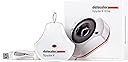
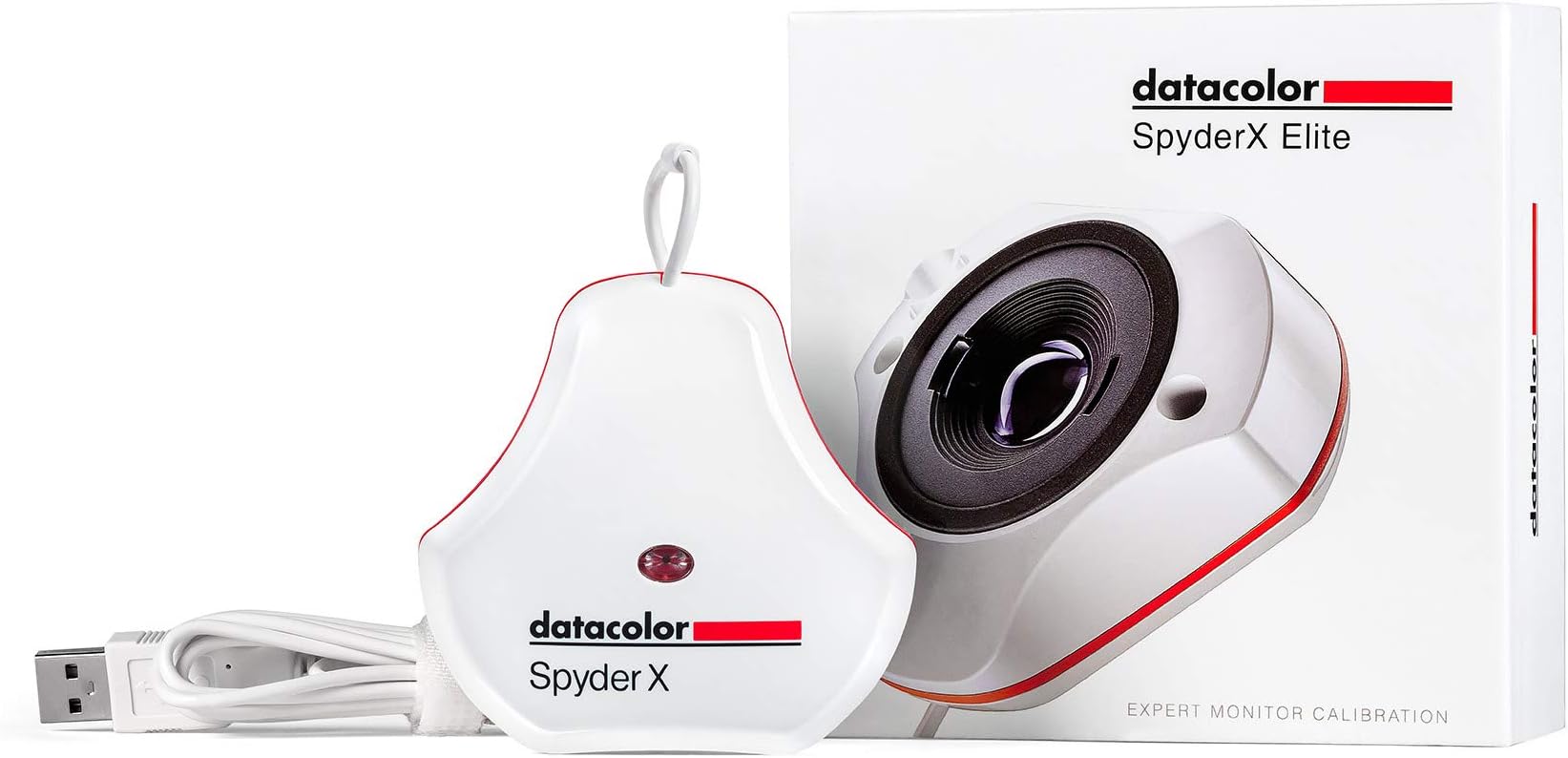
🎯 SpyderX Elite: Calibrate like a pro, see like a visionary.
The Datacolor Spyder X Elite is a cutting-edge monitor calibration tool designed for professional photographers and motion imagemakers. Featuring the fastest calibration speed in the Spyder lineup, a revolutionary lens-based color engine, and multi-display matching capabilities, it guarantees precise color accuracy and consistency. Its intuitive interface combined with expert-level controls and real-time before/after visual proof empowers creatives to confidently perfect their color workflow across all modern display technologies.


| ASIN | B0076A620Y |
| Battery Description | battery not included |
| Best Sellers Rank | #174,139 in Electronics ( See Top 100 in Electronics ) #612 in Motion Detectors (Electronics) |
| Brand | datacolor |
| Built-In Media | Calibration Tool |
| Color | White |
| Compatible Devices | Desktop |
| Customer Reviews | 4.4 out of 5 stars 1,751 Reviews |
| Global Trade Identification Number | 00875720001510 |
| Item Type Name | Color Calibrator |
| Item Weight | 290 Grams |
| Manufacturer | Datacolor |
| Manufacturer Warranty Description | 1 year manufacturer |
| Mfr Part Number | SXE100 |
| Model Number | SXE100 |
| Mounting Type | Ceiling Mount |
| Power Source | Corded Electric |
| UPC | 875720001510 |
| Unit Count | 1.0 Count |
S**P
So thats what the true color is?
Does exactly as is billed. Needed to color adjust 2 laptops, one of which is about 10 years old. This older model just would not allow me to see or adjust the real colors is video or photos. I mean the colors were WAY off. This device is easy to use, by just following along as instructed through the guided calibration process. Walla!!!! Finally true colors and great calibration results. One thing I would change/suggest during the calibration process is for the software to identify your exact details of the computers graphic card with the recommended settings or allow the user to select or use alternate settings if they choose to. Highly recommended.
Z**N
Works flawlessly out of the box and does exactly what I wanted it to!
I have two monitors on a Mac Pro that have always looked slightly different no matter how much time I spent on calibration. Though they are the same model, they were purchased a year apart, and their differences in brightness and color temperature were not small. About fifteen minutes after installing the Datacolor software and calibrating both with the Spyder X Elite, both of those monitors now look absolutely IDENTICAL. I can take a photo and enlarge it across BOTH monitors and it looks no different than if it were just on one or the other. I had tried to achieve that same effect manually for literally years with no success; five minutes on each monitor with the Spyder X Elite and it's done! The best part is I also have a newer iMac, and after calibration it looks identical to the monitors on the Mac Pro! This device does exactly what it says it will with no issues whatsoever. The only note is that the software warns you to only connect the device to a USB port on the computer, but that's simply not possible for computers with external monitors, but as long as your monitors have a GOOD built-in hub that can supply the Spyder X's power needs, it all works as it should. VERY highly recommended for anyone that does design, photography or video editing. The downside is now I can see how far off photos I processed in Lightroom previously are. :-)
T**S
Excellent color calibrator hardware and software at a reasonable price.
I new I'd have a problem when I bought a new computer with Windows 11. My old Dell Optiplex was well beyond its useful like but my photography workflow requires a calibrated monitor. My 15 year old work horse GretagMcbeth iOne Professional system does not work with Windows 11 (so much for Microsoft's claim of backward compatibility with prior Windows OS). This colorimeter/sensor/calibrator is significantly easier to use than my old one. It is much more compact. I am very pleased with the ease of installation, ICC profile creation and ease of application to the NVidia graphics card my new computer uses.
N**S
Frustrating, but finally got to be useful. ( PLEASE READ HOW I DID IT)
This is an update to the review I left two hours ago. This is what I've discovered using my Spyder X Elite. Basically, you need to figure out your ideal White Point on your computer's built-in display color controls (it's the "Display" function inside the Mac's System Preferences), and have your computer's screen brightness be at the max, as it is in your computer's default color setting. Then, when doing a calibration in Spyder X, you leave the White Point and Brightness controls set to "Do Not Adjust", then do the color calibration. THAT is the ONLY way I can get this thing to actually work. If I have Spyder X change the White Point or Brightness of my monitor during the calibration, what it does is so unbelievably stupid looking. It makes my monitor look broken. Anyways, at least after trying this out for 5 hours I was finally able to have it work for me. I hope this review is helpful to some people.
M**.
A must have for Photographers!
This is a must have products for photographers and video professionals who needs color-perfect output. This device works like a charm and calibrates the monitor so you know how the output of your work will be. I tried it on my ASUS PA329C, which came factory calibrated. Turns out the monitor is properly calibrated except I need to lower the brightness to 30. Once I did that, it reached perfect calibration. A great device, and highly recommended for photo / video professionals.
G**.
AMAZON AGGREGATES PRO AND ELITE REVIEWS
Unless a reviewer specifies, you can't tell if a review is for Elite or Pro.. This review is for both. I've been using colorimeters since CRT days, with good results. My discontinued X-rite Eye-One worked fine until I installed Windows 11. After that the software would always report that there was no profile for either monitor. I recently purchased the cheaper Pro version, which didn't work for me at all. When calibration completed, the monitor would shift to a green tint. Both monitors did the same thing. The old X-rite could do better job with it's outdated software. Then they went on sale. The Elite was now the same price that I paid for the Pro. So, I switched with Amazon, hoping fancy software would make a difference. Devices are both the same Spyder X. I used the same procedure previously used with the Pro software and calibration was perfect on the 1st try. I didn't use any of the extended Elite feature set. I expected to be able to make a software comparison, but now suspect that my 1st Spyder X was probably defective. Addendum: Now that I've had the Elite for a few days, I can see that the Elite software is necessary to make 2 different monitor types look exactly the same.
R**T
Not Compatible With MacBook Pro M2 2023 - App Crashes and Corrupts Monitor ICC Profile
This is a review of the Datacolor SpyderX2 Ultra. The device works ok if you use the default calibration settings using the Spyder calibration app. However, if you try to calibrate for anything other than the default the app will crash an corrupts the display's ICC profile rendering the computer useless. I launched the Spyder X2 Ultra calibration software and selected the Display Calibration option. I changed the Target from the default Gamma 2.2 (Recommended) settings to L-Star and for the Grey Balance Calibration I selected "Better" which will take longer but provide better calibration. The software started calibration, then asked me to adjust the brightness to a as the device measured. When the brightness was within range I clicked "Continue" and the device continued its calibration. Midway through, the application froze up and sat there. I thought it was just processing so I left it for a few minutes only to return to the same screen it was on when I walked away. At this point the computer was unresponsive and I shut it down. Upon reboot, I was taken to the normal Mac login screen that looked normal. Once I logged on the screen was all white and I could see graphical aberrations on certain parts of the screen. Thinking it was just an issue since the app previously crashed, I rebooted again only to login to the same unusable display. I could not see anything just a white screen with some gray aberrations. I then shut down the computer again holding down the MacBook power button and rebooted into Safe Mode, again the same issue. Finally it dawned on me that maybe connecting my 2nd external monitor I may be able to see the 2nd screen. I was finally able to reboot, login to the same unusable display, I connected my external monitor and it displayed my Extended screen ok. I was able to get the Finder up on the 2nd display and opened the Mac Color Sync Utility and determined that the Macbook's LCD Display's ICC profile was modified during the calibration process and was corrupt. I was able to set it back to factory which allowed me to see my primary display again. For $300.00 this should NEVER happen, the software should work properly and should not crash and if it does, it should never corrupt the display's ICC profile to the point that it's unusable. I should have expected this from Datacolor. This is going back and I'm going with a Calibrite Display Pro HL after the recommendations from several colleagues after I told them of the issues I've had with the Spyder X2 Ultra.
K**H
Silly that a $200 piece of hardware needs a software key...
It does what a color meter should and does it well. I especially like that I can leave it on my desk and let it auto adjust throughout changing lighting conditions; that's a really welcome innoavtion for this kind of product (don't know when it happened, but when I was in art school, color calibrators didn't do that and I always thought they should be able to; it was always a one-and-done thing and if you were doing very sensitive color work, you did it in a dark room with no ambient light. Anyway... The software is lacking in usability. It works, but it's slow and a little cumbersome. It was frustrating for me to go through and manually calibrate each monitor, thinking that the calibrations would be used to sync all three, but just make adjustments, only to have to entirely redo all the calibrations and then sync them. It's an example of somewhere they could be a little more clear about what does what. Not a big deal, but it did eat an entire afternoon to get comfortable with it--the actual calibration process is fairly slow. My biggest gripe is that fact that I need a software key for when I just bought what is essentially a $200 **hardware** key. If I didn't own your expensive device, I wouldn't even need this software... what the hell? This is the kind of thing that is usually done to prevent people from buying and selling the product as used, but there's no other verification, other than to link it to an email, but if that's already been done...? All you have to do is tell the person you sell it to what the key is. If they forget, they have to go to you rather than Spyder, but whatever. I don't think that's Spyder's intention, necessarily (please don't get any ideas!), but rather just some kind of delusion from the software engineer. It's still completely unnecessary and you may not think it matters, but it caused me problems. Yeah, they include one in the box, but you have to link it to an email. And after a year of forgetting the key was in the box, the box got recycled in a cleaning phase. But blessed be! The good lords at Spyder have blessed me with an alternative: I can send a request to have the key that was registered to my email sent to my email! Or can I... It was Friday night when I first requested my activation key. They tell me my key has been sent right away! Not in my inbox. Not in spam. Not in any of Google's auto categories. Wait until Saturday night, still no sign of the email, so I request it again. Again, I look and cannot find it. I must wait. And wait is what I do. Sunday morning, no sign. I send the request again. And again 2 more times that day. No answer. They must have a human manually verify these requests, I ponder. It is the weekend; maybe I'll have better luck Monday. Monday morning. Request sent. No response. All day I wait and all night. 10 PM monday night. I try to request the key One. More. Time. before ultimately giving up. 2 seconds later, the key is in my inbox. What the hell. Please remove the need for an activation key. It is absolutely silly.
R**O
No me funciono
Por lo menos a mí no me funcionó. Quizás las condiciones de luz de mi oficina en fin no se pero el coló era malo
T**B
Endlich richtige Farben
Der Spyder X Elite ist eine sehr gutes Gerät um Monitore farblich professionell abzugleichen. Auch die Funktion des Studioabgleiches ist sehr zu empfehlen. Für professionelle Farbbearbeitung unerlässlich.
L**X
Super facile à utiliser
Ayant un APN reflex Canon et une imprimante photo Canon j'ai acheté cette sonde pour calibrer mon écran Samsung S25G40B afin que l'impression soit identique à ce que l'écran affiche. La calibration est on ne peut plus intuitive : On démarre le logiciel, entre les infos demandées puis paramétrons l'écran ( Luminosité, gamma, couleurs RVB ) comme demandé par le logiciel et c'est tout :-) . Le résultat est bluffant ! Par contre il faut aimer avoir de belles photos car cette sonde n'est pas bon marché...
L**S
l'évolution...
Pour photographes etc, il est évident que calibrer son/ses écrans est indispensable. Je ne trouve malheureusement pas d'info sur les lentilles de cette X2, par rapport à d'anciens modèles (dans mon cas la Spyder 5 Elite). La nouveauté de taille est le logiciel bien plus rapide et précis. Pour un moniteur de qualité comme E*zo, pas de différence notable en terme d'étalonnage avec la Spyder 5, par contre, pour un moniteur de portable (de "bonne" qualité, 100% sRGB), la différence est bien visible. Selon vos besoins, il n'est donc pas forcément nécessaire de faire l'upgrade, bien que cette Spyder X2 Elite (que l'on peut mettre à jour vers la version "Ultra" au niveau logiciel) est toujours très efficace, et le programme est bien plus "user friendly". A noter qu'il manque toujours la possibilité de définir le point noir, mais on peut gérer le contraste autrement. Par contre j'obtiens de meilleurs résultats en 'L*' ("L star") qu'avec la Spyder5, est-ce la sonde ou le logiciel ? Il y a bien sûr la possibilité de gérer la lumière de la pièce, éventuellement en temps réel, ce qui n'est sans doute pas une bonne idée pour qui travaille dans un environnement stable. En conclusion, Datacolor n'a certainement rien à envier sur son concurrent, personnellement je trouve l'utilisation de leurs sondes bien plus agréable ! Et le résultat est bien au rdv. Un indispensable.
T**I
良いと思います
今まで、適当にモニター調整していましたが、この商品を購入して画面の明るさが随分違う設定になり目の疲れなどもなくなりとても使いやすくそれとプリントした時の差もほとんど無くなり買って良かったと思います。おすすめです
Trustpilot
3 weeks ago
1 month ago