Buy anything from 5,000+ international stores. One checkout price. No surprise fees. Join 2M+ shoppers on Desertcart.
Desertcart purchases this item on your behalf and handles shipping, customs, and support to Kyrgyzstan.
🚀 Unlock lightning-fast storage on the go — because your data deserves the best!
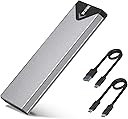
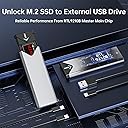
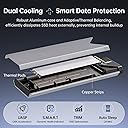
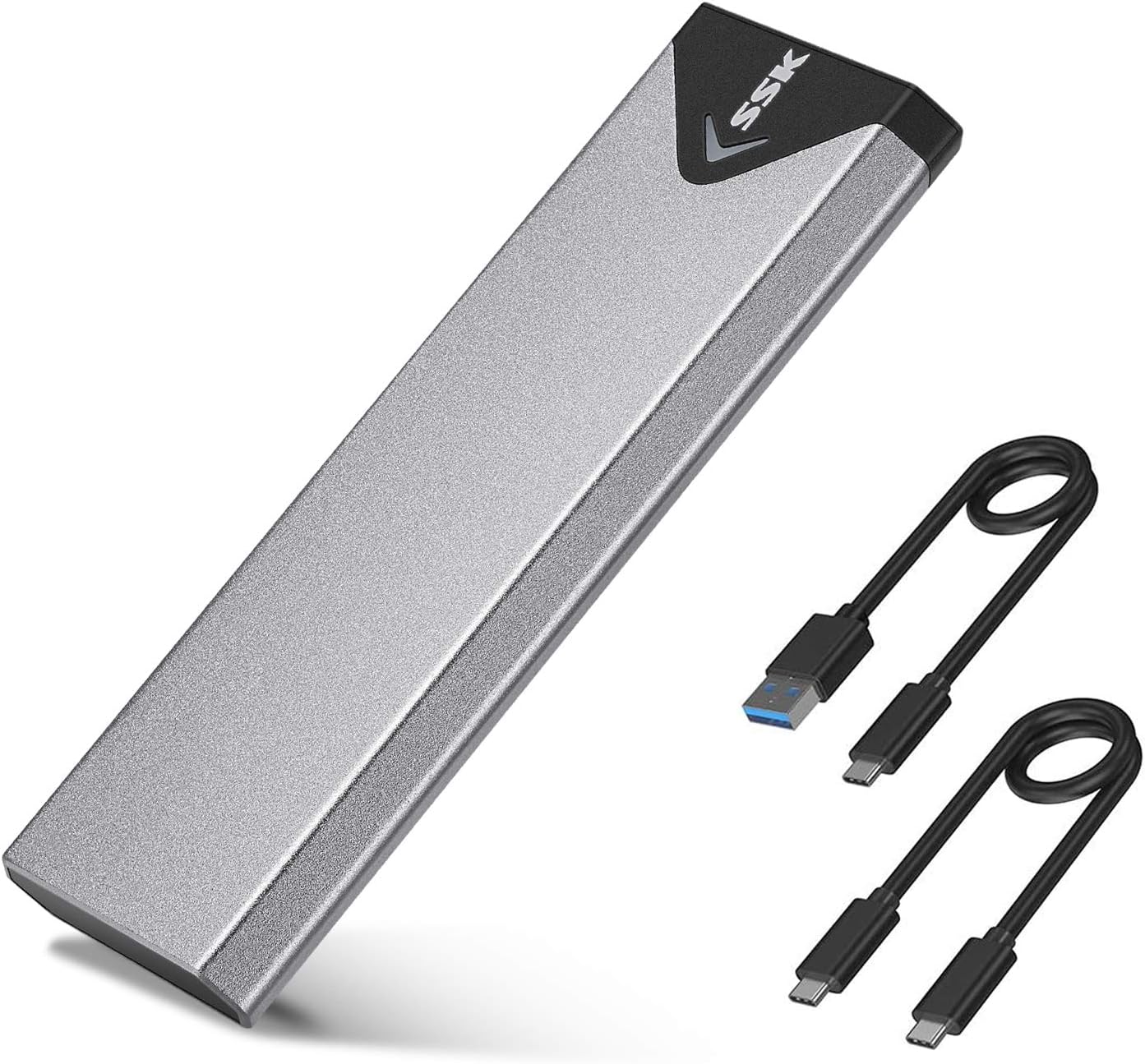
The SSK M.2 NVMe SATA SSD Enclosure leverages the advanced RTL9210B chipset and USB 3.2 Gen 2 interface to deliver blazing 10Gbps transfer speeds. Its sleek aluminum alloy body ensures excellent heat dissipation, while supporting a wide range of M.2 SSD sizes and types (NVMe & SATA). Designed for plug-and-play convenience across multiple OS platforms, this enclosure is a portable, durable, and efficient solution to transform your internal SSD into a high-speed external drive.


| ASIN | B07MNFH1PX |
| Best Sellers Rank | #8 in Enclosures |
| Brand | SSK |
| Built-In Media | 10Gbps USB-A Cable, 10Gbps USB-C Cable, Installation Package, heating pad |
| Color | Space Gray |
| Compatible Devices | Laptop |
| Connectivity Technology | USB |
| Customer Reviews | 4.5 out of 5 stars 21,562 Reviews |
| Data Transfer Rate | 10 Gigabytes Per Second |
| Enclosure Material | Aluminum |
| Hard Disk Form Factor | 2280 Millimeters |
| Hardware Interface | USB 3.0 |
| Hardware Platform | Windows |
| Item Dimensions L x W x H | 4.53"L x 1.54"W x 0.43"H |
| Item Weight | 0.1 Kilograms |
| Manufacturer | SSK Corporation |
| Material | Aluminum |
| Memory Storage Capacity | 4 TB |
| Mfr Part Number | SHE-C325 PRO |
| Model Number | SHE-C325 PRO |
| Product Dimensions | 4.53"L x 1.54"W x 0.43"H |
| Supported Devices Quantity | 1 |
| Unit Count | 1.0 Count |
| Warranty Description | 1 Year |
G**.
Perfect for turning my old SSD into a portable drive!
The SSK M.2 NVMe SATA SSD Enclosure Adapter and similar USB‑C SSD enclosures are a great way to turn an M.2 NVMe or SATA SSD into a fast external drive with USB 3.2 Gen 2 (up to 10 Gbps) performance. Built around the advanced RTL9210B controller chip, these enclosures offer plug‑and‑play convenience without drivers while delivering quick data transfer speeds that make moving large files, backups, or media libraries fast and hassle‑free. The tool‑free design and compact aluminum body keep things simple and durable, and the included thermal pads help manage heat during prolonged use. Whether you’re expanding laptop storage or accessing drives on the go, this is a reliable, budget‑friendly solution that makes your M.2 SSD work wherever a USB‑C port is available.
M**A
Perfect m.2 enclosure case.
Works great for multiple m.2 drives. Plug and play setup. Great when doing adhoc backups or accessing data.
D**I
How to use it best, after using it myself
It came with two sets of screws (good), but only one thermal pad with a very adhesive coating on it. If I pulled it off - especially after it was there absorbing heat for a while, it would not be like pulling off of a sticky. It seems designed for one-time SSD use, but... My advice: If the SSD needs to be used elsewhere, pulling off the adhesive pad would probably leave some hard to remove material from the SSD that you may want to use elsewhere. So: If you only want to use an SSD temporarily - just to test it, see what's on it, or re-format - DO NOT use the one-and-only adhesive pad. Use the adhesive pad ONLY if you want to use it as a more permanent SSD drive. Final comments: It works well, has a nice blinking LED that helps, it gets warm but not hot with the one-time thermal adhesive attached (like life, one-time, that's all folks), it didn't cost much, takes up very little space for such capacity, looks cool, they built it well. I give 5 stars as long as you have read everything above thus far.
C**E
Absolutely awesome!
"SSK Aluminum M.2 NVME SATA SSD Enclosure Adapter: A High-Performance, Durable, and Convenient Solution for SSD Expansion When it comes to upgrading my computer's storage, I'm always on the lookout for a solution that is both high-performance and user-friendly. The SSK Aluminum M.2 NVME SATA SSD Enclosure Adapter fits that bill perfectly. Here's why I think this adapter is a great choice for anyone looking to expand their storage capacity. First and foremost, I was impressed by the high-speed data transfer capabilities of this adapter. Thanks to the USB 3.2 Gen 2 interface, it delivers a blazing-fast 10 Gbps transfer rate, allowing me to access and move large files with ease. This is especially important for me as a video editor who frequently works with large media files. In addition to its speed, the build quality of the SSK Aluminum M.2 NVME SATA SSD Enclosure Adapter is top-notch. The aluminum casing not only gives it a sleek and premium look, but it also provides excellent heat dissipation. I never had to worry about overheating issues even when transferring data for extended periods. The installation process was a breeze. The adapter's tool-free design allowed me to quickly and securely install my M.2 NVME and SATA SSDs without any hassle. Plus, the adapter is compatible with both NVME PCI-E and SATA M-Key SSDs, giving me the flexibility to use a wide range of SSDs. Lastly, the portability of this adapter is a significant advantage. Its compact and lightweight design makes it easy to carry around, so I can always have additional storage on the go. This has proven to be invaluable when I'm traveling for work or need to share files with colleagues. Overall, the SSK Aluminum M.2 NVME SATA SSD Enclosure Adapter is a high-performance, durable, and convenient solution for expanding storage. Whether you're a content creator, gamer, or just someone in need of extra storage space, this adapter is a fantastic investment."
S**M
Solid enclosure, works as advertised
Sturdy metal enclosure. Worked without any glitches. Was able to transfer my old files to my new laptop. Excellent value
J**N
High‑Speed Compact Enclosure – Excellent Build & Pocket‑Friendly
I recently picked up the SSK M.2 NVMe/SATA SSD Enclosure (model B07MNFH1PX) and I’m impressed. The build quality is superb—its slim aluminum alloy shell gives it a premium feel and excellent heat dissipation. The size (just about 11 mm thick) makes it ultra‑portable and easy to throw into a laptop bag, backpack, or even my gear rolling case. As for performance, it lives up to its promise: with the USB 3.2 Gen 2 (10 Gbps) interface it enables very fast transfer speeds (up to 1000 MB/s under ideal conditions). It handled my NVMe drive perfectly—and for a compact external enclosure I couldn’t ask for much more. Highly recommended if you want a durable, speedy, and pocket‑friendly enclosure.
B**R
Upgrade old Windows 10 PC with Crucial SSD and SSK USB M2 SSD adapter
I've been using a Windows 10 Dell desktop PC for more than nine years. Microsoft will not allow an update to Windows 11, but they did give me extended support for the next year at no cost. This system works great for me and I see no reason to junk it for a Windows 11 replacement system. I did notice recently that my 256gb SSD is nearly full, so I used Google search AI mode to review my options. I chose a Crucial P310 500GB SSD along with a USB SSK M.2 NVME SATA SSD Enclosure Adapter to allow cloning my C: drive. I highly recommend both. With Prime I had these items next morning after ordering. I immediately installed the SSD in the adapter and plugged it into a USB 3 port. I was concerned when a new drive did not appear in Windows Explorer, but after another Google AI mode search, I learned I needed to format the SSD drive using Windows Drive Manager. For the cloning software, I initially downloaded the Acronis True Image for Crucial program referenced on the Crucial site, but it would not work claiming not to have found a Crucial SSD. Acronis online support was useless. I searched for an alternative solution and happily discovered DiskGenius which offers a free version that worked very well and much quicker than I expected (about 20 minutes). Exchanging old with new SSD was easily done and rebooting found Windows and all of my apps working normally with plenty of room to spare on the C: drive. I saw on the motherboard two empty RAM slots and thought I would like having a memory upgrade as well. Back to Google AI mode, I got the exact information needed to go from 8 to 32GB. I found and ordered a kit for $57 which I will have in less than a week. So for $110 I have breathed new life into my old but perfectly good PC. I doubt that I will replace it even after MS extended support expires next year.
S**C
USB-C cable caused hours of headache
My SSD was not usable with this enclosure. Until I solved the problem. I'm using this SSD to create a full system backup image of a clean Windows 11 install with all my preferences and software. I like to tinker and break things so this will be a huge time saver as I reinstall my OS sometimes several times in a day. I could see the drive (in DISKPART and Disk Management) so I went about cleaning it (wiping it), partitioning, and formatting....still formatting...still at 0%...several minutes later nothing...cancel...try again. Wipe the drive, partition again, everything seems good....start to format...nothing....stuck "formatting" again...for ten minutes this time. I try several more times waiting in longer intervals, which tells me something is wrong. While I wait, I start researching. What's happening here? It's an empty SSD so it shouldn't take more than a few seconds to format. Fine, I'll go down the rabbit hole and diagnose this new SSD. An annoying problem to have, but I'm a tech junkie so I'll figure it out. Reading technical walkthroughs. Checking firmwares. Getting into enclosure properties from the Device Manager. Trying to find out why this hard drive is being such a pain. I can see the drive. I can interact with the drive. I can see it in Windows. I can even see my partition type is RAW, which is correct bc I haven't assigned a "file system" for it yet (NTFS, FAT32, etc). I am attempting to format it to NTFS so I have cross-compatibility between Mac/Windows computers. I have a top of the line machine with USB 3.2 Gen 2 interfaces. Top of the line CPU with strong motherboard. Yet something about formatting, this drive won't do it. Okay. I submit. You win, SSD. I'll return the drive and try again with another I guess. But one last thing... I know my way around networking, and a common problem with speeds is cable quality. I just upgraded a few ethernet lines in my house...cut and added new RJ45 connectors to the end so they could be plugged into PC's and routers and data outlets, etc. Only sharing for credibility. So, let's try changing the cable to another USB-C to USB-C cable I have. Thankfully I had one. Went through my SSD check list...wipe it, partition it, format it (using NTFS) and....voila. Instantly formatted to 100%. That crappy little 6" cable they provide was the weak link (USB-C to USB-C). I can't believe that was the problem. Hours of trying to figure this out. Maybe they're dumping poor quality cables and dealing with the customer fallout? Maybe that's why this is $16 and other brands are selling at $20-$30. Though it appears they're based in Shenzhen, which is pretty much the fast-and-cheap tech capital of the world because it's a prototyping hub. So it makes sense they'd be able to offer a more affordable version. Long story short, I wish I checked the cable sooner, but I was fully interacting with the drive other than being able to format it...so no reason to think the cable was the issue. The device comes with a USB-A to USB-C cable as well, but my preference is USB-C as I have a mixed Mac/PC environment. So, I don't steer away from that. Several hours and a few gray hairs later, and I have a working drive and enclosure...unfortunately using my a cable that is not a spare. You shouldn't have to buy the cable either. I'm hoping I just got a bad one. But I did read another buyer had another issue, which tells me cable quality may be suspect if you're going for the cheaper enclosure as I did. I'm going to reach out to them to see if I can get a new cable (or a couple to be safe if they were willing). The enclosure itself otherwise seems great. Simple to install the SSD. Solid metal construction. Drive fit like a glove. Everything works perfectly now that I replaced their USB-C to USB-C cable with my own.
B**S
Klare Kaufempfehlung
Sehr gutes Gehäuse für NVME und M.2 SSD's durch dickwandiges Alu, da durch werden die SSD`s auch gut gekühlt. Wenn ich wieder eins brauche dann vorzugsweise wieder dieses.
T**R
Must have
Easy to use. Excellent quality. Must have.
R**T
Product
Original product and operated normal
A**R
Vraiment Pro
Très bon débit de l'interface, permet d'exploiter le débit du SSD qui y est connecté.
F**O
Buenas prestaciones y precio
Probada con un SSD Samsung de 3500/3200 MB/s y donde, con la carcasa conectada a un puerto USB 3.1 Gen 2 de 10Gbps, me da una lectura de 1Gb/s de lectura y 750Mb/s de escritura. Desde un puerto USB 3.1 Gen 1, funciona como cabe esperar a 5Gbps, donde los resultados han sido de 460MB/s de lectura/escritura, que tampoco está nada mal para este tipo puerto. La disipación de calor es bastante buena, ya que al tener una ligera amortiguación hacía la carcasa, la almohadilla térmica está en contacto con la carcasa de aluminio, disipando mejor el calor que otras carcasas que he visto, donde la almohadilla térmica se queda al aire. En mi caso se calienta muy poco la unidad. Escribiendo grandes cantidades de datos se calienta, pero dentro de lo normal
Trustpilot
1 day ago
5 days ago