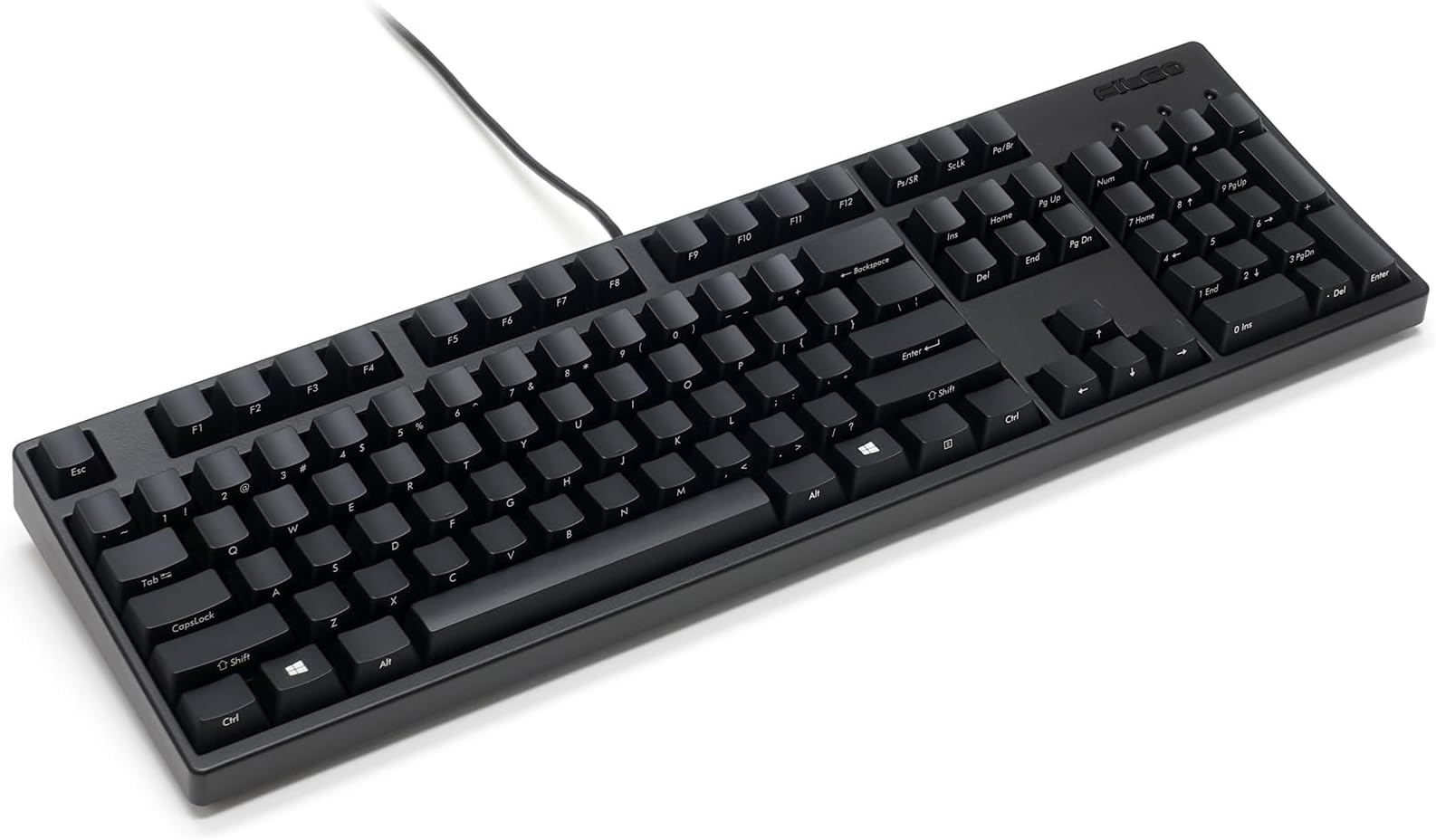


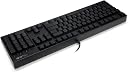
FILCO Majestouch Ninja (Cherry MX Red) Keyboard
Product ID: 10029911
⚫Durable ABS Keycaps
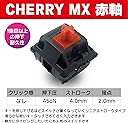
🔴Cherry MX Red Switches
🖥️Full Size Layout
🔑 Type Like a Ninja: Unleash Your Inner Pro!
The FILCOMajestouch Ninja Keyboard features Cherry MX Red switches for a smooth typing experience, durable black ABS keycaps, and a full-size layout, making it the perfect choice for professionals seeking both performance and style.
| ASIN | B007VAFWPA |
| Additional Features | Lighting |
| Brand | FILCO |
| Button Quantity | 104 |
| Compatible Devices | keyboard |
| Customer Reviews | 4.7 out of 5 stars 64 Reviews |
| Enclosure Material | Acrylonitrile Butadiene Styrene |
| Hand Orientation | Ambidextrous |
| Item Weight | 1.2 Kilograms |
| Keyboard Description | Mechanical |
| Manufacturer | Filco |
| Material | Acrylonitrile Butadiene Styrene |
| Mfr Part Number | FKBN104MRL/EFB2 |
| Model Number | FKBN104MRL/EFB2 |
| Number of Keys | 104 |
| Special Feature | Lighting |
| Style | Contemporary |
| Style Name | Contemporary |
| UPC | 033584413317 |
A**.
Beautiful, fluid keyboard
I just got one of these gorgeous keyboards this week. This is my first Filco, and it is replacing a Razer BlackWidow Ultimate with Cherry MX Blues that I have had for about two years. I'm a programmer, and I'm on my computer and typing frenetically pretty much all of the time. After several years of using "clacky" mechanicals, I was a little hesitant to get the non-tacticle, lighter action of the red switches. That turned out to be a misplaced concern. Most people who make a similar transition say that there is a period where there accuracy goes down, but for me, my accuracy and speed went up almost on the spot. I've heard people say that the Majestouch 2 soft linear is "like typing on water", which is surely an exaggeration, but not much of one. It really is the smoothest and fastest keyboard I've used. However, if you have an especially heavy typing style, you may need to adjust to the lighter action, since otherwise you will bottom out on every stroke and that would defeat the benefit of the reds. It's worth pointing out that although this keyboard isn't completely silent, if you make an effort not to bottom out, it is much, much quieter than Brown or Blue switches will ever be. If you are considering a Brown-based "Stealth" keyboard primarily for the noise reduction over blues, I would recommend going for the reds instead, especially if you don't jackhammer the keys. On to the keyboard itself. This board is the "Ninja" variation, with the front-facing key labels. The reason for doing this is to reduce wear on the labels, especially for ABS caps like this keyboard has. But the Blackwidow this is replacing also had ABS Caps, although because it is backlit, the labels are not printed, and so cannot be worn off. My Blackwidow's caps themselves are also still in great shape after two years of daily use. Whether or not this keyboard will wear as well remains to be seen. My general impression is that the caps are not as high quality as those on the BlackWidow, but many mechanical buyers will get a set of custom PBT caps anyway. It's very nice having a no-frills keyboard with a base that snugs right up against the keys again. On the Blackwidow, I lost count of the number of times I hit the lowest macro key instead of left CTRL when I first got it. Macro and media keys strike me as, well, bad, and I'm very happy to be rid of them. Now the backlight, on the other hand, I was sure I'd miss, mostly for sporadic use at night when I'm not typing long enough for touch typing to matter. But it doesn't seem to matter even then. So I would say even if you're used to a backlight, you may find that you won't miss it. The "Ninja" layout may have a gimmicky name, but in person, it's actually quite handsome. It makes you wonder why this hasn't been a standard layout all along. Under normal lighting conditions, it may even be more legible than the standard layout, while also looking less cluttered. I would probably recommend this over the standard layout. The keyboard has a nice heft, and build quality seems very high. The Backspace key squeaks a little bit if not pressed in the dead center (possibly a variant of the Filco "ping" issue?), but other than that, there is no wobble or grit or noise or any problem with the action anywhere. I believe this keyboard uses Filco stabilizers for large keys, and Cherry stabilizers for everything else. This is in contrast to certain Coolermaster mechanicals, which use very highly regarded Costar stabilizers, and the Blackwidow, which I believe uses iOne stabilizers. The Blackwidow developed a well-known "double or nothing" problem on certain keys, which I have read can be attributed to their choice of stabilizer. I wouldn't know anything about all that, but hopefully the Filco stabilizers won't have that same problem. Overall, I'm extremely happy with this keyboard. Giddy, actually. I'm sometimes motivated to code something just because it'd be fun to type, as weird as that may be, and this keyboard triggers that effect on a daily basis. If you're only used to blues, give this a try! If you've never had a mechanical before, definitely give this a try! Given how important your keyboard is, the cost is basically nothing. I see a lot of people complaining about the price of Filcos over other mechanicals, but relistically you're looking at a difference of $50 at most, amortized over a couple years. Just get the Filco.
A**R
Kickin' Keyboard
I am currently enrolled in a Braille transcription course. When transcribing Braille on a computer, n-key rollover is required which means that I must be able to strike the f d s j k l keys simultaneously in order to key in the combinations of six dots required for Braille. At present I own two laptop computers. One does not have n-key rollover (it's a netbook). The second does have n-key rollover but the laptop keyboard is really not designed for hours of use, and I end up with fatigued hands and also with stray characters when my arms are too tired to hold my wrists up and out of the way. Enter Amazon, and I began checking out keyboards with n-key rollover. This one, the Filco Ninja Majestouch-2 NKR, Soft Linear Action Keyboard had wonderful ratings all around and sounded exactly like what I needed for lengthy transcription sessions as well as the simultaneous key strikes. I ordered it with my Amazon Prime and received it in two days. Although it was more costly than I had hoped, this keyboard is everything that the reviews say and more. The touch is more mechanical than other keyboards, especially the laptop ones. I love the feel of it, more like a typewriter feel and you can literally wiz through typing. It's fast, with no lags or discomfort, the n-key rollover is perfect for Braille (or gaming or whatever you need it for), it also has the numeric keyboard on the side which I wasn't sure I needed but went for anyway. The key symbols are printer on the front rather than the top of the keys to avoid wear-offs over time, and the keyboard comes with a tool to change out the Microsoft keys as well as the replacement keys themselves. The keyboard was easy to connect (simply plug in the USB to your laptop and it is ready to go), has a solid feel, and the black has an unobtrusive look. It fits well on my desk's keyboard tray and stays put. Some reviews stated that there is a squeaky backspace key. I have not experienced any squeaky keys on this keyboard. The shipping was perfect as well. All in all, this keyboard is a fine one for someone who needs a higher end model with n-key rollover. It's well worth the money not to have that hand fatigue and discomfort that I had before. For some people, using this may require a bit of adjustment time as stated in some other reviews, but I honestly didn't experience that.
J**G
Great keyboard. But I received the product without an ...
Great keyboard. But I received the product without an extra set of win keys, neither the key puller. I don't know if others have the same problem. I have decided to return this one and buy the same product again.
C**S
Hope it works but ...
It is a great product to be honest. But the one sended to me keep typing number 3 automatically when I log into windows. I searched this issue on google and someone suggested that it might have a defective pcb. I finally returned the product even though I really like the feelings of typing. But if you wanna get something for gaming I would suggest a MX blue switch instead of Red Switch. Overall great quality but I doubt that it will last in a long term.
R**L
Like typing on silk
This is an amazing keyboard--absolutely, utterly, wonderfully perfect for me. I'm an extremely fast touch typist (120+ wpm) and I spend all day working at the computer, so I finally decided to buy a good keyboard. This isn't it--because this is a GREAT keyboard. I'd had a test run of all the MX Cherry switches (ordered a kit from WASD) and couldn't decide between the brown and the red switches, but after reading all the reviews for this keyboard, I thought, what the heck, I'll give this one a test. I love typing on this keyboard. I love the feel of the material the keys are made from and I absolutely adore the action on the red switches--just a teensy bit of resistance, enough to prevent accidentally typing something unintentional but not so much that you have to bash at the keys. I feel like I'm already typing faster than I ever have, with less effort. Feels great. Pros: solid build, fabulous action, fun that the keys are printed on the front and not the top, and best of all--the smoothest typing experience EVER Cons: I guess the price is a slight con, but considering how many hours a day I use my computer, the expense is minimal; and the Enter key squeaks a bit, but maybe that just gives the thing some character, like the mistakes that master rugmakers work into their rugs Many thanks to all the previous reviewers, who really helped me make my decision.
J**E
Really a joy to type on!
I really can't think of anything to criticize. I had never used the 'soft linear action' before, so I wasn't entirely sure what to expect. My previous experience with mechanical keyboards have been blues, with the exceptionally clicky action. This is most certainly not that. I was a bit concerned as to how loud it would be, as I bought this to use at work, and I didn't want to *not be able to type while on a speakerphone for instance. It is louder than your commodity office keyboard, but not by much. The keys travel in a very linear fashion, without the subtle rocking back and forth you can get with commodity keyboards. There is very little resistance when depressing a key. This takes a bit of getting used to. Unlike most keyboards, where the key needs to bottom out to register the keystroke, the Filco registers the keystroke about half-way down. Of course you can still type as you're used to, bottoming out the key each time, but that is what creates the little bit of noise. This keyboard allows you to kind of "float" around the keys. It takes some practice, but if you're good, you can get around the keyboard without bottoming out the keys, and pretty close to silent (save the sound of plastic rubbing but not clicking). It seems that the keyboard begs to be typed on fast. I actually find that I get a bit ahead of myself (and make a mistake) because I'm trying to type just a bit too fast. But it's so much fun to type fast on it! I'd buy another one in a heartbeat if I ever needed it.
D**L
Excellent build quality.
I use this for everything - work, gaming, transcribing, etc. I went from black switches to reds, which takes a bit of adjustment, but the build quality is excellent and the feel of the keyboard is amazing. I like the lettering on the side. It's a good middle ground between the Das Ultimate I had and a gimmicky RGB keyboard. If you're looking for a very high quality, no-nonsense keyboard I would definitely recommend. I'd put it more on the professional side of keyboards, but have had no issue gaming with it. If you're used to harder switches, there'll likely be a period where you double tap keys (if you're using reds), but that goes away. My typing speed has stayed within 5% (per Typeracer). Within the first week, I was slightly ahead of my previous speed and expect incremental improvements. That said, it's more about the feel and enjoyment than performance if you're already using a high quality mechanical keyboard. If you've never used a mechanical keyboard, I recommend you go to a Best Buy or similar and try out a few different switches on the display keyboards to see what feels best.
3**9
Friends for Typers
Mine came with the dysfunctional space key so I returned it. But all the other keys touched very soft and feels comfortable than any other keyboards that I had before. If you want to choose one that friendly to your fingers you can purchase it.
G**O
Product is excellent.
Delivery is quick. Product is excellent.
A**A
Very good, but expensive.
Great keyboard, not worth the price tag though. Comes with beautiful key caps and genuine MX cherry switches and a key cap swapping tool.
黃**洋
大勧め
素晴らしい触感!タイピングの楽しさは倍になる。高級キーボードの初体験としては完璧だった。
A**ー
なかなかキレイ
赤軸はほんとにスコスコていました。自分がWindows10を使っているので、レジストリの変更は簡単でした!
Trustpilot
1 month ago
1 month ago